In recent weeks, several large healthcare data breaches have been reported that have seen cybercriminals gain access to employees’ email accounts and sensitive data, although the recently disclosed UnityPoint Health phishing attack stands out due to the huge number of individuals that have been impacted and the extent of sensitive data exposed.
UnityPoint Health is one of the largest healthcare systems serving Iowa residents. The Des Moines-based healthcare provider recently discovered that its employees have been targeted in a phishing campaign that has seen several email accounts compromised. Those email accounts contained the sensitive information of approximately 1.4 million patients.
That not only makes this the largest phishing incident to have been suffered by a U.S. healthcare provider in 2018, it is also the largest healthcare data breach of 2018 and one of the most serious phishing attacks and data breaches ever reported.
The UnityPoint Health phishing attack has seen highly sensitive data compromised, including names, addresses, health insurance information, medical record numbers, diagnoses, treatment information, lab test results, medications, providers, dates of service, Social Security numbers, driver’s license numbers and, for a limited number of patients, their payment card information.
The phishing emails were sent to employees between March 14 and April 3, 2018, although the breach was not detected until May 31. As is common in phishing attacks on businesses, access to email accounts was gained through the impersonation of a senior executive.
A series of spoofed emails were sent to employees that appeared to have come from a trusted executive’s email account. Employees who opened the email were instructed to click a link that required them to enter their email login information. That information was captured by the attackers who were then able to gain access to the employees’ email accounts.
The UnityPoint Health phishing attack potentially gave the hackers access to all the information stored in the compromised email accounts – Information that could be used for identity theft and fraud. It is unclear whether mailboxes were downloaded, although UnityPoint Health said its forensic investigation suggests that the primary goal was to divert payroll payments and to use account access to fool accounts department staff into making fraudulent wire transfers. It is unclear if any of those attempts succeeded.
This is also not the only UnityPoint Health phishing attack to be reported this year. In March, UnityPoint Health announced that 16,400 patients had been affected by a separate phishing attack that saw multiple email accounts compromised.
The latest incident has prompted the healthcare provider to implement new technology to detect phishing and BEC attacks, multi-factor authentication has been implemented, and additional security awareness training has been provided to employees. Credit monitoring and identify theft monitoring services have been offered to patients whose driver’s license or Social Security number has been exposed, and all patients have been notified by mail.
As the Ponemon Institute’s 2018 Cost of a Data Breach Study showed, the cost of these million-record+ data breaches is considerable. The average cost of such a breach was estimated to be around $40 million.
One of the world’s biggest shipping firms – Cosco – has experienced a ransomware attack that has seen its local email system and network telephone in the Americas taken out of action as the result of widespread file encryption.
The Cosco ransomware attack is believed to have been contained in the Americas region. As a precaution and to prevent further spread to other systems, connections to all other regions have been disabled pending a full investigation. A warning has also been issued to all other regions warning of the threat of attack by email, with the firm telling its staff not to open any suspicious email communications. IT staff in other regions have also been advised to conduct scans of their network with antivirus software as a precaution.
The attack started on Tuesday, July 24, and its IT infrastructure remains down; however, the firm has confirmed that that attack has not affected any of its vessels which continue to operate as normal. Its main business systems are still operational, although the operators of terminals at some U.S ports are experiencing delays processing documentation and delivery orders.
It would appear that the Cosco ransomware attack is nowhere near the scale of the attack on the world’s biggest shipping firm A.P. Møller-Maersk, which like many other firms, fell victim to the NotPetya attacks last year. In that case, while the malware appeared to be ransomware, it was actually a wiper with no chance of file recovery.
The attack, which affected more than 45,000 endpoints and 4,000 servers, is estimated to have cost the shipping company between $250 million and $350 million to resolve. All servers and endpoints needed to be rebuilt, and the firm was crippled for 10 days. In that case, the attack was possible due to an unpatched vulnerability.
Another major ransomware attack was reported last week in the United States. LabCorp, one of the leading networks of clinical testing laboratories in the United States, experienced a ransomware attack involving a suspected variant of SamSam ransomware. While the variant of ransomware has not been confirmed, LabCorp did confirm the ransomware was installed as a result of a brute force attack on Remote Desktop Protocol (RDP).
Labcorp was both quick to detect the attack and contain it, responding within 50 minutes, although 7,000 systems and 1,900 servers are understood to have been affected. It has taken several days for the systems to be brought back online, during which time customers have been experiencing delays obtaining their lab test results.
Several cybersecurity firms have reported that ransomware attacks are in decline, with cryptocurrency mining offering better rewards, although the threat from ransomware is still ever present and attacks are occurring through a variety of attack vectors – exploitation of vulnerabilities, brute force attacks, exploit kit downloads, and, commonly, through spam and phishing emails.
To protect against ransomware attacks, companies must ensure security best practices are followed. Patches must be applied promptly on all networks, endpoints, applications, and databases, spam filtering software should be used to prevent malicious messages from reaching inboxes, web filters used to prevent downloads of ransomware from malicious websites, and all staff should receive ongoing cybersecurity awareness training.
Additionally, systems should be implemented to detect anomalies such as excessing file renaming, and networks should be segmented to prevent lateral movement in the event that ransomware is deployed.
Naturally, it is also essential that data are backed up regularly to ensure recovery is possible without having to resort to paying the ransom demand. As the NotPetya attacks showed, paying a ransom to recover files may not be an option.
The National Bank of Blacksburg in Virginia has discovered just how important it is to have effective controls in place to protect against phishing. The bank suffered two costly phishing attacks in the space of eight months that have resulted in losses exceeding $2.4 million.
Phishing is the leading tactic used by cybercriminals to gain access to login credentials, steal data, and install malware. Emails are sent to employees with malicious attachments, which if opened, result in the installation of malware. Alternatively, links are sent in emails that direct employees to fraudulent websites where they are fooled into disclosing their login credentials.
The first attack on Blacksburg Bank took place on May 28, 2016. Malware was installed on its systems which gave the attackers access to the STAR Network – The system that manages debit card ATM activity. After gaining access to the STAR Network, the hackers were able to change account balances, remove security measures such as anti-theft and anti-fraud protections, conduct keystroke logging, and authorize withdrawals from customers’ accounts via ATMs.
In the two days that the hackers had access to the system, they were able to make withdrawals at hundreds of ATMs across the country and stole $569,648.24 from customers’ accounts. This was possible without stealing customers cards or using skimmers to create fake bank cards.
The malware was detected on May 30, 2016 and the attack was investigated by the computer forensics firm Foregenix which determined that the malware was installed as a result of an employee being duped by a phishing email.
Eight months later, on January 7, 2017, a similar attack occurred which involved cybercriminals gaining access to the STAR Network. Similarly, access was possible for two days, although in this case approximately $1.8 million was withdrawn from customers’ accounts. Verizon investigated the breach and concluded that access was gained as a result of an employee falling for a phishing scam.
The National Bank of Blacksburg holds an insurance policy against cyberattacks although its insurer, Everest National Insurance Company, has refused to cover the losses. Blacksburg is now suing its insurer for breach of contract.
What these incidents show is just how easy it is for major losses to be suffered as a result of employees falling for phishing scams and the importance of having robust anti-phishing measures in place.
There is no single solution that will provide total protection against phishing, although a good place to start is with an advanced anti spam service such as SpamTitan.
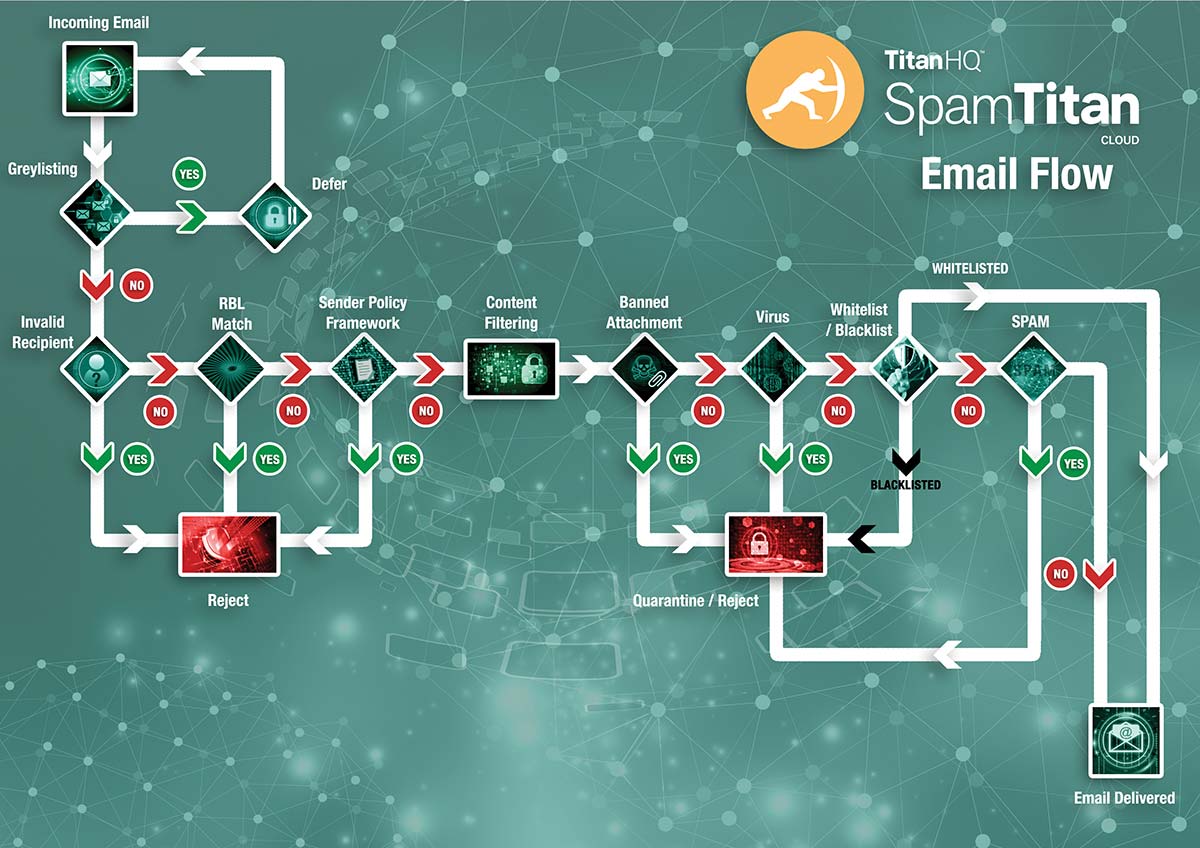
SpamTitan uses dual antivirus engines (Bitdefender and ClamAV) that provides superior protection against phishing and block emails containing malware and malware downloaders. The solution performs multiple checks on each incoming email to determine whether it is genuine, spam, or malicious, including standard checks of email headers, a Bayesian analysis on message content, and greylisting. Together, these controls ensure 99.97% of spam emails are detected and blocked, with a false positive rate of just 0.03%. Independent tests at Virus Bulletin have confirmed a 100% malware detection rate.
No anti-spam solution will block 100% of all spam and phishing emails so it is essential for employees to be trained how to recognize phishing emails. While it was once a best practice to provide annual training, with the volume of phishing emails now being sent and the increased sophistication of attacks, an annual training session is no longer sufficient.
Training needs to be ongoing, with regular training sessions scheduled throughout the year and employees conditioned through phishing simulation exercises. With effective spam filtering and employee security awareness training, the majority of phishing attempts can be thwarted.
In 2017, data breach mitigation costs fell year-on year; however, that appears to be a blip. The 2018 Cost of a Data Breach Study conducted by the Ponemon Institute (on behalf of IBM Security) has revealed data breach mitigation costs have risen once again.
The Ponemon Institute conducts the Cost of a Data Breach Study every year. For the 2018 study, the Ponemon Institute conducted interviews with 2,200 IT, data security, and compliance professionals from 477 companies in 15 countries, including the United States, United Kingdom, Germany, France, Canada, Brazil, Japan and Australia. The companies represented in the study came from a wide range of industry sectors. Each of those companies had experienced a data breach in the past 12 months.
Naturally, the larger the breach, the higher the cost of mitigation is likely to be. Breaches involving millions of records would naturally cost more to resolve than breaches of 50,000 records. Catastrophic data breaches – those involving millions of records – are not normally included in the study. This year was the first time that mega data breaches – those involving more than 1,000,000 records – were included, although they were treated separately.
The analysis of the main part of the study involved breaches ranging from 2,500 records to a little over 100,000 records. The average breach size was 24,615 records globally, 31,465 records in the United States, 22,800 records in the UK, and 19,200 records in Japan.
The costs associated with those data breaches was analyzed using the activity-based costing (ABC) methodology. The ABC methodology identified four process-related activities and assigned costs based on actual use. Those activities were Detection and Escalation, Post Data Breach Response, Breach Notifications, and Lost Business Cost. The analysis identified the average total cost of a data breach taking all four activity areas into account.
The study also revealed measures taken prior to the breach, during, and after, that can limit losses or increase data breach mitigation costs.
Average Data Breach Mitigation Costs Have Reached $3.86 Million
A data breach now costs an average of $3.86 million to revolve. Last year, the average cost of a data breach was $3.62 million. Data breach costs have therefore increased by 6.4% in the space of a year.
On average, per capita data breach mitigation costs rose by 4.8%, with a data breach costing, on average, $148 per record. Last year, the global average was $141 per record.
In addition to the rising cost, the severity of the breaches also increased, with the data breaches in this year’s sample impacting 2.2% more individuals on average.
Data breaches cost more to resolve in the United States than any other country. The average data breach mitigation costs in the United States is $7.91 million per breach. The lowest costs were in India, where the average breach cost was $1.77 million. The highest per capita costs were also in the United States at £233 per record.
Hackers and malicious insiders caused the most breaches and they were also the costliest to resolve at $157 per record. System glitches cost an average of £131 per record and breaches caused by human error cost the least at $128 per record.
Data breach costs varied considerably by industry sector, with healthcare data breach mitigation costs the highest by some distance at an average of $408 per record, followed by financial services breaches at $206 per record, services at $181 per record, and pharmaceutical industry breaches at $174 per record. Breaches in the education sector cost an average of $166 per record, retail industry breaches were $116 per record, and the lowest data breach mitigation costs were in the public sector at $75 per record.
The study of mega data breaches revealed a breach of 1 million records costs an estimated $39.49 million to resolve, while a breach of 50 million records costs an estimated $350 million. Since there were only 11 breaches of more than 1 million records in the sample it was not possible to accurately calculate the average cost of these breaches.
What Factors Affect Data Breach Mitigation Costs the Most?
For the study, 22 different factors were assessed to determine how they affected data breach mitigation costs. The most important cost saving measures that can be taken to reduce the cost of a data breach are having an incident response team ($14 less per record), widespread use of encryption ($13.1 less per record), BCM involvement ($9.3 less per record), employee training ($9.3 less per record), participation in threat sharing ($8.7 less per record) and use of an artificial intelligence platform ($8.2 less per record).
The main factors that increased data breach mitigation costs were third party involvement ($13.4 more per record), extensive cloud migration at the time of the breach ($11.9 more per record), compliance failures ($11.9 more per record), extensive use of mobile platforms ($10.0 more per record), lost or stolen devices ($6.5 more per record), and extensive use of IoT devices ($5.4 more per record).
With the cost of data breaches rising, more cyberattacks being conducted, and the likelihood of a breach being experienced now higher, it is essential not only for companies to implement layered security defenses, but also to make sure they are prepared for the worst.
Companies need to assume a breach will be experienced and policies and procedures need to be developed to deal with the breach when it happens. An incident response team should be prepared to spring into action to ensure everyone known what needs to be done when disaster strikes. The sooner a breach is identified and mitigated, the lower the breach mitigation costs will be.
There has been a major increase in cryptojacking attacks in recent months. Many cybercriminal gangs now favoring this method of attack over ransomware and other forms of malware and are taking advantage of the high value of cryptocurrencies.
As with ransomware attacks, cybercriminals need to install malicious code on computers. Instead of encrypting files like ransomware, the code is used to mine for cryptocurrency. Mining cryptocurrencies involves a computers CPU being used to solve complex computational problems, which are necessary for verifying cryptocurrency transactions and adding to the blockchain. In exchange for verifying transactions, the miner is paid a small amount for the effort.
Devoting one computer to the task of cryptocurrency mining could generate a few dollars a day. Using multiple computers for the task can generate a substantial return. The more computers that are used, the more blocks can be added to the blockchain and the greater the profits. When a network of cryptocurrency mining slave computers can be amassed, the profits can be considerable. According to Kaspersky Lab, one cryptojacking gang that focusses on infecting enterprise servers and spreading the malicious code using NSA exploits, has generated around 9,000 Monero, which equates to $2 million.
Not all computers are suitable for mining cryptocurrency. One cybercriminal gang has got around this by developing malware that can decide whether to deploy a cryptocurrency miner or ransomware, with the decision based on the processing power of the computer. If its not suitable for use mining cryptocurrency, ransomware is deployed. This tactic helps maximize profits after compromising a device.
The use of cryptocurrency miners increased sharply last year as the value of cryptocurrencies started to soar. The price of those cryptocurrencies may have fallen, but cryptojacking attacks are still on the rise. The volume of new cryptojacking malware variants has also increased considerably over the past few months. Figures from McAfee indicate the number of cryptojacking malware variants increased by a staggering 1,189% in the first three months of 2018 alone, rising from around 400,000 malware variants to more than 2.9 million.
Over the same time frame, there has been a fall in the number of ransomware attacks. In Q1, ransomware attacks fell by around 32%, indicating threat actors who previously used ransomware to make money have changed their tactics and are now using cryptocurrency miners.
Ransomware attacks falling by a third is certainly good news, although the threat from ransomware cannot be ignored. Steps must be taken to prevent the installation of the file encrypting code and good backup practices are essential to ensure files can be recovered in the event of an attack. Certain industries face a higher risk of ransomware attacks than others, such as the healthcare industry, where attacks are still rife.
Cryptojacking attacks are more widespread, although the education sector has proven to be a major target. Many mining operations have been discovered in the education sector, although it is unclear whether these mining operations are legitimate, computers are being used by students to mine cryptocurrency, or if educational institutions are being targeted.
One thing is clear. As the value of cryptocurrencies rose, the number of mining attacks increased. That suggests that should prices fall, cybercriminals will switch to other types of attacks, and there could be a resurgence in ransomware attacks.
It could be argued that the installation of cryptocurrency mining malware on a computer is far less of a problem than ransomware or other forms of malware. When the CPU is mining cryptocurrency, the user is likely to find their computer somewhat sluggish. This can result in a drop in productivity. Heavy processing can also cause computers to overheat and hardware damage can result.
Cryptojacking malware is usually installed by a downloader, which can remain on a computer. If the profits from mining cryptocurrency fall, new malware variants could easily be downloaded in its place. Cryptocurrency mining malware can also be bundled with other malware variants that steal sensitive information. Cryptojacking attacks are therefore a major threat.
Protecting against cryptojacking attacks involves the same security controls that are used to block other forms of malware. Cryptojacking malware can be installed by exploiting vulnerabilities so good patch management is essential. Spam and phishing emails are used to install malware downloaders, so an advanced spam filtering solution is a must. Web filters can prevent web-based mining attacks and malware downloads and offer an important extra layer of protection. It is also important not to neglect end users. Security awareness training can help to eradicate risky behaviors.
Additionally, security audits should be conducted, first to scan for the presence of cryptojacking malware, which includes searching for anomalies that could indicate the presence of the malware. Those audits should include servers, end points, POS systems, and all other systems. Any system connected to the network could potentially be used for mining cryptocurrency.
A recent survey of members of the Spiceworks community investigated the use of web filtering by businesses and the effect of web filtering on security and productivity. The survey was conducted on 645 members of its professional network based in the United States and Europe from a wide range of industries including healthcare, finance, and manufacturing.
Web filtering is an important security control that can provide an additional layer of protection against malware and phishing attacks. Web filters can also be used to improve the productivity of the workforce by limiting access to certain types of websites. The Internet can help to improve productivity, although it can also prove a temptation for workers and a major distraction. When a complicated report must be produced, cat videos can be especially tempting.
The survey sought to find out more about the effect of web filtering on security and productivity, how web filters are being used by businesses, the amount of time that employees are wasting on personal Internet use, and the types of websites that businesses are blocking to improve productivity.
Web Filtering is Used by the Majority of Businesses
The survey revealed widespread use of web filters by businesses. Overall, 89% of organizations have implemented a web filter and use it to block certain types of productivity-draining Internet content such as social media websites, dating sites, gambling sites, and streaming services.
The larger the business, the more likely it is that Internet content control will be implemented. 96% of large organizations (1,000+ employees) use web filters to limit employee Internet activity. The percentage drops to 92% for mid-sized businesses (100-999 employees) and 81% for small businesses (up to 99 employees). 58% of organizations said they use a web filtering solution to monitor Internet use by employees.
The survey asked IT professionals who have not implemented a web filtering solution how many hours they think employees are wasting on personal Internet use each week. 58% of employees were thought to waste around 4 hours a week on personal internet use and around 26% of workers spend more than 7 hours a week on non-work-related websites. Without a web filter, most employees will spend around 26 days a year on personal Internet use which, based on average earnings, corresponds to $4,500 paid per employee to slack off on the Internet.
Compare that to the figures for companies that restrict access to at least one category of website and the percentages fall to 43% of employees spending more than 4 hours a week on personal Internet use and 18% who spend more than 7 hours a week on non-work-related websites. The biggest drain of productivity was social media sites, with the figures falling to 30% of employees spending more than 4 hours a week on non-work-related sites when social media sites were blocked.
What are the Most Commonly Blocked Websites?
How are web filters used by businesses and what types of website are most commonly blocked? Unsurprisingly, the most commonly blocked websites were illegal sites and inappropriate sites (pornography for example). Both categories were blocked by 85% or organizations.
After that, the most commonly blocked category of content was dating sites – blocked by 61% of organizations. Businesses are more permissive about the use of social media websites, with only 38% blocking those sites, while instant messaging services were blocked by 34% of organizations. Even though they can be a major drain on bandwidth, streaming services were only blocked by 26% of companies.
What are the Main Reasons for Implementing a Web Filter?
While Internet content control – in some form – has been implemented by the majority of companies, it was not the main reason for implementing a web filter. Money could be saved by improving productivity, but the biggest reason for implementing a web filter was security. 90% of businesses said they had implemented a web filter to protect against malware and ransomware infections and with good reason: Inappropriate Internet access leads to data breaches.
38% of surveyed companies said they had experienced a data breach in the past 12 months as a result of employees visiting non-work-related websites, most commonly webmail services (15%) and social media sites (11%).
Other reasons for implementing a web filter were to block illegal activity (84%) and discourage inappropriate Internet access (83%). 66% of organizations use a web filter to avoid legal liability while 57% used web filters to prevent data leakage and block hacking.
Web Filtering from TitanHQ
TitanHQ has developed an innovative web filtering solution for businesses that helps them improve their security posture, block malware downloads, prevent employees from visiting phishing websites, and limit personal Internet use.
WebTitan Cloud is a 100% cloud-based web filtering solution that can be easily implemented by businesses, without the need for any hardware purchases or software downloads. The solution has excellent scalability, is cost effective, and easy to configure and maintain.
The solution provides Internet content control and malware protection regardless of the device being used to access the Internet and the solution can provide malware protection and allow content control for on-site and remote workers.
Granular controls ensure accurate content filtering without overblocking, time-based filters can be set to restrict access to certain websites at busy times of the day, and different policies can be applied at the organization, department, group, or individual level.
If you have not yet implemented a web filtering solution, are unhappy with your current provider or the cost of your solution, contact the TitanHQ team today and find out more about WebTitan.
The FBI has published its 2017 Internet Crime Report, which details the main types of online crime reported to its Internet Crime Complaint Center (IC3).
In 2017, businesses and consumers reported 301,580 incidents to IC3 and more than $1.4 billion was lost to cybercriminals. Of course, these are only reported losses. Many Internet crimes go unreported, so the true losses are likely to be substantially higher.
2017 saw more complaints of Internet crime than any other year since 2013 when the reports first started to be published.
Identity theft and corporate data breaches often make the headlines, although by far the biggest area of criminal activity are business email compromise (BEC) scams – or email account compromise (EAC) when the scams target individuals.
Business Email Compromise Scams – The Main Cause of Losses in 2017
More than three times as much money was lost to BEC and EAC scams than the next highest cause of losses: confidence fraud/romance scams. In 2017, the reported losses from BEC/EAC scams was $676,151,185.
Business email compromise and email account compromise scams involve the use of a compromised email account to convince individuals to make transfers of funds to accounts controlled by criminals or to send sensitive data via email.
BEC scams usually start with compromising the email account of the CEO, CFO or another board member – which is why this type of scam is also known as CEO fraud. Access to the executive’s email account is gained via brute force guessing of passwords or, most commonly, social engineering techniques and phishing scams.
Once access to the email account is gained, an email conversation is initiated with another member of the workforce, typically an individual responsible for making wire transfers. That individual is instructed to make a transfer to a new bank account – that of the attacker. Alternatively, the data of employees is requested – W2 Forms – or other sensitive company information. These scams often involve large transfers of funds. In 2017 there were 15,690 such scams reported to IC3, making the average loss $43,094.
Phishing Extensively Used in Internet Crime
Phishing, vishing, smishing and pharming were grouped together. They ‘only’ resulted in losses of $29,703,421, although the losses from these crimes are difficult to calculate accurately. The losses associated with phishing are grouped in many other categories. BEC scams often start with a phishing attack and research from Cofense suggests 91% of corporate data breaches start with a phishing email.
The 2017 Internet Crime Report reveals the extent to which phishing is used in cyberattacks. There were 25,344 phishing incidents reported to IC3 in 2017 – the third highest category of Internet crime behind non-payment/non-delivery and personal data breaches. Many personal data breaches start with a phishing email.
Ransomware Attack Mitigation Proves Expensive
In addition to the threat of BEC attacks, the FBI’s 2017 Internet Crime Report warns of the threat from ransomware. Ransomware only resulted in reported losses of $2.3 million and attracted 1,783 complaints, although it is worthy of a mention due to the considerable disruption that attacks can cause. The reported losses – in terms of the ransoms paid – may be low, but actual losses are substantially higher. The ransomware attack on the City of Atlanta in April 2018 saw a ransom demand of $52,000 issued, although the actual cost of mitigating the attack was reported to be at least $2.7 million in April. However, in June 2018, city Information Management head Daphney Rackley indicated a further $9.5 million may be required over the coming year to cover the cost of mitigating the attack.
Tech Support Fraud Losses Increased by 90%
Another hot topic detailed in the 2017 Internet Crime Report is tech support fraud – This is a widespread scam where individuals are fooled into thinking they have a computer problem such as a virus or malware installed, when they do not. Calls are made warning of detected malware, and users are directed to malicious websites via phishing emails where pop-up warnings are displayed, or screen lockers are used.
These scams usually require the victim to pay the scammer to remove a fictitious infection and provide them with remote access to a computer. In addition to the scammers charge for removing the infection, sensitive data such as usernames, passwords, Social Security numbers, and bank account information are often stolen. 2017 saw a 90% increase in losses from tech support scams.
Protecting Against Internet Crime
One of the most important defenses for businesses to implement to protect against the leading cause of financial losses is an advanced spam filtering solution. Business email compromise scams often start with a phishing email and effective spam filtering will reduce the potential for email accounts to be compromised. Ransomware and malware are also primarily distributed via email. An advanced spam filter such as SpamTitan will block 100% of all known malware and prevent malicious messages from being delivered to inboxes.
Security awareness training is also essential. Malicious messages will make it past spam filtering solutions on occasion, so it is important for all end users to be prepared for malicious messages and taught security best practices. Training should be provided to every individual in the company with a corporate email account or access to an Internet facing computer, including board members.
A web filtering solution is also an important consideration. A web filter is an additional anti-malware control that can be used to prevent employees from visiting malicious websites – either via links in emails, redirects, or through general web browsing. A web filter, such as WebTitan, will block ransomware and malware downloads and prevent end users from accessing the types of phishing websites used to initiate BEC attacks.
These three cybersecurity measures should be part of all organizations’ cybersecurity defenses. They will help to prevent businesses from being included in next year’s FBI Internet Crime Report.
UK users are being targeted with a fake WannaCry ransomware alert threatening file encryption if a ransom demand is not paid.
Fraudsters Claim WannaCry is Back!
In May last year, WannaCry ransomware attacks brought many companies to a standstill, with the UK’s National Health Service (NHS) a notable victim. Now, a little more than a year later, a new WannaCry ransomware campaign is being run, or so the sender of a batch of phishing emails claims.
Email recipients are told “WannaCry is back!” and are warned that their devices have been hacked and ransomware has been installed.
Email recipients are warned that the threat actors have perfected their ransomware and this time around antivirus software and firewalls will not prevent file encryption. Further, recovery will not be possible if the ransom is not paid.
Failure to pay, or any attempt to try to remove the ransomware without paying the ransom demand will result in permanent file deletion. Further, the ransomware can propagate and infect the local network, cloud data, and remote devices, regardless of operating system.
Email recipients are told that the ransomware has already been deployed and payment of a ransom of 0.1 Bitcoin – Around $650 – must be made to stop the attack. Email recipients are given just 24 hours to pay the ransom before data are permanently deleted.
The email is signed by WannaCry-Hack-Team, and so far, more than 300 copies of the message have been reported to the UK government’s National Fraud and Cyber Crime Reporting Centre, Action Fraud.
A Phishing Scam that Preys on WannaCry Fears
There are some signs that the email is not a genuine threat, and instead is just preying on fears about another WannaCry style attack.
Ransomware attackers encrypt data then ask for a ransom to unlock files. They do not send a warning saying they will encrypt data if a ransom is not paid. That tactic may be used by some DDoS attackers, but not by ransomware threat actors.
Email recipients are told that this version of WannaCry will work on “any version of Windows, iOS, Android, and Linux.” The original version of WannaCry took advantage of a vulnerability in Windows Server Message Block. WannaCry only affected vulnerable Windows devices that had not been patched. The ransomware was not a threat on other operating systems.
Phishing campaigns often include spelling mistakes in the subject line and message body and this email is no different. The subject line is – “Attantion WannaCry”.
This is simply a phishing campaign that attempts to extort money from the recipient. No ransomware has been installed and the attackers cannot encrypt any files.
If you receive such a message threatening file encryption unless you pay a ransom, report the message to Action Fraud (UK), US-CERT (phishing-report@us-cert.gov) in the United States, or the government Fraud and Cyber Crime agency in your country of residence and delete the email and do not pay any Bitcoin ransom.
Of course, not all ransomware threats are as benign as this and many attackers will be able to encrypt your data. To protect against real ransomware threats ensure you create multiple backups of your files, deploy a spam filtering solution, ensure your operating system and all software are kept up to date, and keep your anti-virus protection up to date.
A new spam campaign has been identified that uses Excel Web Query files to deliver malware. In this case, the .iqy files are used to launch PowerShell scripts that give the attackers root access to a device. .iqy files are not usually blocked by spam filters, making the technique effective at silently delivering malware.
The spam emails are being delivered via the Necurs botnet. Three spam campaigns have been detected by Barkly that use these attachments, although further campaigns are almost certain to be launched.
Excel Web Query files obtain data from an external source and load it to Excel. In this case, the external data is a formula which is executed in Excel. The formula is used to run PowerShell scripts which, in at least one campaign, downloads a Remote Access Trojan (RAT) called FlawedAmmyy Admin – a tweaked legitimate remote administration tool that gives the attacker full control of a computer, allowing any number of malicious programs to be installed.
The emails masquerade as purchase orders, unpaid invoices, and scanned documents – Common themes used in spam emails to deliver malware. These spam email campaigns often use Word documents with malicious macros. Macros are usually disabled by default. Through security awareness training, end users have been conditioned not to enable macros on documents from unknown senders, thus preventing malware downloads.
Since most end users will not be used to receiving .iqy files, these attachments should arouse suspicion. Microsoft has also built in warnings to prevent these files from being run by end users. If an end user attempts to open one of these files it will trigger a warning alerting the user that the file may not be safe as it enables an external connection. The end user would be required to click enable before the connection is made and data is pulled into Excel. A second warning would then be displayed, again requiring authorization. Only if both warnings are ignored will the script be allowed to run that downloads the malicious payload.
There are two steps you can take to protect your endpoints and networks from these types of attacks. The first is to configure your email spam filter to quarantine any emails containing .iqy attachments. SpamTitan allows certain attachment types to be blocked such as executable files and iqy files. You can set the policy to quarantine, reject, or delete the emails. Since these types of files are not usually sent via email, rejecting the messages or deleting them is the safest option.
You should also cover the use of these files in your security awareness training sessions and should consider sending an email alert to end users warning them about the threat.
Further information on steps you can take to prevent malware infections spread via email can be found in our anti-spam tips page. You can find out more about the capabilities of SpamTitan by calling the sales team:
World Cup 2018 phishing scams can be expected over the coming weeks. There has already been a spike in World Cup related phishing emails and many malicious World Cup-themed domains have been registered.
World Cup 2018 Phishing Scams Detected!
The World Cup may be two weeks away, but interest in the soccer extravaganza is already reaching fever pitch. The World Cup is watched by billions of people around the world, and there are expected to be around 5 million soccer fans expected to travel to Russia to see the matches live between June 14 to July 15. With such interest in the sporting event it should be no surprise that cybercriminals are poised to take advantage.
Kaspersky Lab has already detected several World Cup 2018 phishing scams, with many of the early scams using emails to direct soccer fans to malicious websites offering the opportunity to buy tickets for the games.
Fake Tickets and Fake Touts
With tickets for the big matches scarce and demand outstripping supply, many fans are turning to touts to secure tickets to the big matches. Steps have been taken by FIFA to make it harder for ticket touts to operate, such as only allowing one ticket for a game to be purchased by any football fan. That individual is also named on the ticket. However, it is still possible for individuals to purchase tickets for guests and touts are taking advantage. The price for guest tickets is extortionate – up to ten times face value – and that price will likely rise as the event draws closer.
Such high prices mean the opportunity of snapping up a cheaper ticket may seem too good to miss. However, there are plenty of scammers who have registered websites and are posing as touts and third parties that have spare tickets.
Purchasing a ticket through any site other than the official FIFA is a tremendous risk. The only guarantee is that the price paid will be substantially higher, but there are no guarantees that a ticket will be sent after payment is made. Even if a ticket is purchased from an unofficial seller, it may turn out to be a fake. Worse, paying with a credit or debit card could see bank accounts emptied.
Kaspersky Lab detected large numbers of malicious domains set up and loaded with phishing pages to take advantage of the rush to buy tickets ahead of the tournament. The websites are often clones of the official site.To add credibility, domains have been purchased that include the words worldcup2018 and variations along that theme. Cheap SSL certifications have also been purchased, so the fact that a website starts with HTTPS is no guarantee that a site is legitimate. Tickets should only be purchased through the official FIFA website.
Competition Scams
Why pay a high price for a ticket when there is a chance of obtaining one for free? Many competition-themed World Cup 2018 phishing emails have been detected. These emails are sent out in the millions offering soccer fans the change to win a free ticket to a match. To be in with a chance, the email recipient is required to register their contact details. Those details are subsequently used for further phishing and spamming campaigns. Stage two of the scam, where the ‘lucky’ registrant is told they have one tickets, involves opening an email attachment, which installs malware.
Notifications from FIFA and Prizes from FIFA World Cup 2018 Partners
Be wary of any communications from FIFA or any company claiming to be an official World Cup Partner. Kaspersky Lab has detected several emails that appear, at face value, to have been sent by FIFA or its World Cup 2018 partners. These emails usually request the recipient to update their account for security reasons.
Visa is one brand in particular that is being spoofed in World Cup 2018 phishing emails for obvious reasons. Fake security alerts from Visa require credit card credentials to be entered on spoofed websites. If any security alert is received, visit the official website by typing in the official domain into the browser. Do not click the links contained in the emails.
Cheap Travel Accommodation Scams
Airline tickets to cities staging World Cup matches may be difficult to find, and with more than 5 million fans expected in Russia for the World Cup, accommodation will be scarce. Scammers take advantage of the scarcity of flights and accommodation and the high prices being charged and offer cheap deals, usually via spam email. A host of malicious websites have been set up mimicking official travel companies and accommodation providers to fool the unwary into disclosing their credit card details. Retail brands are also being spoofed, with offers sent via email for cut price replica shirts and various other World Cup apparel.
These World Cup 2018 phishing scams can usually be identified from the domain name, which needs to be checked carefully. These websites are often clones and are otherwise indistinguishable from the official websites.
Team and Match News and World Cup Gossip
As the World Cup gets underway, there are likely to be waves of spam emails sent with news about matches, team information, betting odds, and juicy gossip about teams and players. Every major sporting event sees a variety of lures sent via spam email to get users to click links and visit malicious websites. Hyperlinks often direct users to webpages containing fake login pages – Facebook and Google etc. – where credentials need to be entered before content is displayed.
How to Avoid Becoming a Victim of a World Cup 2018 Phishing Scam
These are just a few of the World Cup 2018 phishing scams that have been detected so far and a great deal more can be expected by the time the World Cup winner lifts the trophy on July 15.
Standard security best practices will help soccer fans avoid World Cup 2018 phishing scams. Make sure you:
Only buy tickets from the official FIFA website
Only book travel and accommodation from trusted vendors and review the vendors online before making a purchase
Never buy products or services advertised in spam email
Never opening attachments in World Cup-themed emails from unknown senders
Do not click hyperlinks in emails from unknown senders
Never click a hyperlink until you have checked the true domain and avoid clicking on shortened URLs
Ensure all software, including browsers and plugins, is patched and kept fully up to date
Ensure anti-virus software is installed and is kept up to date
Consider implementing a third-party spam filtering solution to prevent spam and malicious messages from being delivered – Something especially important for businesses to stop employees from being duped into installing malware on work computers.
Stay alert – If an offer seems to good to be true, it most likely is
Data breach costs have risen considerably in the past year, according to a recent study of corporate IT security risks by Kaspersky Lab. Compared to 2016, the cost of a data breach for enterprises increased by 24% in 2017, and by even more for SMBs, who saw data breach costs rise by 36% in 2017.
The average cost of data breach recovery for an average-sized enterprise is now $1.23 million per data breach, while the cost for SMBs is now $120,000 per incident.
For the study, Kaspersky Lab surveyed 6,614 business decision makers. Respondents were asked about the main threats they have to deal with, cybersecurity incidents they have experienced in the past year, how much they spent resolving those incidents, and how that money was spent.
When a data breach is experienced, the costs can quickly mount. Enterprises and SMBs must contain the attack, scan systems for malware and backdoors, and pay for improvements to security and infrastructure to prevent similar attacks from occurring in the future. Staff need to receive additional training, new staff often need to be brought in, and third-parties hired to assist with recovery and security assessments.
Data breach recovery can take time and considerable effort. Additional wages have to be paid to staff assisting in the recovery process, there can be losses due to system downtime, repairing damage to a brand prove costly, credit monitoring and identity theft recovery services may have to be provided to breach victims, insurance premiums rise, credit ratings drop, and there may also be regulatory fines to cover.
The largest component of data breach costs is making emergency improvements to security and infrastructure to prevent further attacks, which is around $193,000 per breach for enterprises, the second biggest cost for enterprises is repairing reputation damage, which causes major increases in insurance costs and can severely damage credit ratings. On average, this costs enterprises $180,000. Providing after-the-event security awareness training to the workforce was the third biggest cost for enterprises at $137,000.
It is a similar story for SMBs who typically pay around $15,000 for each of the above three cost categories. A lack of inhouse expertise means SMBs often have to call in cybersecurity experts to assist with making improvements to security and for forensic analyses to determine how access to data was gained.
Data breaches affecting third-party hosted infrastructure are the costliest for SMBs, followed by attacks on non-computing connected devices, third party cloud services, and targeted attacks. For enterprises, the costliest data breaches are targeted attacks followed by attacks on third-party infrastructure, attacks on non-computing connected devices, third party cloud services, and leaks from internal systems.
The high cost of recovering from a data breach means a successful cyberattack on an SMB could be catastrophic, forcing the company to permanently shut its doors. It is therefore no surprise that businesses are allocating more of their IT budgets to improving their security defenses. Enterprises are now spending an average of $8.9 million on cybersecurity each year, while SMBs spend an average of $246,000. Even though the cost of additional cybersecurity defenses is high, it is still far lower than the cost of recovering from data breaches.
While data breach prevention is a key driver for greater investment in cybersecurity, that is far from the only reason for devoting a higher percentage of IT budgets to security. The main drivers for increasing security spending are the increasing complexity of IT infrastructure (34%), improving the level of security expertise (34%), and management wanting to improve security defenses (29%).
Several GDPR phishing scams have been detected in the past few days as scammers capitalize on the last-minute rush by companies to ensure compliance ahead of the May 25, 2018 GDPR deadline. Be wary about any GDPR related email requests – they may be a scam.
GDPR Provides Scammers with a New Opportunity
You will probably already be sick of receiving email requests from companies asking if they can continue sending you emails, but that is one of the requirements of GDPR. GDPR requires consent to be obtained to use – or continue to use – personal information. With previous privacy policies failing to comply with the new EU law, email requests are being sent to all individuals on mailing lists and those who have previously registered on websites to re-obtain consent.
All companies that have dealings with EU residents are required to comply with GDPR, regardless of their location. Emails are therefore being sent from companies far and wide. Consumers are receiving messages from companies that they may have forgotten they had dealings with in the past. If personal data is still on file, email requests are likely to be sent asking for permission to retain that information.
The masses of emails now being sent relating to GDPR has created an opportunity for scammers. GDPR phishing scams have been developed to fool users into revealing sensitive information under the guise of GDPR related requests. There have been many GDPR phishing scams identified in recent weeks. It is ironic that a regulation that aims to improve privacy protections for EU residents is being used to violate privacy.
Apple Spoofed in New Phishing Scam
Phishers often spoof large, familiar brands as there is a greater chance that the recipient of the message will have an account with that company. The most popular global brands – Netflix, PayPal, Apple, and Google are all commonly impersonated.
These impersonation scams can be highly convincing. A request is sent via email that seems perfectly reasonable, the emails appear to have been sent from the company, and the email address of the sender is spoofed to appear genuine. The emails contain branding and images which are familiar, and the messages can be almost indistinguishable from genuine communications.
The aim is to get users to click on an embedded hyperlink and visit the company’s website and login. There is usually an urgent call to action, such as a security alert, threat of account closure, or loss of services.
Apple is one such brand that has recently been impersonated in GDPR phishing scams. The aim of the attackers is to get Apple customers to login to a fake site and disclose their credentials. Once the credentials have been obtained, the scammers have access the user’s account, which includes financial information, credit card details, and other personal information.
Airbnb GDPR Phishing Scams Detected
Redscan has detected Airbnb GDPR phishing scams recently. Users of its home sharing platform are required to update their contact details due to GDPR law in order to continue to use the platform. The request is entirely reasonable given so many companies are sending similar emails.
The emails claim to be from Airbnb customer service, contain the correct images and branding, and direct users to a familiar looking website that differs only in the domain name. Users are asked to re-enter their contact information and payment card details.
Watch Out for GDPR Phishing Scams
These scams are just two of several. More can be expected over the coming days in the run up to the compliance deadline and beyond. To avoid falling for the scams, make sure you treat all GDPR-related requests as potentially suspicious.
The easiest way to avoid the scams is to visit the website of the brand by typing the correct address directly into the browser or using your usual bookmark. It should be clear when you login if you need to update your information because of GDPR.
Ransomware attacks on businesses appear to be declining. In 2017 and 2018 there has been a marked decrease in the number of attacks. While this is certainly good news, it is currently unclear whether the fall in attacks is just a temporary blip or if the trend will continue.
Ransomware attacks may have declined, but there has been a rise in the use of cryptocurrency mining malware, with cybercriminals taking advantage in the high price of cryptocurrencies to hijack computers and turn them into cryptocurrency-mining slaves. These attacks are not as devastating or costly as ransomware attacks, although they can still take their toll, slowing down endpoints which naturally has an impact on productivity.
While ransomware attacks are now occurring at a fraction of the level of 2016 – SonicWall’s figures suggest there were 184 million attacks in 2017 compared to 638 million in 2016 – the risk of an attack is still significant.
Small players are still taking advantage of ransomware-as-a-service – available through darknet forums and marketplaces – to conduct attacks and organized cybercriminal gangs are conducting targeted attacks. In the case of the latter, victims are being selected based on their ability to pay and the likelihood of a payment being made.
These targeted attacks have primarily been conducted on organizations in the healthcare industry, educational institutions, municipalities and the government. Municipalities are targeted because massive disruption can be caused, and attacks are relatively easy to pull off. Municipalities typically do not have the budgets to devote to cybersecurity.
Attacks in healthcare and education industries are made easier by the continued use of legacy software and operating systems and highly complex networks that are difficult to secure. Add to that the reliance on access to data and not only are attacks relatively easy, there is a higher than average chance of a ransom being paid.
In the past, the aim of ransomware gangs was to infect as many users as possible. Now, targeted attacks are conducted with the aim of infecting as many end points as possible within an organization. The more systems and computers that are taken out of action, the greater the disruption and cost of mitigating the attack without paying the ransom.
Most organizations, government agencies, municipalities, have sound backup policies and can recover all data encrypted by ransomware without paying the ransom. However, the time taken to recover files from backups and restore systems – and the cost of doing so – makes payment of the ransom preferable.
The attack on the City of Atlanta shows just how expensive recovery can be. The cost of restoring systems and mitigating the attack was at least $2.6 million – The ransom demand was in the region of $50,000. It is therefore no surprise that so many victims have chosen to pay up.
Even though the ransom payment is relatively low compared to the cost of recovery, it is still far more expensive than the cost of implementing security solutions to prevent attacks.
There is no single solution that can block ransomware and malware attacks. Multi-layered defenses must be installed to protect the entire attack surface. Most organizations have implemented anti-spam solutions to reduce the risk of email-based attacks, and security awareness training is helping to eliminate risky behaviors and teach security best practices, but vulnerabilities still remain with DNS security often lacking.
Vulnerabilities in DNS are being abused to install ransomware and other malware variants and hide communications with command and control servers and call home addresses. Implementing a DNS-based web filtering solution offers protection against phishing, ransomware and malware by preventing users from visiting malicious websites where malware and ransomware is downloaded and blocking C2 server communications. DNS-based web filters also provide protection against the growing threat from cryptocurrency mining malware.
To mount an effective defense against phishing, malware and ransomware attacks, traditional cybersecurity defenses such as ant-virus software, spam filters, and firewalls should be augmented with web filtering to provide security at the DNS layer. To find out more about how DNS layer security can improve your security posture, contact TitanHQ today and ask about WebTitan.
The cost of the Equifax data breach has risen to more than $242 million, and that figure will continue to rise and could even double.
According to the Equifax financial report for the first quarter of 2018, the total spent on mitigation and preventative measures to avoid a further security breach is now $242.7 million.
The breach, which was made public in September 2017, affected 147.9 million customers, making it one of the largest data breaches ever discovered and certainly one of the most serious considering the types of data involved. Yahoo may have experienced much larger breaches, but the data exposed in those incidents was far less sensitive.
Fortunately for Equifax, it holds a sizable insurance policy against cybersecurity incidents. The policy will cover up to $125 million of the cost, minus a $7.5 million deductible. That insurance policy has already paid out $60 million, with $10 million in payments received in the first quarter of 2018.
The breakdown of cost of the Equifax data breach so far for Q1, 2018 is:
$45.7 million on IT security
$28.9 million on legal fees and investigation of the breach
$4.1 million on product liability
$10 million has been recovered from an insurance payout.
The net expenses from the breach in the first quarter of 2018 was $68.7 million. That is on top of the $114 million spent in the final quarter of 2017, which is broken down as $64.6 million on product costs and customer support, $99.4 million on professional fees, minus $50 million that was paid by its insurance carrier. The net spend so far for Q4, 2017 and Q1, 2018 is $140.5 million, although Equifax reports that the total costs related to the cybersecurity incident and incremental IT and data security costs has been $242.7 million.
Equifax has also reported that throughout 2018 and 2019 the firm will be investing heavily in IT and is committed to building an industry-leading data security system, although the firm has not disclosed how much it is expecting to spend, as the company does not have visibility into costs past 2018.
Equifax has predicted that there will be at least a further $275 million in expenses related to the cyberattack which must still be covered, although a further $57.5 million should be covered by its insurance policy.
While considerable costs have been incurred so far, the firm has done little to repair the reputational damage suffered as a result of the breach and has yet to hire many of the new staff it plans to bring in to help with the breach recovery, including a new CTO. The firm has said that it is taking a very aggressive approach in attracting the top talent in both IT and data security.
The high cost of the Equifax data breach to date, and the ongoing costs, is likely to make this the most expensive data breach of all time.
Microsoft has released new figures that show there has been a sizeable increase in tech support scams over the past year. The number of victims that have reported these scams to Microsoft increased by 24% in 2017. The true increase could be much higher. Many victims fail to report the incidents.
According to Microsoft, in 2017 there were 153,000 reports submitted from customers in 183 countries who had been fooled by such a scam. While not all of the complainants admitted to losing money as a result, 15% said they paid for technical support. The average cost of support was between $200 and $400, although many individuals were scammed out of much more significant amounts. While victims may not willingly pay much more to fix the fictitious problem on their computers, if bank account details are provided to the scammers, accounts can easily be drained. One victim from the Netherlands claims a scammer emptied a bank account and stole €89,000.
The rise in complaints about tech support scams could, in part, be explained by more scammers pretending to be software engineers from Microsoft, prompting them to report the incidents to Microsoft when they realize they have been scammed.
However, the rise in tech support scams is backed up by figures released by the FBI. Its Internet Crime Complaint Center (IC3) received 86% more complaints in 2017 from victims of tech support scams. Around 11,000 complaints were received by IC3 about tech support scams last year and more than $15 million was lost to the scams.
It is easy to see why these scams are so attractive for would-be cybercriminals. In many cases, little effort is required to pull off the scam. All that is required in many cases is a telephone. Cold calling is still common, although many of the scams are now much more sophisticated and have a much higher success rate.
Email is also used. Some tech support scams involve warnings and use social engineering techniques to convince the recipient to call the helpline. Others involve malware, sent as an attachment or downloaded as a result of visiting a malicious website via a hyperlink supplied in the email.
Once installed, the malware displays fake warning messages that convince the user that they have been infected with malware that requires a call to the technical support department.
The use of popups on websites is common. These popups cannot be closed and remain on screen. Browser lockers are also common which serve the same purpose. To prompt the user to call the support helpline.
While many more experienced users would know how to close the browser – CTRL+ALT+DEL and shut down the browser via Windows Task Manager – less experienced users may panic and call the helpline number, especially when the popup claims to be from a well-known company such as Microsoft or even law enforcement.
The typical process used in these tech support scams is to establish contact by telephone, get the user to download software to remove a fictitious virus or malware that has previously been installed by the attackers. Remote administration tools are used that allows the scammer to access the computer. The user is convinced there is malware installed and told they must pay for support. Payment is made and the fictitious problem is fixed.
These techniques are nothing new, it is just that more cybercriminals have got in on the act and operations have been expanded due to the high success rate. Fortunately, there are simple steps to take that can prevent users from falling for these tech support scams.
To avoid becoming a victim of such a scam:
Never open any email attachments you receive from unknown senders
Do not visit hyperlinks in email messages from unknown senders
If contacted by phone, take a number and say you will call back. Then contact the service provider using verified contact information, not the details supplied over the telephone
If you are presented with a warning via a popup message or website claiming your device has been infected, stop and think before acting. Genuine warnings do not include telephone numbers and do not have spelling mistakes or questionable grammar
If you receive a warning about viruses online and want to perform a scan, download free antivirus software from a reputable firm from the official website (Malwarebytes, AVG, Avast for instance)
Before making any call, verify the phone number. Use a search engine to search for the number and see if it has been associated with scams in the past
ISPs and service providers rarely make unsolicited telephone calls to customers about viruses and technical issues and offer to fix the device
If you believe you are a victim of a tech support scam, report the incident to the service provider who was spoofed and notify appropriate authorities in your country of residence.
In the USA, that is the Federal Trade Commission or the FBI’s IC3; in the UK it is the National Fraud and Cyber Crime Reporting Center, the European Consumer Center in Ireland, or the equivalent organizations in other countries.
The SamSam ransomware attacks are continuing and the threat actors behind the campaign are showing no sign of stopping. So far in 2018 there have been at least 10 attacks in the United States, although many more may have gone unreported. Most of the known attacks have hit government agencies, municipalities, and healthcare organizations – all of whom are required to disclose attacks.
The attacks have caused massive disruption, taking computers, servers, and information systems out of action for several days to several weeks. Faced with the prospect of continued disruption to essential business processes, some organizations have chosen to pay the ransom – a risky strategy since there is no guarantee that the keys to unlock the encryption will work or even be supplied.
Others have refused to be extorted, often at great cost. One U.S. healthcare provider, Erie County Medical Center, took six weeks to fully recover from the attack. Mitigating the attack has cost several million dollars.
Multiple SamSam ransomware attacks are possible as the Colorado Department of Transportation discovered. After recovering from an attack in February, a second attack occurred in March.
It is not only financial harm that is caused by the attacks. Another hospital was attacked, and its outpatient clinic and three physician hospitals were unable to view histories or schedule appointments. The ransomware attack on the electronic medical record provider AllScripts saw its EMR systems taken out of action for several days. During that time, around 1,500 medical centers were unable to access patient health records resulting in many cancellations of non-critical medical appointments.
The March SamSam ransomware attack on the City of Atlanta brought many government services to a grinding halt. The extensive attack forced the shutdown of many systems, many of which remained inaccessible for six days. Bills and parking tickets couldn’t be paid and court proceedings had to be cancelled. The huge backlog of work continued to cause delays when systems were restored.
While the SamSam ransomware attacks have been concentrated on just a few industry sectors, the attacks are not necessarily targeted. What the victims have in common is they have been found to have easily exploitable vulnerabilities on public facing servers. They were attacked because mistakes had been made, vulnerabilities had not been patched promptly, and weak passwords had been set.
The threat actors behind the latest SamSam ransomware attacks have not been confirmed, although researchers at Secureworks believe the attacks are being conducted by the Gold LOWELL threat group. It is not known whether they are a defined group or a network of closely affiliated threat actors. What is known, whether it is GOLD LOWELL or other group, is they are largely staying under the radar.
What is more certain is the SamSam ransomware attacks will continue. In the first four weeks of January, the Bitcoin wallet used by the attackers showed $325,000 of ransom payments had been paid. The total in April is likely to be substantially higher. Hancock Health, one of two Indiana hospitals attacked this year, has confirmed that it paid a ransom demand of approximately $55,000 for the keys to unlock the encryption. As long as the attacks remain profitable and the threat actors can stay under the radar, there is no incentive to stop.
In contrast to many threat actors that use phishing emails and spam messages to deliver ransomware downloaders, this group exploits vulnerabilities on public-facing servers. Access is gained to the network, the attackers spend time navigating the network and moving laterally, before the ransomware payload is finally deployed. Detecting network intrusions quickly may prevent file encryption, or at least limit the damage caused.
The ongoing campaign has now prompted the U.S. Department of Health and Human Services’ Healthcare Cybersecurity Integration and Communications Center (HCCIC) to issue a warning to healthcare organizations about the continued threat of attacks. Healthcare organizations should heed the advice of the HCCIC and not only implement defences to block attacks but also to prepare for the worst. If contingency plans are made and incident response procedures are developed in advance, disruption and cost will be kept to a minimum.
That advice from the HCCIC to prevent SamSam ransomware attacks is:
Conduct vulnerability scans and risk assessments to identify potential vulnerabilities
Ensure those vulnerabilities are remediated
Ensure patches are applied promptly
Use strong usernames and passwords and two-factor authentication
Limit the number of users who can login to remote desktop solutions
Restrict access to RDP behind firewalls and use a VPN or RDP gateway
Use rate limiting to stop brute force attacks
Ensure backups are made for all data to allow recovery without paying the ransom and make sure those backups are secured
Develop a contingency plan to ensure that the business can continue to function while the attack is mitigated
Develop procedures that can easily be followed in the event of a ransomware attack
Implement defenses capable of detecting attacks quickly when they occur
Conduct annual penetration tests to identify vulnerabilities and ensure those vulnerabilities are rapidly addressed
Under Armour has experienced a massive MyFitnessPal data breach that has resulted in the personal information of 150 million users being accessed and stolen by a hacker.
The data relates to users of the mobile MyFitnessPal app and the web version of the fitness and health tracking platform. The types of data stolen in the MyFitnessPal data breach include hashed usernames, passwords and email addresses.
While payment card data is held by Under Armour, the information is processed and stored separately and was unaffected. Other highly sensitive information typically used for identity theft and fraud such as Social Security numbers was not obtained by the attacker.
The MyFitnessPal data breach is notable for the sheer volume of data obtained and is the largest data breach to be detected this year; however, the theft of hashed data would not normally pose an immediate risk to users. That is certainly the case for the passwords, which were hashed using bcrypt – a particularly strong hashing algorithm. However, usernames and passwords were only hashed using the SHA-1 hashing function, which does not offer the same level of protection. It is possible to decode SHA-1 hashed data, which means the information could potentially be accessed by the attacker.
Further, the attacker has had the data for some time. Under Armour became aware of the breach on March 25, 2018, but the attack took place more than a month before it was detected – some six weeks before the announcement about the data breach was made.
Given the method used to protect the usernames and passwords, the data can be considered accessible and it is almost certain the person or persons responsible for the attack will attempt to monetize the data. If the attacker cannot personally decrypt the data, it is certain that the data will be some to someone who can.
While it is possible that the bcrypt-encrypted passwords can be decoded, it is unlikely that decryption will be attempted. To do so would take a considerable amount of time and effort. Further, Under Armour is notifying affected users and is encouraging them to change their passwords as a precaution to ensure accounts cannot be accessed.
While MyFitnessPal accounts may remain secure, that does not mean that users of MyFitnessPal will be unaffected by the breach. The attacker – or current holders of the data – will no doubt use the 150 million email addresses and usernames for phishing campaigns.
Under Armour started notifying affected users four days following the MyFitnessPal data breach. Any user affected should login and change their password as a precaution to prevent their account from being accessed. Users also need to be alert to the risk from phishing.
Phishing campaigns related to the MyFitnessPal data breach can be expected although the attackers will likely develop a variety of phishing emails to target breach victims.
An incident of the scale of the MyFitnessPal data breach also poses a risk to businesses. If an employee was to respond to a phishing campaign, it is possible that they could download malware onto their work device – an action that could result in the business network being compromised.
Attacks on this scale are becoming far more common, and with huge volumes of email addresses now being used for phishing campaigns, advanced anti-spam services for businesses are now a necessity.
If you have yet to implement a spam filter, are unhappy with your current provider and the detection/false positive rate, contact TitanHQ to find out about SpamTitan – The leading anti-spam software for enterprises and SMBs.
A recent Lazio phishing scam has potentially resulted in a €2 million loss for the Italian Serie A football team, which made the final installment of a transfer of a football player to the bank account of a scammer.
The Lazio phishing scam involved some insider knowledge as the scammer was aware that part of the transfer fee for a player was outstanding. An email was carefully crafted and sent to the Italian football team that appeared to have come from representatives of the Dutch football club Feyenoord. In the email the outstanding balance for the player Stefan de Vrij was demanded. Stefan de Vrij had joined Lazio from Feyenoord in 2014.
The email looked official and appeared to have been sent from a legitimate source. The accounts department at the Italian club responded and proceeded with the transfer of funds – approximately $2,460,840 – to the bank account as requested. However, the bank account details supplied in the email were not those of Feyenoord.
When Feyenoord was contacted, the club denied all knowledge of any email communication about the player and confirmed that no funds had been received. The money had been paid to a Dutch bank account, but not one held by any staff at the club, nor any representative of the player.
The payment has been tracked and Lazio is attempting to recover the funds. It is not yet known whether the money has been recovered and if that will be possible.
The Lazio phishing scam has certainly made the headlines, but many similar attacks go unreported. Scams such as this are commonplace, and businesses are being fooled into making huge transfers of funds to criminals’ accounts.
While this attack clearly involved some insider knowledge, that information can easily be gained with a simple phishing email. If the CFO of an organization can be fooled into revealing their email login credentials, the account can be accessed and a treasure trove of information can be found. The account can then be used to send an email request to a member of the accounts department or a company that is in the process of making a sizeable purchase.
The attacker can match the writing style of the CTO and copy the usual format of email requests. All too often the recipient is fooled into making the transfer.
This type of scam is called business email compromise – or BEC – and it is costing businesses billions. One recent report estimates the total losses to BEC attacks alone is likely to reach $9 billion in 2018.
These scams are far different to the typical phishing scams of years gone by where huge numbers of emails were sent in the hope of a few individuals responding. These attacks are highly targeted, the recipient is extensively researched, and a great deal of time is spent conducting the attack. As the Lazio phishing scam showed, it is certainly worth the time and effort.
Businesses need to protect themselves against these types of phishing attacks, but there is no silver bullet. Layered defenses are essential. Businesses need to develop an anti-phishing strategy and purchase anti-phishing security solutions. An advanced spam filtering solution is a must, DMARC should be implemented to prevent brand abuse, and security awareness training for staff is essential. Policies should also be developed and implemented that require two-factor verification on any wire transfer over a certain threshold.
Even if an email filter could not block the Lazio phishing email and the email was so believable to fool a security aware employee, a quick telephone call to confirm the request could have highlighted the scam for what it was.
The cybersecurity threat level is at an all time high, according to a recently published threat report from McAfee. The AV solution provider has compiled a report from data collected over the final quarter of 2017 which shows the last three months of 2017 saw record numbers of new malware samples detected – 63.4 million samples. A level never before seen.
The soaring value of Bitcoin and other cryptocurrencies in the final quarter of 2017 fueled a massive rise in cryptocurrency hijacking and the use of cryptocurrency miners over other forms of malware that were favored in previous quarters. With Bitcoin valued at $19,000 in December and cryptocurrency mining hardware costing several thousand dollars, it is no surprise that so many threat actors chose to hijack other computers and steal money from cryptocurrency wallets.
Cryptocurrency miners were being used in spam email campaigns, disguised as mobile apps, and there was a massive rise in the hijacking of websites and loading cryptocurrency mining code.
While mining cryptocurrencies has proven to be highly profitable for cybercriminals, they did not abandon the use of other malware variants. The use of ransomware continues to increase, with spam email the primary method of delivery.
McAfee reports that there was 35% ransomware growth in Q4, and 59% growth in 2017. For the fourth consecutive quarter there has been an increase in new ransomware variants, with much of the increase due to the widespread use of Ransom:Win32/Genasom. There is unlikely to be a fall in use of ransomware any time soon.
The use of spam email to deliver malware and ransomware continues to grow, with two botnets – Necurs and Gamut – responsible for delivering 97% of all spam email in Q4, with the former now the most prevalent spamming botnet.
Botnets are also being developed to exploit IoT devices, which typically lack security and often have poor passwords. Infecting the devices allows massive botnets to be easily assembled for use in DDoS and DoS attacks.
Q4 was the fourth consecutive quarter where new malware samples have continued to increase, with total malware samples now just short of 700,000,000. New Mac malware also increased for the third consecutive quarter and there are now approximately 750,000 Mac malware variants, although there was a fall in new mobile malware samples from the 2-year high in Q3.
There was a rise in new Faceliker and macro malware, although the biggest increase was PowerShell malware. Q4 saw a massive jump in new PowerShell downloaders.
While the cybersecurity threat level continues to increase, and all industries are at risk, healthcare was the most targeted industry in 2017 by some distance. Healthcare may have been the third most targeted industry sector in 2016-2017, but the first three quarters of 2017 saw more than twice as many attacks on healthcare organizations than any other industry sector.
McAfee reports that there has been a 210% increase in cybersecurity incidents reported by healthcare organizations in 2017 compared to 2016, although there was some respite in Q4, which saw a 78% quarter over quarter decline in security incidents.
McAfee suggests it is poor security practices that have contributed to the rise in healthcare data breaches and cyberattacks. Many of the reported incidents could have been prevented if cybersecurity best practices had been followed.
There have been several major cyberattacks on restaurants in recent months. Organized cybercriminals gangs are using specially crafted malware to silently steal credit card data from POS systems. Not only do the initial intrusions go undetected, the presence of the malware is often not detected for several months, during which time tens of thousands of credit card details are stolen.
Last month saw another large restaurant chain suffer a major breach of payment card data. The cyberattack on Applebee’s affects more than 160 of its RMH Franchise Holdings owned and operated restaurants across 15 states.
Customers who visited one of the RMH restaurants in Alabama, Arizona, Texas, Florida, Illinois, Indiana, Kansas, Kentucky, Ohio, Mississippi, Missouri, Nebraska, Oklohoma, Pennsylvania or Wyoming between November 2017 and January 2018 and paid for their meal on a credit or debit card have potentially had their card details stolen. Customers who paid using the self-pay tabletop devices were not affected, and neither were customers who paid online. The data breach was confined to RMH-operated restaurants. Other restaurants in the Applebee’s network were unaffected.
The data theft occurred as a result of malware on its POS system. The malware had been developed to capture data such as card numbers, expiry dates, CVV codes, and cardholder names. After recording the data, the information was exfiltrated to the attacker’s command and control server.
RMH reports that it has security systems in place to prevent cyberattacks and was able to contain the incident prior to discovery of malware on February 13, 2018. One a breach was discovered, RMH conducted a thorough investigation to identify the full extent of the breach and the individuals potentially impacted. A leading computer forensics firm was contracted to assist with the investigation and help mitigate of the attack. RHM has not disclosed how the malware was installed and nether the type of malware used in the attack.
The Applebee’s cyberattack is the latest in a string of cyberattacks on restaurants and retailers. In 2017 there were similar cyberattacks on restaurants throughout the United States. Arby’s fast food restaurants experienced a POS-malware related breach that affected many of its 1,000+ corporate stores. Chipotle Mexican Grill discovered malware had been installed on its POS system, with most of its stored affected over a 1-month period last spring.
Retailers are also major targets. Earlier this year, the retailer Forever21 discovered malware has been installed on its POS system. It took the retailer 7 months to identify the breach, during which time the credit and debit card details of many thousands of its customers were stolen.
Last year, many of the 750 Kmart stores were infected with POS malware – the second major credit card breach experienced by the chain in the past three years. Buckle Inc., was also attacked, with an undisclosed number of its stores affected. The malware infection remained on its system undetected for more than 5 months.
The breaches highlight the importance of implementing layered defenses to protect the entire attack surface, from spam email defenses to web filters, next generation firewalls, and advanced intrusion detection systems. It is also essential for retailers and restaurateurs to conduct regular vulnerability scans of the entire network to identify and address security flaws, with technical solutions implemented to constantly monitor POS systems for signs of compromise.
Cybercriminal gangs operating in Nigeria have been discovered to be using phishing kits in a highly sophisticated phishing campaign that has seen millions of dollars obtained from big businesses.
The scammers are regularly fooling employees into revealing their email login credentials – The first stage of the complex scam. The ultimate goal of the attackers is to gain access to corporate bank accounts and convince accounts department employees to make sizeable transfers to their accounts.
According to research conducted by IBM, these scams have been highly successful. Fortune 500 companies are being targeted and losses have been estimated to be of the order of several million dollars.
These scams take time to pull off and considerable effort is required on the part of the scammers. However, the potential rewards are worth the effort. Bank transfers of tens or hundreds of thousands of dollars can be made and business email accounts can be plundered.
A Sophisticated Multi-Stage Phishing Scam
In order to pull off the scam, the attackers must first gain access to at least one corporate email account. Access is gained using phishing emails, with social engineering tactics used to convince employees to click on a malicious link. Those links direct the email recipients to malicious DocuSign login pages where credentials are harvested. These malicious pages have been created on multiple websites.
According to IBM, the gang behind this campaign has created more than 100 of these pages, many of which have been loaded onto genuine websites that have been compromised by the attackers.
Once access to one email account is gained, it is easy to obtain email addresses from the contact list to fool other employees. When an email account is accessed, the attackers search the account for messages involving accounts and payments. The attackers then send emails carrying on conversations between staff members, inserting themselves into conversations and continuing active discussions.
“The attackers typically took a week between the point they gained initial access to a user’s email account and the time they started setting up the infrastructure to prepare a credible ruse,” said IBM’s X-Force researchers. “During this time, they likely conducted extensive research on the target’s organizational structure, specifically focusing on the finance department’s processes and vendors.”
By setting up email rules and filters, it is possible to block genuine conversations between the employees that could uncover the scam. By doing this, all conversations take place between a specific individual and the attacker.
This method of attack allows the attackers to gain access to banking credentials and send highly convincing emails requesting transfers to their accounts. Targeted employees are unlikely to be unaware that they are not emailing a legitimate contact.
This is a manual, labor-intensive scam involving no malware. That has the advantage of allowing the attackers to evade anti-malware technologies.
How to Protect Against These Sophisticated Email Scams
While these scams are complex, they start with a simple phishing email to gain access to a corporate email account. Once access to an email account has been gained, stopping the scam becomes much harder. The easiest time to prevent such an attack is at the initial stage, by preventing the phishing emails from reaching the inboxes of employees and training employees how to identify phishing emails.
That requires an advanced spam filtering solution that can identify the common signatures of spam and scam emails. By setting aggressive filtering policies, the vast majority of spam emails will be captured and quarantined. With the SpamTitan cloud-based anti-spam service, that equates to more than 99.9% of all spam and malicious emails. SpamTitan also has a particularly low false positive rate – less than 0.03% – ensuring genuine emails are still delivered.
No spam solution can be 100% effective, so it is also important to prepare the workforce and train staff how to identify malicious emails. Security awareness and anti-phishing training allows organizations to create a ‘human firewall’ to complement technical solutions.
Spear phishing – highly targeted email attacks – are harder to block, but it is possible to implement solutions to prevent scams such as this from resulting in credentials being obtained. In this campaign, links are sent in emails. By implementing a web filtering solution, those links can be blocked. In tandem with a spam filter, organizations with a security aware workforce will be well protected from phishing attacks.
Further, the use of two-factor authentication is an important security measure to implement. This will prevent attackers from using an unknown device to access an email account.
For further information on web filters and spam filters, and the benefits of installing them at your organization, contact the TitanHQ team today and take the first step toward improving your defenses against sophisticated phishing scams.
A new IRS-themed rapid ransomware email scam has been detected that uses the threat of significant financial penalties for late tax payments to fool victims into installing ransomware.
Tax season is well underway and cybercriminals have been increasing their efforts to obtain tax credentials to file fraudulent tax returns in the names of their victims. Businesses are the prime targets, as a successful scam can see the tax credentials of hundreds or thousands of employees obtained from a single response to an scam email.
However, it is not only tax fraudsters that are taking advantage of tax season. Ransomware attacks are also likely, as has been highlighted by a recently uncovered email scam that impersonates the IRS.
The purpose of this scam is to install Rapid ransomware. Rapid ransomware is a relatively new ransomware variant first detected in January 2018. In contrast to many ransomware variants that encrypt files and then terminate, rapid ransomware remains active after encryption and will encrypt any further files that are created on the infected device.
In addition to encrypting files, the ransomware deletes Windows shadow volume copies and disables automatic repair to hamper any attempts to restore files without paying the ransom. There is currently no decryptor for Rapid ransomware. Recovery will depend on backups being available or the ransom demand must be paid.
IRS Spoofed to Spread Rapid Ransomware
The Rapid ransomware email scam is similar to many other scams conducted during tax season. The emails are well written and plausible. There is urgency to encourage rapid action and a threat of financial penalties if the emails are ignored.
The emails have the subject line: ‘Please Note – IRS Urgent Message 164’ and contain a zipped notification attachment which email recipients are required to open to obtain further information.
In the body of the email, the recipient is led to believe they have significant tax arrears related to a property. The recipient is told that no action is taken by the IRS when tax arrears are cleared within 4-6 months of their due date, but since the recipient’s tax is 7 months out of date they are liable for a fine. They are told that if they do not respond to the email within one day and attempt to rectify the situation, ‘significant charges and fines may apply’. They are also told to open and study the attached document. The zip file contains a Word file containing a macro. If allowed to run, the macro downloads a PowerShell file, which in turn downloads Rapid ransomware.
Security aware individuals should be able to identify signs that the email is not genuine. First, the email is addressed ‘Dear Customer.’ In the event of the IRS contacting an individual about tax arrears, it would be likely that the email would be addressed using the individual’s name. However, such a situation would not occur. The IRS has confirmed in numerous warnings about phishing emails that it does not initiate contact about tax arrears via email. Further, tax arrears are serious, but not so serious that a response of 1 day would be given for a response.
The scammers behind this campaign have made some glaring mistakes in their campaign. The email address spoofed has the domain nottscc.gov.uk. While the email address looks official, it relates to Nottinghamshire County Council in the UK and the IRS is the American tax agency. However, many devices do not show the full domain so this may not be noticed. Another major error is the use of German language in the Word document, including instructions for enabling the macro.
Scam Highlights Need for Spam Filters and Security Awareness Training
Due to the errors made by the scammers, in particular the use of German and a UK local government email address – this email scam should be easily detected by employees and consumers, but such mistakes are not always made. The email is plausible, and otherwise it would be likely that many individuals would be fooled by such a scam.
For businesses, these scams can prove incredibly costly. In this case, there is no set ransom payment. Victims need to email the scammers to find out how to pay the ransom and how much is being charged. If the emails come from a business domain, the ransom payment would likely be increased. Further, ransomware can spread laterally within a network and result in file encryption on multiple endpoints and servers. With ransoms typically charged for each infected device, the costs can be considerable.
This Rapid ransomware email scam highlights the need for spam protections to be put in place to prevent malicious emails from being delivered. With SpamTitan implemented, more than 99.9% of spam email is blocked, preventing employees from having their phishing email identification skills tested.
It is also important to provide security awareness training to employees to teach them the skills they need to identify scams such as this. Not all email scams will be as easy to detect as this one. Training goes a long way toward ensuring that when emails slip past security defenses they are quickly identified by the workforce.
Saturn ransomware is a new threat recently identified by security researchers at MalwareHunterTeam. Saturn ransomware takes its name from the extension added to encrypted files (.saturn).
While it is easy to determine the ransomware variant used in an attack, this will be of little use to victims. There is currently no decryptor available to recover files.
A single infection can rapidly spread laterally, encrypting files on an infected device as well as network shares. Recovering files from backups may prove difficult. Saturn ransomware searches for and deletes shadow volume copies, clears the Windows backup catalog, and also disables Windows startup repair.
If no viable backup exists, the victim must pay a ransom payment in bitcoin of approximately $300 per infected device. If payment is not made within 7 days of infection, the ransom payment doubles.
As with many new ransomware variants, attacks can come from all angles. That is because the new ransomware variant is being offered to affiliates as ransomware-as-a-service.
Ransomware-as-a-service allows the malware developers to maximize the number of infections – and profits – by recruiting a large team of distributors to send spam emails, load the ransomware onto malicious websites, and install the malicious software by taking advantage of poor security defenses. In exchange for their efforts, affiliates are given a percentage of the ransom payments that are received.
The developers of Saturn ransomware have made it as easy as possible for affiliates. A portal has been developed that allows affiliates to obtain copies of the ransomware binaryeither embedded in exe files or Office, PDF files or other documents. To tempt individuals into using this ransomware variant instead of other RaaS offerings, the developers are offering a large percentage of the ransom payments to affiliates – 70%.
The ease of running campaigns together with the high potential rewards for infection means many affiliates are likely to start using the new ransomware variant in attacks. The new malware is already being offered on various darknet forums.
How to Block Saturn Ransomware Attacks
Spam email is the easiest way of spreading ransomware. Massive spam campaigns require little skill and there is no shortage of email addresses for sale on the dark web. We can therefore expect this new ransomware variant to be widely distributed over the coming weeks.
With spam email likely to be the main vector of attack, one of the best defenses to deploy to prevent infection is to use anti spam software such as SpamTitan. SpamTitan blocks more than 99.9% of spam email. With SpamTitan in place, emails can be blocked and will not reach end users inboxes.
However, no single defense can provide total protection from ransomware attacks. Layered defenses are required. Antivirus and antimalware solutions should be used, although signature and heuristics-based defenses will not provide total protection. Businesses should also use a technology that identifies changes to files to ensure that if infection occurs, rapid action can be taken to limit the spread of the ransomware.
Multiple copies of files should also be made to ensure that should the unthinkable happen, data will not be lost. Businesses should make at least three backups, stored on two different media, with at least one copy stored securely off-site. Good patch management policies are also required to prevent vulnerabilities from being leveraged to install the ransomware.
Technical defenses are essential, but don’t forget the human element. Ransomware spread via spam email requires some user interaction – the opening of an email attachment or the clicking of a link. Security awareness training and phishing email simulations are now a necessity to reduce user susceptibility to email-based attacks.
A new malware campaign has been detected that uses Microsoft Word without macros. Opening a Word document sent via email will not generate the usual warnings that macros must be enabled.
Employees may have been warned to be wary of any emails containing attachments, and never to enable macros on documents received via email. However, the use of Microsoft Word without macros means that even opening email attachments can see malware downloaded, if patches have not been applied.
The multi-stage infection process uses the CVE-2017-11822 Word vulnerability to install an information stealer. CVE-2017-11822 was patched by Microsoft last year, although companies that have not patched their systems recently will be vulnerable to this attack.
CVE-2017-11822 is a vulnerability in Office Equation Editor. The bug has been present in Microsoft Office for the past 17 years. Last year, Microsoft rated the code execution vulnerability as important rather than critical, but many security professionals disagreed and claimed the vulnerability was very dangerous as the bug could be exploited to run arbitrary code and the vulnerability was present in all Office versions.
Microsoft Equation Editor is an application that allows the insertion and editing of complex equations in Office documents as OLE items. Last year, security researchers were able to exploit the vulnerability to run a sequence of commands, including the downloading of files from the Internet. This campaign similarly triggers the downloading of a document – a Rich Text File (RTF) via an OLE object embedded in the Word document.
The OLE object opens the RTF file which uses the vulnerability to run a MSHTA command line, which downloads and runs an HTA file containing a VBScript. The VBScript unpacks a PowerShell script, which in turn downloads and runs the information-stealing malware. The purpose of the malware is to steal passwords from web browsers, email accounts and FTP servers.
The email campaign has been developed to target businesses. So far, four email templates have been detected by SpiderLabs researchers, although more will almost certainly be used over the coming days and weeks.
The four emails intercepted by have the subject lines:
TNT Statement of Account
Request for Quotation (RFQ)
Telex Transfer Notification
Swift Copy for Balance Payment
While a patch was released last year to address the vulnerability, Microsoft has taken further steps this Patch Tuesday by removing some of the functionality of Microsoft Equation Editor to prevent CVE-2017-11882 from being exploited.
Businesses can mitigate this attack in three main ways:
Ensuring Office installations and operating systems are kept patched and 100% up to date
Use of anti spam software to prevent malicious emails from being delivered to end users
Training end users on cybersecurity best practices and the danger of opening Office documents from unknown individuals. Consider sending a warning about this campaign and the email subject lines being used
The exponential growth in the price of cryptocurrencies has been accompanied by similar growth in email campaigns spreading cryptocurrency mining malware. There has also been a big rise in new mining malware variants, with three new malware variants detected in the past week. Conservative estimates suggest one malware variant has already been installed on at least 15 million systems, although the true figure could well be closer to 30 million.
The data comes from the cybersecurity firm Palo Alto Networks, which performed an analysis of the URLs used in the campaign using Bitly telemetry. It is difficult to determine how many systems have been affected since Bitly is not the only URL shortening service being used in the campaign. AdFly is also in use, which suggests the number of infected systems could well be twice as high.
The malicious links for this campaign are being sent in spam email. Clicking the links will direct the user to a malicious website containing executable files that install the Monero mining application XMRig using VBS scripts. The popularity of Monero mining is due to the lower processor demands than cryptocurrencies such as Bitcoin. Monero mining can take place on less powerful computers such as those typically at home. In addition to spam email campaigns, the malicious executable files are being loaded to popular file sharing websites
Symantec reports there has been a rise in browser-based cryptocurrency mining. Websites owners are loading cryptocurrency miners onto their websites that is implemented using a scripting language. The ease of access to JavaScript APIs that can be used for this purpose has increased the popularity of this mining technique. Symantec also reports there has been a 34% rise in mobile applications containing cryptocurrency mining code.
Cryptocurrency mining malware does not pose such a big threat to organizations as other forms of malware and ransomware, but there are implications for businesses. The malware does require a considerable amount of processing power, so there will be an impact on performance on infected machines. Infection will see applications slow considerably, and that will have an impact on productivity.
Campaigns are also being conducted that target businesses. The aim is to installing cryptocurrency mining malware on business servers. These attacks are not email-based, instead vulnerabilities are identified and exploited to install the malware, with Apache Struts (CVE-2017-5638) and DotNetNuke (CVE-2017-9822) vulnerabilities commonly exploited.
Preventing Infection with Cryptocurrency Mining Malware
Businesses can prevent cryptocurrency mining malware from being installed on their servers by ensuring all applications are patched and kept up to date. The patch to fix the Apache Struts vulnerability was released in September 2017, yet many businesses have not applied the patch. The DNN vulnerability has also been patched.
The risk of infections on employee and home computers requires antivirus and antimalware software and an advanced spam filter to prevent malicious messages from reaching inboxes. Businesses should also be training their staff how to recognize malicious emails. Training programs and phishing email simulations have been shown to help reduce susceptibility to email-based attacks by up to 95%.
The past few months have also seen a rise in cryptocurrency mining malware infections via unsecured WiFi networks, with cybercriminals performing man-in-the-middle attacks that hack the WiFi sessions of any user connected to one of the rogue WiFi access points. Unsecured public WiFi hotspots should be avoided, or VPNs used.
Tax season is open season for cybercriminals and phishers, who increase their efforts to obtain personal information and Social Security numbers in the run up to – and during – tax season. Until April, we can expect many W2 phishing attacks. Make sure you are prepared and do not fall for a scam.
Anatomy of a W2 Phishing Attack
The most common method of stealing the information needed to file fraudulent tax returns is phishing. Phishing emails are sent in the millions to individuals in an effort to obtain their sensitive information. Individuals must be on high alert for malicious emails during tax season, but it is businesses that are most likely to be targeted.
Payroll employees have access to the W2 forms of the entire workforce. If a single worker can be convinced to email the data, the attacker can file thousands of fraudulent tax returns in the names of employees.
The way cybercriminals get payroll staff to part with sensitive data is by impersonating the CEO or CFO in what is referred to as a Business Email Compromise Scam – otherwise known as a BEC attack or CEO fraud.
The most successful attacks require access to the CEO or CFO’s email account to be gained. That means the CEO or CFO must first be targeted with a spear phishing email and lured into parting with his/her login credentials. Once access to the email account is gained, the impostor can craft an email and send it to a select group of individuals in the company: Payroll and accounts department employees.
The company is researched, individuals likely to have access to W2 forms are identified, and emails are sent. A request is made to attach the W2 forms of all employees who worked for the company in the past year, or for a specific group of employees. A series of emails may be sent, rather than asking for the information straight away.
Since the attacker has access to the CEO’s or CFO’s email account, they can delete sent emails and replies before they are seen by the account holder.
An alternative way of conducting BEC attacks is to spoof an email address. The CFO or CEO is identified from social media sites or LinkedIn, the email address is obtained or guessed based on the format used by the company, and the email is made to appear as if it has come from that email account. An alternative is for the attacker to purchase a similar domain to that used by the company, with two transposed letters for instance. Enough to fool an inattentive worker.
Oftentimes, W2 phishing attacks are not detected until days or weeks after the W2 forms have been sent, by which times IRS tax refund checks have been received and cashed.
How to Defend Against W2 Phishing Attacks
There are several methods that can be used to block W2 phishing attacks. A software or cloud-based anti-spam service should be used to block attacks that come from outside the company. Configured correctly, the spam filter should block spoofed emails and emails sent from similar domains to that used by the company. However, a spam filter will not block emails that come from the CFO or CEOs account.
Multi-factor authentication should be set up on all email accounts to help prevent the first phish that gives the attacker access to a C-suite email address. W2 phishing attacks using spoofed email addresses are much easier to identify and block.
It is therefore important to raise awareness of the threat of W2 phishing attacks with accounts and payroll staff, and anyone else with access to W2 forms. Training can greatly reduce susceptibility to W2 phishing attacks. Training should also be provided to the C-suite, not just employees.
The number of staff who have access to W2 forms should be restricted as far as is possible. Policies should also be introduced that require any request for W2 data to be verified. At a minimum, a request for the data should be checked by a supervisor. Ideally, the request should be confirmed face to face with the sender of the email, or with a quick phone call. The scammers rely on this check not taking place.
The insurance, telecoms, and financial service sectors are being targeted by malicious actors spreading Zyklon malware. A large-scale spam email campaign has been detected that leverages three separate Microsoft Office vulnerabilities to download the malicious payload.
Zyklon malware is not a new threat. The malware variant was first detected at the start of 2016, but it stopped being detected soon after and was not extensively used until the start of 2017.
Zyklon malware is a backdoor with a wide range of malicious functions. The malware acts as a password harvester, keylogger, and data scraper, obtaining sensitive information and stealing credentials for further attacks. The malware can also be used to conduct DoS attacks and mine cryptocurrency.
The latest variant of Zyklon malware can download and run various plugins and additional malware variants. It can identify, decrypt, and steal serial keys and license numbers from more than 200 software packages and can also hijack Bitcoin addresses. All told, this is a powerful and particularly nasty and damaging malware variant that is best avoided.
While the latest campaign uses spam email, the malware is not included as an attachment. A zip file is attached to the email that contains a Word document. If the document is extracted, opened, and the embedded OLE object executed, it will trigger the download of a PowerShell script, using one of three Microsoft Office vulnerabilities.
The first vulnerability is CVE-2017-8759: A Microsoft NET vulnerability that was patched by Microsoft in October.
The second ‘vulnerability’ is Dynamic Data Exchange (DDE) – a protocol part of Office that allows data to be shared through shared memory. This protocol is leveraged to deliver a dropper that will download the malware payload. This vulnerability has not been patched, although Microsoft has released guidance on how to disable the feature to prevent exploitation by hackers.
The third vulnerability is far older. CVE-2017-11882 is a remote code execution flaw in Microsoft Equation Editor that has been around for 17 years. The flaw was only recently identified and patched by Microsoft in November.
The second stage of infection – The PowerShell script – serves as a dropper for the Zyklon malware payload.
According to the FireEye researchers who identified the campaign, the malware can remain undetected by hiding communications with its C2 using the Tor network. “The Zyklon executable contains another encrypted file in its .Net resource section named tor. This file is decrypted and injected into an instance of InstallUtiil.exe, and functions as a Tor anonymizer.”
Campaigns such as this highlight the importance of applying patches promptly. Two of the vulnerabilities were patched in the fall of 2017, yet many organizations have yet to apply the patches and remain vulnerable. If patches are not applied, it will only be a matter of time before vulnerabilities are exploited.
FireEye researchers have warned that while the campaign is currently only targeting three industry sectors, it is probable that the campaign will be widened to target other industry sectors in the near future.
The advice is to implement an advanced cloud-based anti-spam service such as SpamTitan to identify and quarantine malicious emails, and ensure that operating systems and software is kept up to date.
Every December, a list of terrible passwords is published by SplashData, and this year the list of the worst passwords of 2017 contains the same horrors as years gone by. Passwords that not only would take a hacker next to no time to guess, but in many cases, could be cracked at the first attempt.
The list of the worst passwords of 2017 is compiled from databases of leaked and stolen passwords that have been published online throughout 2017. This year, SplashData compiled its list from more than 5 million leaked passwords.
The minimum password length on many websites has now been increased to eight characters; however, it is still possible to use passwords of six characters in many places. This year, the worst password is six characters long and is the extremely unimaginative: 123456. A password so easy to guess, it is barely worth setting a password at all.
In second place is an eight-character password, which is similarly not worth using at all: password. In third place is 12345678. Those three passwords retained the same positions as last year.
Each year, the same passwords appear on the list, with slight fluctuations in their positions in the list. However, there are some new entries this year. The rebooting of the Star Wars saga has spurred many people to choose Star Wars related passwords, with starwars featuring in 16th position on the list.
An interesting entry makes it into 25th place – trustno1. Good advice, but even with the addition of a number, it is still a poor password choice. At first glance, number 24 in the list appears to be reasonable, but qazwsx is the first six characters on the left-hand side of the keyboard.
Using the passwords letmein, passw0rd, admin, master, and whatever, are all equally bad. All of those words make the top 25 in the list of the worst passwords of 2017.
Top 25 Worst Passwords of 2017
123456
password
12345678
qwerty
12345
123456789
letmein
1234567
football
iloveyou
admin
welcome
monkey
login
abc123
starwars
123123
dragon
passw0rd
master
hello
whatever
qazwsx
trustno1
The list of the worst passwords of 2017 reveals many people are extremely unimaginative when choosing a password to secure their email, social media, and online accounts.
SplashData estimates 3% of people have used the worst password on the list, while 10% have used one of the first 25 passwords to “secure” at least one online account.
Most people know that strings of consecutive numbers are bad, as is any variation of the word password, but changing to a dictionary word or a pop culture reference is just as bad, as Morgan Slain, CEO of SplashData, Inc., explained, “Hackers are using common terms from pop culture and sports to break into accounts online because they know many people are using those easy-to-remember words.”
That means using football (or any other sport) or starwars will not prevent a hacker from gaining access to an account for very long.
What Makes a Bad Password?
Brute force attacks, those where repeated attempts are made to guess passwords, does not involve a hacker sitting at a computer typing bad passwords until the correct one is guessed. Those attacks are performed by bots, and it doesn’t take long for a bot to guess a poor password.
Without rate limiting – setting a maximum number of failed attempts before access is temporarily blocked – to slow down the process, the bots can cycle through the list of the worst passwords of 2017 quickly, followed by those used in other years and other dictionary words.
Hackers also know the tricks that people use to keep passwords easy to remember, while meeting the strong password requirements set by IT departments, such as adding an explanation mark to the end of an easy to remember word or replacing certain letters with their numerical equivalent: An A with a 4, or an O with a zero for instance.
What Makes a Good Password?
A good password should contain upper and lowercase letters, numbers, and special characters, and should preferably be a random string of 10 or more characters. That of course makes passwords very difficult to remember. Writing the password down so you don’t forget it is also a very bad idea, as is reusing passwords on multiple sites and recycling old passwords.
In 2017, NIST revised its advice on choosing passwords as its research showed that forcing people to choose upper and lower-case passwords and special characters did not always ensure people chose strong passwords. Instead, they get around the technology by simply changing the first letter to a capital letter and adding a special character and number to the end, for instance.
Instead, NIST recommended using a passphrase rather than a password. A phrase that only you would know.
A list of four or five unrelated words would work well. Dogforkliftmonkeyhousecar would be a strong password phrase to use (other than the fact it has now been published online). It would be difficult to crack but easy to remember with a mnemonic.
To keep your accounts secure, make sure you choose strong and complex passwords, ideally long passwords of at least 15 characters. However, remembering the 20 or so unique passwords you are likely to need will still be hard.
The solution is to use a password manager, and to secure that account with a strong hard to guess password. Then only one complex password must be remembered.
Digimine malware is a new threat that was first identified from a campaign in South Korea; however, the attacks have now gone global.
Ransomware is still a popular tool that allows cybercriminals to earn a quick payout, but raised awareness of the threat means more companies are taking precautions. Ransomware defenses are being improved and frequent backups are made to ensure files can be recovered without paying the ransom. Not only is it now much harder to infect systems with ransomware, rapid detection means large-scale attacks on companies are prevented. It’s harder to get a big payday and the ability to restore files from backups mean fewer organizations are paying up.
The surge in popularity of cryptocurrency, and its meteoric rise in value, have presented cybercriminals with another lucrative opportunity. Rather than spread ransomware, they are developing and distributing cryptocurrency miners. By infecting a computer with a cryptocurrency miner, attackers do not need to rely on a victim paying a ransom.
Rather than locking devices and encrypting files, malware is installed that starts mining (creating) the cryptocurrency Monero, an alternative to Bitcoin. Mining cryptocurrency is the verification of cryptocurrency transactions for digital exchanges, which involves using computers to solve complex numeric problems. For verifying transactions, cryptocurrency miners are rewarded with coins, but cryptocurrency mining requires a great deal of processing power. To make it profitable, it must be performed on an industrial scale.
The processing power of hundreds of thousands of devices would make the operation highly profitable for cybercriminals, a fact that has certainly not been lost on the creators of Digimine malware.
Infection with Digimine malware will see the victim’s device slowed, as its processing power is being taken up mining Monero. However, that is not all. The campaign spreading this malware variant works via Facebook Messenger, and infection can see the victim’s contacts targeted, and could potentially result in the victim’s Facebook account being hijacked.
The Digimine malware campaign is being spread through the Desktop version of Facebook Messenger, via Google Chrome rather than the mobile app. Once a victim is infected, if their Facebook account is set to login automatically, the malware will send links to the victim’s contact list. Clicking those links will result in a download of the malware, the generation of more messages to contacts and more infections, building up an army of hijacked devices for mining Monero.
Infections were first identified in South Korea; however, they have now spread throughout east and south-east Asia, and beyond to Vietnam, Thailand, Philippines, Azerbaijan, Ukraine, and Venezuela, according to Trend Micro.
A similar campaign has also been detected by FortiGuard Labs. That campaign is being conducted by the actors behind the ransomware VenusLocker, who have similarly switched to Monero mining malware. That campaign also started in South Korea and is spreading rapidly. Rather than use Facebook Messenger, the VenusLocker gang is using phishing emails.
Phishing emails for this campaign contain infected email attachments that download the miner. One of the emails claims the victim’s credentials have been accidentally exposed in a data breach, with the attachment containing details of the attack and instructions to follow to mitigate risk.
These attacks appear to mark a new trend and as ransomware defenses continue to improve, it is likely that even more gangs will change tactics and switch to cryptocurrency mining.
A Q3 malware threat report from McAfee charts the continued rise in malware threats throughout the year. Malware variants have now reached an all time high, with the volume of threats having risen each quarter in 2017.
In 2016, there were high levels of malware in Q1, rising slightly in Q2 before tailing off in Q3 and A4. That trend has not been seen this year. The malware threat report shows Q1 figures were higher than the previous two quarters, with a massive rise in Q3 and a continued increase in Q3. Malware threats rose 10% quarter over quarter, rising to a quarterly total of 57.6 million new samples of malware: The highest quarterly total detected by McAfee. That averages out at a new malware sample detected every quarter of a second!
The ransomware epidemic has also got worse in Q3, with new ransomware variants increasing by 36% last quarter, fueled by a sharp increase in Android screen lockers. In total, new mobile malware variants increased by 60% in Q3.
In its Q3 Malware Threat Report, McAfee noted that attackers were continuing to rely on spam email to distribute malware, with the Gamut botnet the most prevalent spamming botnet in Q3, closely followed by the Necurs botnet. The latter was used to spread ransomware variants such as Locky. Mac malware rose by 7% in Q3, and macro malware increased by 8%.
Technologies such as PowerShell are still commonly used to install malware, along with Office macros. New PowerShell malware variants doubled in Q3, 2017, and while new JavaScript malware declined by 26% quarter over quarter, the level of new JavaScript malware is still substantially higher than the level seen in 2016.
Vulnerabilities in software and operating systems were also extensively exploited, even though patches to address those vulnerabilities were released promptly.
McAfee notes that employees and organizations are making it far too easy for attackers. Employees are responding to phishing emails, are visiting malicious links and are opening attachments and enabling the content. Employers are no better. Patches are released, yet they are not being applied promptly, opening the door to attackers. In many cases, patches have still not been applied several months after they have been released.
One of the most commonly exploited vulnerabilities in Q3, 2017 was CVE-2017-0199 which affected WordPad and Microsoft Office. An exploit for the vulnerability was made available through GitHub, making remote code execution attacks easy; provided employees could be convinced to open specially crafted files. Many employees fell for the scam emails.
The McAfee Q3 Malware Threat Report highlighted several continuing malware trends, including the increase in the use of fileless malware. PowerShell malware increased by 119% in Q3 alone.
Q3 saw a new Locky variant released – Lukitus. Lukitus was spread via spam email, with more than 23 million messages delivered in the first 24 hours since its release. That, combined with other new ransomware threats, have contributed to a 44% increase in ransomware samples in the past 12 months.
Q3 also saw the release of a new variant of the Trickbot Trojan, which incorporated the EternalBlue exploit that was also used in the WannaCry and NotPetya attacks.
While no industry is immune to attack, it is the healthcare and public sectors that are taking the brunt of the attacks, accounting for 40% of all reported security incidents in Q3. In the United States, healthcare was the most commonly attacked industry.
The extensive use of spam and phishing emails to spread malware highlights the importance of using an advanced spam filtering solution such as SpamTitan, especially considering how employees are still struggling to identify malicious emails. Blocking these threats and preventing malicious messages from being delivered will help organizations prevent costly data breaches.
The high level of infections that occurred as a result of exploited vulnerabilities also shows how important it is to apply patches promptly. McAfee notes that many of the exploited vulnerabilities in Q3 were patched as early as January. If patches are not applied promptly, they will be exploited by cybercriminals to install malware.
A particularly nasty new threat has emerged: Spider ransomware. The new crypto-ransomware variant was discovered by security researchers at Netskope on December 10, and the campaign is ongoing.
While many ransomware variants give victims a week to make contact and pay the ransom, the actors behind Spider ransomware are far less patient. If the ransom payment is not made within 96 hours of infection, the key to unlock files will be blocked and files will be permanently encrypted. Further, victims are warned “do not try anything stupid, the program has several security measures to delete all your files and cause damage to your PC.”
Naturally, that something stupid is not attempting to recover files from backups. If viable backups exist, victims will be able to recover their files without paying the ransom, but the warning may put off some victims from trying.
Such a short window for payment does not give victims much time. Many ransomware attacks occur on a Friday, and are only discovered when employees return to work on a Monday. Discovering a Spider ransomware attack in this scenario means businesses will have to act particularly quickly in order to avoid file loss.
While the threat is severe, the attackers have made it as easy as possible for victims to pay by providing a detailed help section. Payment must be made in Bitcoin via the Tor browser and detailed instructions are provided. The attackers say in the ransom note, “This all may seem complicated to you, actually it’s really easy.” They even provide a video tutorial showing victims how to pay the ransom and unlock their files. They also point out that the process of unlocking files is similarly easy. Pasting the encryption key and clicking on a button to start the decryption process is all that is required.
As with the majority of crypto-ransomware variants, Spider ransomware is being distributed by spam email. The emails use the hook of ‘Debt Collection’ to encourage recipients of the email to open the attachment. That attachment is a Microsoft Office document containing an obfuscated macro. If allowed to run, the macro will trigger the download of the malicious payload via a PowerShell script.
The latest Spider ransomware campaign is being used to attack organizations in Croatia and Bosnia and Herzegovina, with the ransom note and instructions written in Croatian and English. It is possible that attacks will spread to other geographical areas.
There is currently no free decryptor for spider ransomware. Protecting against this latest ransomware threat requires technological solutions to block the attack vector. If spam emails are not delivered to end user’s inboxes, the threat is mitigated.
Using an advanced cloud-based anti-spam service such as SpamTitan is strongly advisable. SpamTitan blocks more than 99.9% of spam emails ensuring malicious email messages are not delivered.
As an additional protection against ransomware and malware threats such as this, organizations should disable macros to prevent them from running automatically if a malicious attachment is opened. IT teams should also enable the ‘view known file extensions’ option on Windows PCs to prevent attacks using double file extensions.
End users should also receive security awareness training to teach them not to engage in risky behaviors. They should be taught never to enable macros on emailed documents, told how to recognize a phishing or ransomware emails, and instructed to forward messages on to the security team if they are received. This will allow spam filter rules to be updated and the threat to be mitigated.
It is also essential for regular backups to be performed, with multiple copies stored on at least two different media, with one copy kept on an air-gapped device. Backups are the only way of recovering from most ransomware attacks without paying the ransom.
Black Friday deals and Cyber Monday discounts see consumers head online in droves looking for bargain Christmas presents, but each year many thousands of consumers are fooled by holiday season email scams. This year will be no different. Scammers are already hard at work developing new ruses to fool unwary online shoppers into parting with their credentials or installing malware.
In the rush to purchase at discounted rates, security awareness often goes out the window and cybercriminals are waiting to take advantage. Hidden among the countless emails sent by retailers to advise past customers of the latest special offers and deals are a great many holiday season email scams. To an untrained eye, these scam emails appear to be no different from those sent by legitimate retailers. Then there are the phishing websites that capture credentials and credit card numbers and websites hosting exploit kits that silently download malware. It is a dangerous time to be online.
Fortunately, if you take care, you can avoid holiday season email scams, phishing websites, and malware this holiday period. To help you stay safe, we have compiled some tips to avoid holiday season email scams, phishing websites and malware this festive period.
Tips to Keep You Safe This Holiday Season
In the run up to Christmas there will be scams aplenty. To stay safe online, consider the following:
Always carefully check the URL of websites before parting with your card details
Spoofed websites often look exactly like the genuine sites that they mimic. They use the same layouts, the same imagery, and the same branding as retail sites. The only thing different is the URL. Before entering your card details or parting with any sensitive information, double check the URL of the site and make sure you are not on a scam website.
Never allow retailers to store your card details for future purchases
It is a service that makes for quick purchases. Sure, it is a pain to have to enter your card details each time you want to make a purchase, but by taking an extra minute to enter your card details each time you will reduce the risk of your account being emptied by scammers. Cyberattacks on retailers are rife, and SQL injection attacks can give attackers access to retailer’s websites – and a treasure trove of stored card numbers.
Holiday season email scams are rife – Be extra vigilant during holiday season
While holiday season email scams used to be easy to detect, phishers and scammers have become a lot better at crafting highly convincing emails. It is now difficult to distinguish between a genuine offer and a scam email. Emails contain images and company branding, are free from spelling and grammatical errors, and the email requests are highly convincing. Be wary of unsolicited emails, never open email attachments from unknown senders, and check the destination URL of any links before clicking.
If a deal sounds too good to be true, it probably is
What better time than holiday season to discover you have won a PlayStation 4 or the latest iPhone in a prize draw. While it is possible that you may have won a prize, it is very unlikely if you haven’t actually entered a prize draw. Similarly, if you are offered a 50% discount on a purchase via email, there is a high chance it is a scam. Scammers take advantage of the fact that everyone loves a bargain, and never more so than during holiday season.
If you buy online, use your credit card
Avoid the holiday season crowds and buy presents online, but use your credit card for purchases rather than a debit card. If you have been fooled by a holiday season scam or your debit card details are stolen from a retailer, it is highly unlikely that you be able to recover stolen funds. With a credit card, you have better protections and getting a refund is much more likely.
Avoid HTTP sites
Websites secured by the SSL protocol are safer. If a website starts with HTTPS it means the connection between your browser and the website is encrypted. It makes it much harder for sensitive information to be intercepted. Never give out your credit card details on a website that does not start with HTTPS.
Beware of order and delivery confirmations
If you order online, you will no doubt want to check the status of your order and find out when your purchases will be delivered. If you recent an email with tracking information or a delivery confirmation, treat the email as potentially malicious. Always visit the delivery company’s website by entering in the URL into your browser, rather than clicking links sent via email. Fake delivery confirmations and parcel tracking links are common. The links can direct you to phishing websites and sites that download malware, while email attachments often contain malware and ransomware downloaders.
Holiday season is a busy, but take your time online
One of the main reason that holiday season email scams are successful is because people are in a rush and fail to take the time to read emails carefully and check attachments and links are genuine. Scammers take advantage of busy people. Check the destination URL of any email link before you click. Take time to think before you take any action online or respond to an email request.
Don’t use the same password on multiple websites
You may choose to buy all of your Christmas gifts on Amazon, but if you need to register on multiple sites, never reuse your password. Password reuse is one of the easiest ways that hackers can gain access to your social media networks and bank accounts. If there is a data breach at one retailer and your password is stolen, hackers will attempt to use that password on other websites.
Holiday season is a time for giving, but take care online and when responding to emails to make sure your hard-earned cash is not given to scammers.
A serious MS Office remote code execution vulnerability has been patched by Microsoft – One that would allow malware to be installed remotely with no user interaction required. The flaw has been present in MS Office for the past 17 years.
The flaw, which was discovered by researchers at Embedi, is being tracked as CVE-2017-11882. The vulnerability is in the Microsoft Equation Editor, a part of MS Office that is used for inserting and editing equations – OLE objects – in documents: Specifically, the vulnerability is in the executable file EQNEDT32.exe.
The memory corruption vulnerability allows remote code execution on a targeted computer, and would allow an attacker to take full control of the system, if used with Windows Kernel privilege exploits. The flaw can be exploited on all Windows operating systems, including unpatched systems with the Windows 10 Creators Update.
Microsoft addressed the vulnerability in its November round of security updates. Any unpatched system is vulnerable to attack, so it is strongly advisable to apply the patch promptly. While the vulnerability could potentially have been exploited at any point in the past 17 years, attacks exploiting this MS Office remote code execution vulnerability are much more likely now that a patch has been released.
The flaw does not require the use of macros, only for the victim to open a specially crafted malicious Office document. Malicious documents designed to exploit the vulnerability would likely arrive via spam email, highlighting the importance of implementing a spam filtering solution such as SpamTitan to block the threat.
End users who are fooled into opening a malicious document can prevent infection by closing the document without enabling macros. In this case, malware would be installed simply by opening the document.
Microsoft has rated the vulnerability as important, rather than critical, although researchers at Embedi say this flaw is “extremely dangerous.” Embedi has developed a proof of concept attack that allowed them to successfully exploit the vulnerability. The researchers said, “By inserting several OLEs that exploited the described vulnerability, it was possible to execute an arbitrary sequence of commands (e.g. to download an arbitrary file from the Internet and execute it),”
EQNEDT32.exe is run outside of the Microsoft Office environment, so it is therefore not subject to Office and many Windows 10 protections. In addition to applying the patch, security researchers at Embedi recommend disabling EQNEDT32.EXE in the registry, as even with the patch applied, the executable still has a number of other vulnerabilities. Disabling the executable will not impact users since this is a feature of Office that is never needed by most users.
A global data breach study by Gemalto provides valuable insights into data breaches reported over the first six months of 2017, showing there has been a significant increase in data breaches and the number of records exposed.
Barely a day has gone by without a report of a data breach in the media, so it will probably not come as a surprise to hear that data breaches have risen again in 2017. What is surprising is the scale of the increase. Compared to the first six months of 2016 – which saw huge numbers of data breaches reported – 2017 saw a 13% increase in incidents. However, it is the scale of those breaches that is shocking. 2017 saw 164% more records exposed than in 2016.
During the first six months of 2017, a staggering 918 data breaches were confirmed, resulting in 1.9 billion records and email credentials being exposed or stolen. Further, that figure is a conservative. According to Gemalto’s global data breach study, it is unknown how many records were compromised in 59.3% of data breaches between January and June 2017.
What is clear is the data breaches are increasing in size. Between January and the end of June, there were 22 breaches reported that each impacted more than 1 million individuals.
To put the global data breach study figures into perspective, more than 10.5 million records were exposed each day in the first half of 2017 – or 122 records per second.
What is the Biggest Cause of Data Breaches in the First Half of 2017?
While malicious insiders pose a significant threat, and caused 8% of breaches, accidental loss of devices or records accounted for 18% of incidents. But the biggest cause of data breaches was malicious outsiders, who caused 74% of all tracked data breaches.
However, in terms of the severity of breaches, it is accidental loss that tops the list. There many have only been 166/918 breaches due to accidental loss according to the global data breach study, but those incidents accounted for 86% of all records – That’s 1.6 billion.
Malicious outsiders may have caused the most breaches – 679/918 – but those breaches involved just 13% of the total number of records – 254 million. In the first half of 2016, malicious outsiders were the leading breach cause and data breaches and accounted for 76% of breached records.
It is worth noting that while malicious insiders were responsible for just 8% of incidents, those incidents saw 20 million records exposed. Compared to 2016, that’s a 4114% increase.
Which Regions Had the Most Data Breaches in the First Half of 2017?
While North America was the hardest hit, accounting for 88% of all reported breaches, that does not necessarily mean that most breaches are occurring in the United States. In the U.S. there are far stricter reporting requirements, and companies are forced to disclose data breaches.
In Europe, many companies choose not to announce data breaches. It will therefore be interesting to see how the figures change next year. From May 2018, there will be far stricter reporting requirements due to the introduction of the General Data Protection Regulation (GDPR). For this report, there were 49 reported breaches in Europe – 5% of the total. 40% of those breaches were in the United Kingdom. There were 47 breaches in the Asia Pacific region – 5% of the total – with 15 in India and the same percentage in Australia.
Which Industries Suffer the Most Data Breaches?
The worst affected industry was healthcare, accounting for 25% of all breaches. However, bear in mind that HIPAA requires healthcare organizations to report all breaches in the United States. The financial services industry was in second place with 14% of the total, followed by education with 13% of breaches. The retail industry recorded 12% of breaches, followed by the government on 10% and technology on 7%.
In terms of the number of records breached, it is ‘other industries’ that were the worst hit. Even though that group accounted for just 6% of breaches they resulted in the exposure of 71% of records. Government breaches accounted for 21% of the total, followed by technology (3%), education (2%), healthcare (2%) and social media firms (1%).
How Can These Breaches be Stopped?
In the most part, these data breaches occurred due to poor cybersecurity protections, basic security failures, poor internal security practices, and the failure to use data encryption. Previous research by PhishMe has shown that 91% of data breaches start with a phishing email. Anti-spam defenses are therefore critical in preventing data breaches. If phishing emails are prevented from being delivered, a large percentage of external attacks can be stopped.
Organizations that have yet to use two factor authentication should ensure that this basic security control is employed. Employees should receive cybersecurity awareness training, and training programs should be ongoing. In particular, employees should be trained how to identify phishing emails and the actions they should take when a suspicious email is encountered.
Accidental loss of data from lost and stolen devices can be prevented with the use of encryption, although most accidental losses were due to poorly configured databases. Organizations should pay particular attention to their databases and cloud instances, to make sure they are appropriately secured and cannot be accessed by unauthorized individuals.
Bad Rabbit ransomware attacks have been reported throughout Russia, Ukraine, and Eastern Europe. While new ransomware variants are constantly being developed, Bad Rabbit ransomware stands out due to the speed at which attacks are occurring, the ransomware’s ability to spread within a network, and its similarity to the NotPetya attacks in June 2017.
Bad Rabbit Ransomware Spreads via Fake Flash Player Updates
While Bad Rabbit ransomware has been likened to NotPetya, the method of attack differs. Rather than exploit the Windows Server Message Block vulnerability, the latest attacks involve drive-by downloads that are triggered when users respond to a warning about an urgent Flash Player update. The Flash Player update warnings have been displayed on prominent news and media websites.
The malicious payload packed in an executable file called install_flash_player.exe. That executable drops and executes the file C:Windowsinfpub.dat, which starts the encryption process. The ransomware uses the open source encryption software DiskCryptor to encrypt files with AES, with the keys then encrypted with a RSA-2048 public key. There is no change to the file extension of encrypted files, but every encrypted file has the .encrypted extension tacked on.
Once installed, it spreads laterally via SMB. Researchers at ESET do not believe bad rabbit is using the ETERNALBLUE exploit that was incorporated into WannaCry and NotPetya. Instead, the ransomware uses a hardcoded list of commonly used login credentials for network shares, in addition to extracting credentials from a compromised device using the Mimikatz tool.
Similar to NotPetya, Bad Rabbit replaces the Master Boot Record (MBR). Once the MBR has been replaced, a reboot is triggered, and the ransom note is then displayed.
Victims are asked to pay a ransom payment of 0.5 Bitcoin ($280) via the TOR network. The failure to pay the ransom demand within 40 hours of infection will see the ransom payment increase. It is currently unclear whether payment of the ransom will result in a valid key being provided.
So far confirmed victims include the Russian news agencies Interfax and Fontanka, the Ministry of Infrastructure of Ukraine, the Odessa International Airport, and the Kiev Metro. In total there are believed to have been more than 200 attacks so far in Russia, Ukraine, Turkey, Bulgaria, Japan, and Germany.
How to Block Bad Rabbit Ransomware
To prevent infection, Kaspersky Lab has advised companies to restrict the execution of files with the paths C:windowsinfpub.dat and C:Windowscscc.dat.
Alternatively, those files can be created with read, write, and execute permissions removed for all users.
DoubleLocker ransomware is a new Android threat, which as the name suggests, uses two methods to lock the device and prevent victims from accessing their files and using their device.
As with Windows ransomware variants, DoubleLocker encrypts files on the device to prevent them from being accessed. DoubleLocker ransomware uses a powerful AES encryption algorithm to encrypt stored data, changing files extensions to .cryeye
While new ransomware variants sometimes have a poorly developed encryption process with flaws that allow decryptors to be developed, with DoubleLocker ransomware victims are out of luck.
While it is possible for victims to recover their files from backups, first they must contend with the second lock on the device. Rather than combine the encryption with a screen locker, DoubleLocker ransomware changes the PIN on the device. Without the PIN, the device cannot be unlocked.
Researchers at ESET who first detected this new ransomware variant report that the new PIN is a randomly generated number, which is not stored on the device and neither is it transmitted to the attacker’s C&C. The developers allegedly have the ability to remotely delete the PIN lock and supply a valid key to decrypt data.
The ransom demand is much lower than is typical for Windows ransomware variants, which reflects the smaller quantity of data users store on their smartphones. The ransom demand is set at 0.0130 Bitcoin – around $54. The payment must be made within 24 hours of infection, otherwise the attackers claim the device will be permanently locked. The malware is set as the default home app on the infected device, which displays the ransom note. The device will be permanently locked, so the attackers claim, if any attempts are made to block or remove DoubleLocker.
Researchers at ESET have analyzed DoubleLocker ransomware and report that it is based on an existing Android banking Trojan called Android.BankBot.211.origin, although the ransomware variant does not have the functionality to steal banking credentials from the user’s device.
While many Android ransomware variants are installed via bogus or compromised applications, especially those available through unofficial app stores, DoubleLocker is spread via fake Flash updates on compromised websites.
Even though this ransomware variant is particularly advanced, it is possible to recover files if they have been backed up prior to infection. The device can also be recovered by performing a factory reset. If no backup exists, and the ransom is not paid, files will be lost unless the device has been rooted and debugging mode has been switched on prior to infection.
This new threat shows just how important it is to backup files stored on mobile devices, just as it is with those on your PC or Mac and to think before downloading any web content or software update.
Email may be the primary vector used to conduct cyberattacks on businesses, but there has been a massive rise in cyberattacks on websites in recent months. The second quarter of 2017 saw a 186% increase in cyberattacks on websites, rising from an average of 22 attacks per day in Q1 to 63 attacks per day in Q2, according to a recent report from SiteLock. These sites were typically run by small to mid-sized companies.
WordPress websites were the most commonly attacked – The average number of attacks per day was twice as high for WordPress sites as other content management platforms. That said, security on WordPress sites is typically better than other content management platforms.
Joomla websites were found to contain twice the number of vulnerabilities as WordPress sites, on average. Many users of Joomla were discovered to be running versions of the CMS that are no longer supported. One in five Joomla sites had a CMS that had not been updated in the past 5 years. Typically, users of Joomla do not sign up for automatic updates.
WordPress sites are updated more frequently, either manually or automatically, although that is not the case for plugins used on those sites. While the CMS may be updated to address vulnerabilities, the updates will not prevent attacks that leverage vulnerabilities in third party plugins.
The study revealed 44% of 6 million websites assessed for the study had plugins that were out of date by a year or more. Even when websites were running the latest version of the CMS, they are still being compromised by cybercriminals who exploited out of date plugins. Seven out of 10 compromised WordPress sites were running the latest version of the WordPress.
There is a common misconception than website security is the responsibility of the hosting provider, when that is not the case. 40% of the 20,000 website owners who were surveyed believed it was their hosting company that was responsible for securing their websites.
Most cyberattacks on websites are automated. Bots are used to conduct 85% of cyberattacks on websites. The types of attacks were highly varied, including SQL injection, cross-site scripting attacks, local and remote file inclusion, and cross-site request forgery.
SiteLock noted that in 77% of cases where sites had been compromised with malware, this was not picked up by the search engines and warnings were not being displayed by browsers. Only 23% of sites that were compromised with malware triggered a browser warning or were marked as potentially malicious websites by search engines.
Due to major increase in attacks, it is strongly recommended that SMBs conduct regular scans of their sites for malware, ensure their CMS is updated automatically, and updates are performed on all plugins on the site. Taking proactive steps to secure websites will help SMBs prevent website-related breaches and stop their sites being used to spread malware or be used for phishing.
Today is the start of the 14th National Cyber Security Month – A time when U.S. citizens are reminded of the importance of practicing good cyber hygiene, and awareness is raised about the threat from malware, phishing, and social engineering attacks.
The cybersecurity initiative was launched in 2004 by the National Cyber Security Alliance (NCSA) and the U.S. Department of Homeland Security (DHS) with the aim of creating resources for all Americans to help them stay safe online.
While protecting consumers has been the main focus of National Cyber Security Month since its creation, during the past 14 years the initiative has been expanded considerably. Now small and medium-sized businesses, corporations, and healthcare and educational institutions are assisted over the 31 days of October, with advice given to help develop policies, procedures, and implement technology to keep networks and data secure.
National Cyber Security Month Themes
2017 National Cyber Security Month focuses on a new theme each week, with resources provided to improve understanding of the main cybersecurity threats and explain the actions that can be taken to mitigate risk.
Week 1: Oct 2-6 – Simple Steps to Online Safety
It’s been 7 years since the STOP. THINK. CONNECT campaign was launched by the NCSA and the Anti-Phishing Workshop. As the name suggests, the campaign encourages users learn good cybersecurity habits – To assume that every email and website may be a scam, and to be cautions online and when opening emails. Week one will see more resources provided to help consumers learn cybersecurity best practices.
Week 2: Oct 9-13 – Cybersecurity in the Workplace
With awareness of cyber threats raised with consumers, the DHS and NCSA turn their attention to businesses. Employees may be the weakest link in the security chain, but that need not be the case. Education programs can be highly effective at improving resilience to cyberattacks. Week 2 will see businesses given help with their cyber education programs to develop a cybersecurity culture and address vulnerabilities. DHS/NCSA will also be promoting the NIST Cybersecurity Framework and explaining how its adoption can greatly improve organizations’ security posture.
Week 3: Oct 16-20 –Predictions for Tomorrow’s Internet
The proliferation of IoT devices has introduced many new risks. The aim of week three is to raise awareness of those risks – both for consumers and businesses – and to provide practical advice on taking advantage of the benefits of smart devices, while ensuring they are deployed in a secure and safe way.
Week 4: Oct 23-27 –Careers in Cybersecurity
There is a crisis looming – A severe lack of cybersecurity professionals and not enough students taking up cybersecurity as a profession. The aim of week 4 is to encourage students to consider taking up cybersecurity as a career, by providing resources for students and guidance for key influencers to help engage the younger generation and encourage them to pursue a career in cybersecurity.
Week 5: Oct 30-31 – Protecting Critical Infrastructure
As we have seen already this year, nation-state sponsored groups have been sabotaging critical infrastructure and cybercriminals have been targeting critical infrastructure to extort money. The last two days of October will see awareness raised of the need for cybersecurity to protect critical infrastructure, which will serve as an introduction to Critical Infrastructure Security and Resilience Month in November.
European Cyber Security Month
While National Cyber Security Month takes place in the United States, across the Atlantic, European Cyber Security Month is running in tandem. In Europe, similar themes will be covered with the aim of raising awareness of cyber threats and explaining the actions EU citizens and businesses can take to stay secure.
This year is the 5th anniversary of European Cyber Security Month – a collaboration between The European Union Agency for Network and Information Security (ENISA), the European Commission DG CONNECT and public and private sector partners.
As in the United States, each week of October has a different theme with new resources and reports released, and events and activities being conducted to educate the public and businesses on cybersecurity.
European Cyber Security Month Themes
This year, the program for European Cyber Security Month is as follows:
Week 1: Oct 2-6 – Cybersecurity in the Workplace
A week dedicated to helping businesses train their employees to be security assets and raise awareness of the risks from phishing, ransomware, and malware. Resources will be provided to help businesses teach their employees about good cyber hygiene.
Week 2: Oct 9-13 – Governance, Privacy & Data Protection
With the GDPR compliance date just around the corner, businesses will receive guidance on compliance with GDPR and the NIS Directive to help businesses get ready for May 2018.
Week 3: Oct 16-20 – Cybersecurity in the Home
As more IoT devices are being used in the home, the risk of cyberattacks has grown. The aim of week 3 is to raise awareness of the threats from IoT devices and to explain how to keep home networks secure. Awareness will also be raised about online fraud and scams targeting consumers.
Week 4: Oct 23-27 – Skills in Cyber Security
The aim in week 4 is to encourage the younger generation to gain the cyber skills they will need to embark upon a career in cybersecurity. Educational resources will be made available to help train the next generation of cybersecurity professionals.
Use October to Improve Your Cybersecurity Defenses and Train Your Workforce to Be Security Titans
This Cyber Security Month, why not take advantage of the additional resources available and use October to improve your cybersecurity awareness and train your employees to be more security conscious.
When the month is over, don’t shelve cybersecurity for another 12 months. The key to remaining secure and creating a security culture in the workplace is to continue training, assessments, and phishing tests throughout the year. October should be taken as a month to develop and implement training programs and to work toward creating a secure work environment and build a cybersecurity culture in your place of work.
A warning has been issued to digital civil liberties activists by the Electronic Frontier Foundation about the risk of targeted spear phishing attacks. The phishing warning comes after spate of phishing attacks on digital civil liberties groups over the summer, at least one of which resulted in the disclosure of login credentials.
The attacks were directed at two NGOs – Free Press and Fight for Future – both of which are advocates of net neutrality. The campaign appears to have been conducted by the same individual and included at least 70 phishing attempts between July and August. The attacks started on July 12, which is Save Net Neutrality Day of Action – a day of protest against the FCC’s proposed rollback of net neutrality protections.
While phishing emails are often sent with the purpose of installing malware, in this case the aim was to obtain login credentials to LinkedIn, Google, and Dropbox accounts.
Spear phishing emails were sent using a variety of themes from standard phishing emails to sophisticated and highly creative scams. While most of the attempts failed, the scammer was able to obtain the credentials of at least one account. The compromised Google account was used to send further spear phishing emails to other individuals in the organization. It is unclear what other goals the attacker had, and what the purpose of gaining access to the accounts was.
The phishing campaign was analysed by Eva Galperin and Cooper Quintin at the Electronic Frontier Foundation. They said some of the phishing emails were simple phishing attempts, where the attacker attempted to direct end users to a fake Google document. Clicking the link would direct the user to a site where they were required to enter their Google account details to view the document. Similar phishing emails were sent in an attempt to obtain LinkedIn credentials, using fake LinkedIn notifications. Others contained links to news stories that appeared to have been shared by contacts.
As the campaign progressed, the attacker got more inventive and the attacker started researching the targets and using personal information in the emails. One email was sent in which the scammer pretended to be the target’s husband, signing the email with his name. Another email was sent masquerading as a hateful comment on a video the target had uploaded to YouTube.
A pornography-related phishing scam was one of the most inventive attempts to gain access to login credentials. Emails were sent to targets masquerading as confirmations from well-known pornographic websites such as Pornhub and RedTube. The emails claimed the recipient had subscribed to the portals.
The initial email was then followed up with a further email containing a sexually explicit subject line. The sender name was spoofed to make it appear that the email was sent from Pornhub. The unsubscribe link on the email directed the user to a Google login page where they were asked for their credentials.
It is not clear whether the two NGOs were the only organizations targeted. Since these attacks may be part of a wider campaign, EFF is alerting all digital civil liberties activists to be aware of the threat. Indicators of compromise have been made available here.
A new malware threat named RedBoot has been discovered that bears some similarities to NotPetya. Like NotPetya, RedBoot malware appears to be a form of ransomware, when in actual fact it is a wiper at least in its current form.
RedBoot malware is capable of encrypting files, rendering them inaccessible. Encrypted and given the .locked extension. Once the encryption process is completed, a ‘ransom’ note is shown to the user, providing an email address to use to find out how to unlock the encrypted files. Like NotPetya, RedBoot malware also makes changes to the master boot record.
RedBoot includes a module that overwrites the current master boot record and it also appears that changes are made to the partition table, but there is currently no mechanism for restoring those changes. There is also no command and control server and even though an email address is provided, no ransom demand appears to be issued. RedBoot is therefore a wiper, not ransomware.
According to Lawrence Abrams at BeepingComputer who has obtained a sample of the malware and performed an analysis, RedBoot is most likely a poorly designed ransomware variant in the early stages of development. Abrams said he has been contacted by the developer of the malware who claimed the version that was studied is a development version of the malware. He was told an updated version will be released in October. How that new version will be spread is unknown at this stage.
Even if it is the intention of the developer to use this malware to extort money from victims, at present the malware causes permanent damage. That may change, although this malware variant may remain a wiper and be used simply to sabotage computers.
It is peculiar that an incomplete version of the malware has been released and advance notice has been issued about a new version that is about to be released, but it does give businesses time to prepare.
The attack vector is not yet known, so it is not possible to give specific instructions on how to prevent RedBoot malware attacks. The protections that should be put in place are therefore the same as for blocking any malware variant.
A spam filtering solution should be implemented to block malicious emails, users should be alerted to the threat of phishing emails and should be training how to identify malicious emails and told never to open attachments or click on hyperlinks sent from unknown individuals.
IT teams should ensure all computers and servers are fully patched and that SMBv1 has been disabled or SMBv1 vulnerabilities have been addressed and antivirus software should be installed on all computers.
It is also essential to back up all systems to ensure that in the event of an attack, systems can be restored and data recovered.
While most ransomware attacks occur via phishing emails or exploit kits and require some user interaction, SMBv1 ransomware attacks occur remotely with no user interaction required.
These attacks exploit a vulnerability in Windows Server Message Block protocol (SMB), a communication protocol typically used for sharing printers and other network resources. SMB operates in the application layer and is typically used over TCP/IP Port 445 and 139.
A critical flaw in SMBv1 was identified and addressed by Microsoft in a March 14, 2017 security update – MS17-010. At the time, Microsoft warned that exploitation of the flaw could allow remote code execution on a vulnerable system.
An exploit for the flaw, termed EternalBlue, was reportedly used by the U.S. National Security Agency’s Equation Group for four years prior to the vulnerability being plugged. That exploit, along with several others, was obtained by a hacking group called Shadow Brokers. The EternalBlue exploit was disclosed publicly in April, after attempts to sell the exploit failed. Following its release, it was not long before malware developers incorporated the exploit and used it to remotely attack vulnerable systems.
The exploit was primarily used to attack older operating systems such as Windows 7 and Windows Server 2012, although other systems are also vulnerable, including Windows Server 2016. The security update addresses the flaw in all vulnerable systems. Microsoft also released a patch for the long-retired Windows XP.
The most widely reported SMBv1 ransomware attacks occurred in May and involved WannaCry ransomware. WannaCry exploited the SMBv1 vulnerability and used TCP Port 445 to propagate. These SMBv1 ransomware attacks were conducted around the globe, although fortunately a kill switch was found which was used to disable the ransomware and prevent file encryption.
While that spelled the end of WannaCry, the SMBv1 attacks continued. NotPetya – not a ransomware variant but a wiper – also used the EternalBlue exploit to attack systems, and with the code still publicly available, other malware developers have incorporated the exploit into their arsenal. Any business that has not yet applied the MS17-010 patch will still be vulnerable to SMBv1 ransomware attacks. Other malware developers are now using the exploit to deliver banking Trojans.
While most businesses have now applied the patch, there are some that are still running vulnerable operating systems. There is also a risk that even when patches have been applied, devices may have been missed.
All businesses should therefore make sure their systems have been patched, but should also perform a scan to ensure no devices have slipped through the net and remain vulnerable. All it takes is for one unpatched device to exist on a network for ransomware or malware to be installed.
There are several commercially available tools that can be used to scan for unpatched devices, including this free tool from ESET. It is also recommended to block traffic associated with EternalBlue through your IDS system or firewall.
If you still insist on using Windows XP, you can at least stop the SMB flaw from being exploited with this patch, although an upgrade to a supported OS is long overdue. The MS17-010 patch for all other systems can be found on this link.
It has been confirmed that poor patch management policies opened the door for hackers and allowed them to gain access to the consumer data stored by the credit monitoring bureau Equifax. The massive Equifax data breach announced earlier this month saw the personal information – including Social Security numbers – of almost half the population of the United States exposed/stolen by hackers.
Poor Patch Management Policies to Blame for Yet Another Major Cyberattack
The vulnerability may have been different to that exploited in the WannaCry ransomware attacks in May, but it was a similar scenario. In the case of WannaCry, a Microsoft Server Message Block vulnerability was exploited, allowing hackers to install WannaCry ransomware.
The vulnerability, tracked as CVE-2017-010, was corrected in March 2017 and a patch was issued to prevent the flaw from being exploited. Two months later, the WannaCry ransomware attacks affected organizations around the world that had not yet applied the patch.
Few details about the Equifax data breach were initially released, with the firm only announcing that access to consumer data was gained via a website application vulnerability. Equifax has now confirmed that access to data was gained by exploiting a vulnerability in Apache Struts, specifically, the Apache Struts vulnerability tracked as CVE-2017-5638.
As with WannaCry, a patch had been released two months before the attack took place. Hackers took advantage of poor patch management policies and exploited the vulnerability to gain access to consumer information.
The Exploited Apache Struts Vulnerability
Apache Struts is used by many Fortune 100 firms and is popular with banks, airlines, governments, and e-commerce stores. Apache Struts is an open-source, MVC framework that allows organizations to create front and back-end Java web applications, such as applications on the public website of Equifax.
The CVE-2017-5638 Apache Struts vulnerability is well known. Details of the vulnerability were published in March 2017 and a patch was issued to correct the flaw. The flaw is relatively easy to exploit, and within three days of the patch being issued, hackers started to exploit the vulnerability and attack web applications that had not been patched.
The remote code execution vulnerability allows an attacker to execute arbitrary code in the context of the affected application. While many organizations acted quickly, for some, applying the patch was not straightforward. The process of upgrading and fixing the flaw can be a difficult and labor-intensive task. Some websites have hundreds of apps that all need to be updated and tested. While it is currently unclear if Equifax was in the process of upgrading the software, two months after the patch had been released, Equifax had still not updated its software. In mid-May, the flaw was exploited by hackers and access was gained to consumer data.
Poor Patch Management Policies Will Lead to Data Breaches
All software contains vulnerabilities that can be exploited. It is just a case of those vulnerabilities being found. Already this year, there have been several vulnerabilities discovered in Apache Struts of varying severity. As soon as new vulnerabilities are discovered, patches are developed to correct the flaws. It is up to organizations to ensure patches are applied promptly to keep their systems and data secure. Had the patch been applied promptly, the breach could have been prevented.
Even though a widely exploited vulnerability was known to exist, Equifax was not only slow to correct the flaw but also failed to detect that a breach had occurred for several weeks. In this case, it would appear that the attackers were throttling down on data exfiltration to avoid detection, although questions will certainly be asked about why it took so long for the Equifax cyberattack to be discovered.
Since zero-day vulnerabilities are often exploited before software developers become aware of flaws and develop patches, organizations – especially those of the size of Equifax – should be using intrusion detection solutions to monitor for abnormal application activity. This will help to ensure any zero-day exploits are rapidly identified and action is taken to limit the severity of any breach.
What Will the Cost of the Equifax Data Breach Be?
The cost of the Equifax data breach will be considerable. State attorneys general are lining up to take action against the credit monitoring bureau for failing prevent the breach. 40 attorneys general have already launched and Massachusetts attorney general Maura Healey has announced the state will be suing Equifax for breaching state laws.
Healey said, the Equifax data breach was “the most egregious data breach we have ever seen. It is as bad as it gets.” New York Attorney General Eric Schneiderman has also spoken out about the breach promising an in-depth investigation to determine whether state laws have been violated. If they have, action will certainly be taken.
U.S. consumers are also extremely angry that their highly sensitive information has been breached, especially since they did not provide their data to Equifax directly. Class-action lawsuits are certain to be launched to recover damages.
As if the breach itself is not bad enough, questions have been raised about the possibility of insider trading. Three Equifax executives allegedly sold $2 million in stock just days after the breach was discovered and before it had been made public.
The final cost of the Equifax data breach will not be known for years to come, although already the firm has lost 35% of its stock value – wiping out around $6 billion. Multiple lawsuits will be filed, there are likely to be heavy fines. The cost of the Equifax breach is therefore certain to be of the order of hundreds of millions. Some experts have suggested a figure of at least 300 million is likely, and possibly considerably more.
Defray ransomware is being used in targeted attacks on organizations in the healthcare and education sectors. The new ransomware variant is being distributed via email; however, in contrast to many ransomware campaigns, the emails are not being sent out in the millions. Rather than use the spray and pay method of distribution, small campaigns are being conducted consisting of just a few emails.
To increase the likelihood of infection, the criminals behind Defray ransomware are carefully crafting messages to appeal to specific victims in an organization. Researchers at Proofpoint have captured emails from two small campaigns, one of which incorporates hospital logos in the emails and claims to have been sent by the Director of Information Management & Technology at the targeted hospital.
The emails contain an Microsoft Word attachment that appears to be a report for patients, relatives and carers. The patient report includes an embedded OLE packager shell object. If clicked, this executable downloads and installs Defray ransomware, naming it after a legitimate Windows file.
The ransom demand is considerable. Victims are asked to pay $5,000 per infected machine for the keys to unlock the encryption, although the ransom note does suggest the attackers are prepared to negotiate on price. The attackers suggest victims should backup their files to avoid having to pay ransoms in the future.
There is no known decryptor for defray ransomware. Files are encrypted using AES-256 with RAS-2048 used to encrypt the AES-256 encrypted password while SHA-2 is used to maintain file integrity. In addition to encrypting files, the ransomware variant can cause other disruption and will delete volume shadow copies to prevent the restoration of files without paying the ransom.
The developers of the ransomware have not given their malicious code a name and in contrast to most ransomware variants, the extensions of encrypted files are not changed. Proofpoint named the variant Defray ransomware from the C2 server used by the attackers.
A second campaign has been identified targeting the manufacturing and technology sector. In this case, the email appears to have been sent by a UK aquarium (Sea Life) with facilities around the world. The emails and attachments differ, although the same OLE packager shell object is used to infect end users.
The attackers have been sending these malicious emails to individuals, user groups and distribution lists. Attacks have occurred in both the United States and United Kingdom and are likely to continue.
Protecting against these targeted attacks requires a combination of spam filtering technology and end user training. Organizations in the healthcare, education, technology and manufacturing sectors should consider sending an email alert to end users warning of the risk of ransomware attacks, instructing end users to exercise caution and not to open email attachments from unknown senders and never to click to enable content on email attachments.
What is biggest cybersecurity threat currently faced by organizations? According to a recent survey of government IT professionals, the biggest cybersecurity threat is employees. 100% of respondents to the survey said employees were the biggest cybersecurity threat faced by their organziation.
The survey, conducted by Netwrix, explored IT security and compliance risks at a wide range of organizations around the globe, including government agencies.
Government agencies are an attractive target for cybercriminals. They store vast quantities of sensitive data on consumers and cybersecurity protections are often inferior to private sector organizations. Consequently, cyberattacks are easier to pull off. In addition to a treasure trove of consumer data, government agencies hold highly sensitive information critical to national security. With access to that information, hackers can take out critical infrastructure.
There are plenty of hackers attempting to gain access to government networks and oftentimes attacks are successful. The Office of Personnel Management breach in 2015 resulted in the Social Security numbers of 21.5 million individuals being compromised. In 2015, there was also a 6.2 million record breach at the Georgia Secretary of State Office and 191 million individuals were affected by a hack of the U.S. voter database.
The survey revealed 72% of government entities around the world had experienced at least one data breach in 2016 and only 14% of respondents felt their department was well protected against cyberattacks.
Employees Are the Biggest Cybersecurity Threat
Last year, 57% of data breaches at government entities were caused by insider error, while 43% of respondents from government agencies said they had investigated instances of insider misuse. Given the high percentage of security incidents caused by insiders – deliberate and accidental – it is no surprise that insiders are perceived to be the biggest cybersecurity threat.
How Can Employees be Turned from Liabilities into Security Titans?
Employees may be widely regarded as liabilities when it comes to information security, but that need not be the case. With training, employees can be turned into security titans. For that to happen, a onetime security awareness training program is not going to cut it. Creating a security culture requires considerable effort, resources and investment.
Security awareness training needs to be a continuous process with training sessions for employees scheduled at least twice a year, with monthly updates and weekly security bulletins distributed to highlight the latest threats. Training must also be backed up with testing – both to determine how effective training has been and to provide employees with the opportunity to test their skills. Phishing simulations are highly effective in this regard. If an employee fails a simulation it can be turned into a training opportunity. Studies by security training companies have shown susceptibility to phishing attacks can be reduced by more than 90% with effective training and phishing simulation exercises.
However, fail to invest in an effective security awareness program and employees will remain the biggest cybersecurity threat and will continue to cause costly data breaches.
How to Reduce Exposure to Phishing and Malware Threats
With the workforce trained to respond correctly to phishing emails, employees can be turned into a formidable last line of defense. The defensive line should be tested with simulated phishing emails, but technological solutions should be introduced to prevent real phishing emails from being delivered to end users’ inboxes.
The majority of malware and ransomware attacks start with a phishing email, so it is essential that these malicious messages are filtered out. An advanced spam filtering solution should therefore be at the heart of an organization’s email defenses.
SpamTitan is a highly effective enterprise-class spam filtering solution that blocks malicious messages and more than 99.9% of spam email, helping organizations to mount an impressive defense against email-based attacks. Dual anti-virus engines are used to identity and block malware and ransomware, with each email subjected to deep analysis using Sender Policy Framework (SPF), SURBL’s, RBL’s and Bayesian analysis to block threats.
If you want to improve your defenses against phishing and email-based malware attacks, SpamTitan should be at the heart of your email defenses. To find out more about SpamTitan and how it can prevent your employees having their phishing email identification skills frequently put to the test, contact the TitanHQ team today.
Several domain spoofing spam campaigns have been detected that are targeting customers of popular UK banks. The spam email campaigns include credible messages and realistic spoofed domains and pose a threat to consumers and businesses alike. The domain spoofing email campaigns are targeting customers of HSBC, Lloyds Bank, Nationwide, NatWest and Santander.
Domain spoofing is the use of a domain similar to that used by a legitimate entity with the aim of fooling email recipients into believing the email and domain is genuine. Domain spoofing is commonly used in phishing attacks, with email recipients fooled into divulging their login credentials or downloading malware. In addition to a similarly named domain, the malicious websites often include the targeted brand’s logos, layouts and color schemes.
According to a warning issued by the SANS Institute’s Internet Storm Center, the latest domain spoofing spam campaigns involve the name of the bank and one of the following additional words: docs; documents; secure; communication; securemessage.
Customers of a targeted back who receive an email and a link from the domain ‘securenatwest.co.uk’ or ‘santandersecuremessage.com’ could easily be fooled into thinking the email is genuine. Other domains being used are hsbcdocs.co.uk, hmrccommunication.co.uk, lloydsbacs.co.uk, nationwidesecure.co.uk, natwestdocuments6.ml, and santanderdocs.co.uk. Further, many consumers still believe a website starting with HTTPS is secure. Yet all of these spoofed domains are all encrypted and have SSL certificates.
The domain spoofing spam campaigns involve messages claiming there is a new secure message from the bank along with an attached HTML file. That file downloads a malicious MS Office document containing macros. If those macros are enabled, the malicious payload is delivered. These campaigns are being used to distribute Trickbot malware – a banking Trojan used for man-in-the-middle attacks to steal banking credentials.
HTML documents are used as they download malicious MS documents via an HTTPS connection to reduce the risk of the documents being detected by antivirus software. SANS Institute researcher Brad Duncan pointed out that this method, while not new, can be effective. He also explained that “poorly managed Windows hosts (or Windows computers using a default configuration) are susceptible to infection.”
The domain spoofing spam campaigns were detected by My Online Security, which notes that “A very high proportion are being targeted at small and medium size businesses, with the hope of getting a better response than they do from consumers.”
Businesses can reduce risk by employing a spam filtering solution to prevent the malicious messages from being delivered to end users, ensuring Windows hosts are correctly configured, and ensuring employees are alert to the threat. Macros should be disabled on all devices and employees instructed never to enable macros or enable content on emailed documents.
If you are looking for the best spam filter for business users, be sure to check out SpamTitan – The leading anti-spam solution for SMBs and enterprises. Contact the TitanHQ team today for further information and a product demonstration.
Cyberattacks are continuing to rise, according to the latest threat report from NTT Security. Cyberattacks in Q2 2017 jumped considerably, while phishing emails are now being extensively used to spread malware. The majority of cyberattacks in Q2 2017 affected the manufacturing, finance and healthcare industries, which accounted for 72% of all detected attacks.
Cyberattacks in Q2 2017 Increased by Almost a Quarter
Cyberattacks in Q2 2017 were 24% higher than the previous quarter and the manufacturing industry is in hackers’ crosshairs. Manufacturing accounted for 34% of all malicious attacks last quarter, followed by finance with 25% of attacks and healthcare on 13%.
Cyberattacks on manufacturing firms are not limited geographically. Manufacturing was the most attacked industry in five out of the six geographical regions tracked by NTT Security. The attacks have involved ransomware, industrial espionage, sabotage and data theft. Even though cyberattacks on manufacturing firms have increased sharply, 37% of firms in the sector have yet to develop an incident response plan.
Flash Continues to Cause Security Headaches for Businesses
Unpatched vulnerabilities continue to cause headaches for businesses, with Adobe Flash the main culprit. Adobe will finally retire Flash in 2020, but until then, it remains something of a liability. 98% of vulnerabilities corrected by Adobe were in Flash, and in Q2, an Adobe Flash vulnerability was the most commonly exploited. The Adobe Flash remote code execution vulnerability CVE-2016-4116 was exploited in 57% of vulnerability exploitation attacks.
The message to businesses is clear. If Adobe Flash is not essential it should be disabled or uninstalled. If it is necessary, it is essential that patches are applied as soon as humanly possible. NTT Security notes that attacks increase exponentially once proof-of-concept code is published.
Increase in Use of Phishing Emails for Malware Delivery
The NTT Security report shows 67% of malware attacks on organizations were the result of phishing emails. The NTT Security report ties in with the findings of a recent threat report issued by Symantec, which showed that malware emails were at now at the highest levels seen this year.
The use of phishing emails to deliver malware is understandable. The emails target employees – a weak link in most organizations’ defenses. Phishing emails take just a few minutes to craft and can be sent in large volumes quickly and easily. The phishing scams are also highly effective, taking advantages of flaws in human nature.
Many organizations are still only providing annual security awareness training, rather than regular refresher training sessions, ongoing CBT courses and monthly bulletins detailing the new threats. Ineffective spam filtering also results in more messages reaching end users’ inboxes, increasing the chance of one of those emails being opened and malware being downloaded.
Improving defenses against phishing is now critical, yet many organizations are failing to appreciate how serious the threat from phishing really is. The volume of malware infections now occurring via phishing emails should be a wakeup call for organizations.
Technical solutions such as advanced spam filters, link blocking technology such as web filters and employee security awareness training should all now feature in organizations’ cybersecurity defenses.
Global spam email levels have been rising, with spam volume in July soaring to levels not seen since March 2015.
The figures come from the Symantec monthly threat report, which uses data from the Global Intelligence Network (GIN). Last month, global spam email levels increased by 0.6 percentage points to 54.9% of total email volume. The industry that received the most spam emails was the mining sector, with 59.1% of emails categorized as spam.
Spam emails include unsolicited marketing emails, offers of cut price medications and notices about women who have been trawling the internet for a man like you. While many of these emails are simply junk, the volume of malicious messages has been rising. In particular, spam messages containing malware.
Symantec reports that email malware has increased to levels not seen since December 2016. Last month, one in every 359 spam emails was used to deliver malware. The previous month, one in every 451 emails contained malware. The industry that received the most email malware levels was the agriculture, forestry and fishing sector, with one in every 152 emails containing malware.
Malware and Phishing Emails at The Highest Level Seen This Year
Malicious emails are being sent in campaigns targeting medium sized businesses, which registered the highest percentage of malware emails. Businesses with between 251 and 500 employees had the highest volume of malware in their inboxes, according to Symantec’s analysis. Large businesses – organizations with between 1,001 and 1,500 employees – had the highest rate of spam delivery as a whole.
While malware emails increased, the number of malware variants used in those emails dropped to 58.7 million variants from 66.3 million the previous month. Symantec notes that several malware families have now started being spread via email, which has contributed to the malware email volume.
In the past month, malware variants have been detected that are capable of generating their own spam emails from the infected device and sending malware copies to the victims’ entire address books. The Emotet banking Trojan now has this functionality and Reyptson malware also, with the latter sending itself to Thunderbird contacts.
This month, Microsoft has discovered a new tech support scam that is being distributed via spam email. Spam emails spoofing brands are being sent in large campaigns with links to websites that generate popups warning of suspicious activity and malware infections.
Symantec notes the volume of phishing emails has also increased with levels now at a 12-month high. One in 1,968 emails are used for phishing. Phishing attacks on the mining industry sector were the most common with one in 1,263 emails used for phishing, indicating targeted attacks are occurring.
Increase in Global Spam Email Levels Highlights Need for Effective Spam Filtering
The rise in global spam email levels highlights the need for an advanced email spam filter. Spam is a major drain on productivity and malware and phishing attacks are costly to mitigate. Employee security awareness programs are effective at preventing employees from falling for phishing scams, although a technological solution should be implemented to prevent spam emails from reaching inboxes. SpamTitan blocks more than 99.9% of spam and dual antivirus engines prevent the delivery of known malware.
If you are looking for the best spam filter for business use and want to protect your users and network from malicious emails, contact the TitanHQ team today for more information on SpamTitan.
Ransomware attacks on small businesses can be devastating. Many small businesses have little spare capital and certainly not enough to be handing out cash to cybercriminals, let alone enough to cover the cost of loss of business while systems are taken out of action. Many small businesses are one ransomware attack away from total disaster. One attack and they may have to permanently shut their doors.
A recent research study commissioned by Malwarebytes – conducted by Osterman Research – has highlighted the devastating effect of ransomware attacks on small businesses.
1,054 businesses with fewer than 1,000 employees were surveyed and asked about the number of ransomware attacks they had experienced, the cost of mitigating those attacks and the impact of the ransomware attacks on their business.
Anyone following the news should be aware of the increase in ransomware attacks. Barely a week goes by without a major attack being announced. The latest study has confirmed the frequency of attacks has increased. More than one third of companies that took part in the survey revealed they had experienced at least one ransomware attack in the past 12 months.
22% of Small Businesses Shut Down Operations Immediately Following a Ransomware Attack
The survey also showed the devastating impact of ransomware attacks on small businesses. More than one fifth of small businesses were forced to cease operations immediately after an attack. 22% of businesses were forced to close their businesses.
Those companies able to weather the storm incurred significant costs. 15% of companies lost revenue as a result of having their systems and data locked by ransomware and one in six companies experienced downtime in excess of 25 hours. Some businesses said their systems were taken out of action for more than 100 hours.
Paying a ransom is no guarantee that systems can be brought back online quickly. Each computer affected requires its own security key. Those keys must be used carefully. A mistake could see data locked forever. A ransomware attack involving multiple devices could take several days to resolve. Forensic investigations must also be conducted to ensure all traces of the ransomware have been removed and no backdoors have been installed. That can be a long-winded, painstaking process.
Multiple-device attacks are becoming more common. WannaCry-style ransomware attacks that incorporate a worm component see infections spread rapidly across a network. However, many ransomware variants can scan neworks and self-replicate. One third of companies that experienced attack, said it spread to other devices and 2% said all devices had been encrypted.
Can Ransomware Attacks on Small Businesses be Prevented?
Can ransomware attacks on small businesses be prevented? Confidence appears to be low. Almost half of respondents were only moderately confident they could prevent a ransomware attack on their business. Even though a third of businesses had ‘anti-ransomware’ defenses in place, one third still experienced attacks.
Unfortunately, there is no single solution that can prevent ransomware attacks on small businesses. What organizations must do is employ multi-layered defenses, although that can be a major challenge, especially with limited resources.
A risk assessment is a good place to start. Organizations need to look at their defenses critically and assess their infrastructure for potential vulnerabilities that could be exploited.
Improving Defenses Against Ransomware
Ransomware attacks on small businesses usually occur via email with employees targeted using phishing emails. Organizations should consider implementing a spam filtering solution to reduce the number of malicious emails that reach inboxes.
Some emails will inevitably slip past these defenses, so it is important for staff to be security aware. Security awareness training should be ongoing and should involve phishing simulations to find out how effective training has been and to single out employees that need further training.
While ransomware can arrive as an attachment, it is usually downloaded via scripts of when users visit malicious websites. By blocking links and preventing end users from visiting malicious sites, ransomware downloads can be blocked. A web filtering solution can be used to block malicious links and sites.
Anti-virus solutions should be kept up to date, although traditional signature-based detection technology is not as effective as it once was. Alone, anti-virus software will not offer sufficient levels of protection.
As was clearly shown by the WannaCry and NotPetya attacks, malware can be installed without any user interaction if systems are not configured correctly and patches and software updates are not applied promptly. Sign up to alerts and regularly check for updated software and don’t delay patching computers.
A ransomware attack need not be devastating. If organizations back up their data to the cloud, on a portable (unplugged) local storage device and have a copy of data off site, in the event of an attack, data will not be lost.
A new survey from CSO shows ransomware and phishing attacks in 2017 have increased, although companies have reported a decline in the number of cyber incidents experienced over the past year. While it is certainly good news that organizations are experiencing fewer cyberattacks, the report suggests that the severity of the attacks has increased and more organizations have reported suffering losses as a result of security incidents.
CSO conducted the annual U.S State of Cybercrime survey on 510 respondents, 70% of whom were at the vice president level or higher. Companies had an average IT security budget of $11 million.
This year’s report suggests organizations are struggling to keep up with the number of patches and software upgrades now being issued, although the consequences of the delays have been clearly shown this year with the NotPetya and WannaCry attacks. The failure to patch promptly has seen many organizations attacked, with some companies still struggling to recover. Nuance Communications was badly affected by NotPetya, and a month after the attacks, only 75% of its customers have regained access to its services. TNT also suffered extensive disruption to services in the weeks following the attacks, although these are just two companies out of many to experience extended disruption.
IT security budgets have increased by an average of 7.5% year over year with 10% of companies saying they have increased IT security spending by 20% or more in the past 12 months. While new technologies are taking up the bulk of the new budgets, organizations are also investing in audits and knowledge assessments, information sharing, redeveloping their cybersecurity strategy, policies and processes and are adding new skills. 67% of respondents said they have now expanded their security capabilities in include mobile devices, the cloud and IoT.
Even though the threat of attack is severe, many companies still believe a cyber response plan should not be part of their cybersecurity strategy, although acceptance that cyberattacks will occur has seen 19% of respondents plan to implement a response strategy in the next 12 months.
Even though there was a fall in the number of security incidents, losses experienced as a result of those attacks have remained constant or have increased over the past 12 months for 68% of respondents. Only 30% of companies said they had experienced no losses as a result of security incidents, down 6 percentage points from last year.
More CSOs and CISOs are now reporting directly to the board on a monthly basis, up 17% since last year. However, as was also confirmed by a recent survey conducted by KPMG, many boards still view cybersecurity as an IT issue – The CSO survey suggests 61% of boards believe cybersecurity is a concern of the IT department not a matter for the board, a drop of just two percentage points since last year.
Phishing attacks in 2017 have increased significantly, with 36% of companies reporting attacks – up from 26% last year. 17% of companies experienced ransomware attacks – up from 14% – and financial fraud increased from 7% to 12%. Business email compromise scams are also increasing, up from 5% to 9% in the past 12 months.
The increase in ransomware and phishing attacks in 2017 highlights the need for security awareness training for employees and an improvement to spam filtering controls. Organizations need to ensure they have sufficient staffing levels to ensure patches are applied promptly, while investment in people must improve to ensure they have the skills, resources and training to respond to the latest threats. Boards must also appreciate that cybersecurity is not just a matter for IT departments, and the CSO survey shows that too much faith is being placed in cybersecurity protections. Currently only 53% of companies are testing the effectiveness of their security programs.
Law firms in Eire and Northern Ireland are being targeted with a new Supreme Court phishing campaign that is being used to fool recipients into visiting a malicious website.
The email appears to have been sent from the Supreme Court and refers to a new/updated Statutory Instrument. The emails that have been detected so far include a PDF file containing further details, although the attachment will divert the recipient to a malicious domain.
The Supreme Court phishing emails add a sense of urgency, as is common in phishing campaigns, telling the recipient to read the information in the attached document by this Friday.
The emails that have been reported have the subject line – Supreme Court (S.I. No691/2017) – although it is possible there are other variations along the same theme. The Courts Service has confirmed that the emails are not genuine and should be deleted without being opened. The phishing scam has been reported to the Gardaí and the Courts Service IT team is also investigating and a warning has been issued.
Supreme Court phishing scams are common. In February this year, the UK Supreme Court also issued a warning after numerous emails were received claiming to be subpoenas for court appearances in relation to a crime that the recipient had committed. In that case, a link was included to provide the court with all of the necessary information about the case. Receipents of the email were told to submit the information within 12 days or the case would proceed in their absence.
As the UK Supreme Court pointed out, it does not issue subpoenas to appear in court for criminal cases, although many law-abiding citizens would be aware of typical procedures associated with criminal cases. The fear generated by a potential court appearance for an unknown crime would likely see many email recipients open the message, click on the link and reveal their personal information.
The purpose of Supreme Court phishing emails is usually to obtain sensitive information under the guise of confirming the recipient’s identity. The information gathered by the phishing emails can be used for identity theft or other forms of fraud. Emails such as this are also used to spread malware or ransomware.
The emails are designed to scare people into responding and they can be highly effective. However, there are usually a variety of telltale signs that the email is not genuine. Before clicking or taking any requested action, it is important to stop, think and not to panic. Check the email for misspellings, grammatical errors and anything out of the ordinary.
If a link is included in the email, hover the mouse arrow over it to find out the true URL to see if it will direct you to a genuine domain. If the email contains an attachment, do not open it. If you are worried about the email, contact the organization that claims to have sent the message by obtaining the correct contact details from the Internet and verify the authenticity of the request.
In the most part, any serious matter such as a subpoena or important change to legislation would be unlikely to be communicated via email, and certainly not in an email attachment or via a link to a domain.
You’ve secured the network perimeter, installed a spam filter, trained your employees to recognize phishing emails and have an intrusion detection system in place, but are you deprovisioning former employees to prevent data theft? According to a new report from OneLogin, 58% of companies are lax when it comes to blocking network access when employees leave the company.
For the study, 600 IT professionals with responsibility or partial responsibility for security decisions about hardware, software or cloud services were interviewed. When asked about the time delay between employees leaving the company and their accounts being deactivated, 58% said that it takes more than a day for that to happen and a quarter said it takes more than a week. 28% of respondents said deprovisioning former employees takes a month or longer.
48% of respondents said they were aware that former employees still had access to applications after they had left the company and 44% said they were not confident that deprovisioning former employees had actually occurred.
Even though there is a significant time delay involved in blocking access for former employees, only four out of ten organizations are using a security information and event management solution (SIEM). A SIEM would allow them to monitor app usage by former employees and would alert them if systems were still being accessed, yet only 45% of respondents said they used such a solution.
Organizations are taking a big risk by not ensuring accounts are deactivated before employees walk through the door for the final time. The study revealed that the risk is considerable. When asked if they had suffered data breaches due to former employees, 24% said they had.
Deprovisioning employees is time consuming, especially when they have been employed for a long time and have access to many business applications and networks. 92% of respondents said it takes up to an hour to deprovision employees and many must complete the process manually. Time may be pressed, but failing to block access promptly is a data breach waiting to happen.
Phishing attacks on tax professionals are soaring. Tax professionals across the United States have been extensively targeted by cybercriminals this tax season who fool them into disclosing sensitive information such as login credentials and tax information.
The IRS has received 177 reports from tax professionals that have fallen for the scams this year and have disclosed sensitive information, although the victim count is likely to be much higher since not all phishing attacks are reported. Currently, the IRS is receiving between three and five new reports of successful phishing scams each week.
Many of the victims have reported large data losses as a result of the phishing scams. Tax information is used by cybercriminals to file fraudulent tax returns in the victims’ names. The data can also be used for identity theft.
The IRS says tax professionals are being extensively targeted by highly organized criminal gangs in the United States, as well as international crime rings. The IRS points out that the criminals conducting phishing attacks on tax professionals “are well funded, knowledgeable and creative.”
Targets are researched and information is often included in the emails that is relevant to the recipient. The name and address of the target are often used in the emails and the requests are highly credible. Emails may request data or provide a hyperlink for the recipient to click. Clicking the link results in malware being downloaded that gives the attacker access to the computer. Keyloggers are often downloaded that record and transmit passwords.
The Anti Phishing Working Group tracked 1.2 million unique phishing attacks last year, representing a 65% rise from 2015. Those scams often involve millions of emails. Currently, APWG is tracking an average of 92,564 unique phishing attacks each month.
Phishing attacks on tax professionals can be highly sophisticated, but in the majority of cases it is possible to block attacks by employing basic security measures. Unfortunately, many organizations overlook these steps.
The IRS is working closely with the tax industry and state tax agencies as the ‘Security Summit’. The Security Summit has recently launched a new campaign to help tackle the problem of phishing by raising awareness of the threat via a new “Don’t Take the Bait” campaign.
Over the next 10 weeks, the Security Summit will send weekly emails to raise awareness of the different types of phishing scams and other threats. The Security Summit has kicked off the campaign with spear phishing, which will be followed by education efforts to raise awareness of CEO fraud/BEC scams, ransomware attacks, remote account takeovers, EFIN thefts and business identity theft.
Blocking phishing attacks on tax professionals requires layered defenses, one of the most important being the use of software solutions to prevent phishing emails from being delivered to end users’ inboxes. SpamTitan blocks more than 99.9% of email spam and keeps inboxes free from malicious messages. If emails are not delivered, employees will not be tested.
Even with software solutions in place it is important for all employees to be aware of the threat from phishing. Security training should be provided to teach employees how to recognize the tell-tale signs of phishing emails and organizations should try to develop a culture of security awareness.
IRS Commissioner John Koskinen said “Doing nothing or making a minimal effort is no longer an option. Anyone who handles taxpayer information has a legal responsibility to protect it.”
The IRS recommends several measures to reduce risk:
Educate all employees on the risk from spear phishing and phishing in general
Ensure strong passwords are used
Always question emails – Never take them at face value
Never click a link without first checking the destination URL – Hover the mouse arrow over a masked link to find the true URL
Use two-factor authentication for all email requests to send sensitive data – Confirm with the sender via the telephone
Use security software to block phishing emails and malware and ensure the software is updated automatically
Use the security settings in tax preparation software
Trump Hotels has announced that guests at some of its hotels have been impacted by the Sabre Hospitality Solutions data breach and have had their credit/debit card details stolen. Sabre Hospitality Solutions provides the hotel reservation system used at certain Trump Hotels, and it was this system that was compromised not the systems used at Trump Hotels. Sabre’s system is used by more than 32,000 hotels and lodging establishments around the world.
Attackers gained access to the Sabre SynXis Central Reservations system (CRS) which is used by hotels and travel agencies to make hotel bookings. Sabre discovered the breach on June 5, 2017, with the attacker understood to have obtained account credentials that enabled access to the CRS and the payment card data processed through the system.
The data breach affected 13 Trump Hotels (Central Park, Chicago, Doonbeg, Doral, Las Vegas, Panama, Soho, Toronto, Turnberry, Vancouver, Waikiki, DC, Rio de Janeiro) and the Albemarle Estate. Each hotel was affected at a different time and for a different duration, with the first instance occurring on August 10, 2016. The last data access was on March 9, 2017. The hotel reservation system was compromised at most of the affected hotels for a few days up to three weeks in November 2016, with the exception of Trump Las Vegas, Trump Panama, and Trump DC, which saw systems compromised for around four months.
When the Sabre Hospitality Solutions data breach was detected, the company contracted cybersecurity firm Mandiant to conduct a forensic analysis to determine how the breach occurred, which hotels were affected and to ensure that access to its systems was blocked. Sabre reports that after March 9, 2017, no further unauthorized access to its system has occurred.
During the time that access to data was possible, the attackers were able to obtain the names of card holders, card numbers, expiration dates and in some cases, CVV codes. Other information potentially accessed includes guests’ names, addresses, phone numbers and potentially other information, although not Social Security numbers or driver’s licenses.
The Sabre Hospitality Solutions data breach affected many organizations, with Google recently announcing that some of its employees have had information exposed. In the case of Google, it was a travel agency – Carlson Wagonlit Travel (CWT) – that was affected. CWT was one of the companies used by Google to book hotels for its staff.
The hospitality industry has been hit with numerous POS system breaches over the past few years. The industry is an attractive target for cybercriminals. Most hotel bookings are made with credit and debit cards, cybersecurity protections are often poor and once access is gained to the systems it can be months before a data breach is detected.
A variety of attack vectors are used, although login credentials are commonly stolen in phishing attacks. Phishing emails are sent to company employees and social engineering tricks are used to convince those employees to disclose their login credentials or open malicious email attachments that install malware.
Email security solutions that prevent spam emails from being delivered to end users’ inboxes offer protection against phishing attacks. As an additional precaution, security awareness training should be provided to all hotel employees who have access to corporate email accounts.
With SpamTitan installed, hotel chains are well protected from phishing attacks. SpamTitan blocks more than 99.9% of spam emails, adding an important layer of protection for hotels to prevent data breaches.
The WannaCry ransomware attacks may have attracted a lot of press, but Locky ransomware poses a bigger threat to organizations with a new Locky ransomware campaign now a regular event. The ransomware was first seen in February last year and rapidly became the biggest ransomware threat. In recent months, Cerber has been extensively distributed, but Locky is still being used in widespread attacks on organizations.
The actors behind Locky ransomware are constantly changing tactics to fool end users into downloading the malware and encrypting their files.
The Necurs botnet has recently been used to distribute Jaff ransomware, although now that a decryptor has been developed for that ransomware variant, the actors behind Necurs have switched back to Locky. The new Locky ransomware campaign involves millions of spam messages sent via the Necurs botnet, with some reports suggesting approximately 7% of global email volume at the start of the campaign came from the Necurs botnet and was spreading Locky.
The new Locky ransomware campaign uses a new variant of the ransomware which does not encrypt files on Windows operating systems later than XP. This appears to be an error, with new, updated version of the ransomware is expected to be launched soon. As with past campaigns, the latest batch of emails uses fake invoices to fool end users into installing the ransomware.
Fake invoices are commonly used to spread ransomware because they are highly effective. Even though these campaigns often include scant information in the email body, many end users open the attachments and enable macros. Doing so results in Locky being downloaded. There is still no free decryptor available to unlock Locky-encrypted files. Infections can only be resolved by paying a sizeable ransom payment or restoring files from backups.
Training end users to be more security aware will help organizations to reduce susceptibility to ransomware attacks, although the best defense against email-based ransomware attacks is to use an advanced spam filtering solution to prevent the messages from reaching end users’ inboxes. If emails are blocked, there is no chance of end users opening malicious attachments and installing the ransomware.
SpamTitan is an email security solution that can block these ransomware emails. SpamTitan blocks more than 99.9% of spam messages and dual anti-virus engines ensure malicious emails do not reach inboxes. While some anti-spam solutions have a high false positive rate and block genuine emails, SpamTitan’s false positive rate is extremely low at just 0.003%.
SpamTitan requires no additional hardware purchases, no staff training and the solution can be installed in a matter of minutes.
If you are unhappy with your current anti-spam solution or have yet to start protecting your inboxes from malicious messages, contact the TitanHQ team today for further information on how SpamTitan can benefit your business. TitanHQ also offers SpamTitan on a 30-day no-obligation free trial to allow you to see the benefits of the solution for yourself before committing to a purchase.
A new Facebook phishing scam has been detected that attempts to fools end users into believing they are on the genuine Facebook site using a technique called URL padding. The attack method is being used in targeted attacks on users of the mobile Facebook website.
As with other Facebook phishing scams, the aim of the attackers is to get end users to reveal their Facebook login credentials. The scam takes advantage of poor security awareness and a lack of attentiveness.
URL padding – as the name suggests – involves padding the URL with hyphens to mask the real website that is being visited. The URLs being used by the attackers start with m.facebook.com, which is the correct domain for the genuine Facebook website. In a small URL bar on mobile phones, this part of the URL will be clearly visible.
What follows that apparent domain is a series of hyphens: m.facebook.com————-. That takes the latter part of the domain outside the viewable area of the address bar. End users may therefore be fooled into thinking they are on the genuine website as they will not see the last part of the URL. If they were to check, they would see that m.facebook.com————- is actually a subdomain of the site they are visiting.
The hyphens would be a giveaway that the site is not genuine, but the attackers add in an additional word into the URL such as ‘validate’ or ‘secure’ or ‘login’ to add authenticity.
The attackers have lifted the login box and branding from Facebook, so the login page that is presented appears to be the same as is used on the genuine site.
One telltale sign that all is not as it appears is the use of hxxp:// instead of https:// at the start of the URL, a sure sign that the site is not genuine. Even so, many Facebook users would be fooled by such a scam. URL padding is also being used to target users of other online services such as Apple iCloud and Comcast.
Facebook accounts contain a wealth of information that can be used in future spear phishing campaigns or attacks on the victims’ contacts. PhishLabs, which discovered the new scam, says the attackers are currently using this phishing scam for the latter and are using the account access to spam end users’ contacts and conduct further phishing campaigns.
While the scam has been detected, it is currently unclear how links to the phishing website are being distributed. While it is possible that they are arriving via spam email, Phishlabs suggests SMS messages or messenger services are being used.
Cybercriminals have been conducting fileless malware phishing attacks and restaurants are in the firing line. Restaurants are being singled out as they tend to have relatively poor cybersecurity defenses and criminals can easily gain access to the credit card details of thousands of customers.
The phishing attacks are used to install fileless malware – malware that remains in the memory and does not involve any files being written to the hard drive. Consequently, fileless malware is particularly difficult to detect. By switching to fileless malware, which most static antivirus solutions do not detect, the criminals can operate undetected.
While fileless malware can be short-lived, only existing in the memory until the computer is rebooted, the latest variants are also persistent. The purpose of the malware is to allow the attackers to install a backdoor that provides access to restaurants’ computer systems. They can then steal the financial information of customers undetected.
The latest fileless malware phishing attacks involve RTF files. Researchers at Morphisec detected the campaign, which has been attributed to the hacking group FIN7; a group that has close associations with the Carbanak group.
The attacks start with a well-crafted phishing email, with social engineering methods used to encourage end users to open the attached RTF file. RTF files have been discovered that are restaurant themed, named menu.rtf and relating to orders. Some emails appear to have been written to target specific restaurant chains.
One intercepted phishing email claimed to be a catering order, with the attachment containing a list of the items required. In the email, brief instructions explaining when the order is needed and how to view the list of ordered items. The email was brief, but it was particularly convincing. Many restaurants are likely to be fooled by these fileless malware phishing attacks, with access to systems granted for long periods before detection.
As with other phishing campaigns, the user is prompted to enable the content in the attached file. Opening the RTF file presents the user with a large image that they must click in order to view the contents of the document. The document is expertly crafted, appears professional and suggests the contents of the document are protected. Double clicking on the image and confirming with a click on OK will launch the infection process, running JavaScript code.
FIN7 has recently been conducting attacks on financial institutions, but Morphisec reports that the methodology has changed for the malware attacks on restaurants. DNS queries are used to deliver the shellcode stage of infection, but in contrast to past attacks, the DNS queries are launched from the memory, rather than using PowerShell commands. Since the attack does not involve files being written to the hard drive, it is difficult to detect.
Further, the researchers checked the RTF file against VirusTotal and discovered none of the 56 AV vendors are currently detecting the file as malicious.
Corporate phishing emails are one of the biggest cybersecurity risks faced by organizations. Cybercriminals are well aware that even companies with robust cybersecurity defenses are vulnerable to phishing attacks.
Phishing email volume is higher than at any other time in history. Employees are being targeted with threat actors now using sophisticated social engineering techniques to maximize the probability of employees clicking on links, opening infected email attachments or disclosing their login credentials. If corporate phishing emails are delivered to end users’ inboxes, there is a high chance that at least one employee will be fooled. All it takes is for one employee to click on a malicious link or open an infected attachment for malware to be installed or access to sensitive data be provided.
The threat from phishing attacks has been steadily increasing in recent years, although this year has seen phishing attacks soar. A recent study conducted by Mimecast has shown that cybercriminals have been stepping up their efforts in recent months. Last quarter, there was a 400% increase in corporate phishing emails according to the study.
A phishing trends & intelligence report for Q1, 2017 from the security awareness training firm PhishLabs showed that in the first quarter of 2017, overall phishing email volume increased by 20% compared to the previous quarter. 88% of phishing attacks were concentrated on five industries: payment services, financial institutions, cloud storage/file hosting firms, webmail/online services and e-commerce companies.
The anti-phishing training and phishing simulation platform provider PhishMe also noted a major increase in phishing emails in Q1, 2017. The firm’s Q1, 2017 malware review also showed there had been a 69.2% increase in botnet malware usage in the first quarter of this year.
Business email compromise attacks are also on the rise. Proofpoint’s annual Human Factor report showed BEC email attacks rose from 1% of message volume to 42% of message volume relative to emails bearing Trojans. Those attacks have cost businesses $5 billion worldwide.
These studies clearly show that corporate phishing emails are on the rise, highlighting the need for organizations to improve their defenses. The best defense against phishing emails and ransomware attacks is to ensure messages are intercepted and blocked. It is therefore essential for organizations to implement a robust spam filtering solution to prevent malicious messages from reaching end users’ inboxes.
SpamTitan conducts more than 100 checks of incoming emails, ensuring more than 99.98% of spam and malicious emails are blocked. Dual anti-virus engines are used to ensure 100% of known malware and ransomware is intercepted and prevented from being delivered to end users’ inboxes.
If you have yet to implement an advanced spam filtering solution or you are unhappy with your current provider, contact TitanHQ today to find out more about SpamTitan and how it can be used to protect your business from email attacks. SpamTitan is also available on a no obligation, 30-day free trial, allowing you to try the solution for yourself before committing to a purchase.
Microsoft took the decision to issue emergency Windows XP updates to prevent exploitation of the Windows Server Message Block (SMB) vulnerability used to infect worldwide computers with ransomware on May 12, 2017.
The move came as a surprise since the operating system is no longer supported. Extended support came to an end on April 8, 2014. Yesterday, saw further Microsoft Windows XP updates released. The patches prevent further flaws in the operating system from being exploited by cybercriminals in WannaCry ransomware-style attacks.
Microsoft’s Cyber Defense Operations Center head, Adrienne Hall, said “Due to the elevated risk for destructive cyber-attacks at this time, we made the decision to take this action because applying these updates provides further protection against potential attacks with characteristics similar to WannaCrypt.”
In total, nearly 100 vulnerabilities were patched this Patch Tuesday, including 18 critical flaws that can be remotely exploited by cybercriminals to take full control of vulnerable systems. In some cases, as was the case with the WannaCry ransomware attacks, no user interaction is required for the flaws to be exploited.
One of the flaws – tracked as CVE-2017-8543 – similarly affects the Windows Server Message Block service. Microsoft says CVE-2017-8543 is being actively exploited in the wild, with Windows Server 2008, 2012, and 2016 all affected as well as more recent versions of Windows – v7, 8.1 and Windows 10. It is this flaw that has been patched for Windows Server 2003 and Windows XP. As was the case on May 12, once the attackers infect one device, they can search for other vulnerable devices. Infection can spread incredibly quickly to many other networked devices.
Some security experts have criticized Microsoft for issuing yet more Windows XP updates, arguing that this sends a message to users of outdated operating systems that it is OK not to upgrade the OS. Windows XP has many unpatched flaws, but the recent Windows XP updates suggest that if a particularly serious vulnerability is discovered that is being actively exploited, patches will be issued.
While Microsoft Windows XP updates have been released, this should not be taken as signaling a change in Microsoft’s standard servicing policies. Further patches may not be released for unsupported Windows versions, so organizations should not delay upgrading their OS. Microsoft’s general manager of its Security Response Center, Eric Doerr, said “The best protection is to be on a modern, up-to-date system that incorporates the latest defense-in-depth innovations. Older systems, even if fully up-to-date, lack the latest security features and advancements.”
In total, there were 95 updates issued this patch Tuesday. Like CVE-2017-8543, a LNK remote code execution vulnerability (CVE-2017-8464) is also being exploited in the wild.
The latest round of updates also includes a patch for a serious flaw in Microsoft Outlook (CVE-2017-8507). Typically, in order to exploit vulnerabilities an end user would be required to open a specially crafted email attachment. However, if an attacker were to send a specially crafted message to an Outlook user, simply viewing the message would allow the attacker to take full control of the machine.
Adobe has also issued a slew of updates to address 21 vulnerabilities spread across four products (Flash, Shockwave Player, Captivate and Adobe Digital editions). 15 of those vulnerabilities have been marked as critical and would allow remote code execution.
As the WannaCry ransomware attacks clearly showed, the failure to apply patches promptly leaves the door wide open to cybercriminals. These updates should therefore not be delayed, especially since two of the flaws are being actively exploited.
A University of Alaska phishing attack has potentially resulted in attackers gaining access to the sensitive information of 25,000 staff, students and faculty staff.
The University of Alaska phishing attack occurred in December last year, although affected individuals have only just been notified. The phishing emails were sent to university employees. One or more individuals responded and were fooled into following the threat actors’ instructions.
Details of the exact nature of the phishing emails were not disclosed; however, as with other phishing scams, the emails appeared genuine and looked professional. By responding to the emails, the employees accidentally disclosed their usernames and passwords to the attackers. The attack resulted in ‘several’ email accounts being compromised.
The emails in the compromised accounts contained a range of sensitive information including names and Social Security numbers. In total, around 25,000 staff, students and faculty members had their information exposed.
The investigation into the University of Alaska phishing attack could not confirm whether any of the emails in the accounts were accessed or if information was copied by the attackers, although it remains a distinct possibility.
Due to the sensitive nature of data in the accounts, the University of Alaska had to inform all affected individuals by mail and offer credit monitoring and identity theft protection services. Victims will also be protected by a $1 million identity theft insurance policy.
A forensic analysis had to be conducted to determine the exact nature of the attack and which individuals had been affected – A process that took around 5 months. Staff had to be provided with additional training to improve awareness of credential phishing scams and were retrained correct handling of sensitive information. The notifications and mitigations came at a considerable cost.
The University of Alaska phishing attack was just one of many phishing attacks that have taken place in the United States over the past few months. The phishing attacks all have a common denominator. Employees were targeted, phishing emails reached inboxes, and end users followed the instructions in the emails.
Training staff to be aware of the threat of phishing can reduce susceptibility, although training did not prevent the University of Alaska phishing attack.
Even after receiving security awareness training, employees can make mistakes. A technology solution should therefore be implemented to stop phishing emails from being delivered to end users’ inboxes.
SpamTitan from TitanHQ offers excellent protection against phishing attacks, blocking more than 99.9% of spam, phishing emails and other malicious messages. SpamTitan is quick and easy to install, cost effective to implement and easy to maintain.
With SpamTitan installed, organizations can protect themselves against phishing attacks and avoid the considerable cost of data breaches.
For more information on SpamTitan and other TitanHQ security products, contact the sales team today and take the first step toward improving your defences against phishing attacks.
The Texas-based online hotel booking website Hotels.com is notifying customers that some of their sensitive information has been exposed. The Hotels.com breach potentially involved usernames and passwords, email addresses, and the last four digits of site users’ credit card numbers.
Users’ accounts were hacked between May 22 and May 29, although at this stage it is unclear exactly how many individuals have been affected. While full credit card numbers were not obtained, the Hotels.com breach will see users face an elevated risk of phishing attacks.
Phishing emails come in many guises, although it is common for users of a site that has experienced a data breach or security incident to receive warning emails about the attack. The emails rightly claim that a user’s sensitive information has been compromised; however, the emails do not come from the company that experienced the breach. Instead, it is the cybercriminals who conducted the attack, or individuals who have bought stolen data from the attackers, that send the emails.
A typical phishing scenario sees individuals informed that their usernames and passwords have been compromised. A link is included in the emails to allow the user to reset their password or activate additional security controls on their account.
That link will direct the user to a phishing website where further information is obtained – the missing digits from their credit card number for example – or other personal information. Alternatively, the link could direct the user to a malicious website containing an exploit kit that downloads malware onto their computer.
Hotels.com customers were targeted in a 2015 phishing campaign which resulted in many site users divulging information such as names, phone numbers, email addresses and travel details. That information could be used in further scams or even for robberies when victims are known to be on vacation.
The Hotels.com breach is the latest in a number of attacks on online companies. While it is currently unclear how access to customers’ accounts was gained, a letter emailed to affected users suggests the attacks could be linked to breaches at other websites. The letter suggests access to online accounts could have resulted from password reuse.
Reusing passwords on multiple online platforms is a bad idea. While it is easier to remember one password, a breach at any online website means the attackers will be able to access accounts on multiple sites.
To prevent this, strong, unique passwords should be used for each online account. While these can be difficult to remember, a password manager can be used to store those passwords. Many password managers also help users generate strong, unique passwords. Users should also take advantage of two-factor authentication controls on sites whenever possible to improve security.
Since many businesses use hotel booking websites such as Hotels.com, they should be particularly vigilant for phishing emails over the coming weeks, especially any related to hotels.com. To protect against phishing attacks, we recommend using SpamTitan. SpamTitan blocks more than 99.9% of phishing and other spam emails, reducing the risk of those messages being delivered to end users. Along with security awareness training and phishing simulation exercises, businesses can successfully defend against phishing attacks.
TitanHQ announced a new partnership with Purple, the intelligent spaces company, which is now using the WebTitan WiFi filtering solution to control the content that can be accessed through its WiFi networks.
Businesses are now realizing they can attract more customers by providing free WiFi access, with Purple allowing businesses to get something back from providing free WiFi access to customers.
Purple provides WiFi analytics and marketing solutions allowing businesses to get more out of their WiFi networks. Those services have proven incredibly popular, with Purple rapidly expanding its business to serve clients in more than 70 countries.
Businesses are facing increasing pressure not only to provide Internet access to customers, but also to ensure that the Internet can be accessed safely and securely. The recent WannaCry ransomware attacks have highlighted just how important Internet security has now become. An Internet content filtering solution is therefore necessary to ensure inappropriate website content can be filtered out and malicious websites are blocked.
TitanHQ’s website content filtering solution – WebTitan – is the global leading content filtering solution for WiFi networks. Each day, WebTitan detects and blocks more than 60,000 different types of malware and ransomware, preventing users from infecting their devices. The solution is managed from a web-based control panel and can instantly be applied to any number of global WiFi access points.
The solution can be easily configured, has no latency, and allows precise control over the types of content that can be accessed through WiFi networks.
Following the rollout of WebTitan, which took just a few days, Purple customers have started benefitting from the industry-leading WiFi filtering solution.
James Wood, Head of Integration at Purple, communicated Purple’s unique requirements to TitanHQ which was able to provide a solution that exactly matched the company’s needs. Wood said, “From day one it was evident that they were capable of not only providing what we needed but were very responsive and technically adept.”
The solution was ideal for Purple. Woods explained that “Along with superior protection, WebTitan also allows us to extend the control to our customers via their API. Our customers can now manage their own filtering settings directly from the Purple Portal.”
More and more companies are realizing that it is no longer sufficient to just offer free WiFi access to customers. Customers now want to be reassured that they can access the Internet securely. TitanHQ CEO Ronan Kavanagh said “Content filtering for Wi-Fi will be a given in service terms over the next few years. Purple again is leading the way with their focus on this area.”
Why WebTitan Cloud for WiFi is Such a Popular Choice for Service Providers
Managed Service Providers, ISPs , and Resellers can join the TitanShield program and gain important benefits that are lacking in many other WiFi filtering solutions. These include:
Accurately filter web content through 53 pre-set categories and up to 10 custom categories.
Filter by keyword and keyword score.
Filter content in 200 languages.
Multiple hosting options, including within your own data center
No limit on access points or users
manage multiple access points through a single web-based administration portal
Easy integration into existing billing, auto provisioning and monitoring systems through a suite of APIs
WebTitan Cloud for WiFi can be provided as a white label ready to take your own branding
World class customer service with dedicated account managers
Highly competitive pricing and a fully transparent pricing policy
Flexible pricing to meet the needs of MSPs as seats fluctuate
Easy delegation of access point management
Extensive reporting suite including report scheduling, real-time views of Internet activity, and drill down reporting
The WannaCry ransomware attacks that started on Friday May 12 rapidly spread to more than 150 countries. While the attacks have been halted, IT security professionals are still scrambling to secure their systems and the search is now on for the perpetrators.
Malware researchers are analyzing the ransomware code and attack method to try to find clues that will reveal who conducted the WannaCry ransomware attacks.
At this stage in the investigation, no concrete evidence has been uncovered that links the attacks to any individual or hacking group, although a Google security researcher, Neel Mehta, has found a possible link to the Lazarus Group; a hacking organization believed to be based in China with links to North Korea.
The Lazarus Group is thought to be behind the attack on Sony Pictures in 2014 and the major heist on the Bangladesh central bank in February this year. While the link between the Lazarus Group and North Korea has not been comprehensively proven, the U.S. government is sure the group has been backed by North Korea in the past.
WannaCry Ransomware Code has been Reused
Mehta discovered parts of the ransomware code from the latest attacks were the same as code in a 2015 backdoor used by the Lazarus Group, suggesting the WannaCry ransomware attacks were conducted either by the Lazarus Group or by someone who has access to the same code.
Mehta also compared the code from the latest WannaCry ransomware variant and the backdoor to an earlier version of WannaCry ransomware from February and found code had been shared between all three. Symantec’s researchers have confirmed the code similarities.
Whether the Lazarus Group conducted the attacks is far from proven, and there is no evidence to suggest that were that to be the case, that the group had any backing from North Korea. The group could have been acting independently.
While some have called this link ‘strong evidence’, it should be explained that comparing code between malware samples does not confirm origin. Code is often reused and it is possible that the actors behind this campaign may have put in a false flag to divert attention from themselves onto the Lazarus Group and North Korea.
While the false flag idea is possible and plausible, Kaspersky Lab believes it is improbable and that the similarities in the source code point the finger of blame at the Lazarus Group.
Many Questions Remain Unanswered
The link with the Lazarus Group/North Korea is now being investigated further, but there are currently many questions unanswered.
The ransomware included a self-replicating function making it act like a worm, allowing it to rapidly spread to all vulnerable computers on a network. The sophistication of the attack suggests it was the work of a highly capable organization rather than an individual. However, the kill switch in the ransomware that was discovered by UK researcher ‘Malware Tech,’ allowed the infections to be halted. Such an ‘easily found’ kill switch would be atypical of such a sophisticated hacking group.
Previous attacks linked with the Lazarus Group have also been highly targeted. The WannaCry ransomware attacks over the weekend were purposely conducted in multiple countries, including China and Russia. The widespread nature of the attacks would be a departure from the typical attack methods used by Lazarus.
There are doubts as to whether North Korea would back an attack on its neighbours and allies, and while financially motivated attacks cannot be ruled out, past state-sponsored attacks have had a political purpose.
At this stage, it is not possible to tell who conducted the WannaCry ransomware attacks, but the latest discovery is an important clue as to who may be responsible.
A Sabre Corporation data breach has potentially resulted in the theft of credit card details and PII from the SynXis Hospitality Solutions reservation system. The Sabre Corporation data breach was acknowledged in Sabre Corp’s Q2 10-Q filing with the Securities and Exchange Commission. Few details about the security incident have been released as the incident is currently under investigation.
What is known is the incident affects SynXis, a cloud-based SaaS used by more than 36,000 independent hotels and global hotel chains. The system allows employees to check room availability, pricing and process bookings.
Sabre Corporation recently discovered an unauthorized third party gained access to the system and potentially viewed the data of a subset of Sabre Corp’s hotel clients. Information potentially compromised as a result of the Sabre Corporation data breach includes the personally identifiable information and payment card information of hotel guests.
At this stage, Sabre Corporation is still investigating the breach and has not disclosed how the individual gained access to the payment system or when access was first gained. Sabre Corp is currently trying to determine exactly how many individuals have been affected, although affected companies have now been notified of the incident.
Sabre Corp has confirmed that the security breach only affected its SynXis Central Reservations system and unauthorized access has now been blocked. Law enforcement has been alerted to the incident and cybersecurity firm Mandiant contracted to conduct a full forensic investigation of its systems.
The Sabre Corporation data breach is the latest in a string of cyberattacks on hotel chains. Hyatt Hotels Corp, Kimpton Hotels and Restaurants, Omni Hotels & Resorts, Trump Hotels, Starwood Hotels & Resorts, Hilton Hotels, HEI Hotels & Resorts and InterContinental Hotels Group have all experienced data breaches in recent months that have resulted in the attackers gaining access to their card payment systems.
While the method used to gain access to Sabre’s system is not yet known, similar cyberattacks on hotel reservation and payment systems have involved malware and compromised login credentials.
If malware is installed on systems it can be used to monitor keystrokes and record login credentials. The sharing of login credentials and poor choices of passwords can also allow attackers to gain access to login credentials.
To protect against cyberattacks, hotels and their contracted SaaS providers should use layered defences including multiple systems to prevent the downloading of malware and multi-factor authentication to reduce the risk from compromised login credentials being used to gain access to POS systems.
Web filters should be used to control employees’ Internet access and downloads, an antispam solution used to prevent malicious emails from reaching end users’ inboxes and anti-virus and anti-malware solutions should be kept up to date and set to scan networks regularly.
Organizations in the hospitality sector must also ensure they have the basics correct, such as changing default passwords, using strong passwords and employing good patch management policies.
The Internet Crime Complaint Center (IC3) has issued a new alert to businesses warning of the risk of business email compromise scams.
The businesses most at risk are those that deal with international suppliers as well as those that frequently perform wire transfers. However, businesses that only issue checks instead of sending wire transfers are also at risk of this type of cyberattack.
In contrast to phishing scams where the attacker makes emails appear as if they have come from within the company by spoofing an email address, business email compromise scams require a corporate email account to be accessed by the attackers.
Once access to an email account is gained, the attacker crafts an email and sends it to an individual responsible for making wire transfers, issuing other payments, or an individual that has access to employees PII/W-2 forms and requests a bank transfer or sensitive data.
The attackers often copy the format of emails previously sent to the billing/accounts department. This information can easily be gained from the compromised email account. They are also able to easily identify the person within the company who should be sent the request.
Not all business email compromise scams are concerned with fraudulent bank transfers. IC3 warns that the same scam is also used to obtain the W-2 tax statements of employees, as has been seen on numerous occasions during this year’s tax season.
Phishing scams are often sent out randomly in the hope that some individuals click on malicious links or open infected email attachments. However, business email compromise scams involve considerable research on the company to select victims and to identify appropriate protocols used by the company to make transfer requests.
Business email compromise scams often start with phishing emails. Phishing is used to get end users to reveal their login credentials or other sensitive information that can be used to gain access to business networks and perform the scam. Malware can also be used for this purpose. Emails are sent with links to malicious websites or with infected email attachments. Opening the attachments or clicking on the links downloads malware capable of logging keystrokes or provides the attackers with a foothold in the network.
IC3 warns that business email compromise scams are a major threat for all businesses, regardless of their size. Just because your business is small, it doesn’t mean that you face a low risk of attack.
Between January 2015 and December 2016, IC3 notes there was a 2,370% increase in BEC scams. While funds are most commonly sent to bank accounts in China and Hong Kong, IC3 says transfers have been made to 103 countries in the past two years.
The losses reported by businesses are staggering. Between October 2013 and December 2016, more than $5 billion has been obtained by cybercriminals. United States businesses have lost $1,594,503,669 in more than 22,000 successful scams. The average loss is $71,528.
IC3 lists the five most common types of business email compromise scams as:
Businesses receiving requests from frequently used suppliers requesting transfers be made to a new bank account.This is also known as a bogus invoice scam.
An executive within the company (CFO or CTO for example) requests a transfer be made by a second employee in the company. This is also known as a business executive scam.
A compromised email account is used to send a payment request/invoice to a vendor in the employees contact list.
The attackers impersonate an attorney used by the firm and request the transfer of funds. These scams are common at the end of the week or end of the business day. They are also known as Friday afternoon scams.
A request is sent from a compromised email account to a member of the HR department requesting information on employees such as W-2 Forms or PII. These scams are most common during tax season.
There are a number of strategies that can be adopted to prevent business email compromise attacks from being successful.
IC3 recommends:
Using a domain-based email account rather than a web-based account for business email accounts
Exercising caution about the information posted to social media accounts. This is where the attackers do much of their research
Implement a two-step verification process to validate all transfer requests
Use two-factor authentication for corporate email accounts
Never respond to an email using the reply option. Always use forward and type in the address manually
Register all domains that are similar to the main domain used by the company
Use intrusion detection systems and spam filters that quarantine or flag emails that have been sent with extensions similar to those used by the company – Blocking emails sent from xxx_company.com if the company uses xxx-company.com for example
Be wary of any request that seems out of the ordinary or requires a change to the bank account usually used for transfers
A Google phishing scam has been spreading like wildfire over the past couple of days. Emails have been sent in the millions inviting people to edit Google Docs files. The emails appear to have been sent by known individuals, increasing the likelihood of the messages being opened and the links being clicked.
In contrast to many email scams that include a link to a spoofed website, this scam directs the recipient to Google Docs. When the user arrives at the site they will be presented with a legitimate Google sign-in screen.
The Google phishing scam works within the Google platform, taking advantage of the fact that individuals can create a third-party app and give it a misleading name. In this case, the app has been named ‘Google Docs.’
This makes it appear that Google Docs is asking for permission to read, send, delete, and manage emails and access the user’s contacts. However, it is the creator of the app that is asking to be granted those permissions. If users check the developer name, they will see that all is not as it seems. Many individuals will not check, since the permission screen also includes Google logos.
Signing in will give the attacker access to the user’s Google account, including their emails, Google Docs files, and contact list. Further, signing in on the website will also result in the victim’s contact list being sent similar invitations. Unsurprisingly, many have fallen for the Google phishing scam and countless emails are still circulating.
The scam appears to have started at some point on Wednesday. Google has now issued an official statement saying it is taking action to protect users and has disabled the accounts that are being used to conduct the scam.
Google confirmed the actions it has taken in response to the phishing scam, saying “We’ve removed the fake pages, pushed updates through Safe Browsing, and our abuse team is working to prevent this kind of spoofing from happening again. We encourage users to report phishing emails in Gmail.”
Anyone who receives a request to edit a Google Doc should treat the request with suspicion, even if it has been sent from someone known to the recipient.
If you think you may have fallen for this phishing scam it is likely that emails will already have been generated and sent to your contacts. However, you can take action to block the threat by revoking the access rights you have given to the app through the Connected Apps and Sites page.
The Google phishing scam is highly convincing and clearly shows how sophisticated cybercriminals are getting in their attempts to gain access to sensitive information and why it is imperative that email users be permanently on their guard.
Training employees on basic cybersecurity is essential. Conventional cybersecurity solutions such as antivirus software are no longer as effective at blocking threats as they once were and employees are targeted by cybercriminals.
Cybercriminals are well aware that employees are easy to fool. Social engineering techniques are used to create highly convincing phishing scams. Those emails contain images of well-known brands and text that would not look out of place in an official communication. Believable reasons are given for the need to disclose login credentials, click on hyperlinks or open email attachments. The emails are effective.
Email is now the number one attack vector for cybercriminals and the biggest cybersecurity threat for businesses.
Employees Still Lack Security Awareness
Even though the threat from phishing has been widely reported in the media, many employees still take major security risks at work.
A recent survey conducted by Glassdoor on UK office workers highlights how serious the risk of email cyberattacks is. 1,000 office workers from mid to large-sized businesses in the UK were asked questions about cybersecurity. 58% of respondents said they usually opened email attachments sent from unknown individuals.
Cybercriminals often mask email addresses to make the emails appear as if they have been sent from someone in the recipient’s contact list. Those tactics are even more effective at getting an end user to take the desired action – clicking on a hyperlink or opening an email attachment. The former directs the end user to a malicious website where malware is silently downloaded. Opening the email attachment results in code being run that downloads a malicious payload.
When asked how often email attachments from known senders were opened, 83% of respondents said they always or usually opened email attachments. Office workers were also asked whether their organization had experienced a cyberattack. 34% of respondents said it had.
How often are malicious emails getting past organizations security defenses? 76% of respondents said suspicious emails had been sent to their work email inboxes.
The survey suggests cybersecurity training is either not being conducted or that it is in effective and email security solutions are not in place or have not been configured correctly.
20% of respondents said their organization had no policy on email attachments, or if it did, it had not been communicated to them. 58% said they would feel much safer if their organization had the appropriate technology in place to protect them from email attacks.
How to Improve Defenses Against Email Attacks
Organizations must ensure appropriate technology is in place to block malicious emails and that employee cybersecurity training programs are developed to raise awareness of the risks of cyberattacks via email.
Policies should be developed – and communicated to staff – covering email attachments and hyperlinks. If staff are unaware of the risks, they cannot be expected to be able to identify an email as suspicious and take the appropriate action. It must also be made clear to employees what actions should be taken if suspicious emails are received.
Cybersecurity training programs should also be evaluated. If those programs are not tested, employers will not know how effective their training is. Sending dummy phishing emails is a good way to determine whether training programs are effective.
A powerful spam filtering and anti-phishing solution should also be employed to prevent malicious emails from reaching end users’ inboxes. SpamTitan, for instance, is an advanced antispam solution for SMEs that blocks over 99.7% of spam emails and 100% of known malware. By preventing malicious emails from reaching end users’ inboxes, employee cybersecurity training will not be put to the test.
Hackers are continuing to attack healthcare organizations, but healthcare ransomware attacks are the biggest cause of security incidents, according to the NTT Security 2017 Global Threat Intelligence Report.
Healthcare ransomware attacks accounted for 50% of all security breaches reported by healthcare organizations between October 2015 and September 2016 and are the largest single cause of security breaches.
However, healthcare is far from the only sector to be targeted. Retail, government, and the business & professional services sector have also suffered many ransomware attacks during the same period. Those four sectors accounted for 77% of global ransomware attacks. The worst affected sector was business & professional services, with 28% of reported ransomware attacks, followed by the government (19%), healthcare (15%) and retail (15%).
NTT Security reports that phishing emails are the most common mechanism for ransomware delivery, being used in 73% of ransomware and malware attacks. Poor choices of password are also commonly exploited to gain access to networks and email accounts. NTT says just 25 passwords were used in 33% of all authentication attempts on its honeypots, while 76% of authentication attempts used a password known to have been implemented in the Mirai botnet.
Zero-day exploits tend to attract considerable media attention, but they are used in relatively few attacks. Web-based attacks have fallen but they still pose a significant threat. The most commonly attacked products were Microsoft Internet Explorer, Adobe Flash Player, and Microsoft Silverlight. Exploit kit activity has fallen throughout the year as cybercriminals have turned to phishing emails to spread malware and ransomware. There was a steady decline in exploit kit attacks throughout the year.
With phishing posing the highest risk, it is essential that organizations ensure they have adequate defenses in place. Phishing attacks are sophisticated and hard to distinguish from genuine emails. Security awareness training is important, but training alone will not prevent some attacks from being successful. It is also important to ensure that training is not just a one time exercise. Regular training sessions should be conducted, highlighting the latest tactics used by cybercriminals and recent threats.
The best form of defense against phishing attacks is to use anti-phishing technologies such as spam filters to prevent phishing emails from reaching end users. The more phishing emails that are blocked, the less reliance organizations place on end users being able to identify phishing emails. Solutions should also be implemented to block users from visiting phishing websites via hyperlinks sent via email.
Cyberattacks on educational institutions are occurring at an alarming rate. While the education sector has not been as heavily targeted as the financial services and healthcare in recent years, that is no longer the case. Cybercriminals and state-actors now have the education sector in their crosshairs.
Cybercriminals have realized that cyberattacks on educational institutions can be highly profitable, with this year seeing a sharp rise in attacks.
Schools, colleges and higher education institutions hold vast quantities of data that can be used for fraud and identity theft. As we have already seen this year, cyberattacks on educational institutions are now much more common. The first quarter of the year saw a rise in W-2 phishing attacks, with criminals managing to obtain the tax information of many thousands of staff members. Those data were used to file fraudulent tax returns. Student records can be used for identity theft and can be sold for big bucks on darknet marketplaces. Attacks aimed at obtaining the personal data of students have similarly increased.
Educational institutions also conduct extensive research. The past year has seen a sharp rise in espionage related cyberattacks on educational institutions. Criminals are also conducting attacks to gain access to bank accounts. This year, two major cyberattacks on educational organizations have resulted in bank transfers being made to criminals’ accounts. At the start of the year, a phishing attack on the Cleveland Metropolitan School District resulted in more than $100,000 being obtained by the attackers. Denver Public Schools was also attacked, with the attackers redirecting $40,000 in payroll funds to their own accounts.
The recently published Data Breach Investigation Report from Verizon clearly shows the new attack trend. Over the past year, there have been 455 incidents reported by educational institutions, 73 of which have resulted in the theft of data.
While many industries see cyberattacks conducted for financial reasons, in education, financial gain was only the motive behind 45% of cyberattacks. 43% of attacks involved espionage and 9% of attacks were conducted for fun. Out of all reported data breaches, 26% involved espionage. Last year the percentage was just 5%.
Attacks are coming from all angles – Internal attacks by students; attacks by cybercriminals looking to steal data, and state-sponsored actors looking to steal research. The latter accounted for more than half of data breaches in the past year.
The Verizon report indicates hacking is the biggest threat. 43% of breaches were due to hacks, although social attacks and malware were also common. Verizon reports that almost 44% of breaches involved social and around a third involved malware. Social attacks and malware have increased considerably over the course of the past year. The most common social attack was phishing via email.
As long cyberattacks on educational institutions remain beneficial or profitable, cyberattacks will continue. Educational institutions therefore need to take steps to improve their security posture. Since social attacks such as phishing are commonplace, and malware infections commonly occur via email, educational institutions need review their email defenses.
Password policies should be introduced to ensure strong passwords are set on email accounts and policies introduced to ensure passwords are regularly changed. Spam filtering solutions should be implemented and all staff and students should receive training on security awareness. Verizon suggests staff and students should be encouraged or rewarded for reporting phishing and pretexting attacks.
2017 was the year when Locky Ransomware first arrived on the scene, with the ransomware variant fast becoming the biggest ransomware threat. Locky infections rose rapidly following its release in February and continued to rise in the first half of the year. The ransomware variant was initially installed via exploit kits, although as exploit kit activity fell, the developers switched to spam email as the primary attack vector.
As 2016 progressed, Locky activity declined. While Locky infections continue, it is no longer the biggest ransomware threat. Locky now accounts for just 2% of infections. A new report from Malwarebytes has revealed that the biggest ransomware threat – by some distance – is Cerber ransomware.
Cerber ransomware is now behind 90% of all global ransomware infections, with those attacks performed using many different variants of the ransomware. Cerber has even surpassed TeslaCrypt; a previously highly prevalent ransomware variant that dominated attacks in 2015 and early 2016. At the start of 2017, Cerber’s ‘market share’ stood at 70%, although that increased to 90% by the end of Q3.
The secret of the success of Cerber lies not only in the sophistication of the ransomware, but how it is being used and distributed. Cerber ransomware has become the biggest ransomware threat because it is not only the authors that are using it to attack organizations. There is now an army of affiliates using the ransomware. Those affiliates do not need programming experience and neither much in the way of technical skill. Their role is simple. They are simply distributors who get a cut of the profits for any ransoms they manage to generate.
Ransom payments are likely with Cerber infections. There is no decryptor for the ransomware as no flaws have been discovered. Files locked by Cerber cannot be unlocked without the decryption keys, and only the attackers have access to those. The encryption used is of military-grade, says Malwarebytes. Further, a computer does not even need to be connected to the Internet in order for files to be encrypted. The latest variants also include a host of new defenses to prevent detection and analysis.
The primary attack vector used is email. Cerber is distributed in spam email, with infection occurring when a user opens an infected email attachment. That triggers the downloading of Cerber from the attacker’s Dropbox account.
With the new defenses put in place by its authors and no shortage of affiliates signing up to use the ransomware-as-a-service, Cerber looks set to remain the main ransomware threat throughout Q2. Attacks will continue and likely increase, and new variants will almost certainly be released.
All organizations can do is to improve their defenses against attack. Cybersecurity solutions should be employed to prevent spam emails from being delivered to end users. Staff should be trained how to identify malicious emails and not to open email attachments sent from unknown senders. Organizations should also use security tools to detect endpoint infections.
Since even with advanced security defenses infections are still possible, it is essential that all data are backed up and those backups tested to ensure they will allow encrypted data to be recovered.
Security researchers in Israel have developed a proof-of-concept exploit called DoubleAgent that takes advantage of vulnerabilities in antivirus products to turn them against users. The exploit could potentially be incorporated into DoubleAgent malware, although there have been no known attacks that take advantage of the flaws in AV products to the researchers’ knowledge.
The proof-of-concept was developed by Cybellum researchers, who say that most third-party Windows antivirus products are susceptible and could potentially be hijacked. To date only three AV companies have confirmed that they are developing patches to block potential DoubleAgent malware attacks – AVG, Trend Micro and Malwarebytes.
The attack involves the Microsoft Application Verifier, which is used to check for bugs in programs that run on Windows. The researchers use DLL hijack techniques to fool the verifier using a malicious DLL. They claim the technique could be used to insert a custom verifier into any application.
DoubleAgent malware may not yet have been developed to exploit the zero-day vulnerability, although the researchers say they have used their proof-of-concept to take full control of the Norton Security AV program – many other AV products are also susceptible to this type of attack.
The Cybellum-developed DoubleAgent malware could be used in a number of different attack scenarios, all of which are particularly chilling.
Since the antivirus program can be pwned by an attacker, it could be turned on the user and used as malware. Antivirus software is trusted, so any actions taken by the AV program would be treated as legitimate. The researchers warn that the AV program could be turned into a double agent and do anything the attackers wanted.
The AV solution could be instructed to whitelist certain other programs allowing an attacker to install any malware undetected. Once installed, the malware would run totally undetected and the user would be unaware that their AV software had been rendered virtually useless. The AV software would also be prevented from flagging data exfiltration or communications with the attacker’s C&C.
An attacker could cripple a company’s applications using the DoubleAgent malware. If a legitimate program used by the company is marked as malicious by its antivirus software program, it would be prevented from running. It would therefore be possible to perform Denial of Service attacks. Also, since AV software has the highest level of privileges, it could be used to perform any number of malicious actions, such as deleting data or formatting a hard drive. That means a ransomware-style attack could be performed or the company’s computer systems could be sabotaged.
Fortunately, only Cybellum has the code and AV companies that have been found to be susceptible to such an attack have been notified. Patches are therefore likely to be developed to prevent such an attack.
The world’s largest spam operation has been exposed, and along with it, a massive database of email addresses. More than 1.37 billion email addresses, names, addresses, and IP addresses were in the database, which was exposed as a result of an error made during a backup. The company behind the operation is the email marketing firm River City Media – A legitimate email marketing company that uses some decidedly shady email marketing practices.
So how large is the world’s largest spam operation? According to MacKeeper researchers, the company behind the massive spamming campaigns were sending up to one billion spam email messages every day. However, due to the leak, life is likely to get a lot tougher for the email marketing firm. Its entire infrastructure has now been added to the spamming blacklist maintained by Spamhaus: The world leader in providing up to date threat intelligence on email spam and related spamming activity.
So how does a database from the world’s largest spam operation get released on the Internet? Faulty backups! The company failed to configure their Rsync backups correctly, resulting in those backups being available online without any need for a password. The database was discovered by MacKeeper security researcher Chris Vickery.
The revelation that such a large database had been obtained was huge news. In fact, it even drew a response from the Indian government, which felt it necessary to explain that it was not the source of the leak. The Indian government’s federal ID system is one of a very small number of databases that contain that number of records.
The number of records in the database is so large that almost everyone that uses email would either be on the list or would know someone that is.
How does a company amass so many email addresses? According to Vickery, there are various methods used, although he said “credit checks, education opportunities, and sweepstakes,” are typically used to obtain the email addresses, as are legitimate marketing campaigns from major brands. Users divulge their email addresses during these campaigns in order to receive a free gift, special offer, or an online service. Hidden away in the terms and conditions, which few people read, is confirmation that the information collected will be shared with marketing partners. Those marketing partners then share addresses with their partners, and their partners’ partners, and so on. Before long, the email addresses will be made available to a great deal of spammers.
When spammers use those addresses, there is a high probability that the domains used for sending the marketing messages will be blocked. To get around this, companies such as RCM use warm up accounts to send out their campaigns.
New campaigns will be sent to the warm up accounts, and provided they do not generate complaints, the sender of the emails will be marked as a good sender. With a good reputation, the spammers will be able to scale up their operation and send out billions of messages. If at any point messages start to be rejected or complaints start to be received, the domain is dropped and the process starts again. That way, RCM is able to bypass spam filtering controls and continue to send messages.
A detailed insight into the world’s largest spam operation and the techniqus used to send spam messages has been published by CSO Online, which worked with Vickery, MacKeeper, and Spamhaus following the discovery of the huge database.
A recently published study from the Federal Trade Commission’s (FTC) Office of Technology Research and Investigation has revealed that anti-phishing technologies are not being widely adopted by U.S. businesses.
While there are several anti-phishing technologies that could be adopted by businesses to reduce susceptibility to phishing attacks, relatively few businesses are taking full advantage of the latest anti-phishing solutions.
Phishing is a type of online scam primarily conducted via email, although the same type of scam can occur online on malicious websites. The email version of the scam involves sending an email request to an employee in which the attacker claims to be a well-known source. That could be an Internet service provider, a well-known company such as Amazon or Netflix, or the CEO or CFO of the employee’s company. The target is asked to send sensitive personal or business information.
Typically, the attackers request financial information, logins, or as we have seen on numerous occasions this year, employees’ W-2 Form data. The information is then used for identity theft and fraud. In the case of the W-2 Form phishing scams, the information is used to file fraudulent tax returns in employees’ names.
Phishing is one of the biggest cybersecurity threats that businesses must mitigate. A separate study conducted by PhishMe showed that the vast majority of cyberattacks start with a phishing email. The largest ever healthcare data breach – which resulted in the theft of 78.8 million health insurance members’ credentials from Anthem Inc. – occurred as a result of an employee responding to a phishing message.
The FTC’s research revealed that most businesses have now implemented authentication controls, but little else. The FTC study (performed by OTech) found that 86% of businesses were using the Sender Policy Framework (SPF) to determine whether emails that claim to have been sent from a business were actually sent from the domain used by that business.
While this is an important anti-phishing control, SPF alone is insufficient to protect businesses from phishing attacks. SPF controls can be bypassed.
The FTC study found that fewer than 10% of businesses were using Domain Message Authentication Reporting & Conformance (DMARC) to receive intelligence on the latest spoofing attempts used to bypass SPF controls. DMARC allows businesses to automatically reject unauthenticated messages, yet few use the technology.
While not covered by the FTC study, one of the best additional anti-phishing technologies is a spam filtering solution such as SpamTitan.
SpamTitan blocks 99.97% of spam email messages, 100% of known malware via its dual anti-virus engines, while a powerful anti-phishing component looks for common signatures of phishing emails and prevents them from being delivered.
The threat from phishing is growing. A study from the Anti-Phishing Working Group revealed there was a 65% increase in phishing attacks in 2016 compared to 2015. Last year, 1,220,523 phishing attacks were reported. With attacks increasing at such a rate, and given the number of phishing attacks on businesses so far in 2017, more must be done to prevent attacks.
Is your business doing enough to prevent phishing attacks? What anti-phishing technologies has your business adopted to prevent employees being scammed?
Law firms are prime targets for cybercriminals, so it is perhaps unsurprising that there has been an increase in law firm cyberattacks in recent months. With the threat level now at unprecedented levels, protections must be increased to keep data secure.
Many law firm cyberattacks are targeted, with hackers seeking access to highly sensitive data, although law firms can just as easily fall victim to random attacks. Those attacks still have potential to cause considerable harm.
A recent security incident has showed just how easy it is for cybercriminals to conduct attacks and take advantage of unpatched vulnerabilities.
Zero-Day WordPress Vulnerability Discovered
WordPress is a flexible website content management system. It requires relatively little skill to update and WordPress sites can be easily managed. It is therefore no surprise that it has become one of the most popular website content management systems. There are more than 60 million websites running WordPress, with the platform popular with many SMBs, including law firms.
However, the popularity of the platform makes it a target for cybercriminals. Zero-day WordPress vulnerabilities provide cybercriminals with access to the sites and their associated databases.
When a new zero-day vulnerability is discovered, WordPress rapidly issues a patch. One zero-day WordPress vulnerability was recently discovered and the platform was updated rapidly as usual. Users of the site were urged to update to version 4.7.2 as a matter of urgency.
The reason for urgency was not announced until a week later after a significant proportion of WordPress sites had been updated. However, once the vulnerability was disclosed, hackers were quick to take advantage. Within 48 hours of the REST API vulnerability being disclosed, hackers started exploiting it on a grand scale. Sucuri was tracking the attacks and monitoring its WAF network and honeypots closely to see if hackers were actively exploiting the flaw.
The cybersecurity firm reports that it identified four different hacking groups that were exploiting the WordPress vulnerability. They were performing scans to find sites still running outdated WordPress versions and once vulnerable sites were identified they were attacked.
Law Firm Cyberattacks See Websites Defaced
The failure to update WordPress promptly resulted in more than 100,000 websites being attacked, according to figures from Google. Websites were defaced, additional pages added and the sites used for SEO spam. In this case, the aim was not to gain access to data nor to load malware onto the sites, although that is not always the case.
The speed at which the WordPress flaw was exploited shows how important it is to keep WordPress sites updated. Due to the popularity of the platform, had the hacking groups loaded malware onto sites, the number of individuals who could have been infected with malware would have been considerable.
The potential fallout from a website being hacked and defaced, or worse, from malware being loaded, can be considerable. Many small law firms were attacked as a result of failing to update their WordPress site within a week of the update being issued.
A defaced website, in the grand scheme of things, is a relatively quick fix, although such an attack does not inspire confidence in a company’s ability to keep sensitive data protected. For a law firm, that could mean the difference between getting a new client and that individual seeking another law firm.
In this case, the law firm cyberattacks could have been prevented with a quick and simple update. In fact, WordPress updates can be scheduled to occur automatically to keep them secure.
The take home message is not to ignore security warnings, to ensure that someone reads the messages sent from WordPress, and better still, to set updates to occur automatically.
A fresh round of email warnings for Yahoo account holders has been sent; however, cybercriminals are taking advantage: A new Yahoo breach phishing campaign has been detected that piggybacks on the latest news.
New Warnings for Yahoo Email Account Holders
Yahoo has been sending fresh warnings to account holders explaining that their accounts may have been compromised as a result of the Yahoo cyberattacks in 2013 and 2014. The Yahoo cyberattacks were the largest ever seen, resulting in the theft of 1 billion and 500 million users’ credentials. Yahoo has now confirmed that the attacks involved the use of forged cookies to bypass its security controls.
Yahoo’s CISO Bob Lord has told account holders in the email that “We have connected some of the cookie forging activity to the same state-sponsored actor believed to be responsible for the data theft we disclosed on Sept. 22, 2016.” As was the case in previous Yahoo warnings, accounts should be reviewed for any suspicious activity and users should not click on links or open attachments from unknown senders.
Yahoo Breach Phishing Campaign Detected
Many active Yahoo account holders are concerned about email security following news of the cyberattacks in 2013/2014 and cybercriminals have been quick to take advantage. The fresh round of email warnings has only heightened fears, as well as the risk for account holders. Cybercriminals have been piggybacking on the latest news of account breaches and have been sending their own messages to Yahoo email users. The latest Yahoo breach phishing email campaign play on users’ fears over the security of their accounts. The Yahoo breach phishing emails attempt to fool security conscious account holders into clicking on malicious phishing links and revealing sensitive information.
In the latest round of warnings, Yahoo urged users to take advantage of Yahoo’s password-free security service – the Yahoo Account Key authentication service. The latest round of Yahoo breach phishing emails offer account holders the option of upgrading the security on their accounts as well. To improve take up, the attackers add urgency by saying the target’s account has been temporarily limited for failing an automatic security update. A link is supplied for users to click to re-verify account ownership. If they fail to click on the link and update their details, they will be permanently locked out of their account.
The Yahoo breach phishing campaign is likely to claim many victims, although the phishing emails are fairly easy to identify as fake. The emails appear to have come from an account called ‘Mail’, although checking the actual email address will reveal that the email was not sent from a domain used by Yahoo. There are also some errors with the structure of the email. Slight grammatical errors are a tell-tale sign that the emails are not genuine.
However, not all Yahoo breach phishing emails contain errors. Some have been highly convincing. Users are therefore advised to exercise extreme caution when using their Yahoo accounts and to be on high alert for Yahoo breach phishing emails.
Cost of the Yahoo Cyberattacks
The Yahoo cyberattacks of 2013 and 2014 have cost the company dearly. While it is unclear what the final cost of the Yahoo cyberattacks will be, it will certainly be well in excess of $250 million – That is the price reduction Verizon Communications is seeking following the revelation that Yahoo account holders’ credentials were stolen in the two massive cyberattacks reported last year. The purchase price of $4.8 billion, which was agreed in the summer of 2016, is to be reduced. There was talk that the deal may even not go ahead as a result of the Yahoo cyberattack revelations. While Yahoo will not want a price reduction, there are likely to be a few sighs of relief. Verizon were rumored to be looking for a $1 billing reduction in the price just a few weeks back.
In the United Kingdom and Eire, homebuyers and sellers are being targeted by cybercriminals using a new solicitor email scam. The scam, which involves mimicking a solicitor, is costing victims thousands. There have also been some reported cases of cybercriminals sending solicitors emails claiming to be their clients and requesting changes of bank details. Any pending transfers are then made to the criminals’ accounts.
Since funds for home purchases are transferred to solicitors’ accounts before being passed on to the sellers, if cybercriminals are able to change the bank details for the transfers, the funds for the purchase will be paid directly into their accounts.
While email spoofing is commonplace, this solicitor email scam often involves the hacking of solicitors’ email accounts. Once access has been gained, cybercriminals search for emails sent to and from buyers and sellers of homes to identify potential targets. While the hacking of email accounts is occurring, there have also been instances where emails between buyers, sellers, and their solicitors have been intercepted. When bank details for a transfer are emailed, the hackers change the bank information in the email to their own and then forward the email on.
The solicitor email scam is highly targeted and communications are monitored until the crucial point in the purchasing process when a bank transfer is about to be made. Since the potential rewards are considerable, cybercriminals are willing to put the time and effort into the scam and be patient. Buyers, sellers, and solicitors are well researched and the emails are highly convincing.
Instances of this conveyancing scam have been increasing in recent months and it has now become the most common cybercrime affecting the legal sector. The Law Society, a representative body for solicitors in the UK, has issued a warning about the conveyancing scam due to an increased number of complaints, although it is currently unclear how many fraudulent transfers have been made.
There is of course an easy way for solicitors to prevent such a scam from being successful, and that is to contact the homebuyer or seller before any transfer is made and to verbally confirm the bank details by telephone. Alternatively, policies can be developed requiring bank account information to only be sent via regular mail.
The Solicitors Regulation Authority advises against the use of email for property transactions due to the potential for cybercriminals to intercept and spoof messages. Email may be convenient, but with such large sums being transferred it pays to exercise caution.
While this solicitor email scam is common in the UK and Eire, legal firms in the United States should also exercise caution. Since the conveyancing scam is proving to be lucrative, it will only be a matter of time before U.S. lawyers are targeted.
Anti-phishing training can help an organization improve its security posture. However, even with training on phishing email identification, employees still fail to spot many email scams. Anti-phishing training alone is insufficient to prevent successful phishing attacks.
The Threat from Phishing is Growing
Your business is likely to be bombarded with phishing emails, especially at this time of year. Tax season sees millions of emails sent to businesses by cybercriminals who want access to employees’ W-2 Forms. However, phishing is a year-round problem. It has been estimated that an astonishing 156 million phishing emails are now being sent every single day.
As we have already seen this year, phishing scams can be highly convincing. Many businesses have discovered employees have responded to these scams in the belief that the email requests are genuine. The cost of those phishing attacks can be considerable for businesses, their customers and their employees.
Anti-Phishing Training Alone will Not Prevent Successful Phishing Attacks
To ensure employees are prepared, many businesses provide employees with anti-phishing training. They teach staff members how to identify phishing scams and the tell-tale signs that email requests are not genuine.
How effective is anti-phishing training? A recent analysis by Diligent showed that the average score on its phishing test was 76%. That means employees are failing to identify phishing scams 24% of the time and all it takes is one response to a phishing email for an employee’s email account to be compromised, a network login to be handed to cybercriminals, or the W-2 Forms of an entire workforce to be emailed to tax fraudsters.
Fortunately, as PhishMe’s data shows, with practice, employees get much better at identifying phishing emails. Providing training and conducting follow up tests using dummy phishing emails helps to show where training has failed. This allows organizations to provide further training to employees whose phishing email identification skills are poor. However, even with training and testing it will never be possible to ensure that 100% of employees identify 100% of phishing emails 100% of the time.
The Best Phishing Defense is to Prevent Phishing Emails from Being Delivered
Training should be provided and employees’ anti-phishing skills should be tested with dummy phishing exercises, but organizations should ensure that phishing emails are not delivered to end users’ inboxes. That means an advanced, powerful spam filtering solution is required.
SpamTitan blocks 99.97% of spam emails from being delivered. SpamTitan also includes a powerful anti-phishing component to block phishing attacks. However, blocking potentially malicious emails is only part of the story. It is also important to choose a solution that does not prevent genuine emails from being delivered.
Independent tests by VB Bulletin confirm SpamTitan has a consistently low false positive rate. Only 0.03% of genuine emails trigger SpamTitan’s anti-spam filters. The excellent catch rates and low false positives have seen SpamTitan win 36 consecutive VB Bulletin Anti-Spam Awards.
SpamTitan is available as a gateway appliance or a cloud-based solution, with both requiring minimal IT support. To suit the needs of service providers, the cloud-based version is available in a private cloud and is supplied in white-label format ready for rebranding.
The cost-effective solution is easy to implement, use and maintain and can be used to protect a limitless number of email accounts.
If you want to keep your employees’ inboxes free from phishing emails, malware, and ransomware, call the TitanHQ Sales Team today and say a fond farewell to email spam.
Another school phishing email attack has resulted in the W-2 Form data of school employees being emailed to tax fraudsters. This time, it was employees of Mercer County Schools in West Virginia whose data have been compromised.
The FBI has been called in to investigate the W-2 phishing scam and the IRS has been notified of the incident, while affected employees have been offered services to help them protect their identities.
The school phishing email attack is just one of many such attacks that have occurred this year. While businesses have been extensively targeted in the past, phishing attacks on schools are now commonplace. The problem has become so severe that the IRS recently issued a warning to schools of the risk of phishing email attacks, saying “This is one of the most dangerous email phishing scams we’ve seen in a long time.”
The Mercer County School District phishing attack was almost a carbon copy of many other tax season attacks this year. Already, there have been more than 29,000 victims of these attacks and there is still two months of tax season remaining.
The school phishing email attack involved the sending of an email to an employee in the HR/payroll department requesting a copy of W-2 Forms for all employees that worked in the previous fiscal year. The email was sent from an email account that was very similar to that used by the chief supervisor.
The email contained a slight variation from the genuine email address, which was enough to fool the recipient into thinking the email had been sent from the supervisor’s account. The employee then sent the W-2 forms of 1,800 staff members to the attackers as requested.
Databreaches.net has been tracking this year’s W-2 phishing scams and is maintaining a list of all organizations that have been scammed into revealing W-2 Form data. The list shows that school districts are being extensively targeted. Successful W-2 phishing attacks have been reported by the following schools and school districts in the past 6 weeks:
Argyle School District, TX
Belton Independent School District, TX
Bloomington Public Schools, MN
College of Southern Idaho, ID
Davidson County Schools, NC
Dracut Schools, MA
Lexington School District 2, SC
Manatee County School District, FL
Mohave Community College, AZ
Morton School District, IL
Odessa School District, WA
Tipton County Schools, TN
The Manatee County School District phishing attack resulted in the W-2 Form data of 7,900 employees being emailed to the scammers: The biggest school phishing email attack of the year to date. The Bloomington Public Schools attack also resulted in thousands of employees’ W-2 Forms being disclosed.
There are a number of measures that can be taken to reduce the risk of phishing attacks such as these. Training should be provided to HR and payroll staff and they should be instructed to carefully check senders’ email addresses to ensure the correct account has been used. Policies should also be developed requiring any W-2 Form requests to be verified with the sender via the telephone, using previously confirmed contact details.
It is also essential to implement a spam filtering solution with a powerful anti-phishing component. This will help to ensure that the emails are not delivered to inboxes. A spam filtering solution will also block malware and ransomware emails from being delivered. The latter types of malicious emails have also been a major problem for school districts over the past year.
An often forgotten anti-phishing measure is a web filter. Web filters block the web-based component of phishing attacks. If a link is clicked in a phishing email, the web filter will prevent the website from being accessed where credentials are harvested.
For more information on improving your defenses against phishing, give the TitanHQ team a call. The team will talk you through your options and will be able to help get you started with a free trial of SpamTitan Email Security and the WebTitan Web Filtering solution.
Email archiving is essential for most businesses; however, many businesses are not using a cloud-based email archiving solution. In fact, a large number rely on email backups, even though backups are impractical and data loss is a very real concern. But what are the benefits of secure, cloud-based email archiving over backups?
Loss of Email Simply isn’t an Option
Hillary Clinton could easily explain one of the most important benefits of a cloud-based email archiving solution. If an email archive is stored locally, should the device on which that archive is stored be lost or stolen, the entire archive would never be seen again. That is exactly what happened last year.
Donald Trump was quick to criticize Hillary Clinton. Not only was that archive lost, it could potentially have been accessed by an unauthorized individual. Donald Trump is keen not to make a similar mistake. He has reportedly started using a messaging app that deletes all messages once they have been read. Such an app would certainly prevent accidental disclosure, although it would not be an option for many businesses as regulations require emails to be kept for a number of years.
Loss of email is simply not an option in regulated industries. Big fines await companies who do not archive or backup their emails. Emails must be securely stored and made available to auditors or organizations will be in violation of the Sarbanes-Oxley Act, FINRA, HIPAA, and the Gramm-Leach-Billey Act to name but a few. If a backup or local email archive is lost, the consequences can be severe.
Take healthcare organizations for example. If a laptop computer is stolen and email backups containing electronic protected health information were on the device, those data could potentially be accessed by an unauthorized individual. That would be a violation of HIPAA Rules. The Office for Civil Rights could easily fine a healthcare organization millions of dollars for such a data breach. If emails are archived and stored in the cloud, such a breach would not occur in the event of device loss or theft.
Emails Must Be Found Quickly for Legal Discovery and GDPR
If a lawsuit is filed against a company, it may be necessary to provide copies of emails as part of legal discovery. While many companies store old emails in backups, searching for emails can be a difficult, expensive and long-winded process. For an average-sized organization searching for emails could take weeks, even though emails need to be found in minutes. With an email archiving solution, archived messages can be searched and retrieved in a matter of seconds or minutes, not weeks.
A similar scenario exists for data access requests under the EU´s General Data Protection Regulation. EU citizens now have the right to request details of any data that could be used to identify them, modify it where necessary, and erase it is there is justifiable cause. Businesses maintaining a database of EU citizens will find compliance with GDPR much easier by implementing cloud-based email archiving, which also has the benefit of complying with the regulations relating to data security.
Considering the volume of emails now being sent, and the requirement for those emails to be kept for years in many cases, the space required for storing email is considerable. A recent report from Radicati Group suggests the average employee sends or receives 121 emails a day. For an organization with 500 employees that is 60,500 emails a day. With 22 working days each month, that amounts to 15,972,000 emails a year. Each of those emails may only be a few KB, but over a year the storage space required is substantial. Cloud-based email archiving not only allows millions of emails to be stored, there is no need for organizations to purchase any hardware for storage. All emails are securely stored in the cloud.
ArcTitan – Secure, Cloud-Based Email Archiving for Enterprises of All Sizes
The benefits of secure, cloud-based email archiving are clear. So what options are available that provide all of the benefits of cloud-based email archiving in an easy to use, cost effective package? To meet businesses’ email archiving needs, TitanHQ is offering ArcTitan – a secure, cloud-based email archiving solution that allows organizations to meet compliance requirements, search email archives quickly, and retrieve messages in minutes. ArcTitan has excellent scalability, and can be used for old email storage by companies with ten to 10,000+ email accounts.
Emails can be archived from anywhere at any time, and messages can be accessed via a mail client or browser. Furthermore, with a pay as you go subscription, cloud-based email archiving is affordable for businesses of all sizes.
Key Features of ArcTitan
Scalable, email archiving that grows with your business
Email data stored securely in the cloud on Replicated Persistent Storage on AWS S3
Lightning fast searches – Search 30 million emails a second
Rapid archiving at up to 200 emails a second
Automatic backups of the archive
Email archiving with no impact on network performance
Ensure an exact, tamperproof copy of all emails is retained
Easy data retrieval for eDiscovery
Protection for email from cyberattacks
Eliminate PSTs and other security risks
Facilitates policy-based access rights and role-based access
Only pay for active users
Slashes the time and cost of eDiscovery other formal searches
Migration tools to ensure the integrity of data during transfer
Seamless integration with Outlook
Supports, single sign-on
Save and combine searches
Perform multiple searches simultaneously
Limits IT department involvement in finding lost email – users can access their own archived email
Compliant with regulations such as HIPAA, SOX, GDPR, Federal Rules of Civil Procedure, etc.
To find out more about the benefits of ArcTitan, contact the TitanHQ sales team today!
University phishing scams targeting students have increased in recent months. Targeting some of the most well educated individuals may not appear to be the most rewarding strategy for scammers, but students are falling for these university phishing scams in their droves.
University Phishing Scams are Becoming Difficult to Identify
Awareness of phishing tactics has certainly improved thanks to educational programs, email warnings, and media coverage of phishing attacks, but in response, cybercriminals have got better at scamming. Today, phishing emails can be difficult to identify. In fact, in many cases, it is virtually impossible to tell a genuine email from a scam.
While students may be aware of the risks of clicking links in emails from unknown senders, the same cannot be said when the emails are sent from a contact. Emails from university IT departments, professors and colleagues are likely to be opened. Students’ guard is let down when the sender of the email is known.
When a convincing request is included, students often respond and have no idea that they have been scammed into revealing their login credentials or disclosing other sensitive information. All it takes is for one email account of a student to be compromised to start the process. Emails are then sent to that individual’s email address book. A number of those contacts respond. The same happens with their contacts and so on. Given that there are supposedly six degrees of separation between all individuals on the planet, it is easy to see how fast malware infections can spread and how multiple email accounts can be compromised rapidly.
University phishing scams have been increasing for some time, although the past few months have seen even more scams emails sent. Recently, the University of Connecticut sent warnings out to students following a spate of phishing scams. Some of those scams involved the impersonation of the University president. Students at the University of Georgia have also been targeted.
In the case of the latter, one student’s email account was compromised after she responded to a phishing email sent from UGA associate. The email did not arouse any suspicions because the contact was known. In the email the student was told that it was important for her to change her password. Failure to do so would result in her being locked out of her email account. She responded by clicking the link and changing her password. However, what she had done was disclose her old password and her new one to the attacker.
The attacker then used those credentials to set up a mail forwarder on the email account. The student only found out after querying why she was no longer receiving emails with the IT help desk. After investigating, the mail forwarder was discovered.
Other students were similarly targeted and their emails accounts were used to send out huge volumes of spam emails. It was only when spamming complaints were received about the compromised accounts that the problem was identified.
These university phishing scams are conducted for a wide range of nefarious purposes. Spamming and mail forwarders may cause limited harm, but that may not always be the case. Malware infections can result in serious financial harm to students and universities. Ransomware installations can occur after students respond to phishing campaigns, and those attacks can cost tens of thousands of dollars to resolve.
How to Protect Students and Networks from the Scammers
Since these phishing scams are now so hard to identify, training on email and cybersecurity best practices is no longer as effective as it once was. Technological solutions are therefore required to prevent emails from being delivered and to stop end users from being directed to malicious websites.
SpamTitan is an ideal spam filtering solution for universities. SpamTitan blocks 99.97% of spam emails and 100% of known malware. The solution is cost effective to install, easy to administer, and no additional hardware is required or any software updates necessary.
When used in conjunction with WebTitan – TitanHQ’s powerful web filtering solution –all attempts to visit malicious links and known phishing websites can be blocked.
Both solutions are available on a 30-day no obligation free trial. If you want to ensure your students and university networks are properly protected, contact the TitanHQ sales team today to register for the trials and discover the difference that each solution can make.
A W-2 Form phishing scam that has been extensively used to con businesses out of the tax information of their employees is now being used on educational institutions. School districts need to be on high alert as cybercriminals have them fixed in their cross-hairs.
Over the past few weeks, many school districts have fallen victim to the scammers and have disclosed the W-2 Form data of employees. Teachers, teaching assistants, and other members of school staff have had their Social Security numbers and earnings information sent to fraudsters. The data are used to file fraudulent tax returns in victims’ names.
At face value, the W-2 Form phishing scam is one of the simplest con-tricks used by cybercriminals. It involves sending an email to a member of the HR or payroll team asking for the W-2 Forms of all employees to be sent via email. Why would any employee send this highly sensitive data? Because the email appears to have been sent from individuals within the school district who have a genuine need for the information. This is why the W-2 Form phishing scam is so effective. In many cases, suspicions are not aroused for a number of days after the emails have been sent. By that time, fraudulent tax returns may have been filed in the names of all of the victims.
It is unknown how many school districts have been targeted to date with this W-2 Form phishing scam, although 10 school districts in the United States have announced that their employees have fallen for the scam this year and have emailed W-2 Form data to the attackers. In total, 23 organizations have announced that an employee has fallen for a W-2 Form phishing scam in 2017, and at least 145 organizations fell for similar scams last year.
Due to the number of attacks, the IRS issued a warning in early 2016 to alert all organizations to the threat. The increase in attacks in 2017 has prompted the IRS to issue a warning once again. While corporations are at risk, the IRS has issued a warning specifically mentioning school districts, as well as non-profits and tribal organizations.
The IRS warning explains how cybercriminals have started even earlier this year. While the W-2 Form phishing scam emerged last year, many attacks occurred relatively late in the tax season. Cybercriminals are attempting to get the data sooner this year. The sooner a fake tax return is filed, the greater the chance that a refund will be issued.
A variety of spoofing techniques are employed to make the email appear like it has come from the email account of an executive or other individual high up in the organization. In some cases, criminals have first compromised the email account of a board member, making the scam harder to identify.
This year has also seen a new twist to the scam with victims targeted twice. In addition to the W-2 Form scam, the victims are also subjected to a wire transfer scam. After W-2 Forms have been sent, a wire transfer request is made to the payroll department. Some organizations have been hit with both scams and have disclosed employees’ tax information and then made a wire transfer of several thousand dollars to the same attackers.
Protecting against these scams requires a combination of technology, training and policy/procedural updates. The first step for all organizations – including school districts – is to send an email to all HR and payroll staff warning them about these phishing scams. Staff must be made aware of the scam and told to be vigilant.
Policies and procedures should be updated requiring payroll and HR staff to authenticate any email request for W-2 Form data by telephone prior to sending the information.
An advanced spam filter – such as SpamTitan – can also greatly reduce the risk of W-2 Form scam emails being delivered to end users’ inboxes. Blocking suspicious emails will reduce reliance on training and user awareness of these scams. The spam filter will also be effective at blocking further scams and other malicious emails from being delivered.
Osiris ransomware is the latest variant of Locky. As with other versions of the ransomware, there is no free way of unlocking encrypted files if a viable backup of data does not exist.
Cybercriminals use a variety of techniques and attack vectors to spread malicious files such as ransomware and malware. Exploit kits are popular as they can be hidden on websites and used to silently probe visitors’ browsers for vulnerabilities in plugins such as Adobe Flash, Microsoft Silverlight, and Oracle Java. Those vulnerabilities are leveraged to download malware. Malvertising – malicious web adverts – are often used to direct users to these malicious webpages; however, all too often, links to these websites are sent via spam email.
The rise in malware and ransomware attacks over the past few years has prompted many organizations to start providing security awareness training to staff members. Employees are instructed never to click on a link contained in an email unless they are sure that it is genuine.
However, even with security awareness training, a great many employees inadvertently infect their computers with malware or accidentally download ransomware. One of the biggest problems is not malicious links in spam email but malicious attachments. Cybercriminals have increased the use of malicious file attachments in the last year, especially to infect end users with ransomware.
One of the biggest ransomware threats in the past 12 months has been Locky. Locky has been spread via exploit kits in the past, although spam email is now primarily used to infect users.
Office Macros Used to Infect Computers with Osiris Ransomware
The gang behind Locky frequently updates the ransomware, as well as the methods used to fool end users into installing the malicious file-encryptor. The latest Locky variant – Osiris ransomware – encrypts files and adds the .osiris extension to encrypted files.
Locky is commonly spread via malicious macros in Word documents. Typically, the malicious Word documents claim to be invoices, purchase orders, or notifications of missed parcel deliveries.
However, a recent campaign used to distribute the Osiris ransomware variant switches from .DOC files to Excel spreadsheets (.XLS). Recipients of the emails are told the Excel spreadsheet is an invoice. Opening the attached Excel spreadsheet will not automatically result in an Osiris ransomware infection if macros have not been set to run automatically. The user will be presented with a blank spreadsheet and a prompt to enable macros to view the content of the file.
Clicking on ‘Enable Content’ will launch a VBA script that downloads a Dynamic Link Library (DLL) file, which is automatically executed using the Windows file Rundll32.exe. That DLL file is used to download Osiris ransomware. Osiris ransomware encrypts a wide range of file types and deletes Windows Shadow Volume Copies, preventing the user from restoring the computer to the configuration before the ransomware was installed. The only option for recovery from an Osiris ransomware infection is to pay the ransom demand or to wipe the system and restore files from backups.
Protecting Networks From E-Mail-Based Ransomware and Malware Attacks
An advanced spam filtering solution such as SpamTitan can be used to block the vast majority of email-borne threats. SpamTitan performs a wide range of front line tests to rapidly identify spam email and prevent it from being delivered, including RBL, SPF, Greylisting and SMTP controls.
SpamTitan uses two enterprise-class anti-virus engines to scan for malicious attachments – Bitdefender and ClamAV – to maximize detection rates.
SpamTitan can also be configured to block specific files attachments commonly used by cybercriminals to infect end users: EXE files and JavaScript files for example. The contents of compressed files are also automatically scanned by SpamTitan.
Host-based tests are performed to examine mail headers, while the contents of messages are subjected to a Bayesian analysis to identify common spam signatures and spam-like content. Messages are also scanned for malicious links.
These extensive tests ensure SpamTitan blocks 99.97% of spam emails, preventing malicious messages from being delivered to end users. SpamTitan has also been independently tested and shown to have an exceptionally low false positive rate of just 0.03%.
If you want to keep your network protected from malicious spam emails and reduce reliance on employees’ spam detection abilities, contact the TitanHQ team today. SpamTitan is available on a 30-day free trial, allowing you to fully test the product and discover the difference SpamTitan makes at your organization before committing to a purchase.
Its tax season in the United States, which means the start of scamming season. W2 phishing scams and other tax-related email and telephone scams are rife at this time of year. Businesses need to be particularly careful. There have already been a number of victims of W2 phishing scams and the year has barely started.
2016 Saw a 400% Rise in Tax Season Phishing and Malware Incidents
Tax season in the United States runs from the start of January to April 15. It is the time of year when Americans calculate how much tax they need to pay from the previous financial year. It is also a busy time for cybercriminals. They will not be filing their own tax returns however. Instead they are concentrating on filing tax returns on behalf of their victims.
In order for tax refunds to be fraudulently filed, cybercriminals need information about their victims. Given the number of data breaches that have resulted in the theft of Social Security numbers in the past 12 months, 2017 could well be a record year for tax scams.
However, while past data breaches can provide cybercriminals with the information they need to file fraudulent tax returns, tax season usually sees a massive increase in phishing scams. The sole purpose of these scams is to get victims to reveal their Social Security numbers and the other personal information necessary to file tax returns.
Since the IRS started allowing Americans to e-file their tax returns, scammers had a new option for filing fraudulent tax returns. Phishing emails claiming to have been sent by the IRS request the recipients update their IRS e-file. A link is included in the emails for this purpose. Clicking on the link in the emails will not direct the recipient to the IRS website, but a spoofed version of the site. The information entered online is then used to e-file on behalf of the victims and the scammers pocket the tax refunds.
In 2016, the IRS reported a massive increase in phishing and malware incidents. These scams and malware infections increased by an incredible 400%. The massive rise in scams prompted the IRS to issue a warning to Americans about the scams, with the IRS confirming that it does not initiate contact with taxpayers by email to request personal or financial information.
2017 is likely to be no different. Until April 15, tax-related scams are likely to be rife. All Americans should therefore be wary and must exercise caution.
Tax Season Sees a Massive Rise in W2 Phishing Scams
While consumers are at risk. Businesses in the United States are also extensively targeted at this time of year. The scammers impersonate CEOs, CFOs, and other individuals with authority and make requests for W2 data and other financial information about employees. The requests can be highly convincing and each year many employees fall for these types of scams. The scammers are well aware that some employees would be nervous about questioning a request that has been emailed from their SEO or CFO.
It is difficult to determine how many attempted W2 phishing scams took place last year, but in the first quarter of 2016, at least 41 U.S companies reported that they were the victims of successful W2 phishing scams. Employees were sent email requests to send W2 data by return and they responded. By doing so, employees’ tax information was sent directly to the scammers’ inboxes.
2017 is not yet a month old, yet already W2 phishing scams have been reported. The week, the Tipton County Schools District in western Tennessee reported that it had fallen victim to one of these W2 phishing scams. The attacker had posed as the director of the schools and had requested W2 tax data on all employees. W2 form data were then emailed to the attacker by an employee.
A similar email phishing scam was reported to have been used to attack 8 school districts in Missouri, according to a report by the Missouri Department of Elementary and Secondary Education. In this case, only one of the eight school districts responded to the scam: An employee from the Odessa School District was fooled and send the tax details of the district’s employees to the attackers.
It is not only schools that are being targeted. A hospital in Campbell County, Wyoming was attacked this week. According to a Campbell County Health news release, a hospital executive was impersonated in this attack. A 66-year old hospital worker fell for the scam and emailed W-2 information about employees as requested.
Preventing successful W2 phishing scams requires a combination of technological solutions, employee training, and updates to policies and procedures. All employees with access to sensitive data must be advised of the risk and told to exercise caution. Policies should be introduced that require all email requests for employees’ tax information to be authenticated via telephone or other means. Organizations should also implement a robust spam filtering solution to prevent the scam emails from being delivered to employees’ inboxes.
However, if nothing is done to mitigate risk, 2017 is likely to be another record breaking year for the scammers.
You have no doubt heard of Locky and Cryptolocker, but what about Satan ransomware? Unfortunately, you may soon be introduced to this new ransomware variant. No matter where your organization is based, if you do not have a host of cybersecurity defenses to block ransomware attacks, this nasty file-encryptor may be installed on your network.
Satan Ransomware is being offered to any would-be hacker or cybercriminal free of charge via an affiliate model known as ransomware-as-a-service or RaaS. The idea behind RaaS is simple. Developers of ransomware can infect more computers and networks if they get an army of helpers to distribute their malicious software. Anyone willing to commit a little time to distributing the ransomware will receive a cut of any profits.
Ransomware authors commonly charge a nominal fee for individuals to participate in these RaaS schemes, in addition to taking a percentage of any ransomware payments that are generated. In the case of Satan ransomware, the developers offer RaaS totally free of charge. Anyone who wants to distribute the malicious software is free to do so. In exchange for their efforts they get to keep 70% of the ransom payments they generate. The remaining 30% goes to the ransomware authors. The gang behind the RaaS also offers higher percentages as infections increase as a reward for effort. All that is required to get started is to create a username and password. Access to the ransomware kit can then be gained.
What is alarming is how easy it is to participate in this RaaS scheme and custom-craft the malware. The gang behind the campaign has developed an affiliate console that allows the malware to be tweaked. The ransom amount can be easily set, as can the time frame for making payments and how much the ransom will increase if the payment deadline is exceeded.
Help is also offered with the distribution of the malware. Assistance is provided to make droppers that install the malware on victims’ systems. Help is offered to create malicious Word macros and CHM installers that can be used in spam email campaigns. Help is also offered to encrypt the ransomware to avoid detection. Even multi-language support is provided. Any would-be attacker can craft ransom demands in multiple languages via the RaaS affiliate console.
Satan ransomware performs a check to determine if it is running on a virtual machine. If it is, the ransomware will terminate. If not, it will run and will search for over 350 different file types. Those files will be locked with powerful encryption. File extensions are changed to. stn and the file names are scrambled to make it harder for victims to identify individual files. The ransomware will also wipe all free space on the hard drive before the ransom demand is dropped onto the desktop.
There is no decryptor for Satan ransomware. Recovery without paying the ransom will depend on organizations being able to restore files from backups. Since the ransomware also encrypts backup files, those backups will have to be in the cloud or on isolated devices.
RaaS is nothing new, but what is so worrying about Satan ransomware is how easy it has been made for affiliates. Next to no skill is required to run a ransomware campaign and that is likely to see many individuals take part in the RaaS program.
Take a look at the list of the worst passwords of 2016 and you would be forgiven for thinking you are looking at the worst password list for 2015. Or 2014 for that matter. Little appears to have changed year on year, even though the risk to network and data security from the use of weak passwords is considerable.
Every year, SplashData compiles a list of the worst 25 passwords of the year. 2017 is the sixth consecutive year when the company has produced its list. Given the number of largescale data breaches that occurred in 2016, it would be reasonable to assume that organizations would take a proactive step and introduce restrictions on the passwords that can be used to secure corporate networks, computers, and email accounts. Many still don’t. It is still possible for end users to use passwords with no capital letters (or no letters at all), no symbols, and consecutive number strings are still permitted.
Should a hacker attempt a brute force attack – attempting to gain access using an automated system that guesses potential password combinations – a weak password would allow access to be gained incredibly quickly.
If any of the passwords from the list of the worst passwords of 2016 were used, it would be like there was no password required at all. How quickly can a hacker crack one of these passwords? According to Random ize, most of the passcodes on the list of the worst passwords of 2016 could be guessed in under a second. BetterBuys is more pessimistic, claiming most could be guessed in about 0.25 milliseconds.
To compile its list, SplashData scraped data dumps that included passwords. 2016 saw a great deal of data published on darknet sites by cybercriminals that had succeeded in breaching company defenses. For its list, SplashData analyzed more than 5 million credentials, most of which came from data breaches in North America and Europe.
The most commonly used password in 2016 was 123456, as it was in 2015. Password was the second most common password in 2016. There was no change in the top two worst passwords even though cybersecurity awareness has increased. As we saw last year, even John Podesta, chairman of Hillary Clinton’s 2016 presidential campaign, allegedly used a variation of the word password to “secure” his accounts. That poor choice clearly demonstrated that the use of poor passwords offers very little protection against hackers.
The worst password of 2016 was used on an incredible 4% of user accounts, and almost as many individuals used password. SplashData says around 10% of individuals use a password that was on the list of the 25 worst passwords of 2016.
Some individuals have got clever, or so they think. They use a variation of ‘password’. However, password1 and passw0rd are barely any better. The small change would not delay a hacker by any noticeable degree. Hackers are well aware of the use of numbers to replace letters and other techniques to make passwords more secure, such as adding a digit to the end of a word. – Password1 for example.
SplashData’s List of the Worst Passwords of 2016
123456
password
12345
12345678
football
qwerty
1234567890
1234567
princess
1234
login
welcome
solo
abc123
admin
121212
flower
passw0rd
dragon
sunshine
master
hottie
loveme
zaq1zaq1
password1
If you were wondering how the list has changed year on year, take a look at last year’s list and you will see a number of similarities.
List of the Worst Passwords of 2015
123456
password
12345678
qwerty
12345
123456789
football
1234
1234567
baseball
welcome
1234567890
abc123
111111
1qaz2wsx
dragon
master
monkey
letmein
login
princess
qwertyuiop
solo
passw0rd
starwars
In order to make it harder for hackers, complex passwords should be chosen. Passwords should be at least 9 characters, contain numbers, letters (lower and upper case), and symbols. They should not be words, although pass phrases of 15 or more characters would be acceptable. Passwords should also be changed frequently. The use of a password manager is recommended to ensure that these complex passwords can be remembered.
Research conducted by the anti-phishing training company PhishMe has shown a worrying increase in phishing attacks in 2016 and has highlighted the importance of taking steps to reduce the risk of spear phishing attacks.
Unfortunately, cybercriminals are becoming much more adept at crafting highly convincing spear phishing campaigns. A wide range of social engineering techniques are used to fool employees into responding to the emails and the campaigns are becoming much harder to identify.
Unfortunately responding to these emails can result in email and network credentials being compromised, malware and ransomware being installed on corporate networks, and sensitive data being emailed to the attackers.
The study of phishing attacks in 2016 showed attacks increased by 55% year on year. PhishMe research shows that out of the successful data breaches in 2016, 90% started with a spear phishing email.
In 2016, business email compromise attacks rose by an incredible 1300%, while ransomware attacks increased 400%. Cybercriminals are attacking companies with a vigor never before seen and unfortunately many of those attacks have been successful.
The figures from the U.S. Department of Health and Human Services’ Office for Civil Rights – which tracks U.S. healthcare data breaches – show that 2016 was the worst ever year on record for healthcare data breaches. At least 323 breaches of more than 500 records occurred in 2016. Undoubtedly many more breaches have yet to be discovered.
Cybercriminals and hackers have employees firmly in their crosshairs. Unfortunately, employees are easy targets. A recent survey conducted by cybersecurity firm Avecto showed that 65% of employees are now wary about clicking on links emailed to them by strangers. Alarmingly, that means 35% are not.
The same survey showed that 68% of respondents have no concerns about clicking on links sent by their friends and colleagues. Given the extent to which email addresses and passwords have been compromised in the last year, this is incredibly worrying. 1 billion Yahoo accounts were breached and 117 million email addresses were compromised as a result of the LinkedIn breach. Gaining access to email accounts is not a problem for cybercriminals. If those accounts are used to send spear-phishing emails, the chance of links being clicked are very high. Unfortunately, all it takes is for one email account to be compromised for access to a network to be gained.
The risk of spear phishing attacks was clearly demonstrated in 2015 when the largest ever healthcare data breach was discovered. 78.8-million health plan members’ records were stolen from Anthem Inc. That breach occurred as a result of an employee of one of the insurer’s subsidiaries responding to a spear phishing email.
Anthem Inc., is the second largest health insurer in the United States and the company spends many tens of millions of highly complex cybersecurity defenses. Those multi-million dollar defenses were undone with a single email.
Organizations must take steps to reduce the risk of speak phishing attacks. Unfortunately, there is no single solution to eradicate risk. A multi-layered defense strategy is required.
An advanced anti-spam solution is essential to prevent the vast majority of spam and phishing emails from being delivered to end users. SpamTitan for example, blocks 99.97% of spam email and 100% of known malware.
Employees must be trained and their training must be tested with phishing exercises. Practice really does make perfect when it comes to identifying email scams. Endpoint defenses should also be employed, along with anti-virus and antimalware software.
The risk of spear phishing attacks will increase again in 2017. Doing nothing to improve cybersecurity defenses and combat the spear phishing risk could prove to be a very costly mistake.
All antispam solutions and spam filters check inbound messages for common spam signatures; however, it is also important to choose a solution that performs outbound email scanning. Outbound email scanning ensures spam emails, or emails containing malware, are not sent from an organization’s email accounts or domains.
Your employees would be unlikely to knowingly use their corporate email accounts to send spam emails, but malware infections can allow cybercriminals to gain access to email accounts and use them to send high volumes of spam email messages. Cybercriminals could also compromise email accounts and use an organization’s domain to send malware and ransomware to clients and customers.
Should this happen, it can have a seriously detrimental effect on an organization’s reputation and may result in corporate email accounts or an entire domain being blacklisted.
Blacklists are maintained by a number of organizations – spamhaus.org for example. Internet Service Providers (ISPs), web servers, and antispam solutions check these blacklists before allowing emails to be delivered to end users. If a particular IP address, email account, or domain is listed in one of the blacklist databases, emails sent from the domain, IP address or email account will not be delivered.
Blacklists are updated in real-time and contain many millions of blocked domains and email addresses that have been reported as having been used for unwanted activity such as the sending of spam emails. If emails are sent from a blacklisted account, domain, or IP address those emails will either be directed to a quarantine folder, deleted, or will simply be rejected.
If a business has its domain added to a spam blacklist important emails to clients and customers will not get through. This can prove costly, as real estate firm Keller Williams has recently discovered.
Blacklisted Domains and Email Accounts Can Prove Costly for Businesses
Over the past few days, email messages sent from the kw.com domain used by Keller Williams have been rejected by AOL. Yahoo has been blocking emails from the kw.com account for some time. The problem appears to be the addition of the kw.com domain to spam blacklists.
If a Keller Williams real estate agent needs to send an email to a customer who has an AOL or Yahoo account, it will not be delivered. Agents have therefore been forced to get customers to open Google email accounts in order to send online paperwork or documents requiring e-signatures.
The issue also affects online paperwork sent via the transaction management software program Ziplogix, with one Keller Williams agent also claiming Dotloop is also affected. Some agents at Keller Williams have reportedly had to send important paperwork for listings and sales via personal email accounts to ensure emails are delivered.
The AOL website explains that when domains have been flagged as being abusive, the server will be temporarily blocked until the spamming stops. Until a domain is removed from its blacklist, AOL account holders will be prevented from receiving emails from the blocked domain. Removing the domain from the blacklist can take up to a week.
Removing a domain from the 80+ commonly used spam blacklists can be a time-consuming task; furthermore, if spam emails are sent from the account again, the domain will simply be added to the blacklists once more.
Outbound Email Scanning Prevents the Blacklisting of an Organization’s Domain
Unlike many third-party antispam solutions, SpamTitan checks incoming email messages for spam signatures as well as performing outbound email scanning. If an email account has been compromised and is being used to send spam emails, if malware is sending spam, those messages will be blocked and will not be sent. Outbound email scanning is an important protection that will prevent an organization’s domain or email accounts from being used to send spam or malware.
Organizations can therefore avoid the embarrassment and reputation damage that results from being suspected as engaging in spamming or malware delivery. They can also rest assured that in addition to blocking 99.97% of inbound email spam, their domains and email accounts will not be added to spam blacklists.
‘Tis the season to be jolly, although ‘tis also the season to be infected with malware. The holiday season is an annual highlight for cybercriminals. Holiday season malware infections are to be expected as cybercriminals increase their efforts and try to infect as many users with malware as possible.
Malware is an ever-present threat, but the increase in online activity in the run up to the holiday season means easy pickings for cybercriminals. Consumers are starting to prepare for the holidays earlier, but not as early as the scammers. As consumers head online in their droves, scammers and other cybercriminals are lying in wait.
The advent of Black Friday and Cyber Monday – days where shoppers are offered amazing deals to prompt early Christmas purchases– see a frenzy of online activity. There are discounts aplenty and great deals to be had.
However, not all of those discounts are genuine. Many are scams that are used to phish for sensitive information or spread malware infections. As is the case every year, the holiday season sees a spike in malware infections, with the biggest spike over Thanksgiving weekend. This year has been no exception. Holiday season malware infections have increased significantly year on year.
Holiday Season Malware Infections Rise 118% Above Normal Levels
This year, over the first official shopping weekend of the holiday season, malware infections increased by 106% according to data compiled by the Enigma Software Group. On Cyber Monday, when even more great deals on online purchases are made available, malware infections were 118% higher than normal.
Those figures are only for Windows users. Add in smartphones and Apple devices and the figures would be higher still. The problem is also getting worse. Last year there was a spike of 84% over normal levels during the Thanksgiving weekend.
There have been a number of suggestions put forward as to why the figures are so high this year. One of the main reasons is simply due to the number of shoppers heading online. Each year sees more individuals choosing to go online shopping over Thanksgiving weekend. More online shoppers mean more opportunities to infect users with malware.
However, there are also more actors involved in online scams, malware-as-a-service and ransomware-as-a-service has also grown in popularity, and many cybercriminals have started up affiliate schemes to get more help spreading their malicious software. Individuals who succeed in infecting computers with ransomware are given a cut of the profits and there is no shortage of people willing to try the affiliate schemes to boost their own earnings.
Cybercriminals are also getting better at developing convincing scams and malicious email messages. The grammatical and spelling mistakes that were common in phishing emails in years gone by are largely gone. Now, almost perfect emails are sent and scammers are using a wide range of social engineering techniques to lure end users into clicking on malicious links or opening infected email attachments. Spoofed retail sites are also now commonplace – and extremely convincing.
The growth of social media has also helped boost cybercriminal activity. Malicious posts are being shared online offering discounts, special offers, and unmissable deals. However, all end users get is a malware download.
Avoiding a Bad Start to Holiday Season
To avoid becoming a victim of a scam or having to deal with a malware or ransomware infection, shoppers must be vigilant and exercise more caution. Offers that sound too good to be true usually are. Unsolicited emails should always be treated as suspicious and extra care should be taken when clicking on any link or visiting a retail site.
Businesses should also take extra precautions. A malware or ransomware infection can prove extremely costly to resolve. While warnings should be sent to end users about the risks of holiday season malware infections, technological solutions should also be in place to prevent malicious file downloads.
Antispam solutions are highly effective at blocking malicious messages such as phishing emails and emails containing malware. SpamTitan blocks 99.97% of spam messages, contains a powerful anti-phishing module, and blocks 100% of known malware.
Malicious links on social media sites and on third-party ad networks (malvertisting) are a very real risk. However, a web filter can be used to control access to social media sites, block malicious third-party adverts, and prevent end users from visiting websites known to contain malware.
If you want to keep your network free from malware this holiday season, if you have not already used these two solutions, now is the time. They will also help to keep your network malware free around the year. And with security experts predicting a massive increase in ransomware and malware attacks in 2017, there is no better time to start improving your defenses.
The Federal Trade Commission (FTC) in the United States has responded to the current ransomware epidemic by issuing ransomware advice for businesses and consumers. The FTC ransomware advice for businesses comes following a spate of high profile ransomware attacks on U.S businesses. The threat has prompted many U.S. government agencies to release ransomware advice for businesses in the past few months.
Ransomware is a form of malware that encrypts files on a victim’s computer and prevents them from being accessed. After a computer is infected, the attackers issue a ransom demand. In order to obtain the key to unlock the encryption the victim is required to pay a ransom. The ransom amount can be set by the attackers, although it is often around $500 per infected computer.
Ransomware has proved incredibly popular with cybercriminals as it offers a quick source of revenue. Since payment is made in an anonymous cryptocurrency such as Bitcoin, money can be collected without fear of being caught.
The scale of the problem has been shown by numerous reports by security firms. This month, SentinelOne released the results of a global survey that showed 48% of organizations had experienced at least one ransomware attack in the past 12 months. The companies that had been attacked had been forced to deal with an average of 6 ransomware incidents in the past year.
A report released by Beazley’s Breach Response Unit suggests ransomware attacks between January and September were four times higher than in 2015, while a report from Kaspersky Lab suggests there has been an eightfold increase in attacks in the past year.
Ransomware is installed via a number of different attack vectors. Ransomware gangs use exploit kits on websites that probe for vulnerabilities in browsers. Those vulnerabilities are leveraged to download ransomware. Malvertising is also used. This is the use of third party ad networks to spread malware. Adverts are created containing malicious code which directs users to websites that silently download ransomware. Ransomware downloaders were also allegedly sent out via Facebook Messenger this week.
However, the biggest attack vector is email. Spam emails are sent containing attachments that have been infected with malicious macros, JavaScript files, and other ransomware downloaders. Links to malicious websites are also distributed via email. The attackers use a range of social engineering techniques to convince email recipients to click on malicious links or open infected attachments. Doing so results in ransomware being installed.
While not all ransomware attacks result in files being encrypted, attacks carry a significant cost. SentinelOne suggests that in the United States, organizations spend an average of 38 man-hours restoring files from backups after a ransomware attack. Additional investment in security is also required after an attack.
Since ransomware can spread laterally across a network, a single infection can result in many computers being infected. Ransom demands of the order of tens of thousands of dollars are not uncommon. The recent ransomware attack on the San Francisco ‘Muni’ rail system saw a ransom demand of $73,000 issued.
Ransomware Advice for Businesses
Unfortunately, antivirus software can be ineffective at preventing ransomware attacks. Businesses looking to defend against ransomware must therefore use a range of techniques. These include:
Ensuring all software is kept up to date and patches applied promptly
Setting antivirus and antimalware programs to update definitions automatically
Use endpoint security controls to prevent ransomware installations
Implement a robust spam filter to prevent malicious emails from being delivered to end users
Use a web filtering solution to prevent employees from visiting malicious websites and to monitor users’ online activities to identify high risk activities
Use intrusion prevention software
Train the workforce on security best practices and test knowledge to ensure training has been effective
Ensure all members of staff are aware who to contact and what to do if they believe they have inadvertently installed malicious software
To avoid paying a ransom, it is essential to ensure that regular backups of data are performed. Multiple backups should be made to minimize the risk of data loss. Those backups should be stored on an air-gapped device to avoid backup files also being encrypted. A ransomware response plan should also be developed to reduce disruption to the business in the event of an attack.
Malicious email spam volume has increased again. According to the latest figures from Kaspersky Lab, malicious email spam volume in Q3, 2016 reached a two-year high.
In Q3 alone, Kaspersky Lab’s antivirus products identified 73,066,751 malicious email attachments which represents a 37% increase from the previous quarter. Malicious spam email volume has not been at the level seen in Q3 since the start of 2014. Kaspersky Lab’s figures show that six out of ten emails (59.19%) are spam; a rise of around 2% from Q2, 2016. September was the worst month of the year to date, with 61.25% of emails classified as unsolicited spam.
Spam includes a wide range of unsolicited emails including advertising and marketing by genuine companies, although cybercriminals extensively use email to distribute malware such as banking Trojans, keyloggers, and ransomware. The use of the latter has increased considerably throughout the year. In Q3, the majority of malicious emails contained either ransomware or downloaders that are used to install ransomware on personal computers and business networks.
Ransomware is a form of malware that locks files on a computer with powerful encryption, preventing the victim from gaining access to their data. Many ransomware variants are capable of spreading laterally and can encrypt files on other networked computers. All it takes is for one individual in a company to open an infected email attachment or click on a malicious link in an email for ransomware to be downloaded.
Spammers often use major news stories to trick people into opening the messages. The release of the iPhone 7 in Q3 saw spammers take advantage. Spam campaigns attempted to convince people that they had won an iPhone 7. Others offered the latest iPhone at rock bottom prices or offered an iPhone 7 for free in exchange for agreeing to test the device. Regardless of the scam, the purpose of the emails is the same. To infect computers with malware.
There was an increase in malicious email spam volume from India in Q3. India is now the largest source of spam, accounting for 14.02% of spam email volume. Vietnam was second with 11.01%, with the United States in third place, accounting for 8.88% of spam emails sent in the quarter.
Phishing emails also increased considerably in Q3, 2016. Kaspersky Lab identified 37,515,531 phishing emails in the quarter; a 15% increase compared to the Q2.
Business email compromise (BEC) attacks and CEO fraud are on the rise. These scams involve impersonating a CEO or executive and convincing workers in the accounts department to make fraudulent bank transfers or email sensitive data such as employee tax information. Some employees have been fooled into revealing login credentials for corporate bank accounts. Cybercriminals use a range of social engineering techniques to fool end users into opening emails and revealing sensitive information to attackers.
Security awareness training is important to ensure all individuals – from the CEO down – are aware of email-borne threats; although all it takes is for one individual to be fooled by a malicious email for a network to be infected or a fraudulent bank transfer to be made.
The rise in malicious email spam volume in Q3, 2016 shows just how important it is to install an effective spam filter such as SpamTitan.
SpamTitan has been independently tested by VB Bulletin and shown to block 99.97% of spam emails. SpamTitan has also been verified as having a low false positive rate of just 0.03%. Dual antivirus engines (Bitdefender and ClamAV) make SpamTitan highly effective at identifying malicious emails and preventing them from being delivered to end users.
If your end users are still receiving spam emails you should consider switching antispam providers. To find out the difference that SpamTitan can make, contact the Sales Team today and register for a free, no obligation 30-day trial.
Thanksgiving weekend sees Americans head on line in the tens of millions to start online Christmas shopping in earnest and this year the holiday season scams have already started.
Black Friday and Cyber Monday are the busiest online shopping days, but some retailers are kickstarting their promotions early this year and have already started offering Black Friday deals. Amazon.com for example launches its first Black Friday offers tomorrow, well ahead of the big day on 25th November.
It is no surprise that retailers are trying to get ahead. 41% of shoppers start their holiday shopping in October according to a recent National Retail Federation survey. 41% of shoppers wait until November. 82% of shoppers like to make an early start, and this year so are the scammers.
A popular tactic used by cybercriminals is typosquatting – the registration of fake domains that closely match the brand names of well-known websites. Phishers use this tactic to obtain login credentials and credit card numbers. In recent weeks, there has been an increase in typosquatting activity targeting banks and retailers.
A fake domain is registered that closely matches that of the targeted website. For instance, the Amaz0n.com domain could be purchased, with the ‘o’ replaced with a zero. Alternatively, two letters could be transposed to catch out careless typists. A website is then created on that domain that closely matches the targeted website. Branding is copied and the layout of the genuine site is replicated.
There is another way that scammers can take advantage of careless typists. Each country has its own unique top level domain. Websites in the United States have .com. Whereas, websites registered in the Middle Eastern country of Oman have the .om domain. Scammers have been buying up the .om domains and using them to catch out careless typists. In the rush to get a holiday season bargain, many users may not notice they have typed zappos.om instead of zappos.com.
Visitors to these scam websites enter their login credentials as normal, yet all they are doing is giving them to the attackers. The scammers don’t even need to spoof an entire website. When the login fails, the site can simply redirect the user to the genuine site. Users then login as normal and complete their purchases. However, the scammers will have their login credentials and will be able to do the same.
However, many websites now have additional security features to prevent the use of stolen login credentials. If a login attempt is made from an unrecognized IP address, this may trigger additional security features. The user may have to answer a security question for example.
Some scammers have got around this problem. When a user attempts to login on a scam site, a login session is automatically opened on the genuine website. The information entered on the scam site is then used by the attackers on the genuine site. When the unusual IP address triggers an additional security element, this is then mirrored on the scam site with the same question forwarded to the user. The question is answered, and an error message is generated saying the login was unsuccessful. The user is then redirected to the genuine site and repeats the process and gains access. Chances are they will be unaware their account details have been compromised. Hours later, the scammers will login to the genuine site using the same credentials.
Businesses must also exercise caution at this time of year and should take steps to reduce the risk of employees falling for holiday season scams. Employees keen to get the latest bargains will undoubtedly complete some of their purchases at work.
Email scams increase at this time of year and business email accounts can be flooded with scam emails. Offers of discounts and special deals are likely to flood inboxes again this year. Email holiday season scams may not be about stealing login credentials. Given the increase in malware and ransomware infections in 2016, this holiday season is likely to see many holiday season scams infect businesses this year. A careless employee looking for an online bargain could all too easily click a link that results in a malware download or ransomware infection.
As holiday season fast approaches, the scammers will be out in force. It is therefore important for both businesses and consumers to take extra care. If you want to find out how you can protect your business from malware and ransomware, contact the TitanHQ team today and find out more about our security solutions.
In July, news started to break about a massive Yahoo Inc data breach. It has taken some time, but the Yahoo Inc data breach has now been confirmed. And it was huge.
The Yahoo Inc data breach beats the massive cyberattack on Heartland Payment Systems in 2009 (130 million records), the LinkedIn cyberattack discovered this summer (117 million records), and the 2011 Sony data breach (100 million records). In fact, the Yahoo Inc data breach is the largest ever reported. More records were stolen in the cyberattack than those three breaches combined. More than 500 million accounts were compromised, according to Yahoo.
Yahoo Inc Data Breach Worse than Initially Thought
The Yahoo Inc data breach came to light when a hacker added a listing to the Darknet marketplace, theRealDeal. The credentials of 280 million account holders were offered for sale by a hacker called ‘Peace’. To anyone who follows Internet security news, the name of the hacker selling the data should be familiar. Peace recently listed the data from the LinkedIn hack for sale.
The 280 million Yahoo records were listed for a paltry $1,800. That payment would buy a cybercriminal names, usernames, easily crackable passwords, backup email addresses, and dates of birth. While the data were listed for sale 2 months ago, Yahoo has only just announced the breach.
After being alerted to the listing, Yahoo initiated an internal investigation. The investigation allegedly did not uncover any evidence to suggest that the claims made by “Peace” were genuine. However, the internal investigation did reveal that someone else had hacked Yahoo’s systems. Yahoo claims the hack was performed by a state-sponsored hacker.
Yahoo issued a statement saying “The investigation has found no evidence that the state-sponsored actor is currently in Yahoo’s network.” While that is undoubtedly good news, the bad news is that access is no longer required because user’s data have already been stolen.
The stolen data include names, email addresses, dates of birth, telephone numbers, security questions and answers, and hashed passwords. According to Yahoo, users’ bank account information and payment card details do not appear to have been stolen. Those credentials were stored in a separate system.
What is most concerning about the Yahoo Inc data breach is not the fact that its systems were compromised, but how it has taken so long for Yahoo to discover the cyberattack. The breach did not occur over the summer. The hack took place in 2014.
The results of the Yahoo Inc data breach investigation will have come as a nasty shock to Verizon. The company agreed to buy Yahoo’s core web business, including Yahoo email, in the summer for $4.8bn. It is possible that Verizon may now be having second thoughts about that deal. Whether the hack will have an impact on the purchase remains to be seen, but for Yahoo the timing could not be much worse.
Yahoo Account Holders Advised to Change Passwords and Security Q&As
Yahoo account holders are unlikely to be concerned about any potential sale of their email accounts to Verizon. They will however be concerned about the sale of their credentials to cybercriminal gangs. Even if the data that were listed for sale by Peace are not genuine, someone somewhere does have their data. Most likely, their data are in the hands of multiple criminals. Those data can – and will – be used in a variety of malicious ways.
Yahoo has now placed a notice on its website alerting users to the breach of their data. Yahoo has also sent out emails to affected users urging them to login to their accounts and change their passwords and security questions. The old security questions and answers have now been invalidated and Yahoo has told users to check their accounts for any suspicious activity, albeit out of “an abundance of caution”.
Fortunately for account holders, the majority of passwords were encrypted with bcrypt – a relatively secure form of encryption. However, that does not mean that the passwords cannot be cracked nor that email account holders are not at risk as a result of the Yahoo Inc data breach.
Yahoo Users at Risk of Phishing Attacks
Cybercriminals may not be able to crack the passwords and gain access to user accounts, but they have all the data they need to conduct phishing campaigns.
Yahoo has already emailed users alerting them to the breach, but the emails contained links that can be used to change passwords and security questions. Any cybercriminal in possession of the stolen data is likely to copy the official emails sent by Yahoo. However, instead of links to Yahoo’s website, the emails will contain links to phishing sites.
Those sites are likely to look exactly the same as the official Yahoo site. However, any user entering a new password or security question, would simply be disclosing that information to the attacker. Emails are also likely to be sent that direct users to websites containing exploit kits. Clicking the links will result in malware and ransomware downloads.
If the criminals behind the attack – or those in possession of the data – do manage to crack the passwords, it is not only Yahoo email accounts that could be compromised. Any individual who has used the same password on other websites faces a high risk of other accounts being compromised. Bank accounts, social media accounts, other email accounts, E-bay and Amazon.com accounts could all be at risk.
The data could also be used for social engineering scams, via email or telephone. Criminals will be looking to obtain the extra data they need to commit identity theft and other types of fraud.
How to Minimize Risk and Protect Yourself
Never click on any links contained in emails. Even if an email looks official and contains a link to help.yahoo.com or login.yahoo.com, do not click on the links. Instead, login to your account in the usual way by entering the web address directly into your browser and change your password and security questions.
Use a strong password containing letters (capitals, and lower case), numbers, and special characters.
If you have used the same password for multiple websites, change those passwords immediately. Each website requires a different password. Use a password manager – either a free or paid service – to remember all your passwords.
Use Yahoo Account Key, which will eliminate the need for a password altogether
Never respond to any email request for personal information
Never open any attachments sent via email unless you are certain of their genuineness
Knowing how to avoid email server blacklisting is vitally important for any organization that relies on email as a channel of communication. The consequences of your email server being blacklisted can be costly, inconvenient, and potentially damaging to your organization´s credibility.
To best understand what email server blacklisting might mean to your organization, it is ideal to have a little knowledge about how email server filters work. Consequently we have divided this post into three sections explaining a little about email server filters, what may cause your email server to be blacklisted, and how to avoid email server blacklisting.
A Little about Email Server Filters
Email server filters do not actually filter your incoming emails at server level. They protect your organization from spam emails and other email-borne threats from the cloud or as a virtual appliance installed between your firewall and your email server. The distinction between the two types of filter is that virtual appliances can be more appropriate for some larger organizations.
Regardless of how they are deployed, email filters effectively work in the same way – using fast front-end tests to detect and reject the majority of spam emails before a deeper analysis is conducted of the email that remains. One of these front-end tests is a comparison of each email against a list of known sources of spam. This list is known as the Realtime Block List or RBL.
If your organization´s IP address appears on this list, all of your emails will be rejected by most email filters until the IP address is removed from the list – something that can take anything from 24 hours to six months to resolve completely. During this time you will have to ask your customers and other contacts to add your email address to a safe list or “whitelist”.
Why Was My Email Server Blacklisted?
There are several reasons why an email address (or IP address) can be blacklisted, and it is important to find out the exact reason(s) before trying to get your organization´s IP address removed from the Realtime Block List. If you fail to identify the cause, and fail to take steps to avoid email server blacklisting in the future, it can be much tougher to get un-blacklisted second time around.
Blacklisting typically occurs for one of several reasons:
Your system has been infected with a spambot that has created multiple email accounts within your organization´s domain and is using those accounts to send out spam email.
Someone in your organization may have revealed their login credentials and a spammer is using that information to send spam emails from the end-user´s email account.
Emails sent innocently from one or more end-user accounts have had a high proportion of spam-related keywords, or have had infected files attached to them.
The last scenario is entirely possible if an end-user has prepared a presentation or spreadsheet on an infected home computer and bought the infected file into the workplace on a flash drive. Most email filters have antivirus software for identifying malware in attachments. If the infected attachment is sent to multiple recipients – and identified by multiple email filters – your organization´s IP address will quickly be blacklisted.
How to Avoid Email Server Blacklisting
Ideally, organizations should be able to avoid email server blacklisting by having robust antivirus protection and educating their end-users about online security. There should also be an email usage policy in place that would avoid email server blacklisting due to inappropriate content or unsafe attachments – even when these events occur inadvertently.
Unfortunately end-users are the weakest link in the security chain, and it only takes one end-user to click on a malicious URL or reveal their login credentials for an organization´s IP address to be blacklisted. In fact, if blacklisting is the worse consequence of a security breach, your organization has got off lightly and should consider itself lucky that the consequences were not far more serious.
Consequently, the best way how to avoid email server blacklisting is with an email filter that has malicious URL blocking to prevent end-users visiting malware-infested websites, with phishing protection to reject emails directing an end-user to fake website, and outbound scanning to identify potential spam and infections contained in – or attached to – outgoing emails.
Avoid Email Server Blacklisting with SpamTitan
Not all email filtering solutions have mechanisms to avoid email server blacklisting. However, SpamTitan has taken these factors into account in the design of SpamTitan Cloud and SpamTitan Gateway. Both of our solutions for email filtering use “URIBL” and “SURBL” protocols to compare links contained within inbound emails and their attachments against a global blacklist of known malicious and phishing sites.
The same protocols – along with several other mechanisms – are used in the scanning of outbound mail to ensure it is clear of viruses and could not be interpreted as having spammy content. Outbound scanning would also identify spam emails originating from a spambot or a compromised email account in order to prevent it from being sent and avoid email server blacklisting.
Naturally, you do not want your end-users to be under the impression that their emails have been sent when they are caught by the outbound filter. So SpamTitan Cloud and SpamTitan Gateway have comprehensive reporting features that advise of any problems in order that the problems can be rectified quickly and effectively – certainly more quickly than trying to get your organization´s IP address removed from a Realtime Block List.
The use of Word macros and malicious JavaScript to deliver malware is nothing new; however, Microsoft has recently discovered that malicious actors are using malicious OLE embedded scripts to deliver a different payload. The discovery had prompted the software giant to issue a warning to Windows users to alert them to the risk.
Attackers are using the MS Office object linking and embedding (OLE) function to insert malicious scripts into spam emails. Social engineering techniques are also used to encourage users to double click on the malicious OLE embedded scripts.
The spam email messages used for these campaigns are simplistic, but effective. They appear to contain an invoice or receipt in the form of an attached Word document. However, the document contains a malicious JS script called Trojan:JS/Certor.A. Running the script will result in the users’ proxy settings being changed which will allow the attackers to steal authentication credentials and other sensitive data.
Opening the attached Word document will not automatically result in a user’s computer being compromised. The attached documents contain malicious OLE embedded scripts which are masked by text or icons. Typically, these embedded objects contain text asking the user to double click to view the invoice or receipt.
If the user double clicks as requested, they will receive a security warning on screen asking for confirmation that they want to open the file. The file will be identified as a Jscript Script file, but it will have an innocuous name. The user may not realize that the file is malicious. Although the names of the file are different for each campaign, they typically include terms such as PayPal, invoice, or receipt.
Allowing the file to be opened will see a range of malicious functions executed. Registry keys related to browser proxy settings will be modified, and a number of components will be dropped and executed. The malware even carries its own certificate.
The malware can be used to redirect users to malicious websites containing exploit kits, phishing campaigns, or ads. However, the malware will also enable the attackers to monitor HTTPS content and traffic and steal sensitive data such as login credentials entered on secure websites. The end user will be unaware that their computer has been compromised and that their actions online are being monitored.
To avoid infection, users have been told not to open attached files that are sent from unknown senders. Microsoft also says that this advice is all too often ignored by end users. For large businesses with many employees, preventing all users from running malicious OLE embedded scripts is a problem. There is always one employee that ignores security best practices. Unfortunately, all it takes for a network to be compromised is for one employee to run a malicious script.
The best step to take to ensure this doesn’t happen is to use a powerful spam filtering solution such as SpamTitan. SpamTitan stops 99.97% of spam emails from being delivered to end users’ inboxes.
Additionally, to prevent malicious OLE embedded scripts from being run, Microsoft offers the following advice:
“For added defense-in-depth, you can reduce the risk from this threat by following [Microsoft] guidance to adjust the registry settings to help prevent OLE Embedded Objects executing altogether or running without your explicit permission.”
Users of Apple devices have been warned about a new fake invoice email scam that attempts to get them to provide attackers with their bank details.
Another Email Scam Targets Apple Device Users
Criminals are sending spam emails in the millions in the hope that they will be received by owners of Apple devices. The spam emails contain a bogus invoice which indicates the user’s iTunes account has been used to download a number of videos, games, singles, and albums.
The fake invoice includes Apple logos and details of the amounts charged for each purchase. The email is intended to scare iTunes account holders into thinking their account has been compromised and used to make fraudulent purchases.
At the bottom of the invoice is a link for users to click if they did not authorize the purchases. The email recipient is told that they have 14 days to query purchases and receive refunds. However, clicking the “manage my refunds” link will not take the user to the Apple App Store website, but to a spoof site where they are asked to enter in their bank account information. The attackers claim that a refund will be given; however, divulging bank account details will enable the attackers to make fraudulent charges to the users’ accounts.
Both Apple and the FBI are investigating the latest fake invoice email scam. While Apple has not released a statement about this fake invoice email scam, after previous email spam campaigns Apple has told customers that they would not be asked to reveal sensitive information such as bank account details, passwords, and credit card numbers in emails.
When bank account information is required, such as to set up an iTunes account, the web address will be a subdomain of apple.com: store.apple.com for example. Apple advises customer never to reveal their sensitive information on any non-Apple website.
Fake Invoice Email Scam Targets Netflix Users
Criminals often spoof popular websites and attempt to phish for sensitive information such as credit card numbers and bank account details. Netflix it another popular target for scammers due to the number of subscribers to the service. A similar fake invoice email scam is also being used to fool Netflix account holders into disclosing their bank account information.
The spam emails contain an invoice for a subscription to Netflix claiming the user’s account will be charged to renew their subscription. The funds will be automatically taken from users’ accounts unless action is taken to change their auto-renew settings.
As with the Apple scam, a link is provided on the invoice which allows the email recipient to manage their subscription settings. The email appears to have been sent from Netflix, but clicking the link in the email will similarly take the user to a scam site. They are then taken through a series of steps to manage their subscription, which involves confirming their bank account details.
How to Avoid Becoming a Victim of Email Scams
These fake invoice email scam are designed to catch out the unwary and scare people into revealing sensitive information. However, by adopting some email security best practices it is easy to avoid scams such as these.
If you are sent an invoice in an email that claims to be from a web service, never click on the links in the email, no matter how realistic the email appears to be. Instead visit the official website and check account details or account charges directly on that website.
Cybercriminals often include links to spoofed websites in an attempt to obtain sensitive information, although the links can also direct the email recipient to a website hosting an exploit kit. Exploit kits probe for vulnerabilities in browsers and plugins that can be exploited to automatically download malware.
It is safest to assume that all attachments sent via email could be malicious. Never open an email attachment contained in an email unless you are 100% sure that it is genuine. Cybercriminals use email attachments to transmit malware and ransomware. Opening an attachment can potentially result in a malware infection.
Small business owners should use software solutions to prevent the downloading of malware. While anti-virus and anti-malware software can prevent malware from being installed, cybercriminals are developing highly sophisticated malware which is not detected by anti-virus software. By installing a spam filtering solution such as SpamTitan, small businesses can prevent these malicious emails from being delivered to end users’ inboxes. This reduces reliance of employees’ ability to identify phishing and scam emails.
A highly sophisticated PayPal email scam has been uncovered that is being used to deliver banking malware. Rather than promise the email recipient a sum of money or the opportunity to claim an inheritance from a long lost relative, this PayPal email scam claims a payment has been made to the victims account and that the money needs to be refunded.
The scam emails say that $100 has been fraudulently sent to the victims account and a refund is requested. The emails contain PayPal logos and appear to have been sent directly from PayPal. The emails appear to have been sent from the members@paypal.com email account. The message contains the subject line “You’ve got a money request”.
It is not clear how the attacker has managed to spoof the PayPal email account, or how the email manages to bypass the spam filter of Gmail.
If the victim responds to the email and makes the payment they will have lost $100; however, that is not all. The victim will also have malware loaded onto their computer. The malware will be loaded automatically regardless of whether the payment is made.
A link is contained in the email which the user must click to find out more about the transaction. The link contains a shortened URL and directs to a document detailing the transaction. The document has a goo.gl address and the link appears to be a jpeg image of the transaction details.
However, clicking the link will result in a javascript (.js) file being downloaded onto the victim’s computer. The script will download a flash executable file, which will install the malware if it is run.
Chthonic Banking Malware Delivered via PayPal Email Scam
The malware that is installed is a variant of the infamous Zeus banking malware – Chthonic. This malware has been programmed to inject its own code and images into banking websites. When the victim visits their online banking website the malware captures login names, passwords, PIN numbers, and answers to security questions. Many banking malware variants target a small number of financial institutions; however, Chthonic is capable of recording information entered into more than 150 different banking websites. Victims are primarily in the UK, US, Russia, Japan, and Italy.
Chthonic isn’t the only malware delivered. Researchers at Proofpoint have determined that an additional previously unknown malware variant called AZORult is also installed onto victims’ computers. Little is known about this new malware variant.
As the sports spectacular fast approaches it is time to be on high alert for Rio Olympics email scams. The Olympics have not yet started, but the scammers have certainly been active. Many new Rio Olympics email scams have been spotted in recent weeks and the number will certainly increase as the opening ceremony draws closer.
Any large sporting event that attracts massive global media interest is a good opportunity for scammers. With sports fans hungry for news of the latest events, information about competitors, or the latest betting odds, it is all too easy for the guard to be let down. A scramble for last minute tickets sees scammers rake in hundreds of thousands of dollars.
Many scammers feel that the Olympics is shooting fish in a barrel season. Which sadly it is.
Kaspersky Lab has reported that the first Rio Olympics email scams were uncovered as early as 2015; however, as the opening ceremony draws closer activity has increased by several orders of magnitude. In the UK, Action Fraud – the National fraud reporting body – has already received reports of 47 cases of fraud relating to the Rio Olympics, which has resulted in attackers gaining more than £300,000 ($392,800) in funds.
Watch out for these Rio Olympics Email Scams
The Rio Olympics email scams are as diverse as the events being competed over the 17-day competition. It is therefore a time to be particularly cautious.
Criminals are after bank details for fraudulent transfers, credit card details to make purchases, personal data for identity theft, and login credentials for all manner of nefarious activities. It is a time for everyone to be on their guard. Be prepared for a barrage of Rio Olympics email scams over the next few weeks and keep your wits about you online.
Fake Tickets Scams
The price of a ticket to the opening ceremony will cost anywhere between $60 to $1,400, although touts are offering tickets at vastly inflated prices. Ticket prices to see the most popular events can cost several thousand dollars. If a scammer can get a victim to part with their hard earned cash it could potentially be a big payday. If you are still planning on attending and you haven’t yet purchased a ticket, only buy from official sellers.
Scammers have already registered a host of official-looking domain names to fool the unwary into purchasing tickets and parting with their credit card numbers. The websites use official logos that have been lifted from the Internet and appear genuine. Fake or cheap SSL certificates are also purchased making the connections appear secure, yet checks may not have been performed on the company. A SSL (website starting with https) does not guarantee it is genuine. Before parting with your money, at least perform a WHOIS search on the domain owner. Fake domains have usually been purchased in the past few weeks or months. Also perform some online checks to make sure the website is genuine.
Be aware that just because a website ranks highly in the search engines it doesn’t mean it is legitimate. Many scammers use search engine poisoning to increase the rank and position of their websites. They may even appear above those of official ticket vendors.
Many Rio Olympics email scams direct sports fans to unofficial ticket sellers and scam websites. You will at best pay over the odds for a ticket, but most likely you will just be giving your money to a scammer and no tickets will ever arrive in the post.
Congratulations! You Have Won!
If you receive an email informing you that you have won (insert amazing prize here), chances are it is a scam. If it sounds too good to be true, it most probably is. While many Rio Olympics email scams attempt to get individuals to disclose bank details and credit card information, a great deal attempt to obtain money by other means.
Many Rio Olympics email scams direct users to official looking scam websites. Be very careful about disclosing any information on any website during the Olympics.
Emails are sent with fake attachments which, if opened, will infect the email recipients’ computer with malware or ransomware. Malware can log keystrokes and obtain login credentials. Ransomware will encrypt files and a ransom must be paid in order to obtain decryption keys. Links contained in websites often direct users to malicious websites where drive-by malware downloads take place.
Olympics and Zika News
If you are a sports fan and you want to follow the latest news, search for sports sites online and bookmark the pages. Do not click links contained in emails that are delivered to your inbox or spam folder. Many people click on any links contained in emails that seem interesting. Doing so could prove very costly. Scammers are sending out fake news emails or links to legitimate stories. Those links do not direct the recipient to news websites, but to sites loaded with exploit kits which download malware and ransomware onto users’ computers.
Fake Prize Draws
Social media is awash with offers to enter prize draws to win tickets to the Olympics. Be exceptionally careful about disclosing any personal information on social media sites. Scammers often use fake prize draws to obtain sensitive personal data. Those data can be used for future email scams, or to gain access to online accounts. Phishing campaigns are rife during the Olympics.
Fake lottery scams are also commonplace. Emails are sent out in the millions telling recipients they have won a prize draw or lottery. To claim the winnings, it is necessary to pay an admin fee and disclose credit card details or provide bank details for the transfer along with other sensitive information. The golden rule is: If you have not entered the draw, you cannot have won it. If you are asked to make a payment in order to receive winnings it is likely a scam.
If in any doubt as to the legitimacy of an email, delete it. Chances are you have not won a competition you have not entered and you are not lucky enough to have won an all-expenses paid trip to Rio to see the Olympics. It is likely to be one of the many Rio Olympics email scams currently circulating cyberspace.
Protecting Employees and Networks from Attack
Businesses need to take care to protect their networks and prevent their employees from inadvertently downloading malware or giving attackers a foothold in their network. There are plenty of malicious actors that will be using the frenzy surrounding the Rio Olympics to conduct their nefarious activities.
One of the best defenses against Rio Olympics email scams – and other malicious email spam in general – is to use a robust email spam filter such as SpamTitan. SpamTitan blocks 99.97% of email spam, preventing malicious emails from being delivered to end users.
To find out how SpamTitan can help you improve your security posture and prevent malware, ransomware, and phishing emails from being delivered to your employees, give the TitanHQ sales team a call today.
CryptXXX has fast become one of the most prevalent strains of ransomware, although until recently infection was only possible via malicious websites. Now researchers at Proofpoint have spotted CryptXXX ransomware emails. The group behind the attacks have added a new attack vector. CryptXXX ransomware emails contain a Word document containing a malicious macro. If the macro is allowed to run it will load a VB script into the memory which will use Powershell to make contact with the attackers’ command and control server. Once a connection has been made, CryptXXX will be downloaded onto the victim’s computer. Authors have realized the benefits to be gained from adopting an affiliate model to help infect machines and now a number of new players have entered the ransomware market.
If a “ransomware kit” is provided, individuals with little hacking skill can conduct their own ransomware campaigns. The ransomware authors can charge a nominal fee for supplying the kit, and can also take a cut on the back end. When an affiliate infects a computer and a ransom is paid, the authors receive a cut of the payment. This model works well and there is no shortage of individuals willing to try their hand at running ransomware campaigns. The CryptXXX ransomware emails are being sent by an affiliate (ID U000022) according to Proofpoint.
Identifying CryptXXX Ransomware Emails
The CryptXXX ransomware emails are being sent with a subject line of “Security Breach – Security Report #Randomnumber.” The emails contain only basic information about a supposed security breach that has occurred. The security report is supplied as an attached Word document. The body of the email contains the date, time of the attack, the provider, location, IP address, and port. The email recipient is instructed to open the file attachment to view details of the attack and find out about the actions that should be taken.
The file attachment is given a name such as “info12.doc” according to Proofpoint. If the attached Word file is opened, a Microsoft Office logo is displayed. The user is informed that the document has been created in a newer version of Microsoft Office. The content of the document will only be displayed if macros are enabled. Enabling the macros will result in the VB script being loaded. Then ransomware will then be downloaded and users’ files encrypted.
There is no fix if files are encrypted. The victim must pay the ransom or lose their files. Once an infection has occurred, files can only be recovered from backups if the victim does not pay the ransom.
CryptXXX Ransomware Still Being Delivered by Neutrino
Since the demise of the Angler exploit kit, CryptXXX was moved over to Neutrino. There was a dramatic fall in infections as activity temporarily stopped; however, Invincea recently reported a surge in activity via compromised business websites. The SoakSoak botnet is being used to scan the Internet for vulnerable websites. The websites being targeted run the WordPress Revslider slideshow plugin. Scripts are appended to the slideshow that redirect visitors to a malicious site containing Neutrino.
CryptXXX will only be downloaded if the endpoint lacks certain security tools that would detect an installation. If Wireshark, ESET, VMware, Fiddler, or a Flash debugging utility is present, the ransomware will not be downloaded.
A new, sophisticated Game of Thrones phishing scam has been uncovered which is targeting individuals who illegally download pirated copies of the HBO series. Game of Thrones is the most pirated TV show in history, with many individuals choosing to illegally download the latest episodes to get their GOT fix. This has not escaped the attention of scammers.
Game of Thrones Phishing Scam Emails Sent via ISPs
The scammers have used an innovative trick to make their scam more realistic. The emails claim to have been sent by IP-Echelon, the company that is used by HBO and other entertainment companies to enforce copyright claims. IP-Echelon has already sent many copyright infringement emails to illegal downloaders of movies and TV shows on behalf of a number of companies.
The Latest Game of Thrones phishing scam uses emails that appear to have been generated by IP-Echelon. The emails are extremely well written and contain the same language that is used by the organization when sending out legitimate notices to ISPs.
The ISPs, believing the copyright infringement notices to be genuine, then forward the emails to customers. Since the notice is sent by the ISP, the Game of Thrones phishing scam appears to be genuine.
The customer is told that they must settle the case promptly – within 72 hours – in order to avoid legal action. To settle the case, the customer must visit a link to review the settlement offer and make payment. Failure to do so will see that settlement offer withdrawn. The email says that the settlement about will increase as a result.
The scam has been run in the United States, although there have been a number of reports of individuals in Canada, Europe, and Australia also having been targeted with the same email scam.
A Convincing Phishing Scam That Has Fooled Many ISPs
It is unclear at this point whether the scammers are specifically targeting individuals who have accessed torrent sites and have downloaded torrent files, or whether the emails are being sent out randomly. Some individuals have taken to Internet forums to claim that they have not performed any illegal downloads, while others have been using torrent sites to illegally download TV shows and movies.
HBO has previously taken action over illegal downloaders and has used IP-Echelon to send out notices very similar to those being used by the scammers. Since the Game of Thrones phishing scam appears to be so realistic, many illegal downloaders may be fooled into making the payment. However, that payment will go directly to the scammers.
As is the case with all email requests such as this, the recipient should take steps to verify the authenticity of the email prior to taking any action. Contacting the company that sent the message – using the contact telephone number on the company’s official website – is the best way to confirm authenticity. Email recipients should never use any contact information that is sent in the email body.
Some ISPs have taken steps to confirm the authenticity of the emails and have discovered they are a scam, but not all. Many have been forwarded on by ISPs who believed the scam emails to be legitimate.
A new phishing scam has been discovered that is being used to steal the login credentials and phone numbers of employees. The new scam uses blurred images of invoices to lure victims into revealing sensitive information. In order to view the document or spreadsheet in higher resolution, the victim must supply their email address and password. It is not clear whether this blurred image phishing scam is being used for targeted attacks on businesses or whether the emails are being sent out randomly.
The Blurred Image Phishing Scam
A number of different versions of the same scam have been discovered by the Internet Storm Center, each of which uses a different document.
The initial email appears to have been sent from a legitimate company – a well-known company likely to be very familiar to most business users. HSBC for example. The emails contain corporate logos and are well written. They contain a link that must be clicked to view a purchase order or invoice.
Clicking the link will take the email recipient to a webpage where they are presented with what appears to be a legitimate document. The attackers use a screenshot of an excel spreadsheet (or word document) which appears blurred. The screenshot was taken on a low resolution yet is displayed in high resolution to ensure it cannot be read, although it is clear what the document is.
In order to view the file, the victim is required to enter their email and password in a popup box to confirm their identity. The popup asks for the victim’s email account credentials. The attackers use a JavaScript file to validate the email address.
The login credentials are harvested and sent to the attacker along with the victim’s location and IP address. Users are subsequently directed to a fake Google authentication portal where they are asked to supply their phone number. If the victim enters their details and clicks to view the document, a PDF file will open.
This blurred image phishing scam may not be particularly sophisticated – it uses simple JavaScript, HTML and PHP – but it is still likely to be effective. The blurred images and corporate images may be enough to fool many users into believing the emails are legitimate.
Facebook phishing attacks are fairly common. The website has 1.65 billion active monthly users, a considerable number of which access the social media platform on a daily basis. With such a huge number of users, it is understandable that criminals often target users of the platform.
However, the latest phishing scam to target Facebook users is notable for the speed and scale of the attacks. Kaspersky Lab reports that the latest Facebook phishing attacks have been claiming a new victim every 20 seconds.
The Facebook phishing attacks took place over a period of two days, during which time more than 10,000 Facebook users had their computers infected with malware.
The phishing scam involves site users being sent a message from their ‘friends’. The messages say the user has been mentioned in a comment on a Facebook post. However, when they respond to the message they download a Trojan onto their computers and inadvertently install a malicious Chrome browser extension. In the second phase of the attack, the Trojan and the browser extension are enabled.
When the victim next logs into Facebook the login details are captured and sent to the attacker. This gave the attackers full control of the victims’ Facebook accounts. This allows them to make changes to the privacy settings, steal data, and send their own messages to all of the victims’ contacts on Facebook. The attacks were also used to register fraudulent likes and shares.
The attackers took steps to prevent the infections from being detected. The malware was capable of blocking access to certain websites which could potentially result in the victims discovering the malware infection. The websites of a number of cybersecurity sites were blocked, for instance.
The phishing attack mostly affected Facebook users on Windows computers, although Kaspersky Lab noted that Windows mobile phones were also compromised in the attacks. Individuals who accessed Facebook via Android and Apple phones were immune.
The attacks concentrated on users in South America, with Brazil the worst hit, registering 37% of the Facebook phishing attacks. Columbia, Ecuador, Mexico, Peru, and Venezuela were also heavily targeted. Attacks in Europe were mostly conducted on users in Poland, Greece, and Portugal, with Germany and Israel also hit hard.
The malware used in the latest Facebook phishing attacks is not new. It was first identified about a year ago. Kaspersky Lab reports that the attackers are most likely of Turkish origin, or at least Turkish-speaking.
What sets this phishing scam apart from the many others is the speed at which users were infected. However, the response to the attacks was also rapid. Users who discovered infections spread the news on Facebook, while the media response helped to raise awareness of the scam. Google has also taken action and has now blocked the malicious Chrome extension.