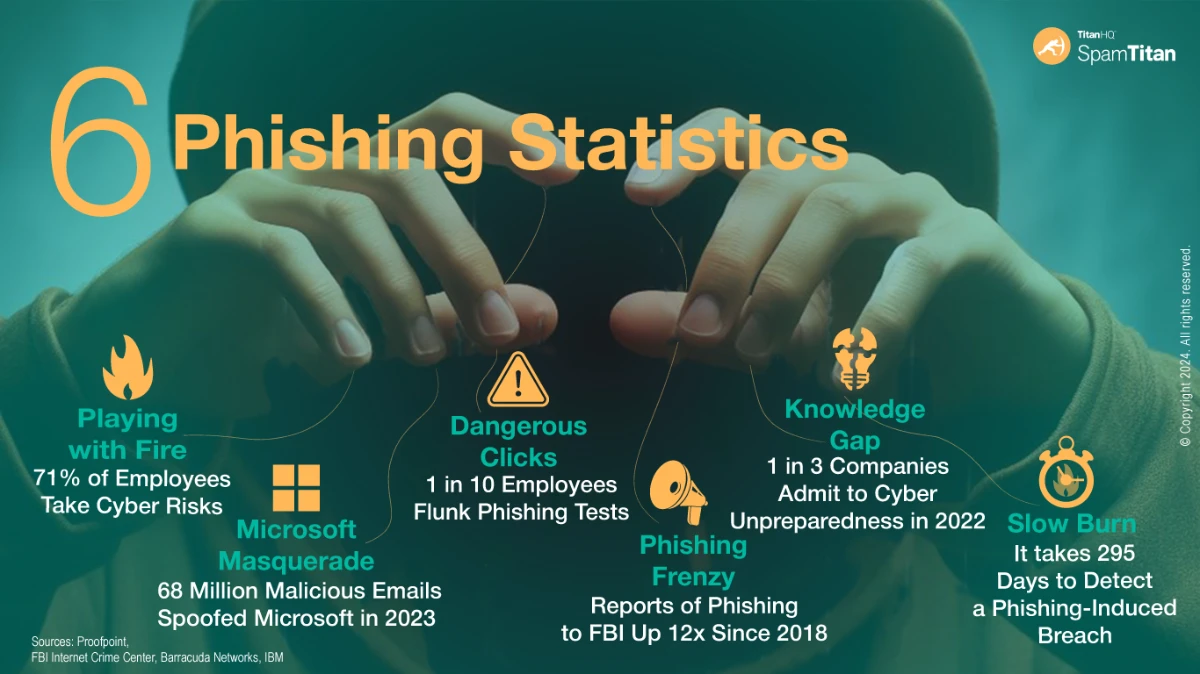
Phishing and email spam is estimated to cost industry more than $1 billion each year, and cybercriminals are becoming more sophisticated in the campaigns they launch to try to extract confidential data or passwords from unsuspecting Internet users.
Part of the reason why phishing and email spam continue to work is the language used within the communication. The message to “Act Now” because an account seems to have been compromised, or because a colleague appears to need urgent support, often causes individuals to act before they think.
Even experienced security experts have been caught by phishing and email spam, and the advice provided to every Internet user is:
If you are unsure of whether an email request is legitimate, try to verify it by contacting the sender independently of the information provided in the email.
Never reveal confidential data or passwords requested in an email or on a web page you have arrived at after following a link in an email.
Enable spam filters on your email, keep your anti-virus software up-to-date and enable two-step authentication on all your accounts whenever possible.
Always use different passwords for different accounts, and change them frequently to avoid being a victim of key-logging malware downloads.
Remember that phishing and email spam is not limited to email. Watch out for scams sent via social media channels.
Phishing in particular has become a popular attack vector for cybercriminals. Although phishing goes back to the early days of AOL, there has been a tenfold increase in phishing campaigns over the past decade reported to the Anti-Phishing Working Group (APWG).
Phishing is an extension of spam mail and can target small groups of people (spear phishing) or target executive-level management (whale phishing) in order to collect information or gain access to computer systems.
The best way to protect yourself from phishing and email spam is to follow the advice provided above and – most importantly – enable a reputable spam filter to block potentially unsafe emails from being delivered to your inbox.
Hackers have exploited a ‘vulnerability’ to conduct a phishing campaign that made it appear that the phishing email had been sent by Google from the no-reply[@]accounts.google.com address. The email was signed by Google and passed the DomainKeys Identified Mail (DKIM) authentication check, suggesting the email had been sent from a genuine Google account and was authentic, although the email had been sent from a different, non-Google address.
The campaign was identified by developer Nick Johnson, who received an email seemingly sent from no-reply[@]accounts.google.com with the subject Security Alert. The email claimed that Google LLC had been subpoenaed to obtain a copy of the contents of his Google account and that a support case had been opened and transferred to Legal Investigations Support. A support reference number was included along with a link to a Google Sites website, encouraging him to click the link to examine the case materials and “submit a protest,” if necessary, via the option on the support website.
The lure used in this phishing attempt is similar to many other phishing campaigns that threaten legal action or warn about police investigations, although what makes the attempt stand out is how the phisher managed to make the email appear to have been sent by Google and pass the DKIM authentication check, resulting in the email being delivered to his inbox.
While the subject matter was potentially serious, and the email had seemingly been sent by Google, there was a red flag that suggested a phishing attempt. As was noticed by Johnson, the link in the email did direct him to an official Google site, but it was sites.google.com, a free web-building platform provided by Google for users to create and host free web pages for personal purposes. No official email from Google would direct a user to that platform, and certainly not any message about a subpoena requiring the disclosure of the contents of their Google email account. The link directed Johnson to a fake support portal – a carbon copy of the official support portal, which had been scraped from the official site. The aim of the phish appears to have been to trick Johnson into logging in and disclosing his login credentials, allowing his Google account to be hijacked.
An analysis of the phishing attempt revealed Google was tricked into signing the email, thus allowing the message to bypass spam filtering service since the email successfully passed the DKIM and DMARC authentication checks. Closer inspection of the message header revealed the mailed-by address was different from the from address, and had been sent in what is known as a DKIM replay attack.
The message was actually sent to a me@ address at a domain that appeared to be managed by Google. According to Johnson, the attackers registered a domain and created a Google account for the me[@]domain.com, then created a Google OAuth app and used the entire phishing message for its name, which was then added to the name field. They granted themselves access to the email address in Google Workspace, then Google sent an alert to the me[@]domain.com account. The email was then forwarded to Johnson, and since the email had been generated by Google, it was able to pass the DKIM check as the parts of the message that DKIM checks had not been altered.
The vulnerability that was exploited was the fact that DKIM checks the message and the headers, not the envelope, which meant the email passed the validation checks because it had a valid signature. Since the exact email was extracted and saved without making any modifications to what was signed by DKIM, the validation checks were passed. Further, since the email was sent to a me@ email address, it shows that the message was delivered to the victim’s email address. Google explained in response to a query that it is aware of the phishing attempt and has rolled out protections to prevent further abuse.
The phishing attempt demonstrates the importance of stopping and thinking before clicking on any link in an email, no matter how serious the potential threat. The phishing attempt could have easily led to a compromised Google account had he not stopped to think about the request. Others may not have been as fortunate. While this was the first time that Google is known to have been affected by a DKIM replay attack, it is a known phishing technique and one that can be highly effective.
Security awareness training should make it clear that all emails can potentially contain a threat, even if the sender appears to be legitimate. Phishing lures related to legal threats, police investigations, and subpoenas should be included in the training as these are likely to create the fear that leads to a rapid click, and employees should be told to inspect the message headers to see the sender’s address and told to report any potential threat or suspicious email to their security team. They should also be provided with an easy one-click method of doing so in their email client.
Businesses should also ensure they have advanced anti-spam software with email sandboxing and URL filtering, and have multifactor authentication set up for all email accounts, with phishing-resistant multifactor authentication implemented when possible for the greatest protection.
The latest data from Verizon has revealed that phishing was the third most common method of initial access in the data breaches the firm analyzed for its 2025 Data Breach Investigations Report. Phishing accounted for 16% of all data breaches in 2025, having been overtaken by vulnerability exploitation (20%). The leading initial access method was credential misuse, which was involved in 22% of data breaches. Verizon does note, however, that while incident responders may identify compromised credentials as the cause, it is not always clear how those credentials were obtained. It is possible that they were obtained in a previous phishing attack that went undetected, so phishing may have been involved in a higher percentage of data breaches.
The report highlights the extent to which cybercriminals exploit human weaknesses. The human element was involved in approximately 60% of data breaches in 2024, down slightly from the 61% of data breaches the previous year. The human element could involve a click on a link in a phishing email, resulting in the theft of credentials, a visit to a malicious website where malware is downloaded, a misconfiguration that is exploited, or a response to a phone call or text message. In 32% of data breaches, the human element was ascertained to result in credential abuse, 23% involved social interactions, 14% involved errors, and 7% involved interactions with malware.
This year’s report delves into the importance of security awareness training and how providing regular training can really make a difference to an organization’s security posture, especially when combined with phishing simulations. Providing training to the workforce will teach employees about security best practices, which will help to eradicate risky behaviors. Employees should be taught how to identify a phishing email and be conditioned to report any suspicious emails to their security team immediately. Phishing simulations help to reinforce training and identify individuals who have failed to apply the training. If an individual fails a phishing simulation, they can be provided with additional training to help ensure they do not make a similar identification error in the future.
The report revealed that out of the companies that provided security awareness training and conducted phishing simulations, there was a much higher reporting rate when employees had received training more recently. The baseline reporting rate was 5%, which shot up to 21% with recent training.
The data shows why it is so important to provide ongoing security awareness training to keep cybersecurity matters fresh in the mind. It is also important to incentivize employees to report potential phishing emails rather than punish those who don’t, and to clearly explain that reporting suspicious emails helps security teams to contain threats more quickly and limit the damage. It is also important to make it as easy as possible for employees to report potential threats. Ideally, employees should be able to report a potential phishing or scam email with a single click in their email client.
TitanHQ offers an email security suite that includes the SpamTitan cloud-based anti-spam service and the PhishTitan phishing prevention and remediation solution for Microsoft 365 users. SpamTitan incorporates dual anti-virus engines for detecting known malware, email sandboxing for detecting novel threats, AI and machine-based learning algorithms for identifying phishing and spam emails, plus SPF, DKIM & DMARC, allow listing, blocking, greylisting, and dedicated real-time block lists. An email client add-in is also provided to allow employees to easily report potential threats.
The PhishTitan solution is based on the same engine that powers SpamTitan, incorporating AI and machine learning to detect phishing threats, and also adds banner notifications for emails to warn employees about potential threats from external email addresses. The remediation tools provided by PhishTitan allow security teams to rapidly respond to threats and eliminate them from their email system.
Both email security solutions have high detection accuracy and provide best-in-class protection from email threats. In recent independent tests at VirusBulletin, the solutions were demonstrated to have exceptional detection accuracy, blocking in excess of 99.99% of spam and phishing threats, and thanks to the email sandbox service, TitanHQ’s solutions blocked 100% of malware.
TitanHQ can also help with security awareness training and phishing simulations. The SafeTitan platform makes it easy to create and automate continuous security awareness training programs for the workforce. The training content is enjoyable and interactive and is delivered using computer-based training, with individual modules taking no more than 10 minutes to complete.
The training content is regularly updated and has been proven to improve security awareness and reduce susceptibility to cyber threats, especially when combined with TitanHQ’s phishing simulator. Internal simulated phishing campaigns can be created and automated, and will automatically generate additional training immediately in response to a security failure, ensuring training is delivered at the time when it is most likely to be effective.
Through security awareness training and phishing simulations, organizations can reduce the employee errors that cause so many data breaches, and by using TitanHQ’s email security suite, threats will be blocked before employees’ security awareness is put to the test.
Give the TitanHQ team a call today to discuss the best options for improving your defenses. All TitanHQ solutions are available on a free trial and assistance can be provided to help you get the most out of the free trial.
A recently published report commissioned by the UK’s Home Office and Department for Science Innovation and Technology (DSIT) has revealed that 43% of UK businesses and 30% of UK charities experienced a cybersecurity breach in the past 12 months.
While there was a slight fall in the number of businesses and charities suffering a cybersecurity incident, there was a significant increase in ransomware attacks. The survey was conducted on 2,180 businesses, 1,081 charities, and 574 educational institutions. Based on the number of confirmed cyber incidents, that equates to around 612,000 UK businesses and 61,000 UK charities experiencing a cyber breach or a cyberattack in the past 12 months.
While there was a slight decline in cyber incidents, which were confirmed by 50% of businesses in last year’s study, it is clear that hacking and other types of cyber incidents continue to pose a massive threat to UK businesses, with ransomware attacks of particular concern. According to the report, the estimated percentage of ransomware crime increased from less than half a percent in 2024 to 1% in 2025, which suggests that around 19,000 UK businesses experienced a ransomware incident in the past 12 months. 4% of large businesses and 3% of medium-sized businesses admitted to paying the ransom demand to recover their data and prevent its publication online.
The biggest cyber threat to UK businesses by some distance is phishing. Phishing is the fraudulent practice of sending emails or other messages that trick individuals into disclosing sensitive information such as login credentials or installing malware. Over the past 12 months, 93% of businesses and 95% of charities that experienced a cybercrime incident identified phishing as the cause of at least one of those incidents. Businesses that were confirmed victims of cybercrime in the past 12 months experienced an average of 30 cybercrime incidents in the past 12 months, with charities experiencing an average of 16 cybercrime incidents.
The credentials stolen in these attacks and the malware installed give cybercriminals initial access to internal networks. From there, they can deploy additional malware payloads and ransomware and steal sensitive data. The phishing problem is also getting worse for businesses, as cybercriminals are leveraging large language models (LLMs) to craft extremely convincing phishing emails and conduct phishing attacks at scale. These tools can be used to generate fake images, make phishing lures more believable, and make them harder to detect.
With phishing such a major threat and the high cost of dealing with each phishing incident, UK businesses and charities need to have email security defenses capable of detecting and blocking phishing threats, including those developed using AI and LLMs.
Phishing defenses should consist of anti-spam software, multifactor authentication, and end user security awareness training as a minimum. Advanced email filtering software incorporates antivirus software to identify known malware threats, email sandboxing for detecting novel malware threats, link scanning, and machine learning and AI-aided detection.
Over the past three quarters, SpamTitan from TitanHQ has consistently demonstrated in independent tests that it is capable of blocking even the most advanced threats, routinely achieving a 100% malware detection rate, and phishing and spam detection rates in excess of 99.99%.
TitanHQ also offers a comprehensive security awareness training and phishing simulation platform – SafeTitan – for improving awareness of cyber threats. When combined with phishing simulations, the platform has been shown to reduce employee susceptibility to phishing by up to 80%. The training content is enjoyable and memorable, and is delivered in training modules of no more than 10 minutes to maximize knowledge retention and make training easy to fit into busy workflows.
All TitanHQ solutions have been developed to provide powerful protection and advanced features, while also being easy to set up, configure, and use. Further, they are available at a price point that is affordable for businesses of all sizes. Give the TitanHQ team a call today to find out more about improving your defenses against phishing and other cyber threats. Further, TitanHQ’s cloud-based anti-spam service and security awareness training platform are available on a free trial, allowing you to put them to the test before making a purchase decision.
A phishing scam has been identified targeting staff of European embassies with an invitation to a fake wine-tasting event. Targets include European diplomats and the staff of non-European countries at embassies located in Europe. The campaign has been linked to the Russian state-sponsored hacking group, Cozy Bear (aka APT29, Midnight Blizzard), and is believed to be primarily an espionage campaign.
The aim of the campaign is to deliver a stealthy new backdoor malware dubbed GrapeLoader. The campaign, identified by Check Point, is believed to be part of a wider campaign targeting European governments, diplomats, and think tanks. The malware delivered in the campaign serves as a loader for delivering additional payloads and is used as an initial stage tool for fingerprinting and establishing persistence.
As is typical with spear phishing campaigns, considerable effort has been put into creating a lure that is likely to elicit a response. A fake diplomatic event is used, commonly related to wine tasting, with some emails offering a place at a diplomatic dinner. The messages were sent by a specific individual at a legitimate but impersonated European foreign affairs ministry. A series of follow-up messages is sent to individuals who failed to respond to the fake invite. The phishing link is also configured to redirect the user to the real foreign ministry website if it is opened outside of the expected timezone or by an automated tool.
The emails prompt the recipient to click on an embedded hyperlink that directs them to a spoofed website where they are prompted to download a file. If successful, the user downloads a zip file containing a PowerPoint executable file called wine.exe, and two hidden DLL files, one of which allows the PowerPoint file to run. The PowerPoint file is used for DLL sideloading, including the other DLL file, dubbed GrapeLoader, which is used to deliver additional payloads. GrapeLoader fingerprints the device and establishes contact with its command-and-control server. A Run registry key is added to ensure that wine.exe is executed following a reboot.
The malware has been designed to be stealthy, including masking strings in its code and only decrypting them for a short time in the memory before they are erased. This technique prevents analysis using tools such as FLOSS. The malware also makes memory pages temporarily inaccessible to evade antivirus scans. GrapeLoader is thought to lead to the delivery of a modular backdoor known as WineLoader, which has been used in previous Cozy Bear campaigns on governments and political parties.
One of the common tactics for getting phishing emails into inboxes is to use a legitimate service to send the emails, as the messages are far less likely to be blocked by email security solutions. Email security solutions perform reputation checks on email addresses and domains, and if they are determined to have been used for spamming or sending malicious emails, they are rapidly added to real-time blocklists (RBLs). If a certain trustworthiness threshold is exceeded, the messages will be blocked and quarantined, ensuring they do not reach their intended targets.
These reputation checks are often passed if emails are sent via trusted services such as Dropbox and Google Calendar, and similarly if malicious files or content are hosted on legitimate services such as OneDrive, GitHub, Google Drive, or SharePoint. The fact has not been lost on threat actors, who regularly abuse these services.
Fake login pages may be hosted on cloud storage services, and malicious files shared through them. Not only can these emails evade checks due to the good reputation of the sites, these well-known brands are familiar to end users and are often trusted, increasing the probability that credentials will be divulged or files will be downloaded.
For instance, a recent campaign abusing Dropbox used the platform to send an email about a shared file, which was also hosted on a legitimate Dropbox account. The email contained a link to a malicious PDF file, branded with the details of a company known to the targeted employees. The PDF file contained a link to another, unrelated website, where a malicious file was hosted. The phishing emails used a plausible lure to convince the user to click the link and download and execute the file.
A new campaign has recently been identified that uses a different legitimate service to evade reputation checks. The campaign, detected by security researchers at Kaspersky, was sent via a service called GetShared. While not as well-known as Google Calendar or Dropbox, the platform had a vulnerability that could be abused to send emails from a trusted domain and file-sharing service.
Similar to the Dropbox campaign, GetShared was used to send an email to targeted individuals advising them that a file had been shared with them via GetShared, as it was too large to send via email. The use of the file-sharing service seems reasonable, and the urgency was believable. The user was told that the file would be deleted after a month, and they were asked to provide a quote including the delivery time and payment terms. One of the intercepted emails targeted a designer using a shared file called DESIGN LOGO.rar.
The user was given a download button, which links to the site where the file can be downloaded. If the compressed file is opened and the contents extracted, there are several possible attack methods. An executable file could be in the compressed file that has a double file extension, making it likely that the file would be executed. Potentially, the file could contain a link to a malicious document or phishing page, although in this case, it was part of a vishing campaign. The compressed file contained contact details for the user to call, which would require a file download or disclosure of credentials or other sensitive information.
Earlier this year, a campaign was identified that used Google Calendar, with the emails sent through the platform containing a calendar invite. The invite is automatically added to the user’s Google Calendar account if they have Calendar set up and configured to automatically accept invitations. The invite contained a link to Google Forms or Google Drawings, which contained a link to a phishing website. That website impersonated a well-known brand and required the user to log in with their credentials. The campaign targeted more than 300 brands including healthcare providers, educational institutions, banks, and others, and involved thousands of emails.
Traditional email security solutions are unlikely to block emails from these trusted senders, and malicious files hosted on trusted platforms are also unlikely to be blocked. Businesses can combat these types of phishing attacks by using advanced email spam filter that incorporates AI and machine learning algorithms and email sandboxing in addition to the standard reputation checks and blacklists. The best spam filters for businesses provide multiple layers of protection to block these malicious emails and prevent them from reaching inboxes; however, due to the difficulty in distinguishing genuine from malicious communications from legitimate platforms, security awareness training is vital.
Employees should be trained on how to identify phishing emails and told not to trust emails from legitimate platforms, as while the platforms can be trusted, the content cannot. It is also recommended to use a phishing simulator to run simulations of phishing using lures that abuse trusted platforms to gauge how employees respond and provide targeted training to individuals who are tricked by these campaigns.
RansomHub is one of the most prolific ransomware-as-a-service (RaaS) groups now that the ALPHV/BlackCat operation has shut down and the LockBit operation has been hit with successive law enforcement actions. RansomHub engages in double extortion tactics, exfiltrating sensitive data from victims’ networks and encrypting files. Victims must pay to obtain the keys to decrypt their data and to prevent the publication of the stolen data on the RansomHub data leak site. Since emerging in early 2024, the group has conducted more than 200 attacks.
As a RaaS operation, RansomHub uses affiliates to conduct attacks in exchange for a percentage of any ransom payments they generate. The affiliates each have their specialties for breaching victims’ systems, including phishing, remote desktop protocol attacks, and the exploitation of unpatched vulnerabilities. Now, a new tactic is being used – The group is using the SocGholish malware-as-a-service (MaaS) framework for initial access, especially in attacks on the government sector.
SocGholish, also known as FakeUpdates, uses an obfuscated JavaScript loader that is primarily delivered via compromised legitimate websites. After compromising a website, malicious scripts are added that redirect users to webpages that display browser update notifications. These sites use social engineering to trick visitors into downloading a browser update, as they are told that their browser has a security issue or is not functioning correctly. If the user agrees, they download a zip file that contains a JavaScript file. If that file is executed, SocGholish malware is installed.
SocGholish is a malware downloader that provides initial access to a victim’s network. The malware has been used to deliver a wide range of payloads, including AZORult, Gootloader, NetSupport, and Dridex. SocGholish has also previously been used to deliver DoppelPaymer ransomware, and now RansomHub ransomware. In the case of RansomHub, the group deploys Python-based backdoor components for RansomHub affiliates to use for initial access.
Preventing SocGholish infections is critical to preventing RansomHub ransomware attacks; however, prevention requires a defense-in-depth approach. Traffic to the compromised websites can come from emails that include embedded hyperlinks, malvertising, SEO poisoning, and links to compromised websites are also delivered to users via Google Alerts. The webpages that host the fake browser updates filter traffic, blocking access by sandboxes, which can make detection difficult.
The best approach is to use an advanced anti-spam software such as SpamTitan to block malicious emails. In the last quarterly round of testing at VirusBulletin, SpamTitan, a cloud-based antispam service from TitanHQ, ranked #1 for malware detection, phishing detection and spam blocking with a 0% false positive rate, and in the February 2025 tests, achieved a perfect score blocking 100% of malware, phishing, and spam emails. The high detection rate is due to extensive front-end tests, email sandboxing, and machine learning.
A web filter adds an important layer of protection by scanning websites for malicious content and blocking access to known malicious websites. The WebTitan DNS filter is fed extensive threat intelligence to block access to known compromised webpages, can filter websites by category, and can be configured to block downloads of executable files from the Internet. Security awareness training is vital for creating a human firewall. Employees should be informed about the risks of interacting with security warnings on the Internet, and taught how to identify phishing attempts and be instructed on security best practices. The SafeTitan security awareness training platform and phishing simulator platform make creating and automating training courses and phishing simulations a quick and easy process.
One of the ways that cybercriminals are bypassing traditional email security solutions is to use QR codes rather than embedded hyperlinks in their phishing emails. QR codes are increasingly used by businesses to drive traffic to web pages, as consumers do not need to go through the process of typing a URL into their browser. The QR code can simply be scanned with a smartphone camera, the URL will be recognized, and the web resource can be visited with a single tap of the finger.
Spam filtering services will detect links in emails, check them against blacklists of known malicious websites, and will often follow the links to find the destination URL. If the website is malicious, the email will not be delivered to the user’s inbox. By using a QR code rather than a hyperlink, there is an increased chance that the message will be delivered, as many anti-spam software solutions are incapable of reading QR codes.
One such campaign has recently been identified that warns the recipient that they must review and update their tax records. The email has the subject, “urgent reminder,” and claims to have been sent by the Tax Services Team. The email has a PDF file attachment and advises the recipient that a review of their tax records must be completed by April 16, 2025, to avoid potential penalties. Tax season is well underway and annual tax returns need to be submitted by April 15, 2025, so the deadline for a response is plausible.
Rather than include a link, the PDF file includes a QR code, which the user is told they should scan with their mobile device to access the secure tax portal, where they must log in, review their tax information, and confirm it is up to date.
If the QR code is scanned and the link followed, the user must first pass a CAPTCHA test, after which they are presented with a Microsoft login prompt and asked to enter their password. The form is already populated with the user’s email address to make it appear that the user is known or has visited the site before, adding an air of legitimacy to the scam. If the password is entered, it will be captured and used to hijack the user’s Microsoft account. After entering the password, the user is told “We could not find an account with that username. Try another account,” which may allow the attacker to steal credentials for another account.
QR code phishing forces users onto a mobile device, which typically has weaker security than a desktop computer or laptop, plus only the domain name can usually be viewed rather than the full URL, which helps to make the link seem legitimate. Phishers also often use open redirects on legitimate websites to make their links appear authentic and hide the final destination URL.
With QR code phishing scams on the rise, it is important to raise awareness of the threat through your security awareness training program. Employees should be warned that QR codes are commonly used by threat actors, and never to follow links encoded in QR codes that arrive via email. It is also recommended to use a phishing simulator to assess whether the workforce is susceptible to QR code phishing attempts. The SafeTitan security awareness training platform allows businesses to easily conduct phishing simulations on the workforce to gauge susceptibility to phishing threats. The phishing simulator will generate relevant training content immediately if a phishing test is failed, ensuring targeted training content is delivered immediately, when it is likely to be most effective at correcting behavior.
Technical defenses should also be implemented. An advanced spam filtering service should be used that is capable of identifying QR codes and following and assessing URLs for phishing content and malware. The outbound spam filter of SpamTitan is capable of following QR codes and assessing content, and in recent tests, correctly identified 100% of phishing attempts. SpamTitan also includes email sandboxing for in-depth analysis of email attachments. A DNS security solution is also recommended for in-depth analysis of URLs for malicious content to provide an extra layer of protection against phishing and malware.
A new phishing-as-a-service (PhaaS) platform has been identified that highlights the sophistication of phishing attacks, and how even cybercriminals with limited skill sets can conduct extremely effective phishing campaigns.
One of the problems when conducting phishing campaigns is ensuring the phishing emails are convincing. Phishing has traditionally been a numbers game, where large volumes of messages are sent in the knowledge that a small number of individuals will be tricked into responding. Those individuals may simply be busy and respond without taking the time to carefully consider what they are being asked, or individuals with poor security awareness. Targeted phishing attempts, termed spear phishing, involve research and are tailored to individuals or small numbers of individuals, and because of the targeting, there is a much higher response rate. The trade-off is that these campaigns involve considerable time and effort.
The new PhaaS platform allows a threat actor to tailor the content to display a fake login page relevant to the individual receiving the message, while still sending a large volume of phishing emails. The phishing kit allows individuals to be tricked by displaying a login prompt that impersonates any of 114 brands in around a dozen different languages, with the content displayed tailored to each individual. The threat actor configures the phishing campaign, sends out phishing emails via the PhaaS kit, and the link in the email directs the recipient to a phishing webpage. The next stage is where the targeting occurs. The threat actor queries the email domain DNS MX records (DNS over HTTPS) obtained from Cloudflare or Google to identify the user’s email service provider. The phishing page is then dynamically displayed based on the results of that query, and if no response is received, the phishing page defaults to Roundcube.
DNS queries are fast, so the query and response occur in a fraction of a second, as is the case when a DNS query is sent to identify the IP address of a webpage when browsing the internet. As such, there is only a very small delay, often unnoticeable to the user, before the content is loaded. The result is that if the user’s email service provider is Gmail, they will be presented with a Gmail login prompt, and if they use Microsoft Outlook, they will be presented with a Microsoft login prompt. If the user responds and enters their login credentials, they are captured and sent to the collection server, and the user is redirected to the real login page for that service, most likely unaware that they have been phished. The phishing campaign was identified by InfoBlox, which identified thousands of phishing emails sent via the kit. While the kit appears to have been first used in 2020, since then the number of brands being impersonated has increased considerably, with support also provided to target users in several languages.
The phishing kit demonstrates the sophistication of phishing attacks and how threat actors are increasing the effectiveness of their campaigns. Businesses should respond to the evolving threat landscape by adopting a defense-in-depth approach that includes a DNS filtering solution such as WebTitan, advanced spam filtering software such as SpamTitan, and ongoing security awareness training and phishing simulations for the workforce to raise awareness of threats and reduce susceptibility to phishing attempts, using a solution such as SafeTitan.
There has been a surge in infostealer malware infections, with detections up almost 60% from the previous year. Infostealers gather system information, stored files, and sensitive data and exfiltrate the information to their command and control server. Once installed, they can remain undetected for long periods of time, exfiltrating sensitive data such as usernames and passwords by logging keystrokes, with some variants capable of taking screenshots and capturing audio and video by taking control of the microphone and webcam.
The majority of infostealers are used to attack Windows systems; however, a new infostealer called FrigidStealer has been identified that is being used to target Mac users. FrigidStealer is capable of stealing saved cookies, password-related files in the Safari and Chrome browsers, and login credentials, along with cryptocurrency wallet credentials, Apple Notes containing passwords, documents, spreadsheets, text files, and other sensitive data from the user’s home directory. The gathered data is added to a compressed file in a hidden folder in the user’s home directory and is exfiltrated to its command and control server.
The threat actor behind the campaign distributes FrigidStealer under the guise of important web browser updates on compromised websites. The threat actor injects malicious JavaScript into the HTML of the webpage which generates a fake browser update notification to website visitors. The notifications warn the user that they must update their browser to continue to view the page, with the displayed notification tailored to the browser in use.
The notifications look professional, include the appropriate logos for either Google Chrome or Safari, and contain an update button that the user must click to proceed. Clicking the button will trigger the download of an installer (DMG file), which must be manually launched. The user is required to enter their password to get around macOS Gatekeeper protections. If the password is entered, the file is executed and FrigidStealer is delivered.
A similar campaign is being conducted targeting Windows users. The Windows campaign uses similar techniques, although it tricks the user into downloading and executing an MSI installer, which delivers one of two different info stealers, Lumma Stealer or DeerStealer. The threat actor is also targeting Android devices in a similar way, delivering an APK file that contains the Marcher banking Trojan.
With infostealer infections soaring, businesses need to make sure they have the right security solutions in place and should be providing regular security awareness training to the workforce. Employees should be instructed to never download browser updates when prompted to do so on websites or run any suggested commands on their devices, as the updates and commands are likely to be malicious.
A web filter is strongly recommended for controlling access to the Internet and blocking visits to malicious websites. The WebTitan DNS filter can used to protect users on or off the network and is constantly updated with threat intelligence on new malicious websites. If an attempt is made to visit a known malicious website, that attempt will be blocked. The web filter can also be configured to block file downloads from the internet by file type, allowing IT teams to prevent employees from downloading executable files.
While this is a web-based campaign, information stealers are commonly distributed in phishing emails, either through malicious attachments or embedded hyperlinks. TitanHQ’s SpamTitan cloud-based anti-spam service is a powerful AI-driven email security solution with email sandboxing and advanced threat detection capabilities. SpamTitan outperformed all other tested solutions in recent tests by VirusBulletin, blocking 100% of phishing emails and 100% of malware.
Cybercriminals have extensively used ransomware in their attacks on businesses, government entities, and critical infrastructure, and while these attacks often make headline news and cause massive disruption, there is a much more common malware threat – Information stealers.
Information stealers are malware that is silently installed on devices that can remain undetected for long periods of time. These types of malware have many different capabilities and can serve as downloaders for other malicious payloads, but their main function is information theft. Information theft is achieved in several ways, depending on the malware variant in question. These malware types often have keylogging capabilities and can record keystrokes as they are entered on the keyboard, allowing sensitive information such as usernames and passwords to be captured. They can often record audio from the microphone, take control of the webcam and record video, and take screenshots. They can also steal browser histories, cookies, and other sensitive information.
The information stolen from the victim allows the threat actor to conduct follow-on attacks, access accounts and steal further sensitive data, access and drain financial accounts, or commit identity theft and other types of fraud. Information stealers can also provide a threat actor with access to a device, and that access is often sold to specialized cybercriminal groups such as ransomware actors. Many hackers now act as initial access brokers, using information stealers to gain access before selling that access to other cybercriminal groups.
Information stealers such as Lumma, AgentTesla, FormBook, Redline, and StealC have been increasingly used in recent years, especially last year. Check Point observed a 58% increase in attacks from the previous year, and a report from the threat intelligence firm KELA suggested that lists of credentials obtained from information stealers are being shared on cybercrime forums. The credential lists included billions of logins that had been captured from infected devices, which, according to KELA, included around 4.3 million devices, of which around 330 million credentials had been stolen. An estimated 40% were corporate credentials.
The breach notification service, Have I Been Pwned (HIBP), has recently added 284 million compromised accounts to the service. The credentials were identified from chats on a Telegram channel called ALIEN TXTBASE, with the data obtained from information stealer logs. HIBP founder Troy Hunt said the stealer logs included 23 billion rows of data with 493 million unique website and email address pairs and around 284 million unique email addresses. Hunt said 244 million passwords were not previously known to the HIBP service, with 199 million already in its database.
The extent to which these malware variants are used, and the increase in use in 2024, clearly demonstrates the importance of advanced malware protection and the sheer number of compromised credentials suggests many businesses have been infected with information stealers. The problem for businesses is that these malware variants can be difficult to identify, as new versions are constantly being released. Traditional antivirus software is signature-based, which means it can only detect known malware. When new malware is identified, a signature of that malware is obtained and fed into antivirus software. If a malware signature is not in the software’s definition list, it will not be detected. There are several ways that these information stealers are distributed, with email being one of the most common. They can also be downloaded from the internet from malicious websites in drive-by downloads or installed along with pirated software or doctored versions of legitimate software installers.
Defending against information stealers requires a combination of measures – a defense-in-depth approach, with multiple overlapping layers of security. Given the high volume of infections stemming from email, businesses need a spam filter to block malicious emails. Antispam software will block many malicious emails; however, an antispam server must have advanced antimalware defenses. That means traditional signature-based detection and advanced behavioral detection to ensure previously unseen malware is identified and blocked.
SpamTitan uses dual anti-virus engines for detecting known threats and a next-generation email sandbox for behavioral analysis. If standard checks are passed, suspicious messages are sent to the sandbox – a safe environment where they are detonated and their behavior is analyzed. This vastly improves the detection rate, and in recent independent tests, SpamTitan outperformed all other tested email security solutions and had a 100% malware detection rate.
Security awareness training needs to be provided to the workforce to ensure that employees have the skills to recognize and avoid threats, no matter where they are encountered. Through training, employees should be conditioned to always report potential threats to their security team, and businesses can promote security best practices and eradicate risky behaviors. TitanHQ offers businesses a comprehensive training and phishing simulation platform – SafeTitan – that has been shown to be highly effective at improving employees’ security awareness.
Many malware infections occur via the Internet, and while training can reduce risk, a technical security solution is required to block threats. WebTitan is a DNS-based web filter that is used to block access to known malicious websites, assess websites in real-time for malicious content, block certain file downloads from the Internet, and restrict the sites and web pages employees can access.
With these three security solutions in your arsenal, you will be able to significantly improve your security posture and block information stealers and other threats. Give the TitanHQ team a call today to find out more or take advantage of a free trial of these solutions.
A ransomware group called EncryptHub has been accelerating attacks and is now known to have breached the networks of more than 600 organizations worldwide. EncryptHub has been active since June 2024 and gains initial access to victims’ networks via spear phishing attacks, with initial contact made via SMS messages rather than email.
The group impersonates commonly used corporate VPN products such as Palo Alto GlobalProtect and Cisco AnyConnect as well as Microsoft 365, and drives traffic to its malicious domains by making contact via personalized SMS messages (smishing) or the phone (vishing).
If vishing is used and the victim is contacted by phone, EncryptHub impersonates a member of the IT helpdesk and uses social engineering techniques to trick them into disclosing their VPN credentials. The phone number is spoofed to make it appear that the call is coming from inside the company or Microsoft Teams phone numbers are used. The victim is told that there is a problem with the corporate VPN that needs to be resolved, and if the scam works, the user is sent a link via SMS that directs them to a domain that resembles the VPN solution used by that company. If the user enters their credentials, they are used in real-time to log in, and if there are any multifactor authentication prompts, the threat actor is able to obtain them on the call. After successfully gaining access, the user is redirected to the genuine login page for their VPN, and the call is terminated.
Another tactic used by the group involves SMS messages with a fake Microsoft Teams link with the goal of capturing their Microsoft 365 credentials. The user is directed to a Microsoft Teams-related login page and the threat actor exploits Open URL parameters on microsoftonline.com to harvest email addresses and passwords, while the user believes they are interacting with the legitimate Microsoft service. Once access is gained, the group uses PowerShell scripts and malware to gain persistence, then moves laterally, steals data, deploys the ransomware payload, and issues a ransom demand.
The group’s tactics are highly effective, as in contrast to spear phishing via email, it is difficult to block the initial contact via SMS or over the phone. The key to preventing these attacks is improving the security awareness of the workforce and using a web filter to prevent the phishing domains from being accessed by employees. TitanHQ’s web filter, WebTitan, is a DNS-based web filtering solution that is constantly updated with the latest threat intelligence from multiple sources to provide up-to-the-minute protection against new phishing domains. Any attempt to visit a known phishing domain or other malicious site will be blocked, with the user directed to a locally hosted block page.
Regular security awareness training for the workforce is vital to teach security best practices and raise awareness of the tactics used by cybercriminals to breach corporate networks. With the SafeTitan security awareness training platform, businesses can easily create training programs tailored for individuals, roles, and departments, and automate those campaigns so they run continuously throughout the year, delivering training in small chunks on a weekly or monthly basis. It is easy to incorporate new training in response to changing threat actor tactics to increase awareness of specific threats. The platform also includes a phishing simulator for running phishing simulations on the workforce to reinforce training and identify knowledge gaps. If a phishing simulation is failed, training is automatically delivered to the user in real time, relevant to the threat they failed to identify. This ensures training is delivered at the point when it is likely to be most effective.
For more information on TitanHQ solutions, including the WebTitan DNS filter and the SafeTitan security awareness training platform, give the TitanHQ team a call today. Both solutions are available on a free trial to allow you to assess them fully before making a purchase decision.
Information stealers are one of the most common ways that initial access is gained to business networks, and the extent to which these malware variants are used is alarming. According to Hudson Rock, an estimated 30 million computers have been compromised using information stealers in the past few years and Check Point reports that infections have increased by 58% in the past year.
Cybercriminals specialized in infecting devices distribute their information stealers, which collect sensitive data such as session cookies and login credentials, allowing access to be gained to corporate networks. Oftentimes, the cybercriminals then sell that access to other cybercriminal groups, acting as initial access brokers. The groups that they work with have their own specialisms, such as conducting ransomware attacks. These malware variants are capable of stealing large amounts of sensitive information from compromised devices. They can exfiltrate files, obtain web browser data and passwords, and steal cryptocurrency extensions. Infection with an information stealer can result in the large-scale theft of data, compromised accounts, and further attacks, including ransomware infections.
Security researchers have recently uncovered a new campaign that distributes information stealers such as Lumma and ACR Stealer via cracked versions of legitimate software. The pirated software can be obtained and used free of charge, albeit illegally, and is available through warez sites and from peer-to-peer file-sharing networks. The installers have been packaged to silently deliver an information stealer. Cybercriminals often use SEO poisoning to get their malicious sites to appear high in search engine listings or add malicious adverts to legitimate ad networks (malvertising) to get them to appear on high-traffic websites. The adverts direct internet users to download sites. Initial contact is also made via email, with workers tricked into opening malicious files that launch scripts that deliver the information stealer payload or direct users to websites where the malware is downloaded under the guise of a legitimate program. Contact may also be made via the telephone, with the criminals impersonating IT helpdesk staff and tricking employees into downloading the malware.
Defending against information stealers means improving defenses against all these tactics, and that means there is no single cybersecurity solution or measure that will be effective against them all, but there are three important cybersecurity measures that you should strongly consider: anti-spam software, a DNS filter, and security awareness training.
Anti-spam Software
Many malware infections occur via email, either through attachments containing malicious scripts or via hyperlinks to websites from which malware is downloaded. When malicious attachments are used, they are not always detected by antispam software and can easily reach end users. To improve detection, email sandboxing is required, where messages are sent to the sandbox for deep inspection. In the sandbox, hyperlinks are also followed to identify any downloads that are triggered. If malicious actions are confirmed, the messages are quarantined and are not deleted.
A DNS Filter
Since many malware infections occur via the Internet, businesses should consider web filtering software. DNS-based web filters allow businesses to control the web content that users can access, block certain file downloads from the internet, and assess web content in real-time for malicious content, without the latency associated with other types of web filters. A DNS filter can prevent users from accessing malicious content and will reduce reliance on employees recognizing and avoiding threats.
Security Awareness Training
Anti-spam software and DNS filters will greatly improve security; however, employee security awareness also needs to be improved. Through regular security awareness training, businesses can eliminate risky practices and train employees how to recognize and avoid threats. By providing training continuously in small chunks throughout the year, businesses can develop a security culture and significantly improve their human defenses.
TitanHQ offers multi-award-winning cybersecurity solutions for SMBs and managed service providers (MSPs) that are easy to implement and offer exceptional protection, including the SpamTitan cloud-based spam filtering service, the WebTitan DNS filter, and the SafeTitan security awareness training and phishing simulation solution. All three solutions are available on a free trial to allow you to see for yourself the difference they make before making a purchase decision. Give the TitanHQ team a call to find out more and to discuss these options, and take the important first step toward improving your defenses.
A growing number of businesses are implementing multi-factor authentication to add an extra layer of security and improve defenses against phishing attacks. While multifactor authentication (MFA) can prevent unauthorized individuals from accessing accounts using compromised credentials, MFA does not provide total protection. Several phishing kits are sold on hacking forums and Telegram that are capable of bypassing MFA, and a new phishing kit has recently been identified that can intercept credentials in real-time and bypass MFA through session hijacking. The phishing kit is being used to steal credentials and access Gmail, Yahoo, AOL, and Microsoft 365 accounts.
The Astaroth phishing kit has been offered on cybercrime forums since at least January 2025. Similar to the Evilginx phishing kit, Astaroth uses a reverse proxy to intercept and manipulate traffic between the victim and the legitimate authentication of the account being targeted. A cybercriminal can use the Astaroth phishing kit in an adversary-in-the-middle attack, capturing not only login credentials but also 2FA tokens and session cookies, thereby bypassing MFA. The credential theft and session hijacking take place in real time, allowing the cybercriminal to instantly access the user’s account.
The user is presented with a phishing link, which is commonly communicated via email. If that link is clicked, the user is directed to a server and is presented with what appears to be a legitimate login page. The page has valid SSL certificates, so no security warnings are generated. The server acts as a reverse proxy, and when the username and password are entered, they are captured and forwarded to the legitimate authentication service in real time.
The cybercriminal is alerted about the credential capture via the admin panel of the phishing kit or via Telegram, and the one-time passcodes, usually generated via SMS, push notifications, or authentication apps, are intercepted as they are entered by the user. When session cookies are generated, they are immediately hijacked and injected into the attacker’s browser, which means the attacker can impersonate the genuine user without needing their username, password, or 2FA token, since the session has already been authenticated. The kit also includes bulletproof hosting and reCAPTCHA bypasses and allows the attacker to access the account immediately before the user suspects anything untoward has happened.
Phishing kits such as Astaroth are able to render multifactor authentication useless, demonstrating why it is so important to have effective anti-spam software, capable of identifying and blocking the initial phishing emails. SpamTitan is frequently rated as the best spam filter for business due to its ease of implementation and use, exceptional detection, and low false positive rate. TitanHQ also offers MSP spam filtering, with the solution developed from the ground up to meet all MSP needs. In recent independent tests by VirusBulletin, SpamTitan outperformed all other tested email security solutions, achieving the highest overall score thanks to a 100% malware catch rate, 100% phishing catch rate, 99.999% spam catch rate, and a 0.000% false positive rate. The exceptional performance is due to extensive threat intelligence feeds, machine learning to identify phishing attempts, and email sandboxing to detect and block malware and zero-day threats.
In addition to an advanced spam filtering service, businesses should ensure they provide regular security awareness training to the workforce and reinforce training with phishing simulations. SafeTitan from TitanHQ is an easy-to-use security awareness training platform that makes it easy to create effective training courses and automate the delivery of training content. The platform also includes a phishing simulator with an extensive library of phishing templates that makes it easy to create and automate phishing simulations, generating relevant training automatically if a user is tricked. That means training is delivered at the point when it is likely to be most effective at correcting behavior.
Give the TitanHQ team a call today for more information about these solutions. TitanHQ’s SpamTitan and SafeTitan products, like all TitanHQ solutions, are also available on a free trial.
Investigations of cyberattacks have identified an increasing number of incidents that started with email bombing. A high percentage of cyberattacks involve phishing, where emails are sent to employees to trick them into visiting a malicious website and disclosing their credentials, or opening a malicious file that installs malware. Email bombing is now being used to increase the effectiveness of phishing campaigns.
With email bombing, the user is sent a large number of spam emails in a short period of time, such as by adding a user to a large number of mailshots, news services, and spam lists. The threat actor creates a genuine spam issue then impersonates a member of the IT department and claims they can fix the problem, with content often made via a Microsoft Teams message. If the user accepts, they are tricked into installing remote access software and granting the threat actor remote access to their device. The threat actor will establish persistent access to the user’s device during the remote access session. What starts with an email bombing attack often ends with a ransomware attack.
There are several measures that you should consider implementing to prevent these attacks. If you use Microsoft Teams, consider restricting calls and messages from external organizations, unless there is a legitimate need to accept such requests. If so, ensure permission is only given to trusted individuals such as business partners. The use of remote access tools should be restricted to authorized personnel only, and steps should be taken to prevent the installation of these tools, including using a web filter to block downloads of these tools (and other executables) from the Internet.
An spam filter should be implemented to block spam and unwanted messages. Advanced spam filters such as SpamTitan use AI-guided detection and machine learning to block spam, phishing, and other malicious emails, along with email sandboxing to identify novel threats and zero-day malware. In the Q4, 2024, tests at VirusBulletin, the SpamTitan spam filtering service blocked 99.999% of spam emails, 100% of phishing emails, and 100% of malware with a 0.000% false positive rate, earning SpamTitan top position out of all anti-spam software under test.
Businesses should not underestimate the importance of security awareness training and phishing simulations. Regular security awareness training should be provided to all members of the workforce to raise awareness of the tactics used by cybercriminals. A cyberattack is much more likely to occur as a result of a phishing or social engineering attempt than the exploitation of a software vulnerability. Businesses that use the SafeTitan security awareness training platform and phishing simulator have reduced susceptibility to email attacks by up to 80%. For more information on TitanHQ cybersecurity solutions, including award-winning anti-spam solutions for managed service providers, give the TitanHQ team a call or take advantage of a free trial of any of TitanHQ’s cybersecurity solutions.
As the massive cyberattack on Change Healthcare demonstrated last year, the failure to implement multifactor authentication on accounts can be costly. In that attack, multifactor authentication was not implemented on a Citrix server, and stolen credentials allowed access that resulted in the theft of the personal and health information of 190 million individuals. The ransomware attack caused a prolonged outage and remediation and recovery cost Change Healthcare an estimated $2.9 billion last year.
The attack should serve as a warning for all companies that multifactor authentication is an essential cybersecurity measure – If passwords are compromised, access to accounts can be prevented. Unfortunately, multifactor authentication protection can be circumvented. Threat actors are increasingly using phishing kits capable of intercepting multifactor authentication codes in an adversary-in-the-middle attack. Phishing kits are packages offered to cybercriminals that cover all aspects of phishing. If purchased, phishing campaigns can be conducted with minimal effort as the phishing kit will generate copies of websites that impersonate well-known brands, the infrastructure for capturing credentials, and templates for phishing emails. After paying a fee, all that is required is to supply the email addresses for the campaign, which can be easily purchased on hacking forums.
Some of the more advanced phishing kits are capable of defeating multifactor authentication by harvesting Microsoft 365 and Gmail session cookies, which are used to circumvent MFA access controls during subsequent authentication. One of the latest phishing kits to be identified is has been dubbed Sneaky 2FA. The kit was first identified as being offered and operated on Telegram in October 2024 by researchers at the French cybersecurity firm Sekoia. The researchers identified almost 100 domains that host phishing pages created by the Sneaky 2FA phishing kit.
As with a standard phishing attack, phishing emails are sent to individuals to trick them into visiting a phishing page. One campaign using the Sneaky 2FA phishing kit uses payment receipt-related emails to trick the recipient into opening a PDF file attachment that has a QR code directing the user to a Sneaky 2FA page on a compromised website, usually a compromised WordPress site. These pages have a blurred background and a login prompt. Microsoft 365 credentials are required to access the blurred content. The phishing pages automatically add the user’s email address to the login prompt, so they are only required to enter their password. To evade detection, multiple measures are employed such as traffic filtering, Cloudfire Turnstile challenges, and CAPTCHA checks.
Many phishing kits use reverse proxies for handling requests; however, the Sneaky 2FA phishing server handles communications with Microsoft 365 API directly. If the checks are passed, JavaScript code is used to handle the authentication steps. When the password is entered, the user is directed to the next page, and the victim’s email address and password are sent to the phishing server via an HTTP Post. The server responds with the 2FA method for the victim’s account and the response is sent to the phishing server. The phishing kit allows session cookies to be harvested that provide account access, regardless of the 2FA method – Microsoft Authenticator, one-time password code, or SMS verification.
Phishing kits such as Sneaky FA make it easy for cybercriminals to conduct phishing attacks and defeat MFA; however, they are not effective at defeating phishing-resistant MFA such as FIDO2, WebAuthn, or biometric authentication. The problem is that these forms of MFA can be expensive and difficult to deploy at scale.
Businesses can greatly improve their defenses with advanced spam filter software with AI- and machine learning detection, email sandboxing, URL rewriting, QR code checks, greylisting, SPF, DKIM, and DMARC checks, and banners identifying emails from external sources. Effective email filtering will ensure that these malicious emails do not land in employee inboxes. TitanHQ offers two email security solutions – SpamTitan email security and the PhishTitan anti-phishing solution for M365. The engine that powers both solutions was recently rated in 1st place for protection in the Q4, 2024 tests by VirusBulletin, achieving a 100% malware and 100% phishing detection rate.
Regular security awareness training should also be provided to all members of the workforce to raise awareness of threats and to teach cybersecurity best practices. With the SafeTitan security awareness training platform it is easy to create and automate training courses and add in new training content when new threat actor tactics are identified. The platform also includes a phishing simulator for reinforcing training and identifying individuals in need of additional training.
For more information on improving your defenses against phishing and malware, give the TitanHQ team a call. Product demonstrations can be arranged on request and all TitanHQ solutions are available on a free trial.
Cybercriminals often devise phishing lures that can be used on as many individuals as possible, which is why they often impersonate big-name brands such as Microsoft, Apple, Facebook, and Google, since there is a high percentage chance that the emails will land in the inbox of someone that uses the products of those companies.
In the case of Google, a phishing campaign targeting Gmail account holders makes sense from the perspective of a cybercriminal as there are around 2.5 billion Gmail users worldwide. One such campaign has recently been identified that uses a combination of an email and a phone call to obtain account credentials. Email accounts can contain a wealth of sensitive information that can be misused or used in further attacks on an individual, and the accounts can be used for phishing and spear phishing campaigns.
Phishing campaigns that combine multiple communication methods are becoming more common, such as callback phishing. With callback phishing, the scam starts with an email devoid of malicious links, scripts, and attachments. The recipient is told that a charge will be applied to their account for a subscription or free trial that is coming to an end. The user is informed that they must call the number in the email to terminate the subscription before the charge is applied. If the number is called, the threat actor uses social engineering techniques to trick the user into downloading a remote access solution to remove the software and prevent the charge. The software gives the threat actor full control of their device.
The latest campaign uses emails and phone calls in the opposite order, with initial contact made via the phone by a person impersonating the Google support team. The reason for the phone call is to advise the Gmail user that their account has been compromised or suspended due to suspicious activity, or that attempts are being made to recover access.
One user received a call where a Google customer support worker told them that a family member was trying to gain access to their account and had provided a death certificate. The call was to verify the validity of the family member’s claim. People targeted in this campaign may attempt to verify the validity of the call by checking the phone number; however, Caller ID is spoofed to make it appear that the call has come from a legitimate Google customer support number.
The second phase of the scam includes an email sent to the user’s Gmail account corroborating the matter discussed in the phone call, with the email requiring action to recover the account and reset the password. A link is provided that directs the user to a spoofed login page where they are required to enter their credentials, which are captured by the scammer. There have also been reports where initial contact is made via email, with a follow-up telephone call.
Performing such a scam at scale would require a great deal of manpower, and while telephone scams are commonly conducted by call center staff in foreign countries, this scam involves AI-generated calls. The caller sounds professional and polite and has a native accent, but the victim is not conversing with a real person. The reason for the call is plausible, the voice very realistic, and the scam is capable of fooling even security-conscious individuals.
Businesses looking to improve their defenses against advanced phishing scams should ensure that they cover these types of sophisticated phishing attempts in their security awareness training programs. Employees should be told that threat actors may use a variety of methods for contact, often combining more than one communication method in the same scam. Keeping employees up to date on the latest tactics used by scammers is straightforward with the SafeTitan security awareness training platform. New training content can easily be created in response to changing tactics to keep the workforce up to date on the latest scams. SafeTitan also includes a phishing simulator for reinforcing training.
An advanced email security solution is also strongly recommended for blocking the email-based component of these sophisticated phishing scams. SpamTitan cloud based anti spam software incorporates machine learning capable of identifying previous unseen phishing scams, ensuring phishing attempts are blocked and do not land in inboxes. In recent independent tests at VirusBulletin, SpamTitan achieved the top spot due to comprehensive detection rates, blocking 100% of malware and phishing emails, and 99.999% of spam emails. To block sophisticated AI-generated phishing attempts you need sophisticated AI-based defenses. Give the TitanHQ team a call today to find out more about improving your defenses against AI-based attacks.
Large language models (LLMs) are used for natural language processing tasks and can generate human-like responses after being trained on vast amounts of data. The most capable LLMs are generative pretrained transformers, or GPTs, the most popular of which is ChatGPT, although there are many others including the China-developed DeepSeek app.
These AI-powered tools have proven incredibly popular and are used for a wide range of tasks, eliminating a great deal of human effort. They are used for creating articles, resumes, job applications, and completing homework, translating from one language to another, creating summaries of text to pull out the key points, and writing and debugging code to name just a few applications.
When these artificial intelligence tools were released for public use, security professionals warned that in addition to the beneficial uses, they could easily be adopted by cybercriminals for malicious purposes such as writing malware code, phishing/spearphishing, and social engineering.
Guardrails were implemented by the developers of these tools to prevent them from being used for malicious purposes, but those controls can be circumvented. Further, LLMs have been made available specifically for use by cybercriminals that lack the restrictions of tools such as ChatGPT and DeepSeek.
Evidence has been growing that cybercriminals are actively using LLMs for malicious purposes, including writing flawless phishing emails in multiple languages. Human-written phishing emails often contain spelling mistakes and grammatical errors, making them relatively easy for people to identify but AI-generated phishing emails lack these easily identified red flags.
While cybersecurity professionals have predicted that AI-generated phishing emails could potentially be far more effective than human-generated emails, it is unclear how effective these AI-generated messages are at achieving the intended purpose – tricking the recipient into disclosing sensitive data such as login credentials, opening a malicious file, or taking some other action that satisfies the attacker’s nefarious aims.
A recently conducted study set out to explore how effective AI-generated spear phishing emails are at tricking humans compared to human-generated phishing attempts. The study confirmed that AI tools have made life much easier for cybercriminals by saving them a huge amount of time. Worryingly, these tools significantly improve click rates.
For the study, researchers from Harvard Kennedy School and Avant Research Group developed an AI-powered tool capable of automating spear phishing campaigns. Their AI agents were based on GPT-4o and Claude 3.5 Sonnet, which were used to crawl the web to identify information on individuals who could be targeted and to generate personalized phishing messages.
The bad news is that they achieved an astonishing 54% click-through rate (CTR) compared to a CTR of 12% for standard phishing emails. In a comparison with phishing emails generated by human phishing experts, a similar CTR was achieved with the human-generated phishing emails; however, the human version cost 30% more than the cost of the AI automation tools.
What made the phishing emails so effective was the level of personalization. Spear phishing is a far more effective strategy than standard phishing, but these attacks take a lot of time and effort. By using AI, the time taken to obtain the personal information needed for the phishing attempt and develop a lure relevant to the targeted individual was massively reduced. In the researchers’ campaign, the web was scraped for personal information and the targeted individuals were invited to participate in a project that aligned with their interests. They were then provided with a link to click for further information. In a genuine malicious campaign, the linked site would be used to deliver malware or capture credentials.
AI-generated phishing is a major cause of concern, but there is good news. AI tools can be used for malicious purposes, but they can also be used for defensive purposes and can identify the phishing content that humans struggle to identify. Security professionals should be concerned about AI-generated phishing, but email security solutions such as SpamTitan can give them peace of mind.
SpamTitan, TitanHQ’s cloud-based anti-spam service, has AI and machine learning capabilities that can identify human-generated and AI-generated phishing attempts, and email sandboxing for detecting zero-day malware threats. In recent independent tests, SpamTitan outperformed all other email security solutions and achieved a phishing and malware catch rate of 100%, a spam catch rate of 99.999%, with a 0.000% false positive rate. When combined with TitanHQ’s security awareness training platform and phishing simulator – SafeTitan, security teams will be able to sleep easily.
For more information about SpamTitan, SafeTitan, and other TitanHQ cybersecurity solutions for businesses and managed service providers, give the TitanHQ team a call. All TitanHQ solutions are available on a free trial and product demonstrations can be arranged on request.
Detections of the Remcos remote access trojan (RAT) have increased recently with threat actors adopting new tactics to deliver this popular commercially available malware. The Remcos RAT is offered under the malware-as-a-service model, where purchasers can use the malware to remotely control infected devices and steal sensitive data.
The Remcos RAT is primarily delivered via phishing emails with malicious attachments, with each of the two main variants delivered using distinct methods. One of the variants is distributed in phishing emails using Microsoft Office open XML attachments that exploit a Microsoft Office memory corruption remote code execution vulnerability (CVE-2027-11882) to execute an embedded script that downloads an intermediate payload that will in turn deliver the Remcos RAT. The vulnerability does not affect newer Office versions, such as Microsoft 365, only older versions prior to Office 2016.
Lures commonly used include fake purchase orders, where the email claims to include purchasing specifications in the attached Excel file. If opened, the spreadsheet is blurred and the user is told the document is protected, and to enable editing to view the file. In the background, the vulnerability is exploited to deliver and execute an HTA file, triggering the processes that lead to the installation of the Remcos RAT. When delivered, the Remocos RAT is injected into a legitimate Windows executable (RegAsm.exe).
The second variant uses a VBS attachment with an obfuscated PowerShell script to download files from a remote server and inject code into RegAsm.exe. Since the final payload is injected into legitimate Windows processes, the malware is often not detected by security solutions. Once installed, persistence is maintained via registry modifications to ensure the malware remains active after a reboot. Lures used to deliver this variant include payment confirmations, with details included in the attached DOCX file.
The highest number of infections have occurred in the United States and India, and there has been a sharp rise in infections in recent months showing that the campaigns are proving effective. A combination of technical measures and security awareness training will help to prevent Remcos RAT infections. Phishing campaigns such as this show why it is important to stay on top of patching and ensure that all systems are kept up to date, and to migrate from software that has reached end-of-life to supported software versions. Endpoint security software is important; however, detection of the Remcos RAT can be difficult since files are not written to the hard drive.
The primary defense is an advanced email security solution. SpamTitan, TitanHQ’s spam filtering service, is an ideal choice as it includes reputation checks, SPF, DKIM, & DMARC, machine-learning algorithms to identify anomalies in emails, and email sandboxing, where attachments are sent for extensive analysis including pattern filtering. In recent tests by VirusBulletin, the engine that powers SpamTitan scored highest out of all 11 tested email security solutions, with a 100% malware and phishing catch rate.
It is important to keep the workforce up to date on the latest security threats and to teach and reinforce security best practices. The SafeTitan security awareness training platform makes this easy for businesses and MSPs, allowing effective security awareness training programs to be created that are tailored to individuals and user roles. The training can be automated to be delivered regularly to employees, as can phishing simulations using the SafeTitan phishing simulator to test the effectiveness of training. Businesses with Microsoft 365 would benefit from the PhishTitan platform. Based on the same engine that powers SpamTitan, PhishTitan helps to protect Microsoft 365 environments from the advanced threats that Microsoft fails to block, add banners to emails from external sources and helps security teams rapidly mitigate phishing threats.
Companies in multiple sectors are being targeted in an ongoing phishing campaign involving initial contact via email via Google Calendar-generated meeting invites. This campaign has proven effective, especially when the user recognizes other guests. The campaign has been active throughout December, with at least 1,000 of these phishing emails identified each week, according to Check Point.
The aim of the phishing emails is to trick the recipients into clicking a link in the email or opening a Calendar file attachment (.ics), both of which will send the user to either Google Forms or Google Drawings. Next, the user is tricked into clicking another link, which could be a support button or a fake reCAPTCHA. A click will drive the user to the scam page, where they will be taken through a fake authentication process that captures personal information, and ultimately payment card information. This campaign could easily be adapted to obtain credentials rather than payment card details, and campaigns in the past that abused Google Calendar have targeted credentials.
An attacker only needs to obtain an individual’s email address to send the calendar invite, and the emails look exactly like a genuine invite for a meeting. Since the legitimate Google Calendar service is used to generate the phishing invites, the emails are generally not blocked by spam filtering services. Since the sender is legitimate and trusted, the emails pass SPF, DKIM, and DMARC checks, guaranteeing delivery.
Depending on the user’s settings, these may be automatically added to the user’s calendar. The threat actor can then trigger a second email by canceling the meeting and has been doing so in this campaign. The cancellation email also includes a hyperlink to a malicious website.
The use of Google Calendar invites in phishing is nothing new. It is effective as it ensures a large number of requests land in inboxes, and Google Calendar will be familiar to most people, considering there are more than 500 million active users of the tool.
There are simple steps to take to block these threats, although the first option will also limit legitimate functionality for genuine invites. To block these attempts, go into Google Calander settings, and in the event settings switch from automatically add invitations to only show invitations I have responded to. Also, access Gmail settings and uncheck automatically add events from Gmail to my calendar. To avoid disabling the functionality, check the only known individuals setting in Google Calendar, which will generate an alert if the user has had no interactions with an individual in the past.
It is important to have an advanced email security solution that is capable of detecting sophisticated phishing attacks that bypass the standard reputation checks that are present in virtually all spam filtering software – SPF, DKIM, and DMARC. Advanced spam filtering solutions incorporate AI and machine learning capabilities and can detect anomalies in inbound emails and flag them as suspicious or send them for deeper inspection in an email sandbox. In the sandbox, the message can be analyzed for malicious content, including following the link to check the destination URL. While this campaign does not use malware, an email filtering service with email sandboxing will also protect against malware threats.
Meeting invites, calendar invites, and collaboration requests are commonly used in phishing campaigns and are sent from trusted domains that often bypass spam filtering controls, so it is important to cover these types of scam emails in security awareness training. Employees should be made aware that these requests may not be what they seem, even if they have been sent via a legitimate service. Businesses can also gauge how susceptible employees are to these types of scams using a phishing simulator. SafeTitan includes many phishing templates involving invites from legitimate services to allow businesses to incorporate these into their simulations.
Call TitanHQ today for more information on improving your defenses against phishing with the SafeTitan security awareness training platform, SpamTitan email security, and the PhishTitan anti-phishing solution for Microsoft 365.
A new phishing campaign has been identified that uses the novel tactic of attaching corrupted Microsoft Word files to emails. The files themselves do not contain any malicious code, so scans of the attachments by email security solutions may not flag the emails as malicious.
In order to get the recipient to open the email, the threat actor impersonates the HR department or payroll team, as employees will typically open these messages. The attached files have file names related to payments, annual benefits, and bonuses, which employees may open without performing standard checks of the email, such as identifying the true sender of the message. Many employees place a moderate amount of trust in Word files, as if they contain a macro, it should not run automatically if the Word document is opened.
The threat actor relies on the employee’s curiosity to open the file and the way that operating systems handle corrupted files. The file recovery feature of Microsoft Word will attempt to recover corrupted files. The user will be informed that parts of the file contain unreadable content, and the user is prompted to confirm if they would like the file to be recovered. The documents have been crafted to ensure that they can be recovered by Word, and the recovery will present the user with a QR code that they are told they must scan to retrieve the document.
The document includes the logo of the company being targeted, and the user does not need to “enable editing” to view the contents of the document, so they may mistakenly believe they are safe. If they scan the QR code using their mobile device, they will be directed to a phishing page where they are asked to enter their Microsoft credentials on a phishing page that is an exact match of the genuine Microsoft login prompt.
Businesses with spam filter software may not be protected as email security solutions often fail to scan corrupted files. For instance, the phishing emails bypass Outlook spam filters according to the researchers at Any.Run who identified the campaign. That means the emails may be delivered to inboxes, especially as the messages do not contain any content in the body of the email indicative of a phishing attempt.
If the user opens the file and scans the QR code, they will switch from their desktop or laptop to their mobile phone. Mobile devices rarely have the same level of security protection, so corporate anti-phishing controls such as web filters will likely be bypassed.
Threat actors are constantly developing new ways to trick employees in their phishing campaigns, which is why it is important to run security awareness training programs continuously, updating the training content with new training material in response to threat actors’ changing tactics. By warning employees about this method, they should recognize the scam for what it is if they receive an email with a corrupted file attachment. That is easy to do with a security awareness training platform such as SafeTitan. New training content can be quickly created and rolled out to all users as part of their monthly allocation of training modules. It is also easy to add this type of threat to the SafeTitan phishing simulator to test how employees respond to this new threat type.
As the researchers demonstrated, Microsoft fails to detect the threat, demonstrating why it is important to bolster your M365 phishing defenses with a third-party solution, such as PhishTitan from TitanHQ. PhishTitan integrates seamlessly with Microsoft 365 to augment protection and catches the phishing threats that Microsoft misses. PhishTitan will also add a banner to all inbound emails that come from external sources, giving users a clear flag that these emails are not genuine. The HR department and payroll have internal email addresses.
An email security solution with email sandboxing is also advisable for deep inspection of file attachments, including the ability to read QR codes. Spam filters for incoming mail should also have machine learning and AI-based detection capabilities for identifying emails that deviate from the messages typically received by the business.
All of these features are part of TitanHQ’s email security suite. Give the team a call today to find out more.
Holiday season officially started the day after Thanksgiving in the United States, or Black Friday as it is now known. Taking its name from a term used by police officers in Philadelphia to describe the chaos in the city caused by the deluge of suburban shoppers heading to the city to do their holiday shopping, it has become a day when retailers offer bargains to entice the public to buy their goods and services. While the jury is still out on how good many of those bargains are, the consensus is that there are bargains to be found in stores and online, with the official day for the latter being the Monday after Black Friday – Cyber Monday.
The holiday season for shoppers is boom time for cybercriminals who take advantage of the increase in online shoppers looking to buy gifts for Christmas and pick up a bargain of two. Many people time major purchases to take advantage of Black Friday and Cyber Monday offers and cybercriminals are poised to pounce on the unwary. The losses to scams over the holiday period are staggering. According to the Federal Bureau of Investigation (FBI), more than $73 million was lost to holiday season scams in 2022; however, the true total is likely to be considerably higher since many losses go unreported. Those figures do not include the losses to phishing, malware, ransomware, BEC attacks, and other cyberattacks that occur over the holiday period. For instance, the surge in ransomware attacks over Thanksgiving weekend and Christmas when the IT staff is spread thin.
Given the heightened risk of scams and cyberattacks over the holiday season, consumers should be on their guard and take extra care online and ensure that vendors are legitimate before handing over their card details and double-checking the legitimacy of any email requests. While consumers face elevated risks during the holiday season, so do businesses. There are end-of-year deadlines to meet and it’s a short month with many workers taking annual leave over Christmas and the New Year. As the year draws to a close it is common for vigilance to slip, and threat actors are ready to take advantage. Businesses need to ensure that their defenses are up to scratch, especially against phishing – the most common initial access vector in cyberattacks – as a slip in vigilance can easily lead to a costly cyberattack.
Businesses can take several proactive steps to ensure they are protected against holiday season cyber threats, and conducting a security awareness training session is a good place to start. Employees should be reminded about the increase in malicious cyber activity over the holiday period and be reminded about the risks they may encounter online, via email, SMS, instant messaging services, and the phone. With TitanHQ’s SafeTitan security awareness training platform, it is easy to spin up training courses for employees to remind them to be vigilant and warn them about seasonal and other cyber threats. The training platform makes it quick and easy to create and automate training courses, with the training delivered in modules of no more than 10 minutes to ensure employees can maintain concentration and fit the training into their workflows. The SafeTitan platform also incorporates a phishing simulator, which businesses can use to reinforce training and identify individuals who are fooled by phishing scams and ensure they receive the additional training they need.
Due to the high risk of phishing attacks, it is a good idea to implement an advanced spam filter service, one that reliably identifies and neutralizes phishing and business email compromise attempts and provides cutting-edge protection against malware. You need look no further than SpamTitan for that protection. SpamTitan incorporates machine learning and AI-based detection capabilities for detecting phishing, BEC, and scam emails, and dual antivirus engines and email sandboxing for detecting malware threats, including novel malware variants. In Q3, VirusBulletin’s tests of SpamTitan confirmed a phishing detection rate of 99.99% and a malware catch rate of 99.511%. The interim figures for November 2024 are a 100% phishing catch rate and a 100% malware catch rate, demonstrating the reliability of TitanHQ’s cloud-based email filtering solution.
TitanHQ also offers online protection through the WebTitan DNS filter, which prevents access to known malicious websites, blocks malware downloads from the Internet, and can be used to control the web content employees can access, providing an important extra layer of security against web-based threats. At TitanHQ we hope you have a happy holiday period and above all else that you are well protected against cyber threats. Give the team a call today to find out more about how we can help protect your business this holiday season and beyond.
A phishing campaign has been identified that targets law firms by impersonating U.S. federal courts and purports to contain an electronic notice of court filings. Like many similar campaigns in recent months, the campaign aims to trick law firm employees into downloading malware that provides the threat actor with persistent access to the law firm’s network.
Threat actors often target businesses, but a far more effective use of their time and resources is to target vendors. If a threat actor gains access to a vendor’s network, they can potentially use the vendor’s privileged access to attack all downstream clients. Even when a vendor does not have privileged access to client networks, they are likely to store large amounts of data from multiple clients. In the case of law firms, that data is highly sensitive and easily monetized. It can be easily sold on darknet marketplaces and be used as leverage to extort the law firm and its clients.
Over the last few years, law firms have been extensively targeted by threat actors for this very reason. According to a 2023 report from the UK’s National Cyber Security Centre, 65% of law firms have been a victim of a cyber incident and a 2024 report from the chartered accountancy firm Lubbock Fine indicates cyberattacks on law firms have increased by 77% year-over-year. The main motivation for these attacks is extortion and ransomware attacks. There has also been a surge in business email compromise (BEC) attacks on law firms, as they are typically involved in large financial transactions that threat actors can try to divert to their own accounts.
One of the latest campaigns seeks persistent access to the networks of law firms by tricking the firms into installing malware. The campaign came to light following multiple complaints about fake notices of electronic court filings, which prompted the U.S. federal judiciary to issue a warning to U.S. lawyers to be alert to email notifications that purport to be notifications from the courts. The emails impersonate the PACER case management and electronic case files system, and instruct the recipient to respond immediately. The judiciary advised law firms to always check the federal judiciary’s official electronic filing system and never open attachments in emails or download files from unofficial sources.
The intercepted emails impersonate lower courts and prompt the recipient to click an embedded hyperlink to access a document from a cloud-based repository. Clicking the link directs the user to a malicious website where they are prompted to download a file. Opening the file triggers the installation of malware that will give the threat actor the access they need for an extensive compromise. The campaign will undoubtedly result in the theft of sensitive data and attempted extortion.
Most law firms will be well aware that they are prime targets for threat actors and the importance of implementing robust cybersecurity defenses. Since phishing is the most common way that threat actors get access to their networks and sensitive data, it is vital for law firms to ensure that they have an effective email security solution – one that is capable of detecting and blocking malware and correctly classifying phishing and BEC emails. This is an area where TitanHQ can help. TitanHQ offers a suite of cutting-edge cybersecurity solutions that provide multiple layers of protection against the most common attack vectors.
The primary defense against phishing and BEC attacks is anti-spam software, which TitanHQ can provide as a cloud-based anti-spam service or virtual anti-spam appliance that can be installed on-premises on existing hardware. The SpamTitan solution incorporates dual anti-virus engines and email sandboxing for detecting malware and malicious code in email attachments, even zero-day malware threats. The solution has machine learning capabilities for detecting novel email threats such as phishing and BEC attacks that are needed to detect and block the latest AI-generated threats. In independent tests by Virus Bulletin in November 2024 on 125,000 emails, SpamTitan had a 100% malware and phishing catch rate and only miscategorized 2 benign spam emails.
It is also important to ensure that all lawyers and support staff are made aware of the latest threats and receive regular cybersecurity awareness training. TitanHQ offers a comprehensive security awareness training platform (SafeTitan) and phishing simulator that makes it easy to create effective, ongoing training programs that incorporate training material on the latest threats. Give the TitanHQ team a call today for more information on these and other cybersecurity solutions and for advice on improving your cybersecurity defenses against the most common attack vectors.
Cybercriminals are increasingly leveraging SVG files in their email campaigns. These file attachments have been used as part of convincing campaigns that have fooled many end users into disclosing their credentials or installing malware.
SVG files, or Scalable Vector Graphics files to give them their full name, differ from standard image files such as BMP, JPG, and PNG files. Vector graphics are constructed using mathematical formulas that establish points on a grid, rather than specific blocks of color (pixels). The advantage of vector graphics files is that they can be scaled infinitely with no loss of resolution, something that cannot be done with pixel-based images. Vector files are often used for logos, as they can be scaled up easily to be used in billboards with no loss of resolution, and they are increasingly being used on the web as the images will display correctly regardless of the size of the browser window or screen.
SVG is an incredibly versatile file format that can incorporate elements other than the image code, for instance, SVG files can be used to display HTML. It is possible to create an SVG image file that incorporates HTML and executes JavaScript on loading, redirecting users to a malicious website such as a phishing landing page. Images can be created that incorporate clickable download buttons, which will download payloads from a remote URL. An end user could easily be tricked into downloading a file with a double extension that appears to be a PDF file but is actually a malware executable.
Some of the recently intercepted phishing emails have included an SVG file that displays an image of an Excel spreadsheet. Since the spreadsheet is an image, the user cannot interact with it, but it includes an embedded form that mimics the Microsoft 365 login prompt. If the user enters their credentials into that form, they are transmitted to the threat actor. One of the problems with this type of file format is it is not generally blocked by anti-spam software, so is likely to be delivered to inboxes.
While SVG and other vector graphics file formats are invaluable for design and can be found extensively on the web, they are not generally used for image sharing, so the easiest way to protect against these malicious campaigns is to configure your spam filtering service to block or quarantine emails containing SVG file attachments, at least for employees who do not usually work with these file formats. If you have a cloud-based anti-spam service that incorporates email sandboxing, where attachments are sent for deep analysis, it is possible to detect SVG files that incorporate malicious JavaScript. Since the use of these file formats is increasing, it is important to make your employees aware of the threat through security awareness training. Emails with SVG file attachments should also be incorporated into your phishing simulations to determine whether employees open these files. Both are easy with the SafeTitan security awareness training and phishing simulation platform.
A large-scale phishing campaign has been identified that abuses the e-signature software DocuSign, a hugely popular software solution used to legally and securely sign digital documents and eliminate the time-consuming process of manually signing documents.
DocuSign uses “envelopes” to send documents to individuals for signing. These document containers may contain one or more documents that need to be signed, and the envelopes are sent via email. In this campaign, a bad actor abuses the DocuSign Envelopes API to create fake invoices, which are mass-distributed via email. This campaign aims to get the recipient of the invoice to sign it using DocuSign, then the signed document can be used for the next phase of the scam, which typically involves sending the signed document to the billing department for payment, which may or may not be through DocuSign. The invoices generated for this campaign are based on legitimate DocuSign templates and are generated through a legitimate DocuSign account. The invoices include legitimate branding for DocuSign and the company/product the threat actor is impersonating – such as Norton Internet Security, PayPal, and other big-name brands.
The problem for businesses with this campaign is the emails are sent from the genuine docusign[.]net domain, which means email security solutions are unlikely to block the messages since the domain is trusted. Since the emails appear to be legitimate invoices with genuine branding and the correct invoice amount for the product being spoofed, end users are likely to be tricked by the emails. The tactics used in this campaign are similar to others that have abused legitimate cloud-based services to bypass email security solutions, such as sending malicious URLs in documents hosted on Google Docs and Microsoft SharePoint.
The primary defense against these campaigns is security awareness training. Businesses need to make their employees aware of campaigns such as these messages, which often bypass email security solutions and are likely to land in inboxes since they may not contain any malicious URLs or malware code and are sent from a legitimate, trusted domain. The workforce needs to be trained on cybersecurity best practices and told about the red flags in emails that are indicative of a scam. Training needs to be provided continuously to make employees aware of the latest scams, as bad actors are constantly refining their tactics, techniques, and procedures, and developing new ways to trick end users. The easiest way to do this is with a comprehensive security awareness training solution such as SafeTitan.
SafeTitan makes it easy to create training programs for different roles in the organization and automate these training programs to ensure training content is delivered in manageable chunks, with new content added and rolled out in response to the latest threats. These training programs should be augmented with phishing simulations. An email security solution with AI and machine-learning capabilities is also important, as standard spam software is not effective at identifying threats from legitimate and trusted cloud services. TitanHQ’s PhishTitan solution for Microsoft 365 has these capabilities and identifies the phishing emails that Microsoft often misses. PhishTitan scans inbound messages for malicious content, uses email sandboxing for detecting zero-day threats, adds banners to emails from external sources, and allows security teams to rapidly remediate identified threats throughout the entire email environment. In November 2024, Virus Bulletin assessed the engine that powers the SpamTitan spam filtering service and PhishTitan anti-phishing solution using around 125,000 emails. SpamTitan and PhishTitan blocked 100% of malware and 100% of phishing emails and only miscategorized 2 benign spam emails, demonstrating how effective these solutions are at blocking malicious emails.
For more information on improving your defenses against malicious email campaigns through cutting-edge email security and security awareness training, give the TitanHQ team a call today.
It is all too easy to place too much reliance on multifactor authentication (MFA) to protect against phishing attacks. In theory, if an employee is duped by a phishing email and their credentials are stolen, MFA should stop the threat actor from using those credentials to access the account, as they will not have the necessary additional authentication factor(s). The reality is somewhat different. While MFA can – and does – block many attacks where credentials have been obtained, it is far from infallible. MFA has made it much harder to compromise accounts but, in response, threat actors have developed new tactics to bypass MFA protections.
For example, there is a scam where an employee is contacted by an individual who claims to be from their IT department. The scammer tells them there is an issue with their account and they need to update their password. They are directed to a site where they are prompted to enter their password and enter the MFA code sent to their phone. The threat actor uses that information in real-time to access their account. Multiple campaigns have targeted IT helpdesk staff, with the threat actor impersonating an employee. They provide information to verify their identity (obtained in an earlier phase of the campaign) and ask to register a new device to receive their MFA codes.
Phishing-as-a-service toolkits (PhaaS) capable of defeating MFA are advertised on hacking forums and Telegram channels that can be purchased or rented. They involve an adversary-in-the-middle (AitM) attack and use a reverse proxy between the victim and the legitimate portal for the credentials being sought. The user is directed to a login page that appears exactly as expected, as the user is logging into the genuine site. What is unknown to the user is the attacker sits between them and the site and captures credentials and the session cookie after MFA is successfully navigated. The attacker then has access to the account for the duration of the session cookie and can register a new device to receive future codes.
PhaaS kits are a serious threat and are proving popular with cybercriminals. Take the Rockstar 2FA kit for example, which is advertised for $200 for a 2-week subscription. The kit includes everything a phisher needs, including MFA bypass, login pages for targeting specific credentials, session cookie harvesting, undetectable malicious (FUD) links and link redirectors, a host of phishing templates, and an easy-to-use admin panel that allows tracking of phishing campaigns. The phishing URLs available are also hosted on legitimate services such as Google Docs Viewer, Microsoft OneDrive, and LiveAgent – sites commonly trusted by email security solutions. This is just one phishing kit. There are many being offered with similar capabilities.
The take-home message is that MFA, while important, can be bypassed. For maximum protection, phishing-resistant multifactor authentication should be used – e.g. smartcards or FIDO security keys. These MFA tools can be expensive to implement, so at the very least ensure that you have some form of MFA implemented and implement several other layers of defenses. An advanced spam filtering service such as SpamTitan is essential, as it can block phishing emails to ensure they do not reach end users. Review sites often rate SpamTitan as one of the best spam filters for business due to how easy the solution is to use and its excellent detection rate. In November 2024, in tests by Virus Bulletin, SpamTitan blocked 100% of malware and 100% of phishing emails out of a test involving around 125,000 messages. Previous assessments had a catch rate of more than 99.99%, demonstrating the reliability and accuracy of the solution.
Another layer of protection can be provided by a web filter, which will block attempts to visit known malicious websites, such as those used for phishing and malware distribution. WebTitan provides time-of-click protection, as does TitanHQ’s PhishTitan product – an anti-phishing solution specifically developed to protect M365 accounts against phishing by augmenting Microsoft’s controls to catch the phishing emails that EOP and Defender miss.
Technical defenses are important, but so too is workforce training. Through regular security awareness training and phishing simulations, employees can be taught cybersecurity best practices and how to identify and avoid scam emails. If you want to improve your defenses against phishing and malware, give the TitanHQ team a call and have a chat about your options. All TitanHQ solutions are easy to use, are available on a free trial, and full product support is provided during that trial.
A phishing campaign has been identified that uses purchase order-related lures and Excel file attachments to deliver the Remcos RAT, a commercially available malware variant that gives threat actors remote access to an infected device. The malware allows the threat actor to log keystrokes, record audio via the microphone, and take screenshots and provides a foothold allowing an extensive compromise. Infection with the Remcos RAT invariably involves data theft and could lead to a ransomware attack and extortion.
Businesses with antivirus software installed are unlikely to be protected. While antivirus software is effective at detecting and neutralizing malware, the Remcos RAT is poorly detected as it is fileless malware that runs in memory and does not install files on the disk. The campaign, detected by researchers at FortiGuard Labs, targets Windows users and starts with a phishing email with an encrypted Excel attachment. The emails purport to be a purchase order and include a malicious Excel file attachment. The Excel file uses OLE objects to exploit an old vulnerability in Office, tracked as CVE-2017-0199. Successful exploitation of the vulnerability will see an HTML Application (HTA) file downloaded, which is launched using mshta.exe. The file is heavily obfuscated to evade security solutions, and its function is to download and execute a binary, which uses process hollowing to download and run the Remcos RAT in the memory.
The Remcos RAT is used to enumerate and terminate processes, execute commands, capture sensitive data, and download additional malware payloads. Since the Remcos RAT runs in the memory, it will not survive a reboot. To achieve persistence, it runs the registry editor (reg.exe) to edit the Windows Registry to add a new auto-run item to ensure it is launched after each reboot.
Since the initial contact is made via email, an advanced email security solution with email sandboxing and AI- and machine learning capabilities should ensure the email is identified as malicious and blocked to prevent delivery. Should the email be delivered and the attachment opened, end users are informed that the document is protected. They are presented with a blurred version of the Excel file and are told they need to enable editing to view the content – a red flag that should be identified by security-aware employees. If that red flag is missed, enabling content will trigger the exploitation of the vulnerability that ultimately delivers the Remcos RAT. Businesses with an advanced DNS-based web filter will have another layer of protection, as the URLs hosting the malicious files should be blocked.
TitanHQ offers cutting-edge cybersecurity solutions that provide exceptional protection against phishing, BEC, and malware attacks, blocking the initial emails and connections to malicious websites to prevent end users from viewing malicious emails (SpamTitan) and preventing malicious file downloads from the Internet (WebTitan). In November 2024 tests by Virus Bulletin, TitanHQ’s SpamTitan Solution had a 100% phishing and malware block rate. TitanHQ also provides a comprehensive security awareness training platform (SafeTitan) to teach cybersecurity best practices and keep employees aware of the latest threats. The platform also incorporates a phishing simulator for reinforcing training. Give the TitanHQ team a call today for more information on TitanHQ solutions and how they can improve your defenses against email, web, SMS, and voice-based threats at your business.
The notorious Russian advanced persistent threat (APT) group Midnight Blizzard (aka Cozy Bear, APT29) has been conducting a massive spear phishing campaign on targets in the United Kingdom, Europe, Australia, and Japan. Midnight Blizzard is a hacking group with strong links to Russia’s Foreign Intelligence Service (SVR) which engages in espionage of foreign interests and seeks persistent access to accounts and devices to steal information of interest to the SVR. The latest campaign is a highly targeted information-gathering exercise that was first observed on October 22, 2024.
While Midnight Blizzard’s spear phishing attacks are usually conducted on government officials and individuals in non-governmental organizations (NGOs), individuals in academia and other sectors have also been targeted. The spear phishing attacks were identified by Microsoft Threat Intelligence which reports that thousands of emails have been sent to more than 100 organizations and the campaign is ongoing. While spear phishing is nothing new, Midnight Blizzard has adopted a new tactic in these attacks and is sending a signed Remote Desktop Protocol (RDP) configuration file as an email attachment, with a variety of lures tailored to the individual being targeted. Some of the intercepted emails impersonated Microsoft, others impersonated cloud service providers, and several of the emails used lures related to zero trust. The email addresses used in this campaign have been previously compromised in other Midnight Blizzard campaigns.
Amazon has also reported that it detected phishing emails that impersonated Amazon Web Services (AWS), attempting to trick the recipients into thinking AWS domains were used; however, the campaign did not seek AWS credentials, as Midnight Blizzard is targeting Windows credentials. Amazon immediately started the process of seizing the domains used by Midnight Blizzard to impersonate AWS and that process is ongoing.
RDP files contain automatic settings and resource mappings and are created when a successful connection to an RDP server occurs. The attached RDP files are signed with a Lets Encrypt certificate and extend features and resources of the local system to a remote server under the attacker’s control. If the RDP file is executed, a connection is made to a server under the control of Midnight Blizzard, and the targeted user’s local device’s resources are bidirectionally mapped to the server.
The server is sent resources including logical hard disks, clipboard contents, printers, connected devices, authentication features, and Windows operating system facilities. The connection allows the attacker to install malware, which is set to execute via AutoStart folders, steal credentials, and download other tools to the user’s device, including remote access trojans to ensure that access to the targeted system is maintained when the RDP session is closed.
Since the emails were sent using email addresses at legitimate organizations, they are unlikely to be flagged as malicious based on reputation checks by anti-spam software, although may be detected by more advanced anti-spam services that incorporate machine learning and AI-based detection mechanisms and email sandboxing. You should configure your spam antivirus filter to block emails containing RDP files and other executable files and configure your firewall to block outbound RDP connection attempts to external or public networks. Multifactor authentication should be configured on all accounts to prevent compromised credentials from granting access, and consider blocking executable files from running via your endpoint security software is the executable file is not on a trusted list. Also, ensure that downloaded files are scanned using antivirus software. A web filter can provide added protection against malicious file downloads from the internet.
An anti-phishing solution should also be considered for augmenting the protection provided through Microsoft Defender and EOP for Microsoft 365. PhishTitan from TitanHQ has been shown to improve protection and block threats that Microsoft’s anti-phishing solution fails to detect, augmenting rather than replacing the protection provided by EOP and Defender. It is also important to provide security awareness training to the workforce and ensure that spear phishing and RDP file attachments are included in the training. Also, consider conducting spear phishing simulations.
The purpose of phishing attacks is usually to steal credentials to gain unauthorized access to accounts. If an employee falls for a phishing attack and their credentials are obtained, the attacker can gain access to that user’s account and any data contained therein. That access can be all that is required for the threat actor to achieve a much more extensive compromise.
Oftentimes, a threat actor conducts a more extensive phishing campaign on multiple employees at the same organization. These phishing attacks can be harder to spot as they have been tailored to that specific organization. These attacks usually spoof an internal department with the emails seemingly sent from a legitimate internal email account. The emails may address each individual by name, or appear to be broadcast messages to staff members. One successful campaign was identified by the Office of Information Technology at Boise State University, although not before several employees responded to the emails and disclosed their credentials. In this campaign, the emails were addressed to “Dear Staff,” and appeared to have been sent from the postmaster account by “Health Services,” purporting to be an update on workplace safety. The emails had the subject line “Workplace Safety: Updates on Recent Health Developments,” with a similar campaign indicating a campylobacter infection had been reported to the health department.
In the message, recipients were advised about a health matter involving a member of staff, advising them to contact the Health Service department if they believed they had any contact with the unnamed worker. In order to find out if they had any contact with the worker, the link must be clicked. The link directed the user to a fraudulent login page on an external website, where they were required to enter their credentials. The login page had been created to look like it was a legitimate Boise State University page, captured credentials, and used a Duo Securit notification to authorize access to their account.
These targeted campaigns are now common, especially at large organizations where it is possible to compromise a significant number of accounts and is worth the attacker’s time to develop a targeted campaign. Another attack was recently identified by the state of Massachusetts. The attacker created a fake website closely resembling the HR/CMS Employee Self-Service Time and Attendance (SSTA) system, which is used for payroll. Employees were tricked into visiting the portal and were prompted to enter their credentials, which the attacker used to access their personal and direct deposit information. In this case, the aim of the attack appeared to be to change direct deposit information to have the employees’ wages paid into the attacker’s account. Several employees were fooled by the scam; although in this case the attack was detected promptly and the SSTA system was disabled to prevent fraudulent transfers.
A different type of campaign recently targeted multiple employees via email, although the aim of the attack was to grant the threat actor access to the user’s device by convincing them to install the legitimate remote access solution, AnyDesk. The threat actor, the Black Basta ransomware group, had obtained employee email addresses and bombarded them with spam emails, having signed them up for newsletters via multiple websites. The aim was to create a legitimate reason for the next phase of the attack, which occurred via the telephone, although the group has also been observed using Microsoft Teams to make contact. The threat actor posed as the company’s IT help desk and offered assistance resolving the spam problem they created, which involved downloading AnyDesk and granting access to their device. During the session, tools are installed to provide persistent access. The threat actor then moved laterally within the network and extensively deployed ransomware.
These attacks use social engineering to exploit human weaknesses. In each of these attacks, multiple red flags should have been spotted revealing these social engineering attempts for what they are but more than one employee failed to spot them. It is important to provide security awareness training to the workforce to raise awareness of phishing and social engineering threats, and for training to be provided regularly. Training should include the latest tactics used by threat actors to breach networks, including phishing attacks, fake tech support calls, malicious websites, smishing, and vishing attacks.
A phishing simulator should be used to send realistic but fake phishing emails internally to identify employees who fail to spot the red flags. They can then receive additional training relative to the simulation they failed. By providing regular security awareness training and conducting phishing simulations, employers can develop a security culture. While it may not be possible to prevent all employees from responding to a threat, the severity of any compromise can be limited. With TitanHQ’s SafeTitan solution, it is easy to create and automate tailored training courses and phishing simulations that have been shown to be highly effective at reducing susceptibility to phishing and other threats.
Since threat actors most commonly target employees via email, it is important to have robust email defenses to prevent the threats from reaching employees. Advanced anti-spam services such as SpamTitan incorporate a wide range of threat detection methods to block more threats, including reputation checks, extensive message analysis, machine-learning-based detection, antivirus scans, and email sandboxing for malware detection. SpamTitan has been shown to block more than 99.99% of phishing threats and 100% of malware.
Phishing is one of the most effective methods used by cyber actors to gain initial access to protected networks Phishing tactics are evolving and TOAD attacks now pose a significant threat to businesses. TOAD stands for Telephone-Oriented Attack Delivery and is a relatively new and dangerous form of phishing that involves a telephone call, although there are often several different elements to a TOAD attack which may include initial contact via email, SMS messages, or instant messaging services.
TOAD attacks often start with an information-gathering phase, where the attacker obtains personal information about individuals that can then be targeted. That information may only be a mobile phone number or an email address, although further information is required to conduct some types of TOAD attacks.
One of the most common types of TOAD attacks is callback phishing. The attacker impersonates a trusted entity in an email and makes a seemingly legitimate request to make contact. There is a sense of urgency to get the targeted individual to take prompt action. Rather than use a hyperlink in the message to direct the user to a website, the next phase of the attack takes place over the telephone or a VOIP-based service such as WhatsApp. A phone number is included that must be called to resolve a problem.
If the call is made, the threat actor answers and during the call, trust is built with the caller and the threat actor makes their request. That could be an instruction to visit a website where sensitive information must be entered or a file must be downloaded. That file download leads to a malware infection.
Several TOAD attacks have involved the installation of legitimate remote access software. One campaign involved initial contact via email about an expensive subscription that was about to be renewed, which required a call to cancel. The threat actor convinces the user to download remote access software which they are told is necessary to prevent the charge being applied, such as to fully remove the software solution from the user’s device.
The user is convinced to give the threat actor access to their device through the software and the threat actor keeps the person on the line while they install malware or perform other malicious actions, reassuring them if they get suspicious. Other scams involve initial contact about a fictitious purchase that has been made, or a bank scam, where an email impersonates a bank and warns the victim that an account has been opened in their name or a large charge is pending. These attacks result in the victim providing the threat actor with the information they need to access their account.
TOAD attacks often involve the impersonation of a trusted individual, who may be a colleague, client, or even a family member. Since information is gathered before the scam begins, when the call is made, the threat actor can provide that information to the victim to convince them that they are who they claim to be. That information may have been purchased on the dark web or obtained in a previous data breach. For instance, following a healthcare data breach, the healthcare provider may be impersonated, and the attacker can provide medical information in their possession to convince the victim that they work at the hospital.
The use of AI tools makes these scams even more convincing. Deepfakes are used, where a person’s voice is mimicked, or video images are manipulated on video conferencing platforms. Deepfakes were used in a scam on an executive in Hong Kong, who was convinced to transfer around £20 million in company funds to the attacker’s account, believing they were communicating with a trusted individual via a video conferencing platform.
TOAD attacks may be solely conducted over the phone, where the attacker uses call spoofing to manipulate the caller ID to make it appear that the call is coming from a known and previously verified number. Other methods may be used to convince the victim that the reason for the call is genuine, such as conducting a denial-of-service attack to disrupt a service or device to convince the user that there is an urgent IT problem that needs to be resolved. TOAD attacks are increasing because standard phishing attacks on businesses are becoming harder to pull off due to email security solutions, multifactor authentication, and improved user awareness about scam messages.
Unfortunately, there is no single cybersecurity solution or method that can combat these threats. A comprehensive strategy is required that combines technical measures, security awareness training and administrative controls. Advanced anti-spam software with machine learning and AI-based detection can identify the emails that are used for initial contact. These advanced detection capabilities are needed because the initial emails often contain no malicious content, other than a phone number. SpamTitan, TitanHQ’s cloud-based anti-spam service, can detect these initial emails through reputation checks on the sender’s IP address, email account, and domain, and machine learning is used to analyze the message content, including comparing emails against the typical messages received by a business.
WebTitan is a cloud-based DNS filter that is used to control the web content that users can access. WebTitan will block access to known malicious sites and can be configured to prevent certain file types from being downloaded from the internet, such as those commonly used to install malware, unauthorized apps, and remote access solutions.
Regular security awareness training is a must. All members of the workforce should be provided with regular security awareness training and TOAD attacks should feature in the training content. SafeTitan, TitanHQ’s security awareness training platform and phishing simulator, makes it easy for businesses to create and automate training courses for the workforce. Employees should be trained in how to identify a TOAD attack, told not to trust caller ID alone, to avoid clicking links in emails and SMS messages, and to be vigilant when receiving or making calls, and to report any suspicious activity and immediately end a call if something does not seem right.
Researchers have identified a new phishing kit that is being used to steal credentials for Microsoft 365 accounts and gain access to accounts protected by multi-factor authentication (MFA). The phishing kit, called Mamba 2FA is a cause of concern as it has the potential to be widely adopted given its relatively low price and there are signs it is proving popular with cybercriminals since its release in late 2023. Phishing kits make it easy for low-skilled cybercriminals to conduct sophisticated attacks as they provide all the tools required to breach accounts. The Mamba 2FA kit includes the necessary infrastructure to conduct phishing campaigns, masks IP addresses to prevent them from being blocked, and updates the phishing URLs frequently to ensure they remain active and are not blocked by security solutions.
The Mamba 2FA kit includes phishing pages that mimic Microsoft services such as OneDrive and SharePoint, and the pages can be customized to create realistic phishing URLs for targeting businesses, including allowing the business logo and background images to be added to the login page. Since businesses often have MFA enabled, simply stealing Microsoft credentials is not sufficient, as the MFA will block any attempt to use the credentials for unauthorized access. Like several other popular phishing kits, the Mamba 2FA kit supports adversary-in-the-middle (AitM) attacks, incorporating proxy relays to steal one-time passcodes and authentication cookies in real time. When credentials are entered into the phishing page, they are relayed to Microsoft’s servers in real-time and Microsoft’s responses are relayed back to the victim, including MFA prompts, which allows the threat actor to steal the session cookie and gain access to the user’s account.
Phishing kits such as Mamba 2FA pose a serious threat to businesses, which should take steps to protect against attacks. The AitM tactics can defeat less secure forms of MFA that are based on one-time passwords but are not effective against hardware-based MFA. Implementing phishing-resistant MFA will ensure these attacks do not succeed. Other recommended controls include geo-blocking and allowlisting for IPs and devices. While these advanced phishing kits are effective, threat actors must convince people to click a link in an email and disclose their login credentials, and with advanced email security solutions these phishing threats can be identified and blocked before they reach inboxes. Training should also be provided to the workforce to help with the identification and avoidance of phishing.
TitanHQ can help through the SpamTitan cloud-based spam filtering service and the SafeTitan security awareness training and phishing simulation platform. SpamTitan incorporates reputation checks, Bayesian analysis, greylisting, machine learning-based detection, antivirus scans, and email sandboxing to block phishing and malware threats. Independent tests demonstrated SpamTitan was one of the best spam filtering solutions for businesses at blocking threats, with a 99.99% phishing block rate and a 100% malware block rate.
The SafeTitan security awareness training platform makes it easy for businesses to provide regular cybersecurity awareness training. The platform includes more than 80 training modules, videos, and webinars, with hundreds of phishing simulation templates based on real-world phishing examples. Regular training and phishing simulations have been proven to be highly effective at reducing susceptibility to phishing and other threats targeting employees. This month, TitanHQ has also launched its security awareness training platform for MSPs, which has been specifically developed to make it quick and easy for MSPs to incorporate security awareness training into their service stacks. Speak with TitanHQ today for more information about these and other cybersecurity solutions for combatting the full range of cyber threats.
If a phishing attempt is successful and a threat actor gains access to an employee’s email account, it is common for the compromised email account to be used for internal phishing. Some malware variants also allow threat actors to hijack email accounts and send malware internally, adding a copy of the malware to a message thread to make it appear that a file was attached in response to a past email conversation.
There are several different scenarios where these types of attacks will occur such as business email compromise attacks to gain access to an email account that can be used for the scam – a CEO, executive, HR, or IT department account for example; to distribute malware extensively to compromise as many accounts as possible; to gain access to multiple email accounts, or to compromise multiple accounts to gain access to sensitive data.
In industries where data breach reporting is mandatory, such as in healthcare in the United States, email account breaches are regularly reported where unauthorized activity is detected in a single email account, and the subsequent investigation reveals multiple employee email accounts have been compromised through internal phishing.
Internal phishing attempts are much harder to identify than phishing attempts from external email accounts. Even when email security solutions incorporate outbound scanning, these phishing attempts are often not recognized as malicious as the emails are sent from a trusted account. The recipients of these emails are also much more likely to trust an internal email than an external email from an unknown sender and open the email, click a link, or open a shared file.
Attackers may also spoof an internal email account. It is easy to find out the format used by a company for their emails, and names can be found on professional networking sites. A good email security solution should be able to identify these spoofed emails, but if they arrive in an inbox, an employee may be fooled into thinking that the email is a genuine internal email.
It is important for businesses to take steps to combat internal phishing as it is a common weak point in email defenses. Unfortunately, there is no single technical control that can protect against these phishing attempts. What is required is a combination of measures to provide layered protection. With layered security, if one measure fails to protect against a threat, others are in places that can thwart the attempt.
The best place to start is with a technical measure to identify and block these phishing threats. Spam filter software naturally needs to have inbound as well as outbound scanning; however, standard checks such as reputation scans are not enough. An email security solution should have AI and machine learning capabilities for assessing how emails deviate from standard emails sent internally and for in-depth analysis of message content. Link scanning is also important, with URL rewriting to identify the true destination of embedded URLs, OLE detection, and email sandboxing to identify malicious attachments – not just malware but also malicious links in email attachments.
Security awareness training is vital as employees may not be aware of threats they are likely to encounter. Security awareness training should include internal phishing and employees should be made aware that they should not automatically trust internal emails as they may not be what they seem. Security awareness training should be accompanied by phishing simulations, including simulated phishing attempts from internal email accounts. These will give employees practice in identifying phishing and security teams will learn how susceptible the workforce is and can then take steps to address the problem.
Multi-factor authentication is required. If a phishing attempt is not identified by either a security solution or the employee, and the employee responds and divulges their credentials, they can be used by the threat actor to access the employee’s email account. Multi-factor authentication protects against this by requiring another factor – in addition to a password – to be provided. The most robust form of MFA is phishing-resistant MFA, although any form of MFA is better than none.
TitanHQ can help protect against phishing attacks of all types through the SpamTitan cloud-based spam filtering service, the PhishTitan anti-phishing solution for M365, and the SafeTitan Security awareness training and phishing simulation platform.
The engine that powers SpamTitan and PhishTitan has an exceptional phishing catch rate, including internal phishing attempts. The engine incorporates AI- and machine learning algorithms that can detect novel phishing attempts and emails that deviate from the normal emails sent internally, as well as OLE detection, URL rewriting, and email sandboxing for catching novel malware and phishing threats.
The SafeTitan Security awareness training platform includes an extensive library of training content to teach security best practices, eradicate risky behaviors, and train employees on how to recognize an extensive range of threats. The phishing simulator makes it easy to conduct internal phishing tests on employees to test knowledge and give employees practice at identifying email threats. Usage data shows the platform can reduce employee susceptibility to phishing attempts by up to 80%.
For more information about improving your phishing defenses, speak with TitanHQ today.
Business email compromise (BEC) and vendor email compromise (VEC) attacks can result in huge financial losses that can prove catastrophic for businesses, and these attacks are being conducted with increasing regularity.
BEC and VEC attacks have their roots in phishing and often involve phishing as the first stage of the attack. These attacks involve impersonation of a trusted person through spoofed or compromised email accounts. The attacker then tricks the targeted individual into disclosing sensitive information or making a fraudulent wire transfer. In the case of the latter, the losses can be considerable. A company employee at Orion, a Luxembourg carbon black supplier, resulted in fraudulent transfers of $60 million. The employee was tricked into believing he was conversing with a trusted vendor and made multiple fraudulent transfers to the attacker’s account.
BEC and VEC attacks are among the most difficult email threats to detect, as they often use legitimate, trusted email accounts so the recipient of the email is unaware that they are conversing with a scammer. Since the attacker often has access to emails, they will be aware of confidential information that no other individual other than the genuine account holder should know. The attacker can also check past emails between the account holder and the victim and can mimic the writing style of the account holder. These attacks can be almost impossible for humans to distinguish from genuine communications. Scammers often reply to existing email threads, which makes these scams even more believable.
BEC/VEC scammers are increasingly turning to AI tools to improve their attacks and AI tools make these scams even harder for humans and email security solutions to identify. AI tools can be fed past emails between two individuals and told to create a new email by mimicking the writing style, resulting in perfect emails that could fool even the most security-aware individual.
Some of the most convincing VEC attacks involve the use of compromised email accounts. The attacker gains access to the account through phishing or stolen credentials and searches through the account for information of interest that can be used in the scam. By searching through sent and stored emails, they can identify the vendor’s clients and identify targets. They are then sent payment requests for fake invoices, or requests are made to change the bank account information for genuine upcoming payments.
Due to the difficulty of identifying these threats, a variety of measures should be implemented to improve defenses, including administrative and technical controls, as well as employee training. In order to beat AI tools, network defenders need to adopt AI themselves, and should implement a spam filter with AI and machine learning capabilities, such as the SpamTitan cloud-based spam filtering service.
SpamTitan analyzes the genuine emails received by the company to create a baseline against which other emails can be measured. Through machine learning, Bayesian analysis, and other content checks, SpamTitan is able to identify the signs of BEC/VEC and alert end users when emails deviate from the norm. An anti-phishing solution is also strongly recommended to protect accounts against initial compromise and to raise awareness of potential threats. PhishTitan from TitanHQ incorporates cutting-edge threat detection with email banners warning about external emails and other threats and allows IT teams to rapidly remediate any attacks in progress.
Security awareness training is essential for raising awareness of the threat of BEC and VEC attacks. Since these scams target executives, IT, and HR staff, training for those users is vital. They should be made aware of the threat, taught how to identify these scams, and the actions to take when a potentially malicious message is received. With the SafeTitan security awareness training program it is easy to create training courses and tailor the content to cover threats each user group is likely to encounter to ensure the training is laser-focused on the most pertinent threats.
While spam email filtering and security awareness training are the most important measures to implement, it is also important to strengthen defenses against phishing through the adoption of multi-factor authentication on all email accounts, to prevent initial compromise. Administrative controls should also be considered, such as requiring employees to verify any high-risk actions, such as changes to bank accounts or payment methods, and maintaining a contact list of verified contact information to allow phone verification of any high-risk change. This two-step verification method can protect against all BEC/VEC attacks and prevent fraudulent payments.
Business Email Compromise (BEC) has long been one of the costliest types of cybercrime. According to the latest data from the Federal Bureau of Investigation (FBI) Internet Crime Compliant Center (IC3), almost 21,500 complaints were received about BEC attacks in 2023 resulting in adjusted losses of more than $2.9 billion. Between October 2013 and December 202, more than $50 billion was lost to BEC scams domestically and internationally.
What is Business Email Compromise?
BEC, also known as email account compromise (EAC), is a sophisticated scam that involves sending emails to individuals that appear to have come from a trusted source and making a legitimate-sounding request, which is typically a change to bank account details for an upcoming payment or payment of a fake invoice.
One such scam targets homebuyers, with the attacker impersonating the title company and sending details for a wire transfer for a down payment for a house purchase. Businesses are commonly targeted and asked to wire money for an upcoming payment to a different bank account. While the scammer is usually based overseas, the bank account may be at a bank in the victim’s home country. When the funds are transferred by the victim they are immediately transferred overseas or withdrawn, making it difficult for the funds to be recovered.
BEC attacks often start with phishing emails. The scammers use phishing to gain access to an employee’s email account, then the account is used to send phishing emails internally. The goal is to compromise the account of an executive such as the CEO or CFO. That account can then be used for the BEC part of the scam. Alternatively, vendors are targeted, such as construction companies, and their accounts are used for BEC attacks on their customers.
Once a suitable email account has been compromised, the scammers search through previous emails in the account to find potential targets – the company’s customers in the case of a vendor account or individuals responsible for making wire transfers in the case of a CEO’s account. The attackers study previous communications between individuals to learn the writing style of the account holder, and then craft their messages impersonating the genuine account owner. AI tools may also be used for this part of the scam or even researching targets. Alternatively, email accounts and websites may be spoofed, using slight variations of legitimate email addresses and domains. The information needed to conduct the scam may be gleaned from public sources or stolen via malware infections.
From here, a single request may be sent or a conversation may ensue over several emails to build trust before the request is made. Considerable time and effort is put into these scams because the effort is worth it for the scammers. The losses to these scams can be huge. Fraudulent wire transfers are often for tens of thousands of dollars or more, and with two recent scams, the losses have been immense.
Tens of Millions Fraudulently Obtained in BEC Scams
INTERPOL recently reported that it had successfully recovered more than $40 million stolen in a single BEC attack. The scammers targeted a commodities firm in Singapore, impersonating one of the company’s suppliers. In July, an email was received that had apparently been sent by the supplier requesting a pending payment be sent to a new bank account, in this case, the account was based in Timor Leste. In this scam, the email was sent from an account that differed slightly from the supplier’s legitimate email address. That difference was not identified and the bank account details were changed. A payment of $42.3 million was made to the account, and the transfer was only determined to be fraudulent when the supplier queried why the payment had not been received. INTERPOL was able to assist with the recovery of $39 million, and seven arrests were made which also involved the recovery of a further $2 million.
There has since been an even bigger scam and the victim was not so fortunate. The chemical manufacturing company Orion reported falling victim to a BEC attack that resulted in a $60 million loss. The Luxembourg firm told the U.S. Securities and Exchange Commission (SEC) that a non-executive employee was tricked into transferring the funds to multiple third-party accounts. So far, that loss has not been recovered.
How to Reduce Risk And Defeat BEC Attacks
Defending against BEC attacks can be a challenge, as legitimate email accounts are often used and the scammers are expert impersonators. The use of AI tools makes these scams even more difficult to identify. Defending against BEC attacks requires a defense-in-depth approach to prevent malicious emails from being delivered and prepare the workforce by improving awareness of the threats.
Security awareness training is vital. All members of the workforce should receive training and be made aware of BEC scams (and other cybersecurity threats). Training should cover the basics of these scams, such as why they are conducted and the attackers’ aims, as well as the red flags to look for. Phishing simulations can be highly beneficial, as BEC scams can be simulated to put training to the test and give individual practice at identifying these scams. TitanHQ’s SafeTitan platform includes BEC training material and a phishing simulator and makes it easy for businesses to improve their human defenses against BEC attacks.
Policies and procedures should be developed and implemented to reduce risk. For instance, it should be company policy for any requested change to banking credentials to be reviewed by a supervisor, and for any requested bank account changes by vendors to require verification by phone, using previously verified contact information.
It is vital to implement technical security measures to prevent email accounts from being compromised, malware from being installed, and to identify and block BEC emails. Traditional anti-spam software often fails to detect these sophisticated threats. A standard anti-spam appliance will perform a range of checks on the sender’s reputation and may be able to detect and block spoofed emails, but generally not emails sent from legitimate compromised accounts. Traditional anti-spam and antivirus solutions can detect known malware, but not novel malware threats.
What is needed is a next-generation hosted anti-spam service with machine learning and AI capabilities that can learn about the standard emails sent and received by a company or individual and determine when emails deviate from the norm and flag them as suspicious. AI-based protection is needed to defeat cybercriminals ‘ use of AI tools. The spam filtering service should also include email sandboxing in addition to standard anti-virus protection to identify and block novel malware threats, to prevent the malware infections that are used to gather information to support BEC attacks. SpamTitan from TitanHQ has all these features and more, with recent independent tests confirming the solution provides exceptional protection against phishing, spam, and sophisticated threats such as BEC attacks.
The most important thing to do is to take proactive steps to improve your defenses. Doing nothing could see your business featured in the next set of FBI statistics. Give the TitanHQ team a call today to discuss the best defenses for your business and find out more about how TitanHQ can help block BEC attacks and other cyber threats.
A massive phishing campaign that involved around 3 million emails a day was made possible due to a misconfiguration in Proofpoint’s email servers. The vulnerability was exploited to get the emails DomainKeys Identified Mail (DKIM) signed and approved by SPF, thereby ensuring the emails were delivered to inboxes.
Researchers at Guardio identified the campaign, which ran from January 2024 to June 2024 and at its peak involved sending around 14 million emails a day. The purpose of the campaign was to steal credit card numbers and set up regular credit card payments. The emails impersonated well-known brands such as Nike, Disney, Coca-Cola, and IBM. As is common in phishing attempts, the headers of the emails were spoofed to make it appear that the email had been sent by a genuine company. The majority of spam filters would be able to detect this spoofing and block the emails because they use Sender Policy Framework (SPF) and DKIM, specifically to detect and prevent spoofing.
Emails must be sent from approved servers to pass SPF checks and they must be authenticated using the DKIM encryption key for the domain. With DKIM, public-key cryptography is used to sign an email with a private key when it leaves the sender’s server, and the recipient server uses the public key to verify the source of the message. If the from filed matches the DKIM check is passed and the email is determined to be authentic and will be delivered. If not, the email will identified as spam and will be blocked. In this campaign the emails were all properly signed and authenticated, ensuring that they would be delivered.
For an email that impersonated Nike, a spoofed email address would be used with the nike.com domain, which thanks to passing the SPF and DKIM checks, would be verified by the recipient as having been authenticated. The recipient may be fooled that the email has come from the genuine company domain, and since the emails themselves contained that company’s branding and provided a plausible reason for taking action, the user may click the link in the email.
As with most phishing emails, there is urgency. Action must be taken quickly to avoid negative consequences, such as an impending charge, notification about the closure of an account, or another pressing matter. If the link is clicked, the user will be directed to a phishing site that also spoofs the brand and they are asked to provide their credit card details. Alternatively, they are offered a too-good-to-be-true offer, and by paying they also enroll in an ongoing subscription involving sizeable monthly charges.
The way that the attackers got around the checks was to send the emails from an SMTP server on a virtual server under their control and to route them through a genuine Office 365 account on an Online Exchange server, then through a domain-specific Proofpoint server which sent the email on to the intended recipient. Since the Proofpoint customers being spoofed had authorized the Proofpoint service to send emails on their behalf as an allowed email sender, the attackers only had to find a way to send spoofed emails through the Proofpoint relay. Due to a misconfiguration that allowed Microsoft Office 365 accounts to easily interact with its relay servers, they were able to do just that, pass SPF and DKIM checks, and make their fake emails appear to be clean.
They obtained the MX record for the company being spoofed by querying the domain’s public DNS, then routed the email through the correct Proofpoint host that is used to process email for that domain. Since the Proofpoint server was tricked into believing that the emails had come from the genuine domains of its customers – such as Nike and Disney – the emails were then forwarded to the intended recipients rather than being quarantined.
Spammers are constantly developing new methods of defeating the best email security solutions and while email security products can usually block spam and malicious emails, some will be delivered to recipients. This is why it is important to have layered defenses in place to protect against all phases of the attack. For instance, in this attack, spam filters were bypassed, but other measures could detect and block this attack. For instance, a web filter can be used to prevent a user from visiting a phishing website linked in an email, and security awareness training should be conducted to teach employees how to identify the signs of phishing, to check the domain of any website linked in an email, and to also check the domain when they arrive on any website.
Microsoft credentials are being targeted in phishing campaigns that abuse Microsoft Forms. Microsoft Forms is a feature of Microsoft 365 that is commonly used for creating quizzes and surveys. Microsoft Forms has been used in the past for phishing campaigns, and Microsoft has implemented phishing protection measures to prevent abuse, but these campaigns show that those measures are not always effective.
To increase the probability of the phishing emails being delivered and the recipients responding, threat actors use compromised email accounts for the campaigns. If a business email account can be compromised in a phishing attack, it can be used to send phishing emails internally. Vendor email accounts are often targeted and used to conduct attacks on their customers. The emails are likely to be delivered as they come from a trusted account, which may even be whitelisted on email security solutions to ensure that their messages are delivered.
If the recipient clicks the link in the email they are directed to a Microsoft Form, which has an embedded link that the user is instructed to click. If the link is clicked, the user is directed to a phishing page where they are asked to enter their Microsoft 365 credentials. If the credentials are entered, they are captured by the attacker and are used to access their account.
The initial contact includes messages with a variety of lures, including fake delivery failure notifications, requests to change passwords, and notifications about shared documents. When the user lands on the form, they are told to click a link and fill in a questionnaire, that link then sends the user to a phishing page that appears to be a genuine login page for Microsoft 365 or another company, depending on which credentials are being targeted.
The attackers make their campaign more realistic by using company logos in the phishing emails and familiar favicons in the browser tab on the fake web pages. Since Microsoft Forms is used in this campaign, the URL provided in the phishing emails has the format https://forms.office[dot]com, as the forms are on a genuine Microsoft Forms domain. Not only does that help to trick the user into thinking the request is genuine, but it also makes it much harder for email security solutions to determine that the email is not legitimate as the forms.office[dot]com is generally trusted as it has a high reputation score.
When these phishing campaigns are detected, Microsoft takes prompt action to block these scams. Each form has a ‘report abuse’ button, so if the scams are identified by users, Microsoft will be notified and can take action to shut it down. The problem is that these emails are being sent in huge numbers and there is a considerable window of opportunity for the attacks. Further, if the attacker’s campaign is detected, they can just set up different web pages and forms and continue.
These phishing campaigns involve two phases, the first phase involves compromising email accounts to send the initial phishing emails. An advanced email security solution with sandboxing, URL rewriting, and AI-based detection capabilities will help to block this first phase of the attack. Advanced anti-phishing solutions for Office 365 can reduce the number of phishing emails that land in inboxes, even when sent from trusted email accounts. Banner warnings in emails will help to alert users to potential phishing emails; however, users need to be vigilant as it may be up to them to spot and report the phishing attempt. That means security awareness training should be provided to raise awareness of these types of phishing attempts.
Security awareness training should also incorporate phishing simulations, and it is recommended to create simulations of phishing attempts using Microsoft Forms. If users fall for the fake Microsoft Forms phishing attempts, they can be provided with further training and told how they could have identified the scam. If another Microsoft Forms phishing attempt is received, they are more likely to be able to identify it for what it is.
TitanHQ can help businesses improve their defenses against phishing through the TitanHQ cybersecurity suite, which includes SpamTitan cloud-based anti-spam service, the PhishTitan anti-phishing solution, and the SafeTitan security awareness and phishing simulation platform. SpamTitan and PhishTitan have exceptionally high detection rates with a low false positive rate, and SafeTitan is the only behavior-driven security awareness training platform that delivers training in real-time in response to employee mistakes. Give the TitanHQ team a call today for more information about these products, you can book a product demonstration to find out more, and all solutions are available on a free trial.
Businesses that rely on Microsoft Defender for detecting malware and phishing emails may not be as well protected as they think. While Defender performs a reasonable job at blocking malware, spam, and phishing emails, it lacks the high detection levels of many third-party anti-phishing solutions.
Take malware for example. A study conducted in 2022 by AV-Comparatives found Defender only had a 60.3% offline detection rate. Fast forward to Q2, 2024, and TitanHQ’s email security suite was put to the test alongside 12 other email security solutions by Virus Bulletin. In the independent tests, TitanHQ had a malware catch rate of 100%.
In the same round of testing, TitanHQ’s spam filter for Office 365 and the email security suite had a spam catch rate of over 99.98%, a phishing email catch rate of 99.99%, and was given an overall final score of 99.984, the second highest in the tests. It is possible to configure an email solution to provide maximum protection; however, that will be at the expense of an elevated number of false positives – genuine emails that are inadvertently marked as potentially suspicious and are quarantined until they are released by an administrator. In the tests, TitanHQ had a 0.00% false positive rate, with no genuine emails misclassified.
Another issue with Microsoft Defender is the exception list, which contains locations such as files, folders, and processes that are never scanned. These are used to ensure that legitimate apps are not scanned, to prevent them from being misclassified as malware. The problem is that the exception list lacks security protections, which means it can be accessed internally by all users. Should a device be compromised, a threat actor could access the exceptions list, identify folders and files that are not scanned, and use those locations to hide malware.
Given the increasingly dangerous threat environment and the high costs of a cyberattack and data breach, businesses need to ensure they are well-defended, which is why many businesses are choosing to protect their Microsoft 365 environments with TitanHQ’s PhishTitan anti-phishing solution.
PhishTitan is a cloud-based, AI-driven solution for Microsoft 365 that integrates seamlessly into M365 to increase protection from sophisticated phishing attacks. Rather than replacing Microsoft’s EOP and Defender protections, PhishTitan augments them and adds next-generation phishing protection, not only ensuring that more threats are blocked but also giving users easy-to-use remediation capabilities.
PhishTitan adds advanced threat detection capabilities through machine learning and LLM to identify the zero-day and emerging threats that are missed by Defender. PhishTitan provides real-time protection against phishing links in emails in addition to checks performed when the email is received. URLs are rewritten for Link Lock protection with all links reassessed at the point a user clicks to ensure that URLs that have been made malicious after delivery are detected and blocked. If the link is detected as malicious, access to that URL will be prevented.
PhishTitan also adds banner notifications to emails to alert users to unsafe content and emails from external sources, and the auto-remediation feature allows all threats to be instantly removed from the entire mail system, with robust cross-tenant features for detection and response for MSPs.
PhishTitan has also been developed to be quick to set up and configure. There is no need to change MX records, setup typically takes less than 10 minutes, and the solution is incredibly easy to manage. Why put up with inferior threat detection and complex interfaces, when you can improve the Office 365 phishing protection with an easy-to-use anti-phishing solution
Don’t take our word for it though. Take advantage of the free trial of PhishTitan to see for yourself. Product demonstrations can also be arranged on request.
A ZeroFont phishing campaign is being conducted that targets Microsoft 365 users. Rather than using the ZeroFont technique to hide malicious content from anti-spam software, this method aims to trick end users into thinking the email is genuine and safe.
The ZeroFont phishing technique was first identified in phishing attempts around five years ago, so it is not a new technique; however, this version uses a novel approach. When an email is sent to a business user, before that email is delivered it will be subject to various checks by the anti-spam server. The business’s anti-spam solution will perform reputation checks, scan the email for malware, and analyze the content of the email to search for signs of spam or phishing. Only if those checks are passed will the message be delivered to the end user. ZeroFont is a technique for hiding certain words from email security solutions to ensure that the messages are not flagged as spam and are delivered.
According to Check Point, Microsoft is the most commonly impersonated brand in phishing emails. If a threat actor impersonates Microsoft, they obviously cannot send the email from the Microsoft domain as they do not have access. Spam filters will check to make sure that the domain from which the email is sent matches the signature, and if there is no match, that is a strong signal that the email is not genuine. With ZeroFont, the signature used would only display Microsoft to the end user, and the spam filter is presented with a nonsensical string of text. The user would not see that text as the padding text around the word Microsoft is set to a font size of zero, which means the text is machine-readable but cannot be seen by the user.
A recent campaign uses the ZeroFont techniques but with a twist. In this campaign, the aim is not to trick a spam filter but to instead trick Outlook users. In Outlook, it is possible to configure the mail client with a listing view option, which will show the user the first lines of text of an email. The problem for phishers is getting Outlook users to engage with the messages, which means the messages must be sufficiently compelling so as not to be deleted without opening them. This is especially important if the sender of the email is not known to the recipient.
The email was detected by Jan Kopriva, who noticed that ZeroFont was used to make the message appear trustworthy by displaying text indicating the message had been scanned and secured by the email security solution, rather than showing the first lines of visible content of the message. This was achieved by using a zero font size for some of the text. The threat actor knew that the first lines of the emails are displayed by the mail client in the listing view, regardless of the font size, which means if the font is set to zero, the text will be displayed in the listing view but will not be visible to the user in the message body when the email is opened.
The email used a fake job offer as a lure and asked the user to reply with their personal information: Full name, address, phone number, and personal email, and impersonated the SANS Technology Institute. The full purpose of the phishing attempt is not known. There were no malicious links in the email and no malware attached so the email would likely pass through spam filters. If a response is received, the personal information could be used for a spear phishing attempt on the user’s personal email account, which is less likely to have robust spam filtering in place, or for a voice phishing attempt, as we have seen in many callback phishing campaigns.
Security awareness training programs train employees to look for signs of phishing and other malicious communications, and they are often heavily focused on embedded links in emails and attachments. Emails such as this and callback phishing attempts lack the standard malicious content and as such, end users may not identify them as phishing attempts. It is important to incorporate phishing emails such as this in security awareness training programs to raise awareness of the threat.
That is easy with SafeTitan from TitanHQ, as is conducting phishing simulations with these atypical message formats. SafeTitan includes a huge library of security awareness training content, and the phishing simulator includes thousands of phishing templates from real-world phishing attempts. It is easy for businesses to create and automate comprehensive security awareness training programs for the workforce and provide training on how to identify novel techniques such as this when they are identified, to ensure employees are kept up to date on the latest tactics, techniques, and procedures used by cybercriminals.
CrowdStrike has confirmed that a significant proportion of Windows devices that were rendered inoperable following a faulty update last Friday have now been restored to full functionality; however, businesses are still facing disruption and many scams have been identified by cybercriminals looking to take advantage.
One of those scams involves a fake recovery manual that is being pushed in phishing emails. The emails claim to provide a Recovery Tool that fixes the out-of-bounds memory read triggered by the update that caused Windows devices to crash and display the blue screen of death. The phishing emails include a document attachment named “New_Recovery_Tool_to_help_with_CrowdStrike_issue_impacting_Windows. docm.” The document is a copy of a Microsoft support bulletin, which claims that a new Microsoft Recovery Tool has been developed that automates recovery by deleting the CrowdStrike driver that is causing the crash. The user is prompted to enable content; however, doing so will allow a macro to run, which will download a malicious DLL, which launches the Daolpu stealer – an information stealer that collects and exfiltrates credentials, login information, and cookies stored in Chrome and Firefox.
Another campaign has been identified that capitalizes on the defective Falcon Sensor update. The spear phishing campaign targeted German firms and attempts to distribute a fake CrowdStrike Crash Reporter installer via a website that spoofs a legitimate German company. The website was registered a day after the CrowdStrike disruptions started. If the user attempts to download the installer by clicking the download button in the email, a ZIP archive will be delivered that includes a malicious InnoSetup installer. If executed, the user is shown a fake CrowdStrike branded installer. The installer is password-protected to prevent analysis and the final payload could not be determined.
Another campaign attempts to distribute Lumma information-stealing malware. The campaign uses the domain, crowdstrike-office365[.]com, and tricks the recipient into downloading a fake recovery tool to deal with the boot loop that prevents Windows devices from booting up. If the downloaded file is executed, it delivers a malware loader, which will, in turn, deliver the Lumma infostealer.
These are just three campaigns that use the CrowdStrike outage to deliver malware, all of which use email as the way to make contact with individuals affected by the outage. Many other campaigns are being conducted and a large number of CrowdStrike-themed domains have been registered since the problems started. Other malicious domains used in campaigns include the following, all of which should be blocked.
crowdstrike-helpdesk.com
crowdstrike.black
crowdstrikefix.zip
crowdstrikebluescreen.com
crashstrike.com
fix-crowdstrike-bsod.com
crowdstrike-falcon.online
crowdstrike-bsod.com
crowdstrikedoomsday.com
crowdstrikedown.site
crowdstrikefix.com
isitcrowdstrike.com
crowdstriketoken.com
crowdstrike0day.com
crowdstrikeoutage.com
These scams are likely to continue for some time, so it is important to remind employees of the high risk of malicious emails and warn them to exercise extreme caution with any emails received. Employees should be told to report any suspicious emails to their security team.
TitanHQ offers a range of cybersecurity solutions to block phishing and malware distribution campaigns, all of which are quick and easy to implement and can protect you in a matter of minutes. They include the WebTitan web filter for blocking access to known malicious websites, such as those detailed in this email; the PhishTitan anti-phishing solution for Office 365, and the SpamTitan corporate email filter for blocking phishing emails. The latter incorporates email sandboxing for blocking novel and obfuscated malware threats. TitanHQ also provides a comprehensive security awareness training platform and phishing simulator for improving your human defenses by raising awareness of cyber threats and providing timely training content on the latest tactics used by cybercriminals in targeted attacks on employees.
Give the TitanHQ team a call today for further information on improving your defenses, or take advantage of the free trial available with all TitanHQ products to get immediate protection.
On July 19, 2024, Windows workstations and servers were disabled as a result of a bug in a software update for CrowdStrike Falcon Sensor. When the update was installed on Windows devices, it caused them to show the Blue Screen of Death or get stuck in a boot loop, rendering the devices unusable. Microsoft revealed that its telemetry showed 8.5 million Windows devices had been affected in around 78 minutes.
CrowdStrike Falcon platform is a cybersecurity solution that incorporates anti-virus protection, endpoint detection and response, threat intelligence, threat hunting, and security hygiene, and it is used by many large businesses around the world, including around half of Fortune 500 firms. The disruption caused by the update has been colossal. Airlines had to ground flights, airports were unable to check people in, healthcare providers were unable to access electronic patient records and had to cancel appointments and surgeries, financial institutions faced major disruption, and some media companies were unable to broadcast live television for hours. Even organizations that did not use the Falcon product were adversely affected if any of their vendors used the product. The incident has been called the worst-ever IT outage, with huge financial implications.
It did not take long for cybercriminals to take advantage of the chaos. Within hours, cybercriminals were registering fake websites impersonating CrowdStrike offering help fixing the problem, and domains were registered and used in phishing campaigns promising a rapid resolution of the problem. Given the huge financial impact of suddenly not having access to any Windows devices, there was a pressing need to get a rapid resolution but the fixes being touted by cybercriminals involved downloading fake updates and hotfixes that installed malware.
Those fake updates are being used to deliver a range of different malware types including malware loaders, remote access Trojans, data wipers, and information stealers, while the phishing campaigns direct users to websites where they are prompted to enter their credentials, which are captured and used to access accounts. Cybercriminals have been posing as tech specialists and independent researchers and have been using deepfake videos and voice calls to get users to unwittingly grant them access to their devices, disclose their passwords, or divulge other sensitive codes.
CrowdStrike has issued a fix and provided instructions for resolving the issue, but those instructions require each affected device to be manually fixed. The fix was rolled out rapidly, but CrowdStrike CEO George Kurtz said it will likely take some time for a full recovery for all affected users, creating a sizeable window of opportunity for threat actors. Due to the surge in criminal activity related to the outage, everyone should remain vigilant and verify the authenticity of any communications, including emails, text messages, and telephone calls, and only rely on trusted sources for guidance. The U.S. Cybersecurity and Infrastructure Security Agency (CISA) has reminded all organizations of the importance of having robust cybersecurity measures in place to protect their users, assets, and data, and to remind all employees to avoid opening suspicious emails or clicking on unverified links in emails.
It is important to have multiple layers of security protection to identify, detect, and avoid these attacks, including AI-driven phishing protection, web filtering to block access to malicious websites, anti-virus software to detect and neutralize malware, and security awareness training for employees. TitanHQ can help to secure your business in all of these areas and offers a cloud-based spam filtering service (SpamTitan) which includes email sandboxing and email antivirus filter, phishing protection for Office 365 (PhishTitan), and the SafeTitan security awareness training and phishing simulator.
Many malware infections start with a malicious email that contains a file attachment with a malicious script that downloads malware if executed. One response to a single email is all it takes to infect the user’s device with malware, which may be able to spread across the network or at least provide the threat actor with the foothold they need in the network for follow-on activities. There is a much worse scenario, however. Rather than a single user infecting the network with one malware variant, that single response to the malicious email results in multiple malware infections. One campaign has been identified that does just that. A malware cluster bomb is delivered that can infect the user’s device with up to 10 different malware variants.
The campaign was identified by researchers at KrakenLabs and has been attributed to a threat actor known as Unfurling Hemlock. The campaign is being conducted globally with at least 10 countries known to have been attacked, although most of the victims have so far been located in the United States. The campaign has been running since at least February 2024 and uses two methods to deliver the malware variants – malicious emails and malware loaders installed by other threat groups. The threat actor has already distributed hundreds of thousands of malicious files in the 5 months since the operation is believed to have commenced.
In the email campaign conducted by Unfurling Hemlock, the victim is tricked into downloading a file called WExtract.exe which contains nested cabinet files, each containing a different malware variant. If the file is executed, the malware is extracted in sequence, and each malware variant is executed in reverse order, starting with the last malware variant to be extracted. Each malware cluster bomb has between four and seven stages, with some of those stages delivering multiple malware variants.
The malware variants delivered vary but they consist of information stealers, backdoors, malware loaders, and botnets. Information stealers include Redline Stealer, Mystic Stealer, and RisePro, and malware loaders including Amadey and SmokeLoader. Other malware variants are used to disable security solutions such as Windows Defender, help with obfuscation and hiding malware payloads, gathering system information, and reporting on the status of the malware infections.
It is not clear how the threat actor is using these malware infections. They could be delivering malware for other threat actors and selling the access, using the malware to harvest credentials to sell on the darkweb, conducting their own attacks using whatever malware variant serves their purpose, or a combination of the three. What the attack does ensure is maximum flexibility, as there are high levels of redundancy to ensure that if some of the malware variants are detected, some are likely to remain.
The delivery of multiple malware variants means this campaign could be highly damaging, but it also increases the chance of detection. While antivirus software is a must and may detect some of the malware variants, others are likely to go undetected. The key to blocking attacks is to prevent the initial phishing emails from reaching end users and to provide training to the workforce to help with the identification and avoidance of these malicious emails.
Many email security solutions rely on antivirus engines to detect malware but cybercriminals are skilled at bypassing these signature-based defenses. TitanHQ’s SpamTitan anti-spam software, SpamTitan, uses dual antivirus engines as part of the initial checks but also email sandboxing for behavioral analysis. Suspicious emails are sent to the sandbox where files are unpacked and their behavior is analyzed in depth. The behavioral analysis identifies malicious actions, resulting in the messages being quarantined for further analysis by the security team. SpamTitan also includes AI and machine-learning algorithms to check how messages deviate from the emails typically received and can identify new threats that have previously not been seen. SpamTitan is a highly effective Microsoft 365 spam filter and can be provided as a gateway spam filter or a cloud-based anti-spam service.
End user training is an important extra layer of security that helps eradicate bad security practices and teaches employees how to recognize and avoid malicious emails. Should a malicious bypass email security defenses, trained employees will be more likely to recognize and report the threat to the security team. Training data from SafeTitan, TitanHQ’s security awareness training platform and phishing simulator, shows the training and phishing simulations can reduce susceptibility to email attacks by up to 80% when provided regularly throughout the year.
Give the TitanHQ sales team a call today for more information on these and other cybersecurity solutions to improve your defenses against the full range of cyber threats.
Around 40% of businesses use Office 365 for email, which includes Exchange Online Protection (EOP) with standard licenses for blocking spam and other email threats. While EOP will block a substantial amount of unwanted spam emails and malicious emails, the level of protection provided falls well below what many businesses need as too many threats pass through undetected.
Businesses can opt for a more expensive Business Premium license to improve Microsoft’s spam filter for Office 365, as this license includes Defender for Office 365. Alternatively, businesses can pay for Defender as an add-on. While Defender improves the phishing detection rate, this security feature only adds a little extra protection to EOP, and many malicious emails still go undetected. The E5 license provides the greatest amount of protection but it is prohibitively expensive for many businesses, and even this license does not give you cutting-edge protection.
Fortunately, there is a way to improve Office 365 email filtering that will provide you with excellent protection against phishing, malware, spam, and other email threats without having to cover the cost of expensive licenses and add-ons. That solution is to use a third-party email security solution that augments the spam filter for Office 365 regardless of the license you have. Many businesses prefer to use a third-party solution rather than placing all of their trust in Microsoft – a company that has recently struggled with preventing hackers from compromising its own systems.
SpamTitan from TitanHQ is a cloud-based email security solution that integrates seamlessly with Office 365 to greatly increase protection against email threats such as phishing, business email compromise, malware, and data theft by insiders, and is easy to set up, configure, and manage.
There are several features of SpamTitan that are lacking in Microsoft’s security solutions. In addition to performing reputation checks and blocking known malicious email addresses and domains, SpamTitan uses predictive techniques for detecting spam and phishing emails, such as Bayesian analysis, machine learning, and heuristics. These features allow SpamTitan to detect and block zero-day phishing threats and business email compromise, which Microsoft struggles to detect and block.
SpamTitan performs extensive checks of embedded hyperlinks to combat phishing, including checks of Shortened URLs. Office 365 malware detection is greatly improved with dual antivirus engines for detecting known malware and email sandboxing. The sandboxing feature includes machine learning and behavioral analysis for the safe detonation of files in an isolated environment, and message sandboxing is vital for detecting and blocking the zero-day malware threats that EOP and Defender miss.
SpamTitan cloud-based email filtering is also an ideal choice for Managed Services Providers looking to provide their customers with more advanced email security, especially for small- and medium-sized clients unwilling to pay for E5 licenses. SpamTitan has been developed from the ground up to meet the needs of MSPs and manage email security with minimal management overhead.
TitanHQ can also MSPs additional protection against phishing with TitanHQ’s new anti-phishing solution, PhishTitan. PhishTitan uses a large language model (LLM) and AI to analyze emails to identify phishing attempts. The solution incorporates multiple curated feeds to detect malicious URLs linked in phishing emails, adds banners to emails from external sources to warn end users about potential threats, and adds post-delivery remediation across multiple tenants allowing phishing emails to be instantly removed from the email system with a single click.
The best way to find out more about the full capabilities of SpamTitan and PhishTitan and how they work is to call the TitanHQ team. A product demonstration can be arranged and you can take advantage of a free trial to see for yourself the difference these solutions make and how they can significantly improve threat detection with Office 365.
Two new malware distribution campaigns have been detected that deliver dangerous information-stealing malware, both targeting individuals looking to download free and pirated software.
Trojaninized Cisco Webex Meetings App Delivers Malware Loader and Information Stealer
Another malware distribution campaign has been identified that is using trojanized installers for free and pirated software to deploy a malware loader called Hijack Loader, which in turn delivers an information stealer. In the attacks, the victim was tricked into downloading a trojanized version of the Cisco Webex Meetings App, a video streaming app. The user downloaded a password-protected archive (RAR) file, which contained a file called setup.exe. When the victim executed the file, DLL sideloading was used to launch the HijackLoader, which was injected into a Windows binary.
HijackLoader connects with its command-and-control server and downloads another binary, an information stealer called Vidar Stealer. The malware bypasses User Account Control (UAC), escalates privileges, and adds an exception to the Windows Defender exclusion list. Vidar Stealer is used to steal credentials from browsers and deliver additional malware payloads, including a cryptocurrency miner. This campaign primarily targets organizations in Latin America and the Asia Pacific region.
Google Ads Used to Target Mac Users and Deliver Poseidon Malware
An information stealer called Poseidon is being distributed via malicious Google Ads that claim to provide the popular Arc web browser. The campaign targets Mac users and delivers a trojanized version of the Arc browser installer. If the installer is launched, the user gets the browser but is also infected with the malware.
According to an analysis from Malwarebytes, the new information stealer has similar features to the notorious Atomic Stealer, including a file grabber, crypto wallet extractor, and the ability to steal passwords from password managers such as Bitwarden and KeepassXC, passwords stored in browsers, and browser histories. The targeting of password managers makes this malware particularly dangerous, potentially allowing the theft of all passwords. The researchers believe the malware has been set up as a rival to Atomic Stealer
How to Protect Your Business
Protecting against malware requires a defense-in-depth approach to security, where several different security solutions provide multiple overlapping layers of protection. These security measures should include the following:
Antivirus software – Antivirus software is a must. The software will be able to detect malware when it is downloaded onto a device or is executed. The malware is identified by its signature, which means that a particular malware variant must be known and its signature must be present in the malware definition list used by that software. Antivirus software will not detect novel malware variants without behavioral analysis of files.
Web filter – One of the best defenses against malware distributed via the internet is a web filter. The web filter blocks downloads of malicious files by preventing downloads of executable files from the Internet, blocking access to known malicious websites, and limiting the sites that users can visit on their corporate-owned devices. The main advantage of a web filter is the threat is dealt with before any files are downloaded from the Internet.
Security awareness training – Users should be warned about the risks of downloading software from the Internet, be taught how to identify the signs of phishing and malicious emails, and be trained on security best practices. The latter should include carefully checking the domain of the website offering software and making sure it is the official website of the software vendor or a reputable software distributor.
Email security solution – Malware is often delivered via email, usually via a malicious script in an attached file or via a linked web page. An email security solution needs to have antivirus capabilities – signature-based detection and behavioral analysis in an email sandbox. The former will detect known malware variants and email sandboxing is used to detect novel malware variants. Your email security solutions should also include AI-based detection, which can identify malicious messages based on how they differ from standard messages received by your business and perform comparisons with previous malware distribution campaigns.
While TitanHQ does not provide antivirus software, TitanHQ can help with web filtering (WebTitan), email security (SpamTitan), phishing protection (PhishTitan), and security awareness training (SafeTitan). For more information on improving your defenses against malware and TitanHQ’s multi-award-winning cloud-based email security and internet security solutions for businesses and managed service providers, give the TitanHQ team a call today.
Phishing tactics are constantly changing and while email is still one of the most common ways of getting malicious content in front of end users, other forms of phishing are growing. Smishing (SMS phishing) has increased considerably in recent years, and vishing (voice phishing) is also common, especially for IT support scams.
Another method of malware delivery that has seen an enormous increase recently is the use of instant messaging and VoIP social platform Discord. Discord is a platform that has long been popular with gamers, due to being able to create a server with voice and text for no extra cost, both of which are necessary for teamspeak in gaming. While gamers still account for a majority of users, usage for non-gaming purposes is growing.
The platform is also proving popular with cybercriminals who are using it for phishing campaigns and malware distribution. According to Bitdefender, the antivirus company whose technology powers the SpamTitan email sandboxing feature, more than 50,000 malicious links have been detected on Discord in the past 6 months. Around a year ago, a campaign was detected that used Discord to send links to a malicious site resulting in the delivery of PureCrypter malware – a fully featured malware loader that is used for distributing information stealers and remote access trojans.
Discord responded to the misuse of the platform and implemented changes such as adding a 24-hour expiry for links to internally hosted files, which made it harder for malicious actors to use the platform for hosting malware. While this move has hampered cybercriminals, the platform is still being used for malware distribution. One of the latest malicious Discord campaigns is concerned with obtaining credentials and financial information rather than distributing malware.
The campaign involves sending links that offer users a free Discord Nitro subscription. Discord Nitro provides users with perks that are locked for other users, such as being able to use custom emojis anywhere, set custom video backgrounds, HD video streaming, bigger file uploads, and more. Discord Nitro costs $9.99 a month, so a free account is attractive.
If the user clicks the link in the message, they are directed to a fake Discord website where they are tricked into disclosing credentials and financial information. Other Discord Nitro lures have also been detected along the same theme, offering advice on how to qualify for a free Discord Nitro subscription by linking to other accounts such as Steam. According to Bitdefender, 28% of detected malicious uses are spam threats, 27% are untrusted, around 20% are phishing attempts and a similar percentage involve malware distribution.
Any platform that allows direct communication with users can be used for phishing and other malicious purposes. Security awareness training should cover all of these attack vectors and should get the message across to end users that they always need to be on their guard whether they are on email, SMS, instant messaging services, or the phone. By running training courses continuously throughout the year, businesses can develop a security culture by training their employees to be constantly on the lookout for phishing and malware threats and developing the skills that allow them to identify threats.
Developing, automating, and updating training courses to include information on the latest threats, tactics techniques, and procedures used by threat actors is easy with the SafeTitan security awareness training platform. SafeTitan makes training fun and engaging for end users and the platform has been shown to reduce susceptibility to phishing and malware threats by up to 80%.
If you are not currently running a comprehensive security awareness training program for your workforce or if you are looking to improve your training. Give the TitanHQ team a call and ask about SafeTitan. SafeTitan is one product in a suite of cloud-based security solutions for businesses and managed service providers, which includes an enterprise spam filter, a malicious file sandbox for email, a DNS-based web filter, email encryption, email archiving, and phishing protection for M365.
Email phishing is the most common form of phishing, with email providing threat actors with an easy way of getting their malicious messages in front of employees. Phishing emails typically include a URL along with a pressing reason for clicking the link. The URLs are often masked to make them appear legitimate, either with a button or link text relevant to the lure in the message. Email attachments are often added to emails that contain malicious scripts for downloading a variety of malicious payloads, or links to websites where malware is hosted.
While there are many email security solutions available to businesses, many lack the sophistication to block advanced phishing threats as they rely on threat intelligence, antivirus software, and reputation checks. While these are important and effective at blocking the bulk of phishing and malspam emails, they are not effective at blocking zero-day attacks, business email compromise, and advanced phishing threats.
More advanced features include email sandboxing for detecting and quarantining zero-day malware threats and malicious scripts, greylisting for increasing the spam catch rate, and AI and machine learning capabilities that can assess messages and identify threats based on how they differ from the messages that are typically received by the business. SpamTitan, a cloud-based anti-spam service from TitanHQ, has these features and more. Independent tests have shown that the solution blocks more than 99.99% of spam emails, 99.95% of malware, and more than 99.91% of phishing emails. SpamTitan can be provided as a hosted email filter or as a gateway spam filter for installation on-premises on existing hardware, serving as a virtual anti-spam appliance.
Microsoft 365 users often complain about the phishing catch rate of the protections provided by Microsoft, which are EOP only for most licenses and EOP and Defender for the most expensive licenses. While these protections are effective at blocking spam and known malware, they fall short of what is required for blocking advanced threats. To improve Microsoft 365 security and block the threats that Microsoft misses, TitanHQ has developed PhishTitan. PhishTitan augments Microsoft 365 defenses and is the easiest way of improving the Office 365 spam filter. These advanced defenses are now vital due to the increase in attacks. The Anti-Phishing Working Group (APWG) has reported that more phishing attacks were conducted in 2023 than ever before.
Massive Increase in Text Message Phishing Scams
Blocking email phishing attempts is straightforward with advanced email security solutions, which make it much harder for phishers to get their messages in front of employees. One of the ways that threat actors have adapted is by switching to SMS phishing attacks, which no email security solution can block. APWG has reported a major increase in SMS-based phishing attempts.
A recent study attempted to determine the extent to which SMS phishing is being used. Researchers used SMS gateways – websites that allow users to obtain disposable phone numbers – to obtain a large number of phone numbers for the study. They then waited to see how long it took for SMS phishing messages to be received. The study involved 2,011 phone numbers and over 396 days the researchers received an astonishing 67,991 SMS phishing messages, which averages almost 34 per number. The researchers analyzed the messages and identified 35,128 unique campaigns that they associated with 600 phishing operations. Several of the threat actors had even set up URL shortening services on their own domains to hide the destination URLs. With these shortening services, the only way to tell that the domain is malicious is to click the link.
Blocking SMS phishing threats is difficult for businesses and the primary defense is security awareness training. SMS phishing should be included in security awareness training to make employees aware of the threat, as it is highly likely that they will encounter many SMS phishing threats. The SafeTitan security awareness platform makes creating training courses simple and the platform includes training content on all types of threats, including SMS, voice, and email phishing. With SafeTitan it is easy to create and automate campaigns, as well as deliver training in real-time in response to employee errors to ensure training is provided when it is likely to have the greatest impact – immediately after a mistake is made.
Cloudflare Workers is being abused in phishing campaigns to obtain credentials for Microsoft, Gmail, Yahoo!, and cPanel Webmail. The campaigns identified in the past month have mostly targeted individuals in Asia, North America, and Southern Europe, with the majority of attacks conducted on organizations in the technology, finance, and banking sectors.
Cloudflare Workers is part of the Cloudflare Developer Platform and allows code to be deployed and run from Cloudflare’s global network. It is used to build web functions and applications without having to maintain infrastructure. The campaigns were identified by researchers at Netskope Threat Labs. One campaign uses a technique called HTML smuggling, which involves abusing HTML5 and JavaScript features to inject and extract data across network boundaries. This is a client-side attack where the malicious activities occur within the user’s browser. HTML smuggling is most commonly associated with malware and is used to bypass network controls by assembling malicious payloads on the client side. In this case, the malicious payload is a phishing page.
The phishing page is reconstructed in the user’s browser, and they are prompted to log in to the account for which the attacker seeks credentials, such as their Microsoft account. When the victim enters their credentials, they will be logged in to the legitimate website and the attacker will then collect the tokens and session cookies.
Another campaign uses adversary-in-the-middle (AitM) tactics to capture login credentials, cookies, and tokens, and allow the attackers to compromise accounts that are protected with multi-factor authentication. Cloudflare Workers is used as a reverse proxy server for the legitimate login page for the credentials being targeted. Traffic between the victim and the login page is intercepted to capture credentials as well as MFA codes and session cookies. The advantage of this type of attack is the user is shown the exact login page for the credentials being targeted. That means that the attacker does not need to create and maintain a copy of the login page.
When the user enters their credentials, they are sent to the legitimate login page by the attacker, and the response from the login page is relayed to the victim. The threat actor’s application captures the credentials and the tokens and cookies in the response. In these CloudFlare Workers phishing campaigns, users can identify the scam by looking for the *.workers.dev domain and should be trained to always access login pages by typing the URL directly into the web browser.
Defending against sophisticated phishing attacks requires a combination of security measures including an email security solution with AI/machine learning capabilities and email sandboxing, regular security awareness training, and web filtering to block the malicious websites and inspecting HTTP and HTTPS traffic. For more information on improving your defenses, give the TitanHQ team a call.
Many phishing campaigns involve indiscriminate emails that are sent in high volume in the hope that some recipients will respond. These campaigns tend to involve lures that are likely to be opened by as many users as possible such as missed deliveries, security warnings about unauthorized account access, and payments that will soon be applied to accounts. This spray-and-pray tactic is not nearly as effective as more tailored campaigns targeting specific types of users, and to make up for this, the campaigns involve huge volumes of messages. These campaigns are relatively easy for email security solutions to detect.
Phishing campaigns that target employees in a single organization can be much harder to identify. The threat actor tailors the message to the organization being targeted, and even to specific employees in the organization. These campaigns often use compromised vendor email accounts, with the emails being sent from trusted domains. There is a much greater chance of these emails landing in inboxes and the emails being opened by employees. Campaigns such as this can be highly effective and often result in many email accounts in the organization being compromised.
A recent example of this type of attack and the impact it can have comes from California. The Los Angeles County Department of Health Services, an integrated health system that operates public hospitals and clinics in L.A. County, was targeted in a phishing campaign between February 19, 2024, and February 20, 2024. The emails appeared to have been sent by a trusted sender, landed in inboxes, and were opened by many employees. The emails contained a hyperlink that directed users to a website where they were told they needed to enter their login credentials. 23 employees fell for the scam and entered their credentials.
The credentials were captured, and the threat actor was able to access the employees’ email accounts, which contained sensitive patient data such as names, dates of birth, contact information, medical record numbers, dates of service, medical information, and health plan information. While the information exposed in the attack could not be used for identity theft – Social Security numbers were not compromised – the attacker gained access to information that could be used for medical identity theft. The patients affected could also be targeted in very convincing phishing campaigns to obtain further information such as Social Security numbers. Similar attacks have been reported by other healthcare organizations where the email accounts contained vast amounts of data, including tens of thousands of Social Security numbers and sensitive financial information.
After attacks such as this, additional security awareness training is provided to the workforce to raise awareness of the threat from phishing; however, the provision of comprehensive training regularly throughout the year will go a long way toward ensuring that attacks such as this do not succeed and that if they do, the resultant data breach is far less severe.
TitanHQ’s SafeTitan security awareness training platform allows organizations to conduct comprehensive training continuously, and since each training module is a maximum of 10 minutes, it is easy to fit the training into busy workflows. The training platform has a huge range of content, covering a broad range of threats, and when programs are run continuously and employees complete a few training modules a month, susceptibility to phishing drops considerably, especially when the SafeTitan phishing simulator is also used. The simulator includes templates taken from recent real-world phishing campaigns. If a user responds to one of these simulations, they are immediately told where they went wrong and are required to complete a training module relevant to that threat.
End-user security awareness training is an important part of your cybersecurity arsenal, but it is also vital to block as many phishing emails as possible. TitanHQ’s SpamTitan email security is an advanced, AI and machine learning-driven anti-spam solution that blocks more than 99.9% of spam email and phishing threats. The solution includes twin antivirus engines for blocking known malware, and sandboxing for blocking zero-day threats, and is a highly effective spam filter for Office 365. With SafeTitan security awareness training and an advanced Microsoft 365 spam filter from TitanHQ, businesses will be well protected from phishing threats.
All TitanHQ solutions are intuitive, easy to use, and can be set up in just a few minutes and are available on a free trial to allow you to test them out for yourself before making a purchase decision. Independent reviews from genuine users of TitanHQ solutions show SpamTitan is much loved by users. On G2 reviews, SpamTitan is consistently given 5-star reviews by end users, who rate it the best spam filter for Outlook due to its effectiveness, low cost, ease of use, and the excellent customer service from the TitanHQ team.
SafeTitan and SpamTitan are available on a free trial to allow you to test them out for yourself before making a purchase decision. Give the TitanHQ team a call today to take the first step toward improving your phishing defenses.
Cybercriminals are constantly evolving their tactics for delivering malware and one of the most recent changes concerns the Remcos RAT. Remcos was developed by Breaking Security as a legitimate remote administration tool that can be used for network maintenance, system monitoring, surveillance, and penetration testing; however, the tool has been weaponized to create the Remcos Remote Access Trojan (RAT).
The Remocos RAT has extensive capabilities and has been used by cybercriminals since 2016. The malware allows threat actors to take control of systems and maintain persistent, highly privileged remote access. The malware can be used for a range of purposes, with threat actors commonly using it for credential theft, man-in-the-middle internet connections, and to create botnets of infected devices that can be used for distributed denial of service attacks (DDoS).
The Remcos RAT is distributed in spam email campaigns. Since 2016, the most common method for distributing the malware used spam emails with malicious Office attachments. Social engineering techniques were used to trick users into opening the files and enabling macros; however, campaigns have recently been detected that deliver the malware via weaponized virtual hard disk (VHD) files.
Security awareness training often focuses on teaching users to be careful when opening Office files and other file types commonly associated with malware distribution. The change to a more unusual file type could result in the file being opened, and VHD files are less likely to be identified as malicious by email security solutions.
An analysis of the extracted VHD files revealed a shortcut file that contained a PowerShell command line that executed a malicious script that ultimately delivered the Remcos RAT via a sophisticated multi-stage delivery method designed to evade security solutions. Once installed, the malware can log keystrokes, take screenshots, and exfiltrate data to its command-and-control server. The malware also has mass-mailer capabilities and can send copies of itself via email from an infected device. According to Check Point, the Remcos RAT rose to the 4th most prevalent malware threat in March 2024.
The constantly changing tactics for distributing malware mean network defenders need cybersecurity solutions that can adapt and detect zero-day threats. SpamTitan is an advanced email filtering service with AI and machine learning-driven threat detection which is capable of identifying and blocking novel phishing and malware distribution methods. The machine learning algorithm uses predictive technology to identify previously unseen attacks, emails are scanned using twin antivirus engines, and suspicious file types are sent to a next-generation sandbox for behavioral analysis, ensuring even previously unseen malware variants can be identified and blocked.
SpamTitan scans all inbound emails and also includes an outbound email filter to identify malicious emails that are sent from compromised email accounts and by malicious insiders. SpamTitan also has data loss protection capabilities, allowing IT teams to detect and block internal data loss. If your corporate email filter does not include advanced threat protection including AI-driven detection and sandboxing, or if you rely on Microsoft’s anti-spam and anti-phishing protection, sophisticated threats such as zero-day attacks are unlikely to be blocked and your business will be at risk.
Give the TitanHQ team a call today to find out more about SpamTitan. SpamTitan is delivered as a cloud-based anti-spam service that integrates seamlessly with Microsoft 365 to improve protection, or as a gateway solution for on-premises protection, which can be installed on existing hardware as a virtual anti-spam appliance.
A phishing campaign has been running since late March that tricks people into installing a new version of the remote access trojan, JSOutProx. JSOutProx was first identified in 2019 and is a backdoor that utilizes JavaScript and .NET that allows users to run shell commands, execute files, take screenshots, control peripheral devices, and download additional malware payloads. The malware is known to be used by a threat actor tracked as Solar Spider, which mostly targets financial institutions in Central Europe, South Asia, Southeast Asia, and Africa, with the latest version of the malware also being used to target organizations in the Middle East.
The malware has mostly been used on banks and other financial institutions. If infected, the malware collects information about its environment and the attackers then download any of around 14 different plug-ins from either GitHub or GitLab, based on the information the malware collects about its operating environment. The malware can be used to control proxy settings, access Microsoft Outlook account details, capture clipboard content, and steal one-time passwords from Symantec VIP.
Like many other remote access trojans, JSOutProx is primarily delivered via phishing emails. A variety of lures have been used in the phishing emails but the latest campaign uses fake notifications about SWIFT payments in targeted attacks on financial institutions and MoneyGram payment notifications in attacks on individuals, which aim to trick the recipients into installing the malware.
The latest campaign uses JavaScript attachments that masquerade as PDF files of financial documents contained in .zip files. If the user attempts to open the fake PDF file, the JavaScript is executed deploying the malware payload. The main aim of the campaign is to steal user account credentials, gather sensitive financial documents, and obtain payment account data, which can either be used to make fraudulent transactions or be sold to other threat actors on the dark web. Email accounts are often compromised which can be leveraged in Business Email Compromise (BEC) attacks to steal funds from clients. According to VISA, “The JSOutProx malware poses a serious threat to financial institutions around the world, and especially those in the AP region as those entities have been more frequently targeted with this malware.”
Since phishing is the main method of malware delivery, the best defense against attacks is advanced anti-spam software and end-user security awareness training. JSOutProx malware is able to bypass many traditional anti-spam solutions and anti-virus software due to the high level of obfuscation. The best defense is an anti-spam solution with AI and machine learning capabilities that can identify the signs of malicious emails by analyzing message headers and message content to determine how they deviate from the emails typically received by the business and also search for the signs of phishing and malware delivery based on the latest threat intelligence.
To identify the malicious attachments, an anti-spam solution requires sandboxing. Any messages that pass standard antivirus checks are sent to the sandbox where behavior is analyzed to identify malicious actions, rather than relying on malware signatures for detection. SpamTitan can extract and analyze files in compressed archives such as .zip and .rar files and in recent independent tests, SpamTitan achieved a phishing catch rate of 99.914%, a malware catch rate of 99.511%, with a false positive rate of 0.00%. SpamTitan from TitanHQ is delivered as either a hosted anti-spam service or an anti-spam gateway that is installed on-premises on existing hardware. SpamTitan has been developed to be easy to implement and use and meet the needs of businesses of all sizes and managed service providers.
Phishing emails target employees so it is important to teach them how to identify phishing emails. Due to the fast-changing threat landscape, security awareness training should be provided continuously to the workforce, and phishing simulations should be conducted to give employees practice at identifying threats. SafeTitan from TitanHQ can be used to easily create effective training programs that run continuously throughout the year and keep employees up to date on the latest threats and tactics, techniques, and procedures used by malicious actors. SafeTitan also delivers relevant training in real-time in response to security mistakes and phishing simulation failures. Check out these anti-spam tips for further information on improving your defenses against phishing and get in touch with TitanHQ for more information on SpamTitan email security and the SafeTitan security awareness training platform.
A sophisticated phishing campaign has been detected that is being used to deliver a variety of Remote Access Trojan (RAT) malware, including Venom RAT, Remcos RAT, and NanoCore RAT, as well as a stealer that targets cryptocurrency wallets. The campaign uses email as the initial access vector with the messages purporting to be an invoice for a shipment that has recently been delivered. The emails include a Scalable Vector Graphics (SVG) file attachment – an increasingly common XML-based vector image format.
If the file is executed, it will drop a compressed (zip) file on the user’s device. The zip file contains a batch file that has been created with an obfuscation tool (most likely BatCloak) to allow it to evade anti-virus software. If not detected as malicious, a ScrubCrypt batch file is unpacked – another tool used to bypass antivirus protections – which delivers two executable files that are used to deliver and execute the RAT and establish persistence. This method of delivery allows the malware to evade AMSI (Antimalware Scan Interface) and ETW (Event Tracing for Windows) antivirus protections.
One of the primary payloads is Venom RAT, which establishes a connection with its command and control (C2) server, transmits sensitive information gathered from the compromised device and runs commands from its C2 server. Venon RAT can download additional modules and malware payloads, including a stealer malware that targets folders associated with cryptocurrency wallets and applications including Atomic Wallet, Electrum, Exodus, Foxmail, and Telegram.
The sophisticated nature of this campaign and the obfuscation used to hide the malicious payloads from traditional antivirus software demonstrates the need for advanced email defenses and end-user training. Email security solutions that rely on malware signatures are easily bypassed, which is why it is important to use an anti-spam solution that incorporates sandboxing for blocking malware and AI and machine learning capabilities to identify malicious emails.
SpamTitan uses AI and machine learning algorithms to detect phishing emails that other solutions miss – including Microsoft’s basic and advanced anti-phishing mechanisms for Microsoft 365. SpamTitan includes Sender Policy Framework (SPF), SURBL’s, RBL’s, Bayesian analysis, and more, and the machine learning algorithms can detect email messages that deviate from the typical messages received by a business and can identify header anomalies, address spoofing, and suspect email body content. All inbound messages are subjected to standard and advanced malware checks, including scans using twin anti-virus engines and email sandboxing. If all anti-malware checks are passed, including unpacking and analyzing compressed files, messages are sent to the sandbox for behavioral analysis.
In the cloud-based sandbox, malicious actions are identified such as attempts to deliver additional files as is commonly seen in multi-stage attacks and C2 calls. In recent independent tests (Virus Bulletin), SpamTitan achieved a phishing catch rate of 99.914%, a malware catch rate of 99.511%, and a false positive rate of 0.00%. With phishing attacks becoming more sophisticated you need to have sophisticated defenses. With email security protection provided by SpamTitan and security awareness training delivered using TitanHQ’s award-winning SafeTitan security awareness training and phishing simulation platform you will be well protected from email-based attacks.
Give the TitanHQ team a call today to find out more about how you can improve your defenses against email-based attacks with sandboxing technology and how to add more layers to your defenses to block the full range of cyberattacks.
TitanHQ has claimed a Top 3 position in a recent Virus Bulletin email security test, achieving an exceptional 99.98% spam catch rate and 99.91% phishing catch rate for the cutting-edge filtering engine that powers the SpamTitan (email security) and PhishTitan (phishing protection) solutions, earning TitanHQ the prestigious VBSpam+ certification for the products.
Virus Bulletin is a security information portal and independent testing and certification body that has earned a formidable reputation within the cybersecurity community for providing security professionals with intelligence about the latest developments in the global threat landscape. Virus Bulletin conducts regular tests of security solutions to determine how well they perform at detecting and blocking threats, and for more than 20 years has been benchmarking cybersecurity solutions. Virus Bulletin’s public certifications cover all types of security threat protection, including anti-spam and anti-phishing solutions for enterprises.
In the Q1, 2024 tests, Virus Bulletin assessed nine comprehensive email security solutions, including TitanHQ’s email security suite which comprises SpamTitan and PhishTitan. The email security solutions were put to the test to assess how effective they are at blocking unsolicited and unwanted spam emails and malicious messages of all types. TitanHQ’s solutions achieved exceptional scores at blocking spam and phishing emails, with a spam catch rate of 99.983%, a malware catch rate of 99.511%, and a phishing catch rate of 99.914% with zero false positives. The final score for the Q1, 2024 tests was 99.983, cementing TitanHQ’s position as a leading provider of anti-phishing and anti-spam solutions for managed service providers and businesses.
“This test reaffirms TitanHQ’s unrivaled prowess in spam and phishing protection—we stand as the first choice for combating phishing attempts and spam infiltrations,” said Ronan Kavanagh, CEO at TitanHQ. “Our customers need not settle for anything less. With TitanHQ solutions, they receive unparalleled defense against phishing and spam and experience minimal false positives.
While there are many ways that cybercriminals and nation state actors breach company networks and gain access to sensitive data, phishing is the leading initial access vector. Despite phishing being such a prevalent threat, many businesses lack security solutions that can consistently identify and block these malicious messages, which results in costly compromises, data breaches, and devastating ransomware attacks. According to one study by researchers at CoreView on 1.6 million Microsoft 365 users, 90% lacked essential security protections that can combat threats such as phishing.
While Microsoft has security solutions that can block spam and phishing emails, they are unable to block advanced phishing threats. PhishTitan has been developed to work seamlessly with M365 and catch the phishing threats that M365 misses. Even Microsoft’s most advanced anti-phishing protection, the costly E5 premium security offering, fails to block many advanced threats. Testing has shown that for every 80,000 emails received, PhishTitan identifies and blocks 20 unique, sophisticated phishing attempts that Microsoft’s top solution misses, and many businesses cannot afford Microsoft’s top level of protection and are reliant on its basic anti-spam and anti-phishing protection.
If you want to improve your defenses against phishing and malware and block more spam emails, give the TitanHQ team a call and ask about SpamTitan and PhishTitan. Both email filtering solutions are available on a free trial, so you can put them to the test and see for yourself the difference they make.
Phishing is one of the most common methods used to gain access to credentials; however, businesses are increasingly implementing multi-factor authentication (MFA) which adds an extra layer of protection and means stolen credentials cannot be used on their own to gain access to accounts. An additional authentication factor is required before access to the account is granted. While any form of MFA is better than none, MFA does not protect against all phishing attacks. There are several popular phishing-as-a-service (PhaaS) platforms that can steal credentials and bypass MFA including LabHost, Greatness, and Robin Banks. For a relatively small fee, any cybercriminal looking to compromise accounts can use the PhaaS platform and gain access to MFA-protected accounts.
A relatively new PhaaS platform has been growing in popularity since its discovery in October 2023 which has been causing concern in the cybersecurity community. Dubbed Tycoon 2FA, the PhaaS platform is being offered through private Telegram groups. Like many other PhaaS platforms, Tycoon 2FA uses adversary-in-the-middle (AiTM) tactics to steal MFA tokens, allowing access to be gained to accounts. The phishing kit uses at least 1,100 domains and has been used in thousands of phishing attacks.
Like most phishing attacks, initial contact is made with end users via email. The messages include a malicious link or a QR code. QR codes are popular with phishers as they communicate a URL to the end user and are difficult for email security solutions to identify as malicious. To ensure that the malicious URLs are not detected by security solutions, after clicking the link or visiting the website via the QR code, the user must pass a security challenge (Cloudflare Turnstile). The web page to which the user is directed targets Microsoft 365 or Gmail credentials. The user’s email address is captured and used to prefill the login page, and when the user enters their password it is captured and they are directed to a fake MFA page.
The phishing kit uses a reverse proxy server that relays the user’s credentials to the legitimate service being targeted in real-time and similarly captures the session cookie when the MFA challenge is passed. The user is unlikely to recognize that their account has been compromised as they are redirected to a legitimate-looking page when the MFA mechanism is passed. According to the researchers, many different threat actors have been using the kit for their phishing campaigns, with the Tycoon 2FA operators having received almost $395,000 in payments to their Bitcoin wallet as of March 2024. The price of the phishing kit is $120 for 10 days of usage which shows how popular the platform is with cybercriminals.
PhaaS platforms allow cybercriminals to conduct sophisticated attacks and bypass MFA without having to invest time and money setting up their own infrastructure they significantly lower the entry barrier for conducting MFA-bypassing phishing attacks. An advanced spam filtering service such as SpamTitan Plus will help to prevent malicious emails from reaching inboxes, and is an ideal spam filter for MSPs looking to provide the best level of protection for their clients. The SpamTitan suite of email security solutions combines phishing, spam, and antivirus filtering and independent tests show a spam block rate of 99.983% and a malware block rate of 99.51%.
PhishTitan from TitanHQ greatly improves protection against more advanced phishing campaigns such as those that use QR codes. Employees should be provided with regular security awareness training to help them identify and avoid phishing messages, and businesses should consider using phishing-resistant MFA rather than more basic forms of 2-factor authentication that use SMS or one-time passwords, which phishing kits such as Tycoon 2FA can easily bypass.
Malware is often distributed via email or websites linked in emails, and advanced email security solutions such as SpamTitan Plus can protect you by preventing the messages from reaching inboxes. SpamTitan Plus uses dual antivirus engines to detect known malware and sandboxing to identify and block zero-day malware threats. SpamTitan Plus also rewrites URLs, uses predictive analysis to identify suspicious URLs, and blocks those URLs to prevent users from reaching the websites where malware is hosted. To get around email security solutions, cybercriminals use other methods for making initial contact with end users, and instant messaging services are a popular alternative.
Researchers at Cybereason recently identified a malware distribution campaign that distributes a Python-based information stealer via Facebook messages. The infostealer has been dubbed Snake and has been developed to steal credentials and other sensitive information. The campaign was first detected in the summer of 2023 and targets businesses. The messages use lures such as complaints and offers of products from suppliers to trick users into visiting a link and downloading a file. As is common with malware distribution campaigns, the threat actor uses legitimate public repositories for hosting the malicious file, such as GitHub and GitLab. The file to which the user is directed is a compressed file and, if extracted, will lead to the execution of a first-stage downloader. The first-stage downloader fetches a second compressed file, extracts the contents, and executes a second downloader, which delivers the Python infostealer.
Three different variants of the infostealer have been identified, all of which gain persistence via the StartUp folder. Each variant targets web browsers, including Brave, Chromium, Chrome, Edge, Firefox, Opera, and the Vietnamese CoC CoC browser, with the latter and other evidence suggesting that the campaign is being conducted by a Vietnamese threat actor. All three variants also target Facebook cookies. The gathered data and cookies are exfiltrated in a .zip file via the Telegram Bot API or Discord.
One way of blocking these attacks is to use a web filter to block access to instant messaging services that are not required for business purposes, including Facebook Messenger. With WebTitan it is possible to block Messenger without blocking the Facebook site, and controls can be implemented for different users to allow users with responsibility for updating the organization’s social media sites to access the platforms while preventing access for other users. It is also a good practice to use WebTitan to block downloads of executable files from the Internet to prevent malware delivery and stop employees from downloading and installing unauthorized software.
The file hosting service Dropbox is being abused in a novel phishing campaign that exploits trust in the platform to harvest Microsoft 365 credentials. The campaign targeted 16 employees of an organization who received an email from the no-reply[@]dropbox.com account, a legitimate email account that is used by Dropbox. The emails included a link that directed the recipients to a Dropbox-hosted PDF file, which was named to appear as if it had been created by one of the organization’s partners. If the PDF file was opened, the user would see a link that directs them to an unrelated domain – mmv-security[.]top. One of the employees was then sent a follow-up email reminding them to open the PDF file that was sent in the first email. They did, and they were directed to a phishing page that spoofed the Microsoft 365 login page. A couple of days later, suspicious logins were detected in the user’s Microsoft 365 account from unknown IP addresses, which were investigated and found to be associated with ExpressVPN, indicating the attacker was using the VPN to access the account and mask their IP address.
Multifactor authentication was correctly configured on the account but this appears to have been bypassed, with the logins appearing to use a valid MFA token. After capturing credentials, the employee is thought to have unknowingly approved the MFA authentication request which allowed the account to be compromised. The attacker gained access to the user’s email account and set up a new rule that moved emails from the organization’s accounts team to the Conversation History folder to hide the malicious use of the mailbox. Emails were also sent from the account to the accounts team in an apparent attempt to compromise their accounts.
Phishing attacks are becoming increasingly sophisticated and much more difficult for end users to identify. Security awareness training programs often teach users about the red flags in emails they should look out for, such as unsolicited emails from unknown senders, links to unusual domains, and to be wary of any requests that have urgency and carry a threat should no action be taken. Impersonation is common in phishing attacks, but in this case, the impersonation went further with the emails sent from a valid and trusted account. That means that the email is more likely to be trusted and unlikely to be blocked by email security solutions, especially as the emails include a link to a file hosted on a trusted platform. This was also a staged attack, with follow-up emails sent, which in this case proved effective even though the second email was delivered to the junk email folder. The login page to which the user was directed looked exactly the same as the genuine login prompt for Microsoft 365, aside from the domain on which it was hosted.
Many businesses have configured multifactor authentication on their Microsoft 365 accounts, but as this attack demonstrates, MFA can be bypassed. The sophisticated nature of phishing attacks such as this demonstrates how important it is for businesses to have advanced defenses against phishing. TitanHQ’s anti-phishing solutions use AI and a large language model (LLM) with proprietary threat intelligence currently not found in any other anti-phishing and anti-spam software solutions on the market. All emails are scanned – internal and external – for phrases and keywords that are unusual and could indicate malicious intent. All URLs are checked against various threat intelligence feeds to identify malicious URLs, and URLs are rewritten to show their true destination. The solution also learns from feedback provided by users and detection improves further over time. The curated and unique email threat intelligence data is unmatched in visibility, coverage, and accuracy, and TitanHQ’s anti-spam and email security solutions feature sandboxing, where attachments are subjected to deep analysis in addition to signature-based anti-virus scanning. When a malicious email is detected, all other instances are removed from the entire M365 tenant.
If you want to improve your defenses against sophisticated phishing attacks give the TitanHQ team a call. If you are a Managed Service Provider looking for an easy-to-use solution to protect your clients from phishing and malware, look no further than TitanHQ. All solutions have been developed from the ground up to meet the needs of MSPs to better protect their customers from spam, phishing, malware, and BEC attacks.
A new phishing kit has been identified that is being used to target employees of the U.S. Federal Communications Commission (FCC) and the cryptocurrency platforms Binance and Coinbase, as well as users of cryptocurrency platforms such as Binance, Coinbase, Caleb & Brown, Gemini, Kraken, ShakePay, and Trezor.
A phishing kit is a set of tools and templates that allows threat actors to conduct effective phishing campaigns. These kits are marketed on the dark web to hackers and allow them to conduct phishing campaigns without having to invest time and money into setting up their own infrastructure. Phishing kits range from simple kits that provide phishing templates and cloned login pages, to more advanced kits that are capable of adversary-in-the-middle attacks that can defeat multifactor authentication. These kits significantly lower the entry barrier for conducting phishing campaigns as they require little technical expertise. Pay a relatively small fee and sophisticated phishing campaigns can be conducted in a matter of minutes.
The new phishing kit is called CryptoChameleon and allows users to create carbon copies of the single sign-on (SSO) pages that are used by the targeted businesses. Employees are used to authenticating through a single solution, through which they authenticate with many business applications. The kit also includes templates for phishing pages to harvest the credentials of cryptocurrency platform users and employees, including pages that impersonate Okta, iCloud, Gmail, Outlook, Yahoo, AOL, and Twitter.
The phishing operation was discovered by researchers at Lookout and more than 100 high-value victims of this campaign have been identified to date. Threat actors using the kit have been contacting users via SMS, email, and phone calls to trick them into visiting a malicious site where their credentials are harvested. Users are redirected to a phishing site but before the content is displayed, they are required to pass an hCAPTCHA check. This helps with the credibility of the campaign, but most importantly it prevents automated analysis tools and security solutions from identifying the phishing site.
In the campaign targeting FCC employees, after passing the hCAPTCHA check, the user is presented with a login page that is a carbon copy of the FCC Okta page. The domain on which the page is hosted – fcc-okta[.com] – differs only slightly (1 character) from the legitimate FCC Okta login page. Login credentials alone are not normally enough to gain access to accounts as many are now protected by MFA. The captured login credentials are used to log in to the real account in real time, and the victim is then directed to the appropriate page where additional information is collected to pass the MFA checks. This could be a page that requests their SMS-based token or the MFA token from their authenticator app. Once the MFA check has been passed and the account has been accessed by the threat actor, the victim can be redirected anywhere. For instance, they could be shown a message that the login has been unsuccessful and they must try again later.
To target cryptocurrency platform users, messages are sent about security alerts such as warnings that their account has been accessed. These messages are likely to attract a rapid response due to the risk of substantial financial losses. In the campaign targeting Coinbase, the user is told they can secure their account and if they log in they can terminate suspicious devices. A similar process is used to obtain the credentials and MFA codes needed to access the account as the FCC campaign.
This is just one of many phishing kits offered on the dark web. Protecting against these phishing kits requires a combination of measures including an advanced spam filter, web filter, and security awareness training. For further information on cybersecurity solutions capable of combatting advanced phishing attempts, give the TitanHQ team a call.
Cybercriminals are increasingly offering services that make it easy for anyone to conduct an attack. Skilled malware developers can concentrate on writing their malware and making it available for others to use for a fee, ransomware-as-a-service allows hackers who are skilled at breaching networks to conduct lucrative ransomware attacks without having to develop encryptors and pay for the infrastructure to their support attacks, and phishing-as-a-service provides a platform for conducting attacks to steal credentials and access accounts. These services benefit all parties and allow even more attacks to be conducted.
Phishing campaigns may appear simple, but they require a lot of time and skill to set up. Stephanie Carruthers, who leads an IBM X-Force phishing research project, said it takes her team about 16 hours to craft a phishing email, not including the time it takes to set up all the necessary infrastructure to send the email and steal credentials. Setting up the infrastructure is time-consuming and costly, and many businesses now have multi-factor authentication (MFA) to thwart attacks.
With phishing-as-a-service (PhaaS), anyone who wants to run a phishing campaign can simply pay a subscription and will be provided with all the tools they need to conduct attacks. They do not need to craft the phishing emails, they just need to set a few parameters and provide the email addresses for the campaign. PhaaS makes conducting sophisticated attacks simple and significantly lowers the bar for conducting campaigns.
Take LabHost, for example, a PhaaS platform that recently introduced functionality for targeting financial institutions and banks in North America and Canada. Since this new functionality was included in the first half of 2023, attacks have increased considerably. A monthly subscription is paid, and customers are provided with a turnkey phishing kit, which includes the infrastructure for hosting phishing pages, a content generator for creating phishing emails, and a portal for monitoring the progress of campaigns. Customers can choose to pay $179 per month to target Canadian banks, $249 per month to expand the targets to North America, and $300 a month to also target 70 financial institutions worldwide. Customers are also provided with phishing pages for collecting credentials or a variety of other companies, including music streaming sites, delivery services, and telecommunications companies.
Important to the success of any campaign is the ability to defeat multi-factor authentication. The LabHost phishing kit incorporates LabRat, a phishing tool that allows real-time management of phishing campaigns and allows adversary-in-the-middle attacks where two-factor authentication codes and cookies are obtained in addition to usernames and passwords. That means the additional security processes on the online portals of banks can be circumvented. The platform also allows SMS-based attacks to be conducted.
PhaaS allows unskilled hackers to conduct effective campaigns that they otherwise would not be able to conduct. Further, with the use of AI to craft convincing phishing emails, phishing emails are becoming much harder for humans and security solutions to detect, and even MFA and other security measures can be bypassed.
Defending against attacks is therefore challenging, and there is no single cybersecurity solution that will block all attacks. What is needed is a defense-in-depth approach, with multiple, overlapping layers of protection. Cybersecurity solutions are required to block the phishing emails. SpamTitan is an advanced email security solution with AI and machine learning capabilities for identifying novel phishing threats. SpamTitan blocks known malware through AV controls and unknown malware through sandboxing. The message sandboxing feature uses pattern filtering to identify malware from its behavior, which allows zero-day malware threats to be identified and blocked. Malware sandboxing is vital for email security since so many novel malware threats are now being released. SpamTitan is also capable of identifying even machine-crafted phishing content.
End user training is also vital, as no email security solution will block all email threats without also blocking an unacceptable number of genuine emails. End users should be trained on how to identify, avoid, and report phishing emails. The SafeTitan security awareness training platform makes security awareness training simple, and the constantly updated content allows businesses to respond to changing phishing tactics and conduct phishing simulations on the workforce to reinforce training and identify knowledge gaps.
Given the number of phishing kits that are capable of bypassing multi-factor authentication, simply enabling MFA on accounts is no longer sufficient to protect against unauthorized access. Phishing-resistant multi-factor authentication is required – FIDO/ WebAuthn authentication or Public key infrastructure (PKI)-based MFA – to block adversary-in-the-middle attacks that can be conducted through PhaaS.
If you want to improve your defenses against phishing and other cybercriminal services, give the TitanHQ team a call to discuss your options.
A massive email spamming campaign has been detected that is generating up to 5 million emails per day that direct recipients of the emails to a variety of scam sites. The emails are sent through hijacked subdomains and domains of trusted companies, which help these emails evade email security solutions and be delivered to inboxes. Companies that have had domains and subdomains hijacked include eBay, CBS, McAfee, MSN, and Symantec.
Email security solutions perform a range of checks on inbound emails, including reputation checks on the senders of emails. If a domain is trusted and has not previously been associated with spamming, these checks – using SPK, DKIM, and DMARC – are likely to be passed, resulting in the emails being delivered to end users. The use of these legitimate domains also makes it harder for end users to determine whether the messages are genuine. Security awareness training programs often teach end users to check the sender of the email and make sure that it matches the company being spoofed. If the domain is eBay, and the email uses eBay branding, end users are likely to think that the communication is genuine. These emails include links to websites that generate fraudulent ad revenue, and often several redirects occur before the user lands on the destination scam or phishing site.
The ‘SubdoMailing’ campaign was identified by researchers at Guardio Labs, with the legitimate domains typically hijacked through SPF record exploitation or CNAME hijacking. The former involves searching for domains that use the ‘include’ configuration option that points to external domains that are no longer registered. Those domains are then registered by the threat actor and the SPF records are changed to authorize the use of their own email servers. When those servers are used to send emails, they appear to have been sent by the targeted brand, such as eBay.
With CNAME hijacking, scans are conducted to identify subdomains of reputable brands with CNAME records that point to external domains that are no longer registered. The threat actor then registers those domains, SPF records are injected, and emails can be sent from their email servers to show that they have been sent by a legitimate company. By hijacking huge numbers of domains and subdomains, the threat actor is able to conduct massive spamming campaigns. The researchers identified more than 13,000 subdomains and more than 8,000 domains that were used in the campaign, with more than 1000 residential lines used and almost 22,000 unique IPs. The researchers developed a tool to allow domain owners to check whether their own domains have been hijacked and take action to stop that abuse. An advanced spam filter is required to block the messages that are set from these hijacked domains and subdomains – one that does not rely on SPF, DKIM, and DMARC for identifying spam emails.
Cybercriminals are constantly devising new email campaigns for distributing malware. These campaigns usually impersonate a trusted entity and advise the email recipient about a pressing issue that requires immediate attention. The emails often have an attached file that must be opened to find out further information about the issue detailed in the email.
One recently detected campaign impersonates travel service providers such as booking.com and advises the recipient about a problem with a recent booking. One of the intercepted emails explains that an error has occurred with a booking that has resulted in a double charge to the user’s credit card which requires immediate attention. The email has a PDF attachment which needs to be opened for further information. PDF files are increasingly being used in email campaigns for distributing malware. The PDF files often contain a script that generates an error message when the file is opened that tells the user that the content of the file cannot be displayed, and they are provided with an option to download the file.
In this campaign, the PDF file contains a script that generates a fake popup message. If clicked, a connection is made to a malicious URL and a download of an obfuscated JavaScript file is initiated. The script downloads the next stage PowerShell payload, and on execution, drops a malicious DLL file on the device. The DLL file searches for certain critical system processes and attempts to forcibly stop them, makes changes to the registry that affect the Windows Antimalware Scan Interface (AMSI) and ensures that the malware is executed without being detected by security solutions. An analysis of the DLL file by researchers at Forcepoint shows the file is from the Agent Tesla malware family. Agent Tesla is a remote access trojan (RAT) that first appeared in 2014 and grew in popularity during the COVID-19 pandemic. Agent Tesla is provided under the malware-as-a-service model and is popular with initial access brokers, who specialize in gaining access to devices and accounts and then sell that access to other cybercriminals such as ransomware gangs.
Agent Tesla allows commands to be run on compromised systems and is capable of stealing sensitive information, such as login credentials stored in browsers. The malware can also take screenshots, log keystrokes, and perform other malicious actions. The malware uses multiple layers of obfuscation to ensure it is not detected by antivirus solutions. The malware is commonly used to gain initial access to business networks, primarily through phishing campaigns. In this campaign, by impersonating a popular travel service company there is a reasonable chance that the user may have used the service in the past or have a current booking and will therefore open the email. However, since the emails reference a charge to a credit card, that may be sufficient to get the user to open the attachment.
To protect against this and other malware distribution campaigns, businesses should ensure that they protect all endpoints with email security and antivirus solutions that are capable of behavioral analysis of files, as Agent Tesla and many other popular malware variants use obfuscation to bypass signature-based security solutions. Web filtering solutions provide added protection as they block connections to the malicious URLs that host malware and they can be configured to block downloads of executable files from the Internet. It is also important to provide security awareness training to the workforce to raise awareness of cyber threats and conduct phishing simulations to test the effectiveness of training.
TitanHQ offers a range of cybersecurity solutions for businesses and managed service providers to help them defend against cyber threats delivered via email and the Internet, including spam filtering with email sandboxing, web filtering, and security awareness training. Give the team a call today to find out more about improving your defenses against phishing and malware. All TitanHQ solutions are available on a free trial to allow you to test the products and see for yourself the difference they make.
A massive malware distribution campaign has been detected that uses phishing emails for initial contact with businesses and Google Cloud Run for hosting the malware. A variety of banking trojans are being distributed including Astaroth, Mekotio, and Ousaban. The campaign primarily targets countries in Latin America, and as such the majority of the phishing emails are in Spanish, but Italian versions have also been detected and there are indications that the campaign is spreading to other regions including Europe and North America.
The phishing emails used in this campaign appear to be legitimate invoices, statements, and communications from government and tax agencies and include a link that the recipient must click to view the attached invoice, statement, or demand. The link directs the user to services on Google Cloud Run, which is a popular service for hosting frontend and backend services and deploying websites and applications without having to manage infrastructure. Google Cloud Run has been used for hosting malware throughout 2023 but there was a massive spike in activity that started in September 2023 and has continued through January and February.
Over the past few months, Google’s service has been proving popular with cybercriminals for hosting malware as it is both cost-effective and is generally not blocked by security solutions. If a user clicks the email link, an MSI file is downloaded onto their device. MSI files are executable files, which in this case include embedded JavaScript that downloads additional files and delivers one or more banking trojans.
The banking trojans achieve persistence through LNK files in the startup folder that execute a PowerShell command on boot that runs the infection script. The banking trojans are capable of keylogging, clipboard monitoring, screenshots, credential theft, and traffic manipulation to direct users to cloned websites of financial institutions to capture banking credentials. The Astaroth banking trojan alone targets more than 300 financial institutions as well as cryptocurrency exchanges.
To protect against this and other malware distribution campaigns, businesses need to adopt a defense-in-depth approach and should implement multiple layers of protection. The first line of defense is a spam filter or email security solution to block the initial phishing emails. SpamTitan Plus is a leading-edge anti-spam service that provides maximum protection against malicious emails. The solution has better coverage, faster phishing link detections, and the lowest false positive rate of any product, which makes it the best spam filter for businesses and an ideal MSP spam filtering solution In addition to including all leading phishing feeds to ensure the fastest possible detection of new phishing threats, SpamTitan Plus uses predictive analysis to identify suspicious URLs that have not yet been detected as malicious.
A web filter, such as WebTitan, can be used to control access to the Internet. For example, blocks can be placed on websites and certain categories of websites down to the user level, the solution prevents access to all known malicious URLs, and can be configured to block file downloads from the Internet, such as MSI files and other executable files that are often used for malware delivery.
Cybercriminals often host malware on legitimate hosting platforms which are usually trusted by security solutions, which means malicious emails may be delivered to end users. It is therefore important to provide security awareness training for the workforce. Security awareness training raises awareness of the threats that employees are likely to encounter and teaches them security best practices to help them identify, avoid, and report cyber threats. Combined with phishing simulations, it is possible to greatly reduce susceptibility to phishing and malspam emails. Data from companies that use the SafeTitan security awareness training platform and phishing simulator shows susceptibility to phishing threats can be reduced by up to 80%.
If you are looking to improve your defenses against phishing and malware, give the TitanHQ team a call to find out more about these products and to help get you set up for a free trial to put these solutions to the test in your own environment.
There has been a marked increase in email campaigns using malicious PDF files to distribute malware, rather than the typical uses of PDF files for obtaining sensitive information such as login credentials.
Increased security measures implemented by Microsoft have made it harder for cybercriminals to use macros in Office documents in their email campaigns, with PDF files a good alternative. Malicious links can be embedded in PDF files that drive victims to web pages where credentials are harvested. By using PDF files to house the links, they are less likely to be blocked by email security solutions.
Over the past few months, PDF files have been increasingly used to distribute malware. One of the currently active campaigns uses malicious emailed PDF files to infect users with DarkGate malware. DarkGate malware is offered under the malware-as-a-service model and provides cybercriminals with backdoor access to infected devices. In this campaign, emails are sent to targets that contain a PDF attachment that displays a fake image from Microsoft OneDrive that suggests there was a problem connecting which has prevented the content from being displayed. The user is given the option to download the PDF file; however, the downloaded files will install DarkGate malware.
In this campaign, clicking the link does not directly lead to the malware download, instead, the click routes through an ad network, so the final destination cannot be identified by checking the link of the download button. Further, since the ad network uses CAPTCHAs, the threat actors can make sure that the destination URL is not revealed to email security solutions. If the CAPTCHA is passed, the user will be redirected to the malicious URL where they can download the file. This is often a compressed file that contains a text file and a URL file, with the latter downloading and running JavaScript code which executes a PowerShell command that downloads and executes the malicious payload.
PDF files have been used in many other malware campaigns, including those that distribute the Ursnif banking Trojan and WikiLoader malware. Recent campaigns distributing these malware variants have used parcel delivery lures with PDF file attachments that contain a link that prompts the user to download a fake invoice. Instead of the invoice, a zip file is downloaded that contains a JavaScript file. If executed, the JavaScript file downloads an archive, extracts the contents, and executes the malware payload. Another campaign uses PDF files to install the Agent Tesla remote access trojan using Booking.com-related lures.
Not only do PDF files have a greater chance of evading email security solutions, they are also more trusted by end users than Office file attachments. Security awareness campaigns are often focused on training employees about the risks of phishing, such as clicking links in unsolicited emails and the risks of opening unsolicited office files. Malicious email campaigns using PDF files arouse less suspicion and end users are more likely to be tricked by these campaigns.
It is important for businesses to incorporate PDF files into their security awareness training and phishing simulation campaigns to better prepare employees for this growing threat. With SafeTitan, adding new content in response to the changing tactics, techniques, and procedures of threat actors is a quick and easy process. Get in touch with the TitanHQ team today to find out more about the SafeTitan security awareness training and phishing simulation platform and discover the difference the solution can make to your organization’s security posture.
Phishing has long been the most common way that cybercriminals gain initial access to business networks. A successful attack allows a threat actor to steal credentials and gain a foothold in the network, providing access to sensitive data and giving them the access they need to conduct a range of nefarious actions. Phishers must develop campaigns that are capable of bypassing email security solutions and use lures that are likely to fool end users into disclosing their credentials or opening malicious email attachments. In recent years, the entry barrier for conducting phishing campaigns has been significantly lowered through phishing-as-a-service (PhaaS), which has proven popular with would-be cybercriminals.
Phishing kits are offered that provide everything needed to launch successful phishing campaigns, without having to spend hours setting up the infrastructure, creating convincing emails, and incorporating anti-detection measures to ensure emails land in inboxes. A relatively new phishing kit is proving to be particularly popular. The Greatness phishing kit has been available since mid-2022 and lowers the bar for starting phishing campaigns, requiring a payment of just $120 a month to use the kit. The Greatness phishing kit allows emails to be customized to suit the hacker’s needs and add attachments, links, or QR codes to the emails. The kit makes it easy to generate and send emails and create obfuscated messages that can bypass many cybersecurity solutions and land in inboxes. The kit also supports multi-factor authentication (MFA) bypass by performing a man-in-the-middle attack to steal authentication codes and can be integrated with Telegram bots.
The kit has an attachment and link builder that creates convincing login pages for harvesting Microsoft 365 credentials and even pre-fills the victim’s email address into the login box, only requiring them to enter their password. The kit also adds the targeted company’s logo to the phishing page along with a background image that is extracted from the targeted organization’s M365 login page. As such, the Greatness phishing kit is aimed at individuals looking to target businesses and can be easily purchased through the developer’s Telegram channel. There were several spikes in Greatness phishing kit activity in 2023, with the latest detected in December 2023 and the increased activity has continued into 2024. Phishing kits such as Greatness significantly lower the barrier for entry to cybercrime and make it as easy as possible to start phishing, and the low cost of the kit has made it an attractive option for would-be cybercriminals. This phishing kit is used to target Microsoft 365 users, and the emails can be convincing and are likely to fool many end users.
The key to defending against phishing attacks is to implement layered defenses to ensure that a failure of one defensive measure does not leave the business unprotected. TitanHQ has developed a suite of cybersecurity solutions for businesses and the MSPs that serve them to improve their defenses against phishing, including AI-generated phishing emails and sophisticated phishing kits capable of stealing passwords and MFA codes.
TitanHQ’s PhishTitan provides advanced phishing protection and remediation for Microsoft 365. TitanHQ’s proprietary machine-learning algorithm integrates directly with Microsoft 365 and catches and remediates sophisticated phishing including AI-generated phishing emails, business email compromise, spear phishing, and phishing attacks that bypass MFA. The solution augments rather than replaces EOP and Defender and catches the phishing attempts that those defensive measures often miss.
PhishTitan uses AI and a large language model (LLM) with proprietary threat intelligence currently not found in any other anti-phishing solution on the market, and will scan attachments for malicious links and malware, rewrite URLs, apply banner notifications, and block malicious links. PhishTitna also provides time-of-click protection to combat the weaponization of links after delivery. The solution uses machine learning algorithms to scan the message body to assess email content and identify words, phrasing, and formatting of emails indicating a phishing attempt, and will learn over time and become even more effective.
PhishTitan is suitable for businesses of all types and sizes and has been developed from the ground up to meet the needs of MSPs. The solution can be set up in less than 10 minutes, and MSPs can add new clients in less than 6 minutes and start protecting them from highly sophisticated phishing attacks. For maximum protection, TitanHQ also offers WebTitan DNS filter to protect against web-based attacks, ArcTitan email archiving for security and compliance, EncryptTitan for email encryption, SafeTitan for security awareness training and phishing simulations, and the SpamTitan Suite of email security solutions. All products are available on a no-obligation, 100% free trial and product demonstrations are available on request. For more information on PhishTitan and other TitanHQ solutions, give the TitanHQ team a call today.
TitanHQ is proud to announce the addition of a new solution to its cybersecurity portfolio that helps businesses combat the growing threat of phishing. PhishTitan provides powerful phishing protection for Microsoft 365 that is capable of catching and remediating sophisticated phishing attempts, including spear phishing attacks, business email compromise, phishing emails generated by artificial intelligence tools, and zero-day phishing threats that Microsoft’s native defenses for M365 fail to detect and block. It is these threats that pose the biggest threat since they are missed by Microsoft’s email security defenses and are difficult for employees to identify as malicious since they lack many of the red flags that employees are taught to look out for in security awareness training programs.
PhishTitan incorporates TitanHQ’s proprietary machine-learning algorithm, which integrates directly with M365. PhishTitan performs an AI-driven analysis of inbound emails (internal and external) which includes textual analysis, link analysis, and attachment scanning. Links are analyzed via multiple curated feeds that constantly update the solution to allow malicious websites linked to phishing and malware distribution to be identified and blocked. Phishing emails often include links that have been masked to hide the true destination URL. PhishTitan rewrites URLs to show the true destination. One tactic used by phishers to bypass email security solutions is to only weaponize links in emails after delivery. To protect against this tactic, PhishTitan checks inbound emails before delivery to inboxes and also offers time-of-click protection against malicious links in emails.
Attachments are scanned with twin antivirus engines, and suspicious email attachments are sent to the sandbox for behavioral analysis. Machine learning detection models scour the body of emails looking for tell-tale signs of phishing and adapt to constantly changing phishing tactics. The machine learning algorithms also learn from reports of phishing attempts by end users, which they can report with a single click using a TitanHQ-supplied Outlook add-in. PhishTitan can also be configured to apply banner notifications to external emails and protect against the leakage of sensitive company information.
The solution has been designed to meet the needs of businesses of all types and sizes and has been developed from the ground up to meet the needs of managed service providers (MSPs) to allow them to easily add advanced phishing protection to their service stacks. It takes around 10 minutes to set up the solution, and around 6 minutes for MSPs to onboard new clients.
The solution was trialed across the TitanHQ user database of more 12,000 customers and 3,000 MSPs in Q4, 2023, with TitanHQ customers reporting that the solution outperforms their existing anti-phishing solutions. TitanHQ is now pleased to start offering the new product to new customers. For more information on PhishTitan phishing protection Microsoft 365 contact TitanHQ today. PhishTitan is available on a 14-day free trial and product demonstrations can be arranged on request to show you how easy the product is to use and exactly what it can do.
“A staggering 71% of MS business users suffer at least one compromised account monthly. With this in mind, the overwhelming feedback from our customer base has been that phishing is the number one problem to solve in the email security community,” said TitanHQ CEO, Ronan Kavanagh. “We therefore allocated resources and investment to develop a solution with new, cutting-edge, robust, fast phishing threat intelligence driven by a team of security specialists. We are pleased to be able to meet the market’s needs with a product that delivers.”
Do you know how to sandbox email attachments? If you have yet to start using a sandbox for email, you will be exposed to advanced malware and phishing threats. The good news is it is quick and easy to improve protection with a sandbox, and it requires no advanced techniques or skills, but before presenting an easy email sandboxing solution, we should explain why email sandboxing is now a vital part of email security
Email Sandboxing Detects Advanced and Sophisticated Threats
A hacker writes the code for a new malware variant or generates the code using an AI tool, and then sends that malware via email. A traditional email security solution will not block that malware, as it has not detected it before and it doesn’t have the malware signature in its definition list. The email would most likely be delivered, and the intended recipient could open it and infect their device with malware. From there, the entire network could be compromised and ransomware could be deployed.
How could a new, previously unseen threat be blocked? The answer is email sandboxing. When a file passes initial checks, such as AV scans, the attachment is sent to an email sandbox where its behavior is analyzed. It doesn’t matter if the malware has not been seen before. If the file performs any malicious actions, they will be detected, the threat will be blocked, and if that threat is encountered again, it will be immediately neutralized.
Email sandboxing is now an essential part of email security due to the sheer number of novel malware variants now being released. That includes brand new malware samples, malware with obfuscated code, polymorphic malware, and known malware samples that differ just enough to avoid signature-based detection mechanisms. Without behavioral analysis in a sandbox, these threats will be delivered.
The Easy Way to Sandbox Email Attachments
Setting up an email sandbox need not be complicated and time-consuming. All you need to do is sign up for an advanced cloud-based email security solution such as SpamTitan Email Security. SpamTitan is a 100% cloud-based email security solution that requires no software downloads or complex configurations. Just point your MX record to the SpamTitan Cloud and use your login credentials to access the web-based interface. You can adjust the settings to suit your needs, and the setup process is quick, easy, and intuitive, and generally takes around 20-30 minutes.
The solution is fed threat intelligence from a global network of more than 500 million endpoints, ensuring it is kept up to date and can block all known and emerging threats. You will be immediately protected from known malware and ransomware threats, phishing emails, spam, BEC attacks, and spear phishing, and you will benefit from email sandboxing, where suspicious emails are sent for deep analysis to identify zero-day phishing and malware threats.
The SpamTitan email sandbox is powered by Bitdefender and has purpose-built, advanced machine learning algorithms, decoys and anti-evasion techniques, anti-exploit, and aggressive behavior analysis. If a file is analyzed in the sandbox and found to be malicious, SpamTitan updates Bitdefender’s Global Protective Network, ensuring that the new threat is blocked globally.
Email sandboxing doesn’t need to be complicated. Just use SpamTitan from TitanHQ. SpamTitan is available on a free trial, with customer support provided throughout the 14-day trial to help you get the most out of the solution. We are sure you will love it for the level of protection provided and how easy it is to use.
Sandboxing is a security feature that protects against malicious code. Rather than execute potentially unsafe code in a standard environment, it is sent to the sandbox – an isolated environment where no harm can be caused.
How Does a Sandbox Work?
A sandbox is an important cybersecurity tool for protecting host devices, operating systems, and data from being exposed to potential threats. The sandbox is a highly controlled system that is used to analyze untrusted applications, files, or code. The sandbox is isolated from the network and real data, and there are only essential resources that are authorized for use. It is not possible for a sandboxed file to access other parts of the network, resources, or the file system, only those specifically set up for the sandbox.
Sandboxes can have different environments. One of the most common implementations uses virtualization. A virtual machine (VM) is set up specifically to examine suspicious programs and code. Some sandboxes include emulation of operating systems to mimic a standard endpoint. Some malware samples perform checks of their environment before executing malicious routines to make sure they are not in a VM. If a VM is detected, the malware will not execute malicious routes and may self-delete to prevent analysis. By emulating a standard endpoint, these checks can be passed to allow analysis. Some sandboxes have full system emulation, which includes the host machine’s physical hardware as well as its operating system and software. These sandboxes provide deeper visibility into the behavior and impact of a program.
In email security, files, attachments, URLs, and programs are sent to the sandbox to check whether they are benign or malicious. The analyses can take between a few seconds to a few minutes, and if any malicious activity is detected, the file will be either quarantined and made available for further study or it will be deleted. Any other instances of that file will be removed from the email system, and any future encounters will see the file, attachment, URL, or program deleted.
SpamTitan Email Sandboxing
SpamTitan Email Security includes a Bitdefender-powered email sandbox to ensure users are protected against zero-day threats. All emails are subjected to a barrage of checks and tests, including scans using two different antivirus engines. SpamTitan features strong machine learning, static analysis, and behavior detection technologies to ensure that only files that require deep analysis get sent to the sandbox. This is important, as deeper analysis may take several minutes, so verified clean and safe messages will not be unduly delayed.
Files that are sent to the sandbox for deep analysis are executed and monitored for signs of malicious activity, with self-protection mechanisms in place to ensure every evasion attempt by a piece of malware is properly marked. The sandbox has purpose-built, advanced machine learning algorithms, decoys and anti-evasion techniques, anti-exploit, and aggressive behavior analysis. All results are checked across known threats in an extensive array of online repositories. If a malicious file is detected, the sandbox updates the Bitdefender’s cloud threat intelligence service – the Bitdefender Global Protective Network – and the sandbox will never have to analyze that threat again as it will be blocked globally.
If you want to improve protection against zero-day threats, give the TitanHQ team a call to find out more about SpamTitan. SpamTitan is available on a free trial to allow you to test it out in your own environment before making a purchase decision.
https://www.spamtitan.com/blog/email-sandboxing-key-blocking-malware-threats/Email security solutions with email sandboxing block more malware threats than traditional spam filters, even novel malware variants that have yet to be identified as malicious. Without this important feature, emails with malicious attachments will likely be delivered to inboxes where they can be opened by employees. All it takes is for one employee to open a malicious file for malware to be installed that gives a threat actor the foothold they need for a comprehensive attack on the network.
What is an Email Sandbox?
In cybersecurity terms, a sandbox is an isolated, virtual machine where potentially unsafe code can be executed in safety, files can be subjected to deep analysis, and URLs can be visited without risk. In the sandbox, the behavior of files, code, and URLs is inspected, and since the sandbox is not networked and there is no access to real data or applications, there is no risk of causing any damage. Email sandboxing is used to identify malicious code and URLs in emails. The email sandbox mirrors standard endpoints to trick malicious actors into thinking that they have reached their intended target. Emails may pass front-end tests that look at the reputation of the sender, email headers, the content of the messages, and subject attachments to signature-based anti-virus tests, but there is no guarantee that the emails are safe without sandbox-based behavioral analysis.
Why is Email Sandboxing Important?
Cyber threat actors have been developing techniques for bypassing standard email security solutions such as embedding malicious URLs in PDF attachments, hiding malicious content in compressed files, using multiple redirects on hyperlinks, and including links to legitimate cloud-based platforms such as SharePoint for distributing malware. Traditional email security solutions can filter out spam and phishing emails, but they often fail to block more sophisticated threats, especially zero-day malware threats. Email sandboxing provides an extra layer of protection against sophisticated threats such as spear-phishing emails, advanced persistent threats (APTs), and novel malware variants.
A few years ago, new malware variants were released at a fairly slow pace; however, threat actors are now using automation and artificial intelligence to generate new malware variants at an alarming rate. Malware samples are used that deviate sufficiently from a known threat to be able to bypass signature-based detection mechanisms, ensuring they reach their intended targets. Rather than just using one version of malware in their email campaigns, dozens of versions are created on a daily basis. While security awareness training will help employees identify and avoid suspicious emails, threat actors have become adept at social engineering and often hoodwink employees.
The SpamTitan Email Sandbox
The SpamTitan email sandbox is a powerful next-generation security feature with award-winning machine-learning and behavioral analysis technologies. Powered by Bitdefender, the SpamTitan sandbox for email allows files to be safely detonated where they can do no harm. Email attachments that pass the barrage of checks performed by SpamTitan are sent to the sandbox for deep analysis. The sandbox is a virtual environment that is configured to appear to be a typical endpoint and incorporates purpose-built, advanced machine learning algorithms, decoys and anti-evasion techniques, anti-exploit, and aggressive behavior analysis. Files are also subjected to checks across an extensive array of online repositories, with the sandbox checks taking just a few minutes. That ensures that genuine emails are not unduly delayed. If malicious properties are detected in the sandbox, the threat intelligence is passed to Bitdefender’s Global Protective Network (cloud threat intelligence service). If the threat is encountered again, it will be detected and blocked without having to be analyzed again in the sandbox.
The SpamTitan sandbox is used for a wide range of attachments, including office documents to check for malicious URLs, macros, and scripts, and all executable and application files. The sandbox allows SpamTitan to detect polymorphic malware and other threats that have been designed for use in undetectable targeted attacks. If a malicious file is detected, the email is not sent to a spam folder where it could be opened by an end user, it is quarantined in a directory on the local email server which only an administrator can access. Administrators may wish to conduct further investigations to gain insights into how their organization is being targeted.
Threat actors are conducting increasingly sophisticated attacks, so email security solutions need to be deployed that are capable of detecting these advanced threats. With zero-day threats on the rise, now is the ideal time to improve your email defenses with SpamTitan. Why not sign up for a free trial of SpamTitan today to put the solution to the test to see the difference the advanced threat detection capabilities make to your security posture? Product demonstrations can also be requested by contacting TitanHQ, and our friendly sales team will be more than happy to discuss SpamTitan with you and the best deployment options to meet the needs of your business.
Commonly asked questions about email sandboxing so you know what to expect from an email security solution with a sandbox, and why this advanced feature is vital for email security.
What is an Email Sandbox?
One of the commonly asked questions about email sandboxing is what is an email sandbox? Like the children’s equivalent, it is a safe space for building, destroying, and experimenting. In cybersecurity terms, it is an isolated environment where harm cannot be caused to anything outside of that environment. An email sandbox is an isolated virtual machine that is used for performing risky actions, such as opening unknown attachments and analyzing files and URLs in depth, rather than using a real machine where there is a risk of harm being caused such as file encryption by ransomware, theft of sensitive information, or wiping of data.
Why is an Email Sandbox Important?
Email is the most common vector used in cyberattacks. Through emails, cyber threat actors can gain initial access to a protected network from where they can steal sensitive data or move laterally for a more comprehensive attack. One of the most common ways of gaining remote access is through malware. Once malware is downloaded, an attacker can remotely perform commands and gain full control of an infected device. While businesses use antivirus software to detect and remove malware, these solutions are signature-based. In order to detect malware, the signature of the malware must be in the definition list used by the anti-virus solution, which means the malware must have previously been encountered. Novel malware variants that have not yet been determined to be malicious will not be identified as such and will therefore be delivered to inboxes where they can be executed by employees. An email sandbox is used to safely detonate suspicious files and inspect their behaviors. The behavioral analysis allows previously unknown malware samples can be identified and blocked. This is important due to the volume of new malware samples that are now being released.
How Does an Email Sandbox Protect Against Malware?
Email security solutions with sandboxing perform the same front-end checks as traditional email security solutions and will identify and block many malicious messages. If the initial checks are passed, and the messages are determined to potentially pose a risk, they will be sent to the sandbox for behavioral analysis. Once inside the safety of the sandbox, the attachments will be opened and subjected to various tests. The sandbox is configured to appear to be a normal endpoint, so any malware will be tricked into running malicious commands as it would if it had reached its intended target. The actions of the file are assessed, and if they are determined to be malicious they will be sent to a quarantine folder. By performing these checks, new malware variants can be identified and blocked before any harm is caused.
Will Sandboxing Delay Message Delivery?
Performing standard checks of messages is a quick process, often causing imperceptible delays in mail delivery. Performing in-depth analysis takes longer, so there will be a delay in message delivery. Many emails will not need to be sent to the sandbox and will be delivered immediately, but if sandboxing is required, there will be a delay while the behaviors of the email and attachments are analyzed. Some malware has built-in anti-analysis capabilities and will delay any malicious processes to combat sandboxing. Time is therefore required to ensure full analysis. With SpamTitan, the delay will be no longer than 20 minutes.
How Can I Avoid Message Delivery Delays?
SpamTitan incorporates artificial intelligence and machine learning capabilities which minimize the number of emails that are sent to the sandbox, and SpamTitan will check every 15 seconds to ensure that emails are delivered as soon as the sandbox analysis is complete. SpamTitan’s sandbox is part of Bitdefender’s Global Protective Network, which ensures rapid checks of suspicious messages. To avoid delays, certain email addresses and domains can be added to a whitelist, which means they will not be sent to the sandbox for analysis, ensuring rapid delivery.
What are the Benefits of Email Sandboxing?
The sandbox provides an important extra layer of protection against malware threats and malicious links. It will detect advanced attacks early and prevent breaches, reduce incident response costs and efforts, reduce the threat-hunting burden, and increase the detection rate of elusive threats in the pre-execution stage, including APTs, targeted attacks, evasion techniques, obfuscated malware, custom malware, ransomware.
How Does the SpamTitan Sandbox Work?
SpamTitan will subject all inbound emails to a battery of front-end tests, and if these are passed but the email is still suspicious, the message and attachment will be sent to the sandbox and the user will be informed that the message is in the sandbox for review. The email and attachments will then be opened in an isolated cloud platform or a secure customer virtual environment. If malware is detected, the email is blocked and assigned ATP.Sandbox and will be listed under “Viruses” in the relevant quarantine report and the intelligence gathered will be used to protect all users from that threat in the future. After twenty minutes of interrogation, if no malicious actions are identified, the file is marked clean and the email is passed onto the recipient.
How Can I Find Out More About Email Security and Sandboxing?
If you have unacceptable numbers of spam and malicious messages being delivered to inboxes, are receiving large numbers of queries about suspicious emails from your employees, or if you have experienced a malware infection via email recently, you should speak with TitanHQ about improving email security with SpamTitan.
SpamTitan has artificial intelligence and machine learning capabilities, a next-gen email sandbox, and a 99.99% detection rate with a very low false positive rate. Further, SpamTitan is very competitively priced, easy to use, and requires little maintenance. The solution is also available on a 100% free trial, with full product support provided for the duration of the trial.
Email sandboxing is important for security, as it will block threats that traditional email filters fail to detect. While sandboxing is now considered to be an essential element of email security, one disadvantage is that it will delay the delivery of emails. In this post, we will explain why that is and how email delivery delays can be minimized or avoided altogether.
What Does Queued for Sandbox Mean?
If you use SpamTitan or another email security solution with email sandboxing, you may see the message “email queued for sandbox” from time to time. The queued for sandbox meaning is the message has been determined to warrant further inspection and it has been sent to the sandbox for deeper analysis. This is most likely because the email includes an attachment that is determined to be risky, even though it has passed the initial antivirus scans.
While email sandboxing is important for security, there is a downside, and that is processing messages in a sandbox and conducting behavioral inspection takes a little time. That means there will be a delay in delivering messages that have been sandboxed while behavioral checks are performed. Messages will only be delivered once all sandbox checks have been passed. If a large volume of suspicious emails are received at the same time, messages will be queued for analysis, hence the queued for sandbox message being displayed.
Sandbox Delays for Inbound Emails
The processing of messages in a sandbox can take a little time. Cyber threat actors do not want their malware and malicious code analyzed in a sandbox, as it will allow their malware to be identified. Further, once a malware sample has been identified, details will be shared with all other users of that security solution, which means no user will have that malicious file delivered to their inbox. SpamTitan’s email sandbox is powered by Bitdefender, so all members of the Bitdefender network who subscribe to its feeds will also be protected.
Many malware samples now have anti-sandbox technologies to prevent this. When the malware is dropped on a device it will analyze the environment it is in before launching any malicious actions. If it senses it is in a sandbox it will terminate and may attempt to self-delete to prevent analysis. One technique often seen is delaying any malicious processes for a set time after the payload is delivered. Many sandboxes will only analyze files for a short period, and the delay may be sufficient to trick the sandbox into releasing the file. It is therefore necessary to give the sandbox sufficient time for a full analysis.
Are Your Sandbox Delays Too Long?
Conducting analyses of emails in a sandbox is resource-intensive and can take several minutes and there may be delays to email delivery that are too long for some businesses. There are ways to avoid this, which we will discuss next, but it may be due to the email security solution you are using. The SpamTitan email sandbox is part of Bitdefender’s Global Protective Network, which was chosen not only for cutting-edge threat detection but also the speed of analysis. If you are experiencing long delays receiving emails, you should take advantage of the free trial of SpamTitan to see the difference the solution makes to the speed of email delivery for emails that require sandbox analysis.
How the SpamTitan Sandbox for Email Minimizes Delays
SpamTitan does not send all messages to the sandbox to avoid unnecessary email delays. If a message is suspicious and the decision is taken to send it to the sandbox for analysis, SpamTitan will check to see if the analysis has been completed every 15 seconds to ensure it is released in the shortest possible time frame. Employees will be aware that they have received a message that has been sent to the sandbox as the message delivery status is displayed in their history. Provided all sandbox checks are passed, the email will be delivered. This process will take no longer than 20 minutes. If a file is determined to be legitimate, details are retained by SpamTitan so if the attachment or message is encountered again, it will not be subjected to further analysis in the sandbox.
How to Avoid Sandbox Delays to Message Delivery
There are ways to avoid messages being placed in the queue for sandbox inspection. While it is not always advisable for security reasons, it is possible to whitelist specific email addresses and domains. This will ensure that emails from important clients that need a rapid response will be delivered without delay and will not be sent to the sandbox. The problem with this approach is that if a whitelisted email address or a domain is compromised and used to send malicious messages, they will be delivered.
What Happens if a Message is Misclassified as Malicious?
False positives do occur with spam and phishing emails as email filtering is not an exact science. While this is rare with SpamTitan, any misclassified emails will not be deleted as they will be sent to a quarantine folder. That folder can be configured to be accessible only by an administrator. The administrator can then check the validity of the quarantined messages and release any false positives. Since SpamTitan has artificial intelligence and machine learning capabilities, it will learn from any false positives, thus reducing the false positive rate in the future.
Talk with TitanHQ About Improving Email Security
If you are not currently using an email security solution with sandboxing or if your current email security solution is not AI-driven, contact TitanHQ to find out more about how SpamTitan can improve protection against sophisticated email threats. SpamTitan is available on a free trial to allow you to put the product to the test before deciding on a purchase, and product demonstrations can be arranged on request. If you proceed with a purchase, you will also benefit from TitanHQ’s industry-leading customer service. If you ever have a problem or a query, help is rapidly at hand.
You may have heard that email sandboxing is an important security feature, but how does an email sandbox block malware and why is this security feature necessary? In this post, we explain what an email sandbox is, why it is now an important element of email security, and how email sandboxes work.
An email sandbox is a secure and isolated environment where emails and their attachments are subjected to behavioral analysis. In the sandbox, malicious files and code can be safely detonated where no harm can be caused. Say an email is received that contains malicious code that is used to drop and execute ransomware on a device. Executing that code on a standard machine would initiate the process that ends with file encryption. Execute that code in an email sandbox and the malicious behavior would be detected and no harm would be caused. The email and code will then be eradicated from the email system, and the threat intelligence gathered will be sent to a global network to ensure that if the email or code is encountered again it will be immediately blocked.
Many Email Security Solutions Fail to Detect the Most Serious Threats
Traditional email security solutions perform many tests on emails to determine the likelihood of them being spam or malicious. DMARC and SPF are used to check the legitimacy of the sender, checks are performed on the reputation of an IP address/domain, and the subject, title, and body of a message are analyzed for signs of phishing and spam. Email attachments are also subject to anti-virus checks, which will identify and block all known malware variants. The result? Filtered emails contain no known spam, no known malicious hyperlinks, and no known malware.
The problem with traditional email security solutions is they are unable to detect unknown spam, phishing attempts, and malware. If a threat actor uses a previously unseen phishing email, which includes either a link to a fresh URL or a site with a good reputation, that email will most likely be delivered. If a new malware variant is sent via email, its signature will not be present in any virus or malware definition list and will similarly be delivered to an end user’s inbox. Threat intelligence is shared with email security solutions and they are constantly updated as new threats are found but there is a lag, during which time these threats will be delivered to inboxes. That is why an email sandbox is needed.
How an Email Sandbox Works
Antivirus scans will block the majority of malware, but not novel (zero-day) malware threats. When an email security solution has email sandboxing, the same checks are initially performed, and if they are passed, emails are sent to the sandbox for further analysis. The email sandbox is an isolated environment on a virtual machine that is configured to look like a genuine endpoint. As far as the threat actor is concerned, their email will have reached their intended target and the file should execute as it would on a standard machine.
In the sandbox, emails and attachments are opened and links are followed and behavior is analyzed in detail to determine if any malicious or suspicious actions occur such as a command-and-control center callbacks, attempted file encryption, or scans for running processes. If a Word document is opened that contains no hyperlinks, no macros, and no malicious scripts, and nothing suspicious occurs in the time it is present in the sandbox, the file will be determined as benign and the email will then be delivered to the intended recipient. If any malicious actions are detected, the file will be sent to a local quarantine directory where it can only be accessed by the administrator. The intelligence gathered will be sent to the global network and all users will be protected almost instantly. All copies of that message and the attachment will also be removed from the entire mail system.
Email Sandboxing and AI-Driven Threat Detection are Now Vital
Email sandboxing is now vital for email security as new malware variants are being released at an incredible rate and signature-based detection methods cannot detect new malware threats. In addition to email sandboxing, artificial intelligence must be leveraged to look for novel phishing messages, as phishing attempts are also increasing in sophistication. These AI-based checks look for messages that deviate from the typical messages received by a company, and greatly reduce the volume of spam and phishing emails that reach inboxes.
The threat landscape is constantly changing so advanced email defenses are now essential. If you are still using an email security solution without email sandboxing and AI-driven threat detection, your company is at risk. Speak to the team at TitanHQ to find out more about SpamTitan and how the award-winning email security solution can enhance your company’s security posture.
Phishing campaigns do not need to be especially sophisticated to be effective, as a recently identified campaign that targets Zimbra Collaboration credentials clearly demonstrates. Zimbra Collaboration, previously known as Zimbra Collaboration Suite, is a software suite that includes an email server and web client. Zimbra Collaboration email servers are targeted by a range of different threat actors, including state-sponsored hackers and cybercriminals for espionage, conducting phishing attacks, and gaining a foothold that can be used for a more extensive compromise of an organization.
This global campaign targets users’ credentials and does not appear to be targeted on any specific sector and the threat actor behind the campaign and their motives are not known. The highest number of attacks have occurred in Poland, Ecuador, and Italy. Like many phishing campaigns, the emails warn users about a security update, security issue, or pending account deactivation, and the emails appear to have been sent from an email server administrator.
The emails include an HTML attachment, which is opened as a locally hosted page in the user’s browser. The HTML file displays a Zimbra login prompt that is tailored for each organization and includes their logo and name, and the targeted user’s username is prefilled. If the user enters their password, the credentials are transmitted to the attacker’s server via an HTTPS POST request.
The campaign was identified by security researchers at ESET, who observed waves of phishing emails being sent from companies that had previously been targeted, which suggests that some of the attacks have allowed the threat actor to compromise administrator credentials and set up new mailboxes to target other organizations.
Despite the simplicity of the campaign, it has proven to be very effective, even though the login prompt in the HTTP file differs considerably from the genuine Zimbra login prompt, and the page is opened locally, which suggests a lack of security awareness training due to the failure to identify the red flags in the emails. The emails are also likely to have a low detection rate by email security solutions, as the only malicious element is a single link to a malicious host, which is within the HTML file rather than the email body,
Phishing remains one of the most effective ways for hackers to gain initial access to networks. Combatting phishing attacks requires a combination of measures. A spam filter such as SpamTitan should be used to block the emails and prevent them from reaching their intended targets. SpamTitan incorporates signature-based and behavioral detection mechanisms for identifying malware, link scanning, and reputational checks to ensure a high catch rate and low false positive rate.
No spam filtering solution will be able to block all malicious emails without also having an unacceptably high false positive rate, so it is important to also provide regular security awareness training to employees to teach them how to recognize and avoid malicious emails. Security awareness training should also incorporate phishing simulations to give employees practice at identifying threats. If a threat is not detected, it can be turned into a training opportunity. TitanHQ’s security awareness training platform – SafeTitan – delivers instant training in response to a failed phishing simulation, and also delivers training in response to other security mistakes, ensuring training is provided when it has the greatest impact. Training data shows that SafeTitan reduces employee susceptibility to phishing attacks by up to 80%, and combined with SpamTitan email security, ensures that businesses are well protected from phishing attacks and other cyber threats.
SpamTitan and SafeTitan, like all TitanHQ solutions are available on a free trial and product demonstrations can be arranged on request.
A new information stealing malware variant called Mystic Stealer is proving extremely popular with hackers. The malware is currently being promoted on hacking forums and darknet marketplaces under the malware-as-a-service model, where hackers can rent access to the malware by paying a subscription fee, which ranges from $150 for a month to $390 for three months.
Adverts for the malware first started appearing on hacking sites in April 2023 and the combination of low pricing, advanced capabilities, and regular updates to the malware to incorporate requested features has seen it grow in popularity and become a firm favorite with cybercriminals. The team selling access to the malware operates a Telegram channel and seeks feedback from users on new features they would like to be added, shares development news, and discusses various related topics.
Mystic Stealer has many capabilities with more expected to be added. The first update to the malware occurred just a month after the initial release, demonstrating it is under active development and indicating the developers are trying to make Mystic Stealer the malware of choice for a wide range of malicious actors. Mystic Stealer targets 40 different web browsers, 70 browser extensions, 21 cryptocurrency applications, 9 MFA and password management applications (including LastPass Free, Dashlane, Roboform, and NortPass), and 55 cryptocurrency browser extensions. The malware can also inject ads into browser sessions, redirect searches to malicious websites, and steal Steam and Telegram credentials and other sensitive data. The most recent version is also able to download additional payloads from its command-and-control server. The malware targets all Windows versions, does not need any dependencies, and operates in the memory, allowing it to evade antivirus solutions. The malware is believed to be of Russian origin since it cannot be used in the Commonwealth of Independent States.
Mystic Stealer has recently been analyzed by researchers at InQuest, ZScaler, and Cyfirma, who report that the malware communicates with its C2 server via a custom binary protocol over TCP, and currently has at least 50 C2 servers. When the malware identifies data of interest, it compresses it, encrypts it, then transmits it to its C2 server, where users can access the data through their control panel.
The main methods of distribution have yet to be determined, but as more threat actors start using the malware, distribution methods are likely to become more diverse. The best protection is to follow cybersecurity best practices and adopt a defense-in-depth approach, with multiple overlapping layers of security to protect against all of the main attack vectors: email delivery (phishing), web delivery (pirated software, drive-by downloads, malvertising), and the exploitation of vulnerabilities.
Email security solutions should be used that have signature and behavioral-based detection capabilities and machine learning techniques for detecting phishing emails (SpamTitan). Antivirus software should be used, ideally, a solution that can scan the memory, along with advanced intrusion detection systems. To protect against web-based attacks, a web filter (WebTitan) should be used to block malicious file downloads and prevent access to the websites where malware is often downloaded (known malicious sites/warez/torrent). IT teams should ensure that software updates and patches are applied promptly, prioritizing critical vulnerabilities and known exploited vulnerabilities. In the event of infection, damage can be severely limited by having a tested incident response plan in place.
Finally, it is important to train the workforce on the most common threats and how to avoid them. Employees should be trained on how to identify phishing attempts, be told never to download unauthorized software from the Internet, and be taught security best practices. The SafeTitan security awareness training and phishing simulation platform provides comprehensive training and testing to improve human defenses against malware infections and other cyber threats.
Malicious actors are distributing malware under the guise of free access to paywall-protected OnlyFans content. OnlyFans is a popular Internet content subscription platform, where visitors can pay to receive premium content from a range of different content creators such as social media personalities, musicians, and celebrities, although the 18+ subscription platform is most commonly associated with X-rated content. The malware campaign targets individuals looking to access the latter for free.
The campaign uses fake OnlyFans content and X-rated lures promising access to private photos, videos, and posts without having to pay for the content. Users are tricked into downloading an executable file, that installs a remote access Trojan. A VBScript loader is contained in a ZIP file, and if executed, will deliver a variant of the AsynchRAT called DCRAT (aka DarkCrystal) -– a remote access Trojan that provides access to the user’s device. DcRAT allows remote access, but can also access the webcam, log keystrokes, manipulate files, steal credentials, cookies, and Discord tokens, and encrypt files for extortion.
Researchers at eSentire identified the campaign after a user attempted to execute the VBscript loader, although it is currently unclear how the ZIP file containing the VBScript loader is being distributed. As such, a defense-in-depth approach is recommended to block the most likely attack vectors. Phishing emails are commonly used for distributing malware. Any email that claims to offer free access to OnlyFans is a major red flag since the site requires paid subscriptions to access content. SEO poisoning may be used to get malicious websites to appear high in the search engine results for key search terms, and malvertising – malicious adverts – may be displayed on legitimate websites through third-party ad networks that direct users to URLs where free content is offered. Compromised social media accounts may be used to post offers of free access to OnlyFans content, and SMS and instant messaging service messages may advertise the offers and include links to malicious websites.
All of these ways of making contact with users can be combatted through phishing and security awareness training using the SafeTitan platform. SafeTitan includes an extensive library of training content for creating security awareness training programs to improve awareness of threats, teach security best practices, and train users how to identify phishing attempts. The platform also includes a phishing simulator for testing responses to phishing attacks, including phishing attempts with OnlyFans-related lures.
Email security solutions should be implemented to block any phishing attempts. SpamTitan incorporates signature and behavior-based detection mechanisms for identifying malicious attachments, link scanning, and machine learning capabilities to identify zero-day phishing attacks. WebTitan Cloud can be used to improve protection against web-based attacks, such as malicious file downloads from malicious and compromised websites and to prevent access to risky categories of websites and websites that serve no work purpose. IT admins should also consider implementing restrictions for script files, such as blocking VBScript and JavaScript from launching downloaded executable content or using Group Policy Management Console to create open with parameters for script files to ensure they are opened with notepad.exe. These measures will not only be effective at blocking this OnlyFans campaign but also for blocking attempts by other malicious actors to install malware and ransomware.
A new phishing technique has been identified by security researchers that uses compromised Microsoft 365 accounts to send phishing emails that contain .RPMSG attachments, which are used in a sophisticated attack to gain access to Microsoft 365 accounts.
RPMSG files are used to deliver e-mails with the Rights-Managed Email Object Protocol enabled. In contrast to regular emails that are sent in plain text and can be read by anyone or any security solution, these files are encrypted and are stored as an encrypted file attachment. The files can also be used to limit the ability of users to forward or copy emails. The intended recipient can read the encrypted messages after they have been authenticated, either by using their Microsoft 365 credentials or a one-time passcode.
Phishing attacks using these files give the impression that the messages are protected and secured, as access is restricted to authorized users. If a user is unfamiliar with RPMSG files and they perform a Google search, they will quickly discover that these files are used for secure emails, giving the impression that the emails are genuine.
The use of RPMSG files in phishing attacks was discovered by researchers at Trustwave. In this scam, an email is sent from a compromised account, and since these accounts are at legitimate businesses, the emails appear genuine. For example, one of the scams used a compromised account at the payment processing company Talus Pay.
The emails are sent to targeted individuals, such as employees in the billing department of a company. The emails are encrypted, and credentials need to be entered before the content of the email can be viewed. In this campaign, the emails tell the recipient that Talus Pay has sent them a protected message, and the email body includes a “Read the message” button that users are prompted to click. The emails also contain a link that the user can click to learn about messages protected by Microsoft Purview Message Encryption.
If the recipient clicks the link to read the message, they are directed to a legitimate Office 365 email webpage where they are required to authenticate with their Microsoft 365 credentials. After authentication, the user is redirected to a fake SharePoint document, which is hosted on the Adobe InDesign service. If they try to open the file, they are directed to the final destination URL that shows a “Loading… Wait” message, and while on that URL, a malicious script runs and collects system information. When that process is completed, a cloned Microsoft 365 login form is displayed, which sends the username and password to the attacker’s command and control server if entered. The script collects information such as visitor ID, connect token and hash, video card renderer information, system language, device memory, hardware concurrency, installed browser plugins, browser window details, and OS architecture.
The problem with phishing attempts involving encrypted content is email security solutions are unable to decrypt the content. In this scam, the only URL in the email directs the user to a legitimate Microsoft service which is not malicious, making these phishing attempts difficult to block without also blocking legitimate Microsoft encrypted emails. The key to preventing this type of sophisticated phishing attack is education. Through security awareness training, employees should be warned never to open unsolicited encrypted messages, even if the messages appear to have been sent by a legitimate user. They should also be conditioned to report any such messages to their IT security team for further investigation.
The SafeTitan security awareness training program can be used by businesses to create training courses for employees, tailored to each individual’s role and the threats they are likely to encounter. The training content is engaging to improve knowledge retention and can be easily updated to include information on the latest threats, such as phishing attacks involving RPMSG files. The platform also includes a phishing simulator that can be used to automate phishing simulations on the workforce, and RPMSG phishing emails can easily be incorporated into the simulator to check whether employees are fooled by these sophisticated attacks. If a user fails a phishing simulation, they are automatically provided with training content in real-time relevant to the simulation they failed. This on-the-spot training is the most effective way of re-educating the workforce and ensures training is provided at the point when it is most likely to be effective.
For more information on SafeTitan Security awareness training and phishing protection, call the TitanHQ team today.
Phishing emails often spoof a company and include its logos and branding, but one of the red flags that allow these emails to be identified by users is the email address used in the campaign is set up on a domain unrelated to the brand being spoofed. For instance, a phishing email spoofing FedEx is sent from a Gmail account. Oftentimes, a display name is created that makes the email appear to come from a genuine account used by the spoofed company – FedEx customer service for instance – but a quick check will reveal the actual email address used, allowing users to identify the phishing attack.
However, these checks sometimes fail, as highlighted by a recent phishing campaign that impersonated the logistics company DHL and the software cryptocurrency wallet provider, MetaMask that targeted customers of the domain registrar Namecheap. The emails originated from the legitimate customer communication platform SendGrid, which Namecheap uses for sending marketing communications and renewal notices to customers. Namecheap responded quickly when the attack was identified and disabled the accounts, but not in time to prevent many phishing emails from being sent.
The emails spoofing DHL included the DHL Express logo and warned recipients that their parcel was not able to be delivered because the sender did not pay the necessary delivery fees, as such, the parcel has been retained at the delivery depot and will not be released until the delivery fees are paid.
The MetaMask emails purported to be a Know Your Customer verification request, which required the recipient to verify their identity to prevent their account from being suspended. If the verification is not completed, the emails claimed, users would be unable to withdraw or transfer funds without interruption.
In both cases, the emails included a link that the users were required to click to complete the request – a Namecheap.com marketing link that redirected users to a phishing page on an unrelated domain. This was not a data breach at Namecheap, but at the third-party system the company uses for sending emails – SendGrid. It is currently unclear how SendGrid was hijacked to send the phishing emails.
Phishing emails may be sent from legitimate company email accounts, either an account at the actual company being spoofed or other well-known services such as SendGrid. In the summer of 2022, a phishing campaign was conducted targeting customers of the hardware cryptocurrency wallet Trezor, following a hack at the email marketing platform MailChimp.
Phishing attacks such as these can sneak past email defenses and are harder for employees to identify, which is why businesses need to adopt a defense-in-depth approach. Email security solutions will block the majority of spam and phishing emails, but no email security solution will block all malicious messages. In addition to an advanced email security solution such as SpamTitan – which incorporates multiple layers of protection and machine learning mechanisms to block novel phishing attacks – businesses should invest in security awareness training for employees and should provide the training continually throughout the year. Through comprehensive training, employees can be taught more than just the basics and can learn how to recognize and avoid sophisticated phishing attacks.
A web filter is also recommended for blocking access to the malicious URLs that are used to harvest sensitive information. A web filter augments the spam filter by providing time-of-click protection against malicious links in emails and also protects against non-email methods used to drive traffic to phishing sites, such as malvertising, smishing, and vishing attacks.
If you want to improve protection against phishing, call TitanHQ to find out more about improving the depth of your security protections through spam filtering, security awareness training, and web filtering.
Phishers are constantly coming up with new ways to evade security solutions, steal credentials, and distribute malware. In January, two new tactics were observed in separate phishing campaigns, one hides malicious URLs from security solutions in a credential-stealing campaign, and the other uses OneNote attachments for distributing malware.
Blank Image Phishing Attacks
The blank image phishing attack involves hiding a Scalable Vector Graphics (SVG) image file within an HTML document sent via email. In this campaign, the email claims to include a DocuSign document, which office workers are likely to be familiar with. The email claims the document includes remittance advice. The user is required to click to view the document and will be directed to the legitimate DocuSign webpage if they do.
However, the attack starts when the user clicks to view the HTML document. The document contains a Base64 blank image file, which has embedded JavaScript that will redirect the victim to a malicious URL. The image itself contains no graphics, so does not render anything on the screen. It is just used as a placeholder for the malicious script. The URL that the user is directed to will prompt them to enter sensitive information. A similar technique using SVG files has previously been used to distribute QBot malware. Many email security solutions ignore HTML files, which increases the chance of the malicious email landing in inboxes. Security teams should consider blocking or quarantining HTML emails to protect against these types of attacks.
OneNote Attachments Used to Distribute Malware
Another campaign has been detected that uses OneNote attachments in phishing emails for distributing remote access malware, which can provide initial access to a victim’s system allowing further malicious payloads to be delivered, such as information stealers and ransomware. For many years, Office documents were the preferred attachment for distributing malware. These files can include macros that download a malicious payload, but Microsoft now blocks macros by default in Office files delivered via the internet, which has forced hackers to look for new ways to distribute their malware.
One new tactic is the use of OneNote attachments. OneNote is installed by default with Microsoft Office and Microsoft 365, which means OneNote files can be opened on most devices even if the user does not use the OneNote application. The lures used in these emails vary, although some of the intercepted emails claimed to be shipping notifications, with the details of the shipment included in the OneNote file.
OneNote files cannot contain macros, but it is possible to insert VBS attachments into a NoteBook. When opening the file, the user is told they must double-click to view the file. Doing so will launch the VBS script, which will download and install malware from a remote site. If the user does click, they will be warned that opening attachments can harm their computer. If that warning is ignored and the user chooses to open the attachment, the script will download a decoy OneNote file – a genuine file – so the user is unlikely to realize that anything untoward has happened, but the script will execute a batch file in the background and will install the second downloaded file, which is malware.
How to Defend Against Phishing Attacks
Cybercriminals are constantly developing new methods for distributing malware and stealing credentials, and phishing is the most common way to do this. Defending against these attacks requires a defense-in-depth approach, involving multiple overlapping layers of protection. If anyone measure fails to detect a threat, others are in place to detect and block the threat.
In addition to a secure email gateway or spam filter, businesses should consider a web filter for blocking the web-based component of the attack, multifactor authentication for all accounts, antivirus software/endpoint security solutions, and security awareness training for employees to help them identify and avoid phishing threats. For assistance improving your defenses against phishing, contact TitanHQ.
Toward the end of 2022, a new AI-based chatbot was made available to the public which has proven popular for creating written content. Concern is now growing about the potential for the tool to be used by cybercriminals for creating new phishing lures and for rapidly coding new malware.
ChatGPT was developed by OpenAI and was released on 30 November 2022 to the public as part of the testing process. Just a few days after its release, the chatbot had reached a million users, who were using the tool to write emails, articles, essays, wedding speeches, poems, songs, and all manner of written content. The chatbot is based on the GPT-3 natural language model and can create human-like written content. The language model was trained using a massive dataset of written content from the Internet and can generate content in response to questions or prompts that users enter into the web-based interface.
While articles written using the chatbot would be unlikely to win any awards, the content is grammatically correct, contains no spelling mistakes, and in many cases is far better than you could expect from an average high school student. One of the problems is that while the content may superficially appear to be correct, it is biased by the data it was trained on and may include errors. That said, the generated content is reasonable and sufficiently accurate to pass the Bar exam for U.S. lawyers and the US Medical Licensing exam, although only just. It is no surprise that many school districts have already implemented bans on students using ChatGPT.
To get ChatGPT to generate content, you just need to tell it what you want to create. It is no surprise that it has proven to be so popular, considering it is capable of writing content better than many humans could. While there are many benefits from using AI for chatbots that can create human-like text, there is growing concern that these natural language AI tools could be used for malicious purposes, such as creating social engineering scams and phishing and business email compromise attacks.
The potential for misuse has prompted many security researchers to put ChatGPT to the test, to see whether it is capable of generating malicious emails. The developer has put certain controls in place to prevent misuse, but those controls can be bypassed. For instance, asking ChatGPT to write a phishing email will generate a message saying the request violates the terms and conditions, but by experimenting with the queries it is possible to get the chatbot to generate the required content.
Further, it is possible to write a phishing email and spin up many different combinations that are all unique, grammatically correct, and free from spelling errors. The text is human-like, and far better than many of the phishing emails that are used in real phishing campaigns. The rapid generation of content has allowed security researchers to spin up an entire email chain for a convincing spear phishing attack. It has also been demonstrated that the technology can be rapidly trained to mimic a specific style of writing, highlighting the potential for use in convincing BEC attacks. These tests were conducted by WithSecure prior to public release and before additional controls were implemented to prevent misuse, but they continued their research after restrictions were added to the tool, clearly demonstrating the potential for misuse.
The potential for misuse does not stop there. The technology underlying the chatbot can also be used to generate code and researchers have demonstrated ChatGPT and its underlying codex technology are capable of generating functional malware. Researchers at CyberArk were able to bypass the restrictions and generate a new strand of polymorphic malware, then were able to rapidly generate many different unique variations of the code. Researchers at Check Point similarly generated malicious code, in fact, they generated the full infection process from spear phishing email to malicious Excel document for downloading a payload, and the malicious payload itself – a reverse shell.
At present, it is only possible to generate working malicious code with good textual prompts, which requires a certain level of knowledge, but even in its current form, the technology could help to rapidly accelerate malware coding and improve the quality of phishing emails. There are already signs that the tool is already being misused, with posts on hacking forums including samples of malware allegedly written using the technology, such as a new information stealer and an encryptor for ransomware.
With malicious emails likely to be generated using these tools, and the potential for new malware to be rapidly coded and released, it has never been more important to ensure that email security defenses are up to scratch. Email security solutions should be put in place that are capable of detecting computer-generated malware. SpamTitan includes signature-based detection mechanisms for identifying known malware along with email sandboxing. The sandbox is an isolated and secure testing environment where suspicious email attachments are subjected to behavioral analysis. The next-gen sandbox means SpamTitan can detect zero-day malware variants that would otherwise not be detected since their signatures have yet to be added to the blocklists. SpamTitan also uses machine learning mechanisms for detecting zero-day phishing threats, based on deviations from the standard messages received by companies.
TitanHQ also recommends implementing multifactor authentication, web filtering for blocking access to malicious websites, and security awareness training for employees. The quality of phishing emails may get better, but there will still be red flags that employees can be trained to recognize.
Cybercriminals are constantly coming up with new tactics for stealing credentials and other sensitive information. Phishing is one of the main ways that this is achieved, but most businesses have spam filters that block these malicious messages. If a phishing email is developed that can bypass email security measures and land in the inboxes of a business, there is a good chance that the emails will be clicked and at least some accounts can be compromised.
Spam filters such as SpamTitan incorporate a range of advanced measures for detecting phishing emails, including reputation checks of IP addresses, analyses of the message headers and bodies, and machine learning algorithms determine the probability that an email is malicious. Dual anti-virus engines are used for detecting known malware, and the next-gen email sandbox is used to detect zero-day malware threats by analyzing how files behave when opened, and hyperlinks in emails are scanned and followed to determine if they are malicious.
To bypass email security solutions, threat actors may link a legitimate website in an email, such as providing a URL for SharePoint, Google Drive, Dropbox, or another legitimate platform. These URLs are more difficult to identify as malicious as these websites pass reputation checks. Malicious URLs on these platforms are often reported and are then blocked by email security solutions, but the URLs often change and are never used for long.
A campaign has recently been detected that uses this tactic and attempts to direct users to the genuine Facebook.com site, with the phishing emails containing a link to a Facebook post. The phishing email comes from a legitimate-looking domain – officesupportonline.com – and warns the user that some of the features of their Facebook account have been deactivated due to copyright-infringing material. Like many phishing emails, the user is told they must take urgent action to prevent the deletion of their account. In this case, they are threatened with the deletion of their account if there is no response within 48 hours.
A link is supplied to a post on Facebook.com that the user is required to click to appeal the decision. The post masquerades as a Facebook.com support page from Facebook Page Support, which provides a link to an external webpage that the user is required to click to “Appeal a Page Copyright Violation”. The URL includes the name of Facebook’s parent company, Meta, although the domain is actually meta.forbusinessuser.xyz – A domain that is not owned by Meta or Facebook. URL shortening services are used in these campaigns to hide the true URL.
If the user clicks the link they will be directed to a page that closely resembles the genuine Facebook copyright appeal page. In order to appeal the decision, the user must complete a form that asks for their full name, email address, phone number, and Facebook username. If that information is submitted through the form, geolocation information is also collected along with the user’s IP address, and the information is sent to the scammer’s Telegram account.
The next stage of the scam sees the user redirected to another page where they are asked to provide a 6-digit one-time password, which they are told is required when a user attempts to sign into their account from a new device or browser. This is a fake 2-factor authentication box, and if the user enters any 6-digit code it will produce an error, but the code entered will be captured by the attacker. The user will be directed to the genuine Facebook site if they click the “need another way to authenticate?” option on the page.
Campaigns such as this highlight the importance of layered defenses. Spam filters are effective at blocking the majority of spam and phishing emails, but some messages will bypass spam filters and will be delivered to inboxes. One of the best ways to augment your phishing defenses is to provide security awareness training to your workforce, and this is key to combatting new phishing tactics such as this Facebook phishing scam.
Employees should be taught how to identify phishing attempts and what to do if a potentially malicious email is received. In addition to providing training, phishing simulations should be conducted on the workforce to give employees practice at identifying phishing threats while they are completing their usual work duties. If a simulation fails, the employee can be told what went wrong and how they could identify similar threats in the future.
TitanHQ offers businesses a comprehensive security awareness training and phishing simulation platform called SafeTitan. The platform includes an extensive range of training content on all aspects of security, and a phishing simulation platform with hundreds of phishing templates taken from real-world phishing attacks. SafeTitan automates the provision of training and is the only behavior-driven security awareness training platform that delivers intervention training in real-time in response to security mistakes by employees, ensuring training is provided at the time when it is likely to be most effective at changing employee behavior.
When multifactor authentication is set up on accounts, attempts to access those accounts using stolen credentials will be prevented, as in addition to a correct username and password, another factor must be provided to authenticate users. Phishing attacks may allow credentials to be stolen, but that does not guarantee accounts can be accessed. More companies are implementing multifactor authentication which means phishing attacks need to be more sophisticated to bypass the protection provided by multifactor authentication.
One of the ways that multifactor authentication can be bypassed is by using a reverse proxy. In a phishing attack, an email is sent to a target and a link is provided to a malicious website hosting a phishing form that spoofs the service of the credentials being targeted – Microsoft 365 for example. Instead of just collecting the login credentials and using them to try to remotely access the user’s account, a reverse proxy is used.
The reverse proxy sits between the phishing site and the genuine service that the attacker is attempting to access and displays the login form on that service. When the credentials are entered, they are relayed in real-time to the legitimate service, and requests are returned from that service, such as MFA requests. When the login process is successfully completed, a session cookie is returned which allows the threat actor to access the genuine service as the victim. The session cookie can also contain the authentication token. In these attacks, once the session cookie has been obtained, the victim is usually presented with a notification telling them the login attempt has failed or they are directed to another site and will likely be unaware that their credentials have been stolen and their account is being accessed.
These attacks allow the victim’s account to be accessed for as long as the session cookie remains valid. If it expires or is revoked, the attacker will lose access to the account. To get around this and gain persistent access, account details may be changed or other authentication methods will be set up.
These types of phishing attacks are much more sophisticated than standard phishing attacks, but the extra effort is worth the investment of time, money, and resources. Many advanced persistent threat actors use reverse proxies in their phishing campaigns and have developed their own custom reverse proxies and tools. There are, however, publicly available kits that can be used in phishing campaigns such as Modlishka, Necrobrowser, and Evilginx2. These kits can be used at a cost and allow MFA to be bypassed, although they can be complicated to set up and use.
Now a new phishing-as-a-Service (PaaS) platform has been identified – EvilProxy – that is being pushed on hacking forums. EvilProxy allows authentication tokens to be stolen from a range of vendors including Microsoft, Apple, Twitter, Facebook, Google, and more, according to Resecurity which recently reported on the phishing kit.
EvilProxy lowers the bar considerably and makes conducting reverse proxy phishing attacks far simpler. The service includes instructional videos, provides a user-friendly graphical interface, and even supplies templates of cloned phishing pages for stealing credentials and auth tokens. Through the graphical interface, threat actors can set up and manage their phishing campaigns with ease. EvilProxy comes at a cost, starting at $150 for 10 days up to $400 for a month. While the service is not cheap, the potential rewards can be considerable. EvilProxy allows low-skill threat actors to gain access to valuable accounts, which could be used or sold on to other threat actors such as ransomware gangs.
Multifactor authentication is strongly recommended as it will block the majority of attacks on accounts; however, it can be bypassed by using reverse proxies. Protecting against reverse proxy phishing attacks requires a defense-in-depth approach. An email security solution – SpamTitan for example – should be implemented to block the initial phishing email. A web filter – WebTitan – should be used to block attempts to visit the malicious websites used in these man-in-the-middle attacks. Security awareness training is important for training employees on how to recognize and avoid phishing threats, and employers should conduct phishing simulation tests as part of the training process. TitanHQ’s SafeTitan platform allows businesses to conduct regular training and phishing simulations with ease.
Phishing attacks are mostly conducted via email but there has been a major increase in hybrid phishing attacks over the past 12 months, especially callback phishing. Here we explain what callback phishing is, why it poses such a threat to businesses, and why threat actors are favoring this new approach.
What is Callback Phishing?
Email phishing is used for credential theft and malware distribution, but one of the problems with this type of phishing is most businesses have email security solutions that scan inbound emails for malicious content. Phishing emails and malicious files distributed via email are often identified as such and are rejected or quarantined. Some threat actors conduct voice phishing, where an individual is contacted by telephone, and attempts are made to trick them into taking an action that benefits the scammer using a variety of social engineering tactics.
Callback phishing is a type of hybrid phishing where these two methods of phishing are combined. Initially, an email is sent to a targeted individual or company that alerts the recipient to a potential problem. This could be an outstanding invoice, an upcoming payment or charge, a fictitious malware infection or security issue, or any of a long list of phishing lures. Instead of further information being provided in an attachment or on a website linked in the email, a telephone number is provided. The recipient must call the number for more information and to address the issue detailed in the email.
The phone number is manned by the threat actor who uses social engineering techniques to trick the caller into taking an action. That action is usually to disclose credentials, download a malicious file, or open a remote desktop session. In the case of the latter, the remote desktop session is used to deliver malware that serves as a backdoor into the victim’s computer and network.
This hybrid approach to phishing allows threat actors to get around email security solutions. The only malicious element in the initial email is a phone number, which is difficult for email security solutions to identify as malicious and block. That means the emails are likely to reach their targets.
Major Increase in Callback Phishing Attacks
Callback phishing was adopted by the Ryuk ransomware threat group in 2019 to trick people into installing BazarBackdoor malware, in a campaign that was dubbed BazarCall/BazaCall. Typically, the lure used in these attacks was to advise the user about an upcoming payment for a subscription or the end of a free trial, with a payment due to be automatically taken unless the trial/subscription is canceled by phone.
The Ryuk ransomware operation is no more. The threat actors rebranded as Conti, and the Conti ransomware operation has also now shut down; however, three threat groups have been formed by members of the Conti ransomware operation – Silent Ransom, Quantum, and Zeon – and all have adopted callback phishing as one of the main methods for gaining initial access to victims’ networks for conducting ransomware attacks. These three groups impersonate a variety of companies in their initial emails and trick people into believing they are communicating with a genuine company. The aim is to get the user to establish a remote desktop session. While the user is distracted by the call, a second member of the team uses that connection to install a backdoor or probe for ways to attack the company, without the user being aware what is happening.
Callback phishing is also used by other threat groups for credentials theft and malware distribution, often by impersonating a cybersecurity firm and alerting the user to a security threat that needs to be resolved quickly. These attacks see the user tricked into installing malware or disclosing their credentials. According to cybersecurity firm Agari, phishing attacks increased by 6% from Q1, 2022 to Q2, 2022, and over that same time frame hybrid phishing attacks increased by an incredible 625%.
How to Protect Against Callback Phishing Attacks
As is the case with other forms of phishing, the key to defending against attacks is to implement layered defenses. Email security solutions should be implemented that perform a range of checks of inbound emails to identify malicious IP addresses. Email security solutions such as SpamTitan incorporate machine learning mechanisms that can detect emails that deviate from those normally received by an organization. Multi-factor authentication should be implemented on accounts to block attempts to use stolen credentials.
The best defense against callback phishing is to provide security awareness training to the workforce. Employees should be told about the social engineering tactics used in these attacks, the checks everyone should perform before responding to any email, and the signs of callback phishing to look out for. Callback phishing simulations should also be conducted to gauge how susceptible the workforce is to callback phishing. A failed simulation can be turned into a training opportunity to proactively address the lack of understanding.
TitanHQ offers a comprehensive security awareness training platform for businesses – SafeTitan – that covers all forms of phishing and the platform included a phishing simulator for conducting phishing tests on employees. For more information, give the TitanHQ team a call today.
Microsoft previously announced a new security feature that would see VBA macros automatically blocked by default, but there has been a rollback in response to negative feedback from users.
Phishing emails are commonly used for malware delivery which contain links to websites where the malware is hosted or by using malicious email attachments. Word, Excel, Access, PowerPoint, and Visio files are commonly attached to emails that include VBA macros. While there are legitimate uses for VBA macros, they are often used for malware delivery. When the documents are opened, the macros would run and deliver a malware loader or sometimes the malware payload directly.
Office macros have been used to deliver some of the most dangerous malware variants, including Emotet, TrickBot, Qakbot, Dridex. To improve security, in February 2022, Microsoft announced that it would be blocking VBA macros by default. If macros are blocked automatically, it makes it much harder for this method of malware delivery to succeed.
With autoblocking of macros, users are presented with a security alert if a file is opened that includes a VBA macro. When opening a file with a VBA macro, the following message is displayed in red:
“SECURITY RISK: Microsoft has blocked macros from running because the source of this file is untrusted.”
The user would not be able to click the warning to override the blocking, instead, they would be directed to a resource that provides further information on the risk of enabling macros. They would have the option of ignoring the warning but would be strongly advised not to. Previously, a security warning was displayed in a yellow warning box that says, “Security Warning: Macros have been disabled.” The user would be presented with a prompt to Enable Content, and thus ignore the warning.
Microsoft had rolled out this new security feature, but recently Windows users started to notice that the new security warning was no longer being displayed, instead, Microsoft appeared to have rolled back to its previous system without announcing it was doing so.
Microsoft did confirm that it is rolling back this security feature and that an update announcing that has been planned; however, it had not been announced before the rollback started. The process has been heavily criticized, not for the rollback itself (although there has been criticism of that), but for starting the rollback without first making an announcement.
Microsoft said the rollback was due to negative feedback it had received, but it is not known at this stage which users had complained. It is suspected that the change posed a problem for individuals who commonly use VBA macros, and the automatic blocking made the process of running macros cumbersome. Most SMB users, however, do not deal with macros frequently, so the rollback means a reduction in security.
It took several days for Microsoft to confirm that the rollback is temporary and that it was necessary to make changes to improve usability. Microsoft said it is still committed to blocking macros by default for users. So, while this is a U-turn, it is just a temporary one.
While automatically blocking macros is important to improve security, it is still strongly recommended to implement a robust email security solution, as macros are not the only way that malware is delivered via email. Also, blocking macros will do nothing to stop phishing emails from being delivered.
With SpamTitan Email Security, phishing and malware threats can be easily blocked. For more information, give the TitanHQ team a call.
Phishing is commonly used to gain access to credentials to hijack email accounts for use in business email compromise (BEC) attacks. Once credentials have been obtained, the email account can be used to send phishing emails internally, with a view to obtaining the credentials of the main target. Alternatively, by spear phishing the target account, those steps can be eliminated.
If the credentials are obtained for the CEO or CFO, emails can be crafted and sent to individuals responsible for wire transfers, requesting payments be made to an attacker-controlled account. A common alternative is to target vendors, in an attack referred to as vendor email compromise (VEC). Once access is gained to a vendor’s account, the information contained in the email accounts provides detailed information on customers that can be targeted.
When a payment is due to be made, the vendor’s email account is used to request a change to the account for the upcoming payment. When the payment is made to the attacker-controlled account, it usually takes a few days before the non-payment is identified by the vendor, by which time it may be too late to recover the fraudulently transferred funds. While BEC and VEC attacks are nowhere near as common as phishing attacks, they are the leading cause of losses to cybercrime due to the large amounts of money obtained through fraudulent wire transfers. One attack in 2018 resulted in the theft of $23.5 million dollars from the U.S. Department of Defense.
In this case, two individuals involved in the scam were identified, including a Californian man who has just pleaded guilty to six counts related to the attack. He now faces up to 107 years in jail for the scam, although these scams are commonly conducted by threat actors in overseas countries, and the perpetrators often escape justice. The scam was conducted like many others. The BEC gang targeted DoD vendors between June 2018 and September 2018 and used phishing emails to obtain credentials for email accounts. An employee at a DoD vendor that had a contract to supply Aviation JA1 Turbine fuel to troops in southeast Asia for the DoD received an email that spoofed the U.S. government and included a hyperlink to a malicious website that had been created to support the scam.
The website used for the scam had the domain dia-mil.com, which mimicked the official dla.mil website, and email accounts were set up on that domain to closely resemble official email accounts. The phishing emails directed the employee to a cloned version of the government website, login.gov, which harvested the employee’s credentials. The credentials allowed the scammer to change bank account information in the SAM (System for Award Management) database to the account credentials of the shell company set up for the scam. When the payment of $23,453,350 for the jet fuel was made, it went to the scammers rather than the vendor.
Security systems were in place to identify fraudulent changes to bank account information, but despite those measures, the payment was made. The SAM database is scanned every 24 hours and any bank account changes are flagged and checked. The scammers learned of this and made calls to the Defense Logistics Agency and provided a reason why the change was made and succeeded in getting the change manually approved, although flags were still raised as the payment was made to a company that was not an official government contractor. That allowed the transfer to be reverted. Many similar scams are not detected in time and the recovery of funds is not possible. By the time the scam is identified, the scammers’ account has been emptied or closed.
The key to preventing BEC and VEC attacks is to deal with the issue at its source to prevent phishing emails from reaching inboxes and teach employees how to identify and avoid phishing scams. TitanHQ can help in both areas through SpamTitan Email Security and the SafeTitan security awareness training and phishing simulation platform. Businesses should also implement multifactor authentication to stop stolen credentials from being used to access accounts.
Phishing remains the top cybersecurity threat to businesses. Phishing scams can be realistic and difficult for people to identify for the scams that they are. The sender field is often spoofed to make it appear that the emails have been sent by known individuals or trusted companies, the body of the messages often contains well-known branding, and templates are used for messages that are carbon copies of the genuine emails they impersonate.
The emails may contain malicious attachments if the aim is to install malware, and malicious hyperlinks if credential harvesting is the goal. The hyperlinks direct users to a website where they are asked to enter their credentials – a web page that is difficult to distinguish from the genuine web page being spoofed. As if those messages were not convincing enough, there is now a new Chrome phishing toolkit that makes credential theft even easier.
Most Internet users will be familiar with websites that use Single Sign-on popups to authenticate users. Rather than requiring website users to register an account, they can authenticate using an existing Google, Apple, or Facebook account. This way of logging in is popular, as users do not need to create and remember another set of login credentials. There is, however, a problem with this approach, and that is that single sign-on popups are easy to spoof in Chrome.
As previously mentioned, phishing scams can be convincing, but there are often red flags and the biggest flag is the URL of the website used for phishing. If you are expecting to sign in to Facebook for example, and you are directed to what is clearly not a Facebook-owned domain, the phishing scam can be easily identified.
The latest toolkit does not produce this red flag. The single sign-on popup generated on the webpage looks exactly the same as the genuine popup being spoofed, including the URL. If an individual is directed to one of these fake phishing forms, it is highly unlikely that they would be able to identify it as malicious and their credentials will be stolen.
A phishing email could be sent advising the recipient that a file has been shared with them, inviting them to log in to Dropbox for instance. The link is clicked, and the user will be directed to the website and will be presented with the login box which includes the address bar with the URL of the login form. For example, if you attempt to log in with your Google account, the URL will start with accounts.google.com/. The phishing toolkit uses pre-made templates that are fake, but incredibly realistic. These Chrome popup windows allow a custom address URL and title to be displayed.
This toolkit was created by the security researcher dr. d0x, who made them available on GitHub. They allow any would-be hacker to quickly and easily create a highly convincing SSO pop-up window, which could be added to any website and be used for a browser-in-the-browser phishing attack. This attack method is nothing new, as fake SSO pop-up windows have been created in the past, but previous attempts have not been particularly convincing, as they do not exactly replicate the genuine pop-ups. The popups have previously been used on fake gaming websites to harvest credentials from the unwary. This kit is different as it is so convincing, and could easily be used to steal credentials and even 2FA codes.
Business Email Compromise (BEC) is the leading cause of financial losses to cybercrime. The U.S. Federal Bureau of Investigation (FBI) Internet Crime Complaint Center (IC3) received 19,369 complaints about BEC scams in 2020, resulting in adjusted losses of $1.87 billion. While BEC crime ranked number 10 based on victim count, it topped the list in terms of the losses sustained by victims, with three times as much lost to the scams as the second-biggest loss to cybercrime – Confidence/romance fraud.
Business Email Compromise scams usually start with a phishing attack to gain access to email credentials. The attackers seek the credentials of the CEO, CFO, or another executive, and either target those individuals directly with spear phishing emails or compromise the email accounts of lower-level employees and use their email accounts to send phishing emails to the targeted individuals. Once the right credentials have been obtained, the executive’s email account is used to send messages to individuals responsible for wire transfers to trick them into making substantial wire transfers to attacker-controlled bank accounts. While these scams require planning and research, the time spent setting up the scams is well spent, as BEC attacks are often successful.
While BEC scams are usually conducted via email, BEC scammers are increasingly using virtual meeting platforms such as Microsoft Teams and Zoom in their scams. The scammers have taken advantage of the increase in remote working due to the pandemic and the popularity of virtual meeting platforms for communication and collaboration.
Once the scammers have access to the CEO’s email account, they identify their next target and send a request for a virtual meeting. When the target connects to the meeting, the scammer explains that they are having problems with their audio and video, so the meeting proceeds with the scammer on text chat. Oftentimes they will insert a picture of the CEO for added realism. The scammer then provides a reason for the out-of-band request, then asks the employee to make a wire transfer, either in the meeting or after the meeting via email.
The FBI has recently issued a warning to businesses about the increase in the use of virtual meetings for BEC scams, having observed an increase in the use of these platforms for BEC scams between 2019 and 2021. Scammers are also compromising employee email accounts and are inserting themselves into work meetings to gather information about the day-to-day processes at businesses. Since the scammers use genuine email accounts to connect, and audio/visual problems are relatively common, they are able to gather information and steal funds without being detected. The scammers also use compromised CEO email accounts to send emails to employees claiming they are stuck in a virtual meeting and unable to arrange an important wire transfer and ask an employee to initiate the transfer on their behalf.
There are several steps that businesses can take to improve their defenses against BEC attacks. Defending against these attacks should start with an advanced email security solution to block the phishing attacks that allow scammers to gain access to email accounts. SpamTitan has industry-leading detection of phishing URLs in emails and can prevent employees from visiting the web pages where credentials are harvested.
Security awareness training is important as some malicious emails bypass all spam filters. Employees need to be trained on how to identify scam emails. Security awareness training is concerned with creating a ‘human firewall’ to augment technical defenses and should make employees aware of BEC scams and how to identify scam emails from internal email accounts. TitanHQ has recently launched a new security awareness platform called SafeTitan to help businesses with training. SafeTitan is the only behavior-driven security awareness platform that provides real-time training to deal with threats targeting employees.
It is also recommended to implement policies and procedures that require secondary channels or two-factor authentication to verify requests for any changes to account information or atypical requests for bank transfers.
If you provide security awareness training to the workforce, you will no doubt have highlighted the risk of opening Microsoft Office email attachments, especially when sent from unknown individuals. Microsoft Office files can include macros, which if allowed to run, can silently deliver malicious payloads. Comma-separated values (CSV) files are often not viewed as malicious, as they are simple text files, but a campaign has been identified by security researcher Chris Campbell that uses CSV files to deliver BazarBackdoor malware.
BazarBackdoor is a fileless malware that is believed to have been created by the threat actors behind the TrickBot banking Trojan. BazarBackdoor is used as the first stage of an attack that provides threat actors with remote access to an infected device, which can be leveraged to conduct more extensive compromises and deliver other malicious payloads. BazarBackdoor is fileless malware, which makes it difficult to detect. It resides in the memory, does not touch the hard drive, and does not leave a footprint.
Throughout the pandemic, BazarBackdoor has been delivered using COVID-19-themed and business-related lures via embedded hyperlinks in emails. The links direct users to a web page where they are tricked into downloading and running an executable file. The landing pages often claim to be web-hosted PDF, Word, or Excel files. When the file is downloaded and executed, it delivers BazarBackdoor malware. The latest campaign is a departure from the typical method of malware delivery and is one that could easily fool users as CSV files are often viewed as benign.
CSV files are often used to transfer data between different applications, such as databases and spreadsheets. A CSV file contains text separated by commas, with each comma denoting a new column and each line denoting a new row. Since a CSV file is a text file, it cannot contain any macros and cannot, by itself, execute any malicious code; however, that does not mean CSV files are entirely benign, as this latest campaign demonstrates.
The issue is not the CSV file itself, but a feature of Microsoft Excel that allows CSV files to be used in a malicious way. Excel supports Dynamic Data Exchange (DDE), which is a message-based protocol for sharing data between applications running under Windows systems. DDE can be used to execute commands that have their output inputted into an open spreadsheet, including CSV files.
The CSV files used in this campaign are like any other, with data separated by commas; however, the file includes a WMIC call that launches a PowerShell command. If the CSV file is opened using Excel – on most devices CSV files are associated with Excel – DDE uses WMIC to create a PowerShell process, which opens a remote URL that uses PowerShell to download a .jpg file, which is saved as a DLL file and executed using rundll32.exe. The DLL file installs BazarLoader, which in turn downloads and executes BazarBackdoor. If the CSV file is opened in Excel, two warnings will be generated, but users may ignore those warnings, and it would appear many have done so.
Since BazarBackdoor and other fileless malware are difficult to detect, the key to protecting against campaigns such as this is to block the threat before the malware can be delivered, which requires a combination of technical measures and end user training.
The lures and techniques used to deliver malware via phishing emails are diverse and new methods are constantly being developed to fool end users and email security solutions. While the use of Office files for delivering malware is common, other files can also be used so it is important to teach employees to be wary of any email file attachment and to never ignore any security warnings. An advanced email security solution is required to identify malicious email attachments, but antivirus engines alone will not block threats such as this. Email security solutions that include sandboxing are important. An email sandbox is a secure and isolated environment where files can be inspected for any malicious properties. Email sandboxing is now a vital component of email security solutions due to the speed at which new malware variants are being released. It is also recommended to use a web filter to block access to malicious websites and control the files that can be downloaded to users’ devices.
If you want to improve your defenses against email- and web-based cyber threats, give the TitanHQ team a call. TitanHQ has developed advanced, effective, and easy-to-use cloud-based cybersecurity solutions for SMBs, enterprises, and managed service providers to protect against all email- and web-delivered threats. You may be surprised to discover how little it costs to implement these solutions and ensure malware and phishing threats never trouble your business.
Cyberattacks are now being reported at an incredible rate, with many of those attacks having devastating consequences for small- and medium-sized businesses. According to Cybersecurity Ventures, around 60% of small- to medium-sized companies go out of business within 6 months of suffering a data breach. Cyberattacks are becoming much more sophisticated, but oftentimes these incredibly damaging attacks are not conducted by highly skilled hackers. The bar for conducting these attacks can be incredibly low, which means anyone with a modicum of skill can conduct attacks and profit. One of the ways that would-be hackers can start conducting attacks is by taking advantage of the many ransomware-as-a-service and malware-as-a-service offerings on hacking forums and darknet marketplaces. Take Redline malware for example.
Redline malware is a commodity information stealer that is easily obtained on hacking and cybercrime forums. The malware costs between $100-$200, and payment can be made anonymously using cryptocurrencies. At such a low price it is available to virtually anyone, and conducting attacks requires little effort or skill.
The Redline stealer was first identified in March 2020 and soon became one of the most prevalent malware threats with the number of attacks continuing to grow. Redline malware has been used in attacks on a wide range of businesses, with the manufacturing and healthcare sectors two of the most commonly attacked sectors.
Redline malware has been updated several times since it first emerged, with new features added such as the ability to exfiltrate credentials, steal cryptocurrency wallets, FTP authentication data, passwords stored in browsers, and gather information about the infected system. It is also capable of loading remote payloads and uses a SOAP API for C2 communication. One successful attack could see the attacker recover the purchase cost many times over.
Like many other malware variants, the most common method of delivery is email. Emails are broadcast using huge mailing lists, which can also be purchased at a low cost on cybercrime forums. Alternatively, more targeted campaigns can be conducted on specific businesses, with the emails often having a much higher chance of success due to the personalization of the emails.
The emails usually contain a malicious hyperlink and use social engineering techniques to trick employees into clicking. When the link is clicked, the binary file is downloaded and installed on the user’s device. While antivirus software should identify and block the malware threat, there have been many cases where AV engines have failed to detect the malware.
Redline malware will obtain a list of processes running on an infected device, including the security solutions in place. Attackers can interact with the malware remotely and view information about the infected system, can create and download remote files, silently run commands on an infected machine, and steal highly sensitive information. One of the biggest threats is the ability to steal data from browsers, including passwords stored in the Chrome, Edge, and opera browsers. Most browsers encrypt stored passwords, but Redline malware can programmatically decrypt the password store in Chromium-based browsers, provided they are logged in as the same user. Redline malware runs as the user that infected the device and can steal that user’s passwords from their password file.
Not everyone stores their passwords in their browser, but there is still a threat. When the browser suggests storing a password and the request is refused, a record is kept about that refusal so a further request will not be suggested next time the user visits that particular website. That record can be stolen from the browser, so the attacker will discover what accounts the user has and can then conduct phishing campaigns to obtain the passwords or use credential stuffing attacks. Much of the data stolen in redline malware attacks can easily be monetized on cybercrime forums.
Malware-as-a-service has opened up cyberattacks to a much broader range of individuals, but ultimately the attacks depend on employees being tricked into clicking links in emails or opening infected email attachments. Blocking those emails is the best approach to blocking the malware threats, which is where SpamTitan is invaluable.
SpamTitan Plus includes 100% of all current market-leading anti-phishing feeds. That translates into a 1.5x increase in phishing URL detections and 1.6x faster phishing detections than the current market leaders. 10 million net new, previously undiscovered phishing URLs are identified every day, and it takes just 5 minutes from a phishing URL being detected to all end users’ inboxes being protected. Time-of-click verification of links in emails involves multiple dynamic checks of redirects and there are dual anti-virus engines and a Bitdefender-powered sandbox to identify any malicious files attached to emails.
If you want to protect against malware and phishing attacks and ensure your company does not suffer an incredibly damaging cyberattack and data breach, give the TitanHQ team a call for more information on SpamTitan.
Phishing is the attack vector of choice for many cybercriminals. Attacks are easy to perform, they are often successful, and they provide the foothold in business networks that is required for more extensive compromises. The best defense against phishing is to implement a technological solution – a spam filter – to prevent phishing emails from reaching inboxes. If phishing emails are blocked at the email gateway, they will not arrive in inboxes where they can fool employees.
End-user training is also important, as no spam filter will block all malicious emails. A recent large-scale study has been conducted to determine whether end-user training and phishing warnings are effective, how vulnerability to phishing attacks evolves over time, which employees are most likely to fall for a phishing scam, and whether employees can actually play an important role in phishing email detection, The results of the survey are interesting and provide insights into susceptibility to phishing attacks that can be used by businesses to develop effective employee training programs.
The study was conducted on 14,733 participants by researchers at ETH Zurich and over a period of 15 months and involved another company sending phishing email simulations to see who opened the messages and who clicked on links in the emails. The employees that were tested had no knowledge that simulations were being conducted to make the simulations closely mirror real-world phishing attacks.
There were notable differences in susceptibility to phishing attacks with different age groups, with younger employees more likely to respond to the phishing emails than all other age groups. 18- and 19-year-olds were by far the most likely age group to fall for phishing emails, with the over 60s the least likely. From ages 20 to 59, the percentage of dangerous actions taken in response to phishing emails increased for each age group, with 20- to 29-year olds the least likely to take dangerous actions.
Individuals who are not required to use computers for their day-to-day jobs might be considered to be most at risk of falling for a phishing scam, but that was not the case. Infrequent computer users were the least likely to fall for the scams followed by frequent users, with individuals who use specialized software for repetitive tasks the most susceptible to phishing emails.
In this study, men and women were found to be equally susceptible to phishing emails across the entire study. This contrasts with several other studies that suggest there is a gender bias, with women less likely to fall for phishing scams than men. However, there were differences between the genders when combined with the frequency of computer use data. Men who use specialist software to automate tasks were the most likely to fall for phishing emails, followed by women who used specialist software, then women who are frequent users of computers, and men who are infrequent users. Female infrequent users were the least likely to fall for phishing scams.
The study confirmed the findings of several others in that some individuals are prone to respond to phishing emails. After responding to one simulated phishing email they would go on to respond to more. 30.62% of individuals who clicked on one phishing email were repeated clickers, and 23.91% of individuals who took dangerous actions such as enabling macros in email attachments did it on more than one occasion. These findings show the importance of conducting phishing email simulations to identify weak links who can receive additional training.
Phishing simulations are often conducted by businesses to test the effectiveness of their training programs, but one notable finding was that voluntary training when a simulated phishing email attracted a response was not effective. In fact, not only was this not effective, it appeared to make employees even more susceptible to phishing emails.
Another interesting finding related to adding warnings to emails. When warnings about potential phishing emails, such as emails coming from an external email address, were included in emails, employees were less likely to be duped. However, the lengthier the warning, the less effective it is. Detailed warnings were less likely to be read and acted upon.
When a phishing email reporting option was added to the mail client, employees often reported phishing emails. This feature involved a phishing email button that sent a warning to the IT team. There did not appear to be any waning of reporting over time, with employees not appearing to suffer from reporting fatigue. A few reports would be submitted within 5 minutes of an email arriving, around 30% of reports were within 30 minutes, and over 50% came within 4 hours. The reports could give IT security teams time to take action to remove all instances of phishing emails from the mail system or send warnings to employees.
What the study clearly demonstrated is that even employees who are adept at identifying phishing emails are likely to fall for one eventually, so while security awareness training is important, having an effective spam filtering solution is vital. Even individuals who were regularly exposed to phishing emails were eventually duped into clicking a phishing link or taking a dangerous action. Across the entire study, 32.1% of employees clicked on at least one dangerous link or opened a potentially dangerous email attachment.
The Federal Bureau of Investigation (FBI) has issued a warning about an increase in spear phishing campaigns impersonating big name brands. Brand phishing is incredibly common and is an effective way of getting individuals to disclose sensitive information such as login credentials or install malware.
Brand phishing abuses trust in a brand. When individuals receive an email from a brand they know and trust, they are more likely to take the action requested in the email. Brand phishing emails usually include the logo of the targeted brand, and the emails use the same message formats as genuine communications from those brands. Links are usually included to malicious web pages that are often hidden in buttons to hide the true destination URL.
If a user clicks the link, they are directed to an attacker-controlled domain that similarly uses branding to fool the victim and make them think they are on the genuine website of the spoofed brand. These webpages include forms that harvest sensitive data. Alternatively, malicious files may be downloaded, with social engineering techniques used to trick victims into opening the files and installing malware.
Cyber threat actors are offering scampage tools on underground marketplaces to help other cybercriminals conduct more effective phishing campaigns. These scampage tools are offered under the product-as-a-service model and allow individuals to conduct convincing phishing campaigns, even people who do not possess the skills to conduct phishing campaigns. With phishing opened up to would-be cybercriminals, the threat to individuals and businesses increases.
The FBI says the scampage tools now being offered can recognize when individuals use their email address as their login ID for a website. Websites require a unique username to be provided when creating an account, and many use an individual’s email address as their username by default.
The scampage tools can identify when a user has set their email address as their username, and when that is detected, they will be directed to a scampage for the same email domain. The user is required to enter their password to log in, which will allow the threat actor to obtain the password and access the victim’s email. With access to the email account, attackers can intercept 2-factor authentication codes, thus bypassing this important control mechanism. With 2FA codes, the attacker will be able to gain access to accounts and make changes, including updating passwords to lock users out of their accounts or change security rules before the owner of the account can be notified.
“Much like the threat with ransomware-as-a-service, this type of product-as-a-service distribution of scampage and credential harvesting tools presents an increased nationwide risk to private sector businesses and their consumers,” said the FBI in its public service announcement. “Brand-phishing email campaigns and scampage tools that help bypass 2FA security measures represent another aspect to this emerging cyber threat.”
To counter the threat, businesses should implement an advanced spam filtering solution to block phishing emails and prevent them from being delivered to employee inboxes. Password policies should be created that require strong passwords to be set, and checks performed to ensure commonly used or weak passwords cannot be set on accounts. Employees should be told to never reuse passwords on multiple accounts and to ensure that all business accounts have unique passwords. Security awareness training should be provided to the workforce to teach email security best practices and train employees on how to identify phishing emails and other scams.
Given the increase in the use of scampage tools, if there is the option, users should set a unique username for an account that is not associated with their primary email address. 2-factor authentication should be configured, and where possible, a software-based authenticator program should be used or a USB security key as the second factor. Alternatively, provide a mobile number for a 2FA code and avoid using a primary email address to receive 2FA codes. If an email address is required, it is best to use an alternative email account.
The stock trading platform Robinhood has announced a major breach of the personal data of 7 million of its customers, who now face an elevated risk of phishing attacks.
Phishing attacks on businesses are incredibly common. While phishing can take many forms, the most common method involves sending emails to company employees and using social engineering tactics to get them to take a specific action. That action is often to click on a malicious hyperlink in the email that directs them to a website where they are asked to provide sensitive information such as their login credentials.
Phishing can also occur via SMS messages, instant messaging platforms, or social media networks. While it is less common for phishing to occur over the telephone – termed vishing – this method actually predates email phishing attacks. Vishing attacks are more labor-intensive and are a form of spear phishing, where a small number of individuals are targeted.
Vishing Attack Allowed Attacker to Obtain 5 Million Email Addresses
It was a vishing attack that allowed a threat actor to obtain the personal data of Robinhood customers. The threat actor called a Robinhood customer service employee and used social engineering techniques over the phone to get the employee to disclose sensitive information. The information obtained allowed the threat actor to access its customer service system, through which it was possible to obtain a limited amount of data of a portion of its customer base.
It is unclear what tactics the threat actor used, although, in these types of attacks, tech support scams are common. This is where a threat actor impersonates the IT department and tricks an employee into disclosing credentials under the guise of a software update or a fix for a malware infection.
Regardless of the lure, the threat actor was able to access its system and stole a list of 5 million customer email addresses, a list of the full names of 2 million individuals, and the names, dates of birth, and zip codes of 310 individuals.
No financial information or Social Security numbers are believed to have been obtained in the attack, but the Robinhood data breach is still serious for affected individuals who now face an elevated risk of phishing attacks.
Robinhood said after the customer lists were exfiltrated, a ransom demand was received. Robinhood did not say whether the ransom was paid, only that the cybersecurity firm Mandiant was investigating, and the incident has been reported to law enforcement.
Risk of Phishing Attacks in Wake of Robinhood Data Breach
Attacks such as this where an attempt is made to extort money from a company after sensitive data are stolen are commonplace. If a company refuses to pay, the attack is monetized by selling the stolen data. Even if a ransom is paid, there is no guarantee that data will not be sold. A list of the email addresses of users of a trading platform would be highly sought after by cybercriminals, who could craft convincing phishing emails to obtain sensitive data to allow users’ accounts to be accessed.
There have been many cases where email addresses have been used in phishing campaigns that reference the breach itself, spoofing the company that was attacked although all manner of lures could be used. There is a fair probability that phishing campaigns will be conducted using the stolen data, so users of the Robinhood platform should be on high alert.
Robinhood has advised customers to be wary of any emails that claim to be from the company and said it would never send a hyperlink in an email to access an account, instead users should only trust Robinhood messages that are sent within the app. For further protection, 2-factor authentication should be enabled, and users of the app should be cautious when opening any email messages, and to be particularly wary about any message that requests sensitive information or includes a hyperlink or email attachment, especially if it is an unsolicited email from an unknown sender.
Ransomware attacks have increased significantly since the start of 2020 and that increase has continued in 2021. While these attacks are occurring more frequently than ever, the threat from phishing has not gone away and attacks are still rife. Phishing attacks may not make headline news like ransomware attacks on hospitals that threaten patient safety, but they can still be incredibly damaging.
The aim of many phishing attacks is to obtain credentials. Email credentials are often targeted as email accounts contain a treasure trove of data. That data can be extremely valuable to cybercriminals. In healthcare for example, email accounts contain valuable healthcare data, health insurance information, and Social Security numbers, which can be used to commit identity theft, obtain medical treatment, and for tax fraud. Entire email accounts are often exfiltrated in the attacks and the accounts used to send tailored phishing emails to other individuals in the company.
Many data breaches start with a phishing email, with phishing often used by an attacker to gain a foothold in a network that can be used in a much more extensive attack on an organization. Phishing emails are often the first step in a malware or ransomware attack.
Multiple surveys have recently been conducted on IT leaders and employees that show phishing is a very real and present danger. Two recent surveys conducted in the United States and United Kingdom indicate almost three quarters of businesses have experienced a data breach as a result of a phishing attack in the past 12 months. One study indicated over 50% of IT leaders had seen an increase in phishing attacks in the past 12 months, while the other put the figure at 80%.
During the pandemic, many businesses were faced with the option of switching to a remote workforce or shutting down. The increase in remote working was a godsend for phishers, who increase their attacks on employees. Many IT departments lacked visibility with a remote workforce and found it harder to block phishing attacks than when employees are in the office. Staff shortages in IT have certainly not helped.
Staff training is important to raise awareness of the threat from phishing, but remote working has made that harder. Training needs to be provided regularly as it can easily be forgotten and bad habits can slip in. Phishing tactics are also constantly changing, so regular training is needed to keep employees aware of the latest threats and phishing techniques, so they know what to look for. It does not help that phishing attacks are increasingly targeted and more sophisticated and can be difficult for employees to spot even if they have received regular training.
So how can businesses combat the threat from phishing and avoid being one of the three quarters of companies that experience a phishing data breach each year? Training is important, but the right technology is required.
Two of the most important technical solutions that should be implemented to block phishing attacks are spam filters and web filters. Both are effective at combatting phishing, albeit from different angles. When both are used together, protection is better than the sum of both parts.
A spam filter must have certain features to block sophisticated phishing threats. Blacklists are great for identifying emails from known malicious IP addresses, but IP addresses frequently change. Machine learning approaches are needed to identify previously unseen phishing tactics and threats from IP addresses not known to be malicious. Multiple AV engines can help block more malware threats, while email sandboxing can identify new malware variants. DMARC is also vital to block email impersonation attacks, while outbound scanning is important to rapidly detect compromised mailboxes. All of these features are employed by SpamTitan, which is why the solution has such a high block rate (over 99.97%) and low false positive rate.
Web filters are primarily used to restrict access to malicious and undesirable websites, whether they are sites with pornographic content or malicious sites used for phishing and malware distribution. Web filters, especially DNS-based filters, greatly improve protection against threats and will block access to known malicious websites. They will also block malware downloads and restrict access to questionable websites that serve no work purpose but increase risk. WebTitan will do this and more, and can easily be configured to protect remote workers, no matter where they choose to access the Internet.
With phishing attacks increasing it is important that businesses deploy solutions to counter the threat to stay one step ahead of the phishers. For further information on SpamTitan and WebTitan, and how they can protect your business, give the TitanHQ team a call. Both solutions are available on a free trial to allow you to see for yourself the difference they make. You can sign up for a free trial of SpamTitan here, and WebTitan on this link.
Phishing is the most common way that cybercriminals gain access to business networks, and the primary defense against these attacks is a spam filter. Spam filters inspect all inbound emails for the signatures of spam, phishing, and malware and keep inboxes free of these threats.
There are many spam filtering services on the market that can protect against advanced email threats, but why have so many managed service providers (MSP) chosen TitanHQ has their email security solution provider? What does SpamTitan provide that is proving to be such a bit hit with MSPs?
Why Managed Service Providers Choose SpamTitan Email Security for Their Clients
SpamTitan in a multi-award-winning anti-spam solution that incorporates powerful features to protect against phishing and other email-based attacks. The solution is currently used by more than 1,500 MSPs worldwide with that number growing steadily each month.
We have listed 10 of the main reasons why SpamTitan is proving to be such a popular choice with MSPs.
Excellent malware protection
SpamTitan includes dual anti-virus engines from two leading AV providers and email sandboxing that incorporates machine learning and behavioral analysis to safely detonate suspicious files.
Defense in depth protection for Office 365 environments
SpamTitan includes multiple protection measures that provide defense in depth against email threats, with easy integration into Office 365 environments to significantly improve defenses against phishing and email-based malware attacks.
Advanced email blocking
SpamTitan supports upload block and allow lists per policy, advanced reporting, recipient verification and outbound email scanning, with the ability to whitelist/blacklist at both a global level as well as a domain level.
Protection against zero-day attacks
SpamTitan uses machine learning predictive technology to block zero-day threats, with AI-driven threat intelligence to block zero-minute attacks.
Data leak prevention
Easily set powerful data leak prevention rules and tag data to identify and prevent internal data loss.
Simple integration
SpamTitan is easy to integrate into your existing Service Stack through TitanHQ API’s and MSPs benefit from streamlined management with RMM integrations.
Competitive pricing with monthly billing
MSPs benefit from a fully transparent pricing policy, competitive pricing, generous margins, and monthly billing. There is also a short sales cycle – only 14 days of a free trial is required to fully test the solution.
White label option to reinforce your brand
SpamTitan can be provided to managed service providers as a white label version that can be fully rebranded to reinforce an MSPs brand.
Intuitive multi-tenant dashboard
MSP-client hierarchy enables you to keep clients separated and choose whether to manage client settings in bulk or on an individual basis. SpamTitan is also a set and forget solution, requiring minimal IT service intervention.
Industry-leading customer support
TitanHQ provides the best customer service in the industry. MSPs benefit from world class pre-sales and technical support and sales & technical training. MSPs get a dedicated account manager, assigned sales engineer support, access to the Global Partner Program Hotline, and 24/7 priority technical support.
If you have not yet started offering SpamTitan to your clients, give the TitanHQ channel team a call today for more information, to get started on a free trial, or for a product demonstration.
Cybercriminals often impersonate trusted entities in phishing campaigns. While Microsoft tops the list of the most impersonated brand, phishing scams impersonating tax authorities are also common. In the United Kingdom, Her Majesty’s Revenue and Customs (HMRC) – the UK government department responsible for tax collection – it is often impersonated, and phishing attacks are on the rise. In the past 12 months, the number of phishing attacks impersonating HMRC increased by 87%.
The number of HMRC phishing attacks jumped from 572,029 in 2019/2020 to 1,069,522 in 2020/2021, according to official figures obtained by Lanop Outsourcing under a Freedom of information request.
Phishing can take many forms, but email scams are the most common. The number of HMRC phishing attacks conducted via email increased by 109% to 630,193 scams in 2020/2021. The most common lures used in these phishing campaigns were fake notifications about tax rebates and refunds, which were up 90% year-over-year. There were also major increases in text-based phishing (smishing) scams, which rose 52% year-over-year, and voice phishing (vishing) scams which increased by 66%.
There was an even bigger increase in phishing scams impersonating the Driver and Vehicle Licensing Agency (DVLA). In 2019/2020, HMRC received 5,549 reports of phishing scams impersonating the DVLA, but in 2020/2021 there was a whopping 661% increase with 42,233 reports.
Phishing scams impersonating HMRC and the DVLA target individuals, but they are dangerous for businesses too. The aim of these scams is to obtain sensitive data such as passwords, which could then be used in attacks on businesses. Phishing scams are also conducted to distribute malware. If malware is downloaded onto the business network, the attackers can use the access provided by the malware to move laterally and compromise an entire network.
Protecting against phishing scams requires a defense in depth approach. End user training is important as it is employees who are targeted. Employees need to be taught how to identify phishing scams and told what to do if a suspicious email is received. This is even more important at a time when employees are working from home as IT departments often lack visibility into the devices of remote workers.
Even with training, employees make mistakes. One study conducted on home workers revealed many have taken security shortcuts when working from home which has put their organization at risk. It is therefore important to implement technical defenses to ensure phishing emails do not reach inboxes.
An advanced spam filtering solution is a must. A spam filter is the most important technical measure to implement to block phishing attacks. While spam filters are good at blocking phishing emails from known malicious IP addresses, advanced spam filters such as SpamTitan have superior detection rates and can identify never-before-seen phishing scams. SpamTitan uses predictive technologies and AI to identify zero-day attacks involving IP addresses that have yet to be identified as malicious. Email sandboxing provides protection from malware that has yet to have its signature added to antivirus engines, while DMARC is used to block email impersonation attacks such as those impersonating HMRC.
In phishing attacks, a lure is sent via email but the harvesting of credentials takes place on an attacker-controlled website. Links in emails to known malicious sites will be blocked, but protection can be significantly improved by using a web filter. A web filter will also block attempts to visit malicious sites via smishing messages and through web browsing as well and will block downloads of files associated with malware.
If you want to protect your business from phishing attacks, malware and ransomware and avoid costly data breaches, give the TitanHQ a team a call and find out more about improving your security posture by blocking more email- and web-based threats.
Threat actors seized the opportunities provided by the pandemic and conducted many phishing campaigns using COVID-19 themed lures. These campaigns took advantage of global interest in the novel coronavirus and preyed on fears of contracting COVID-19 to get people to open the emails, click on malicious hyperlinks, or open attachments that downloaded malware and ransomware payloads. Now that a large percentage of the population has been vaccinated, employers are opening up their offices again and employees are returning to the workplace.
The return to offices has presented another opportunity for scammers, who have launched a new phishing campaign targeting workers returning to offices. The emails appear to be a message from the CIO welcoming employees back to the workplace and claims to provide information about post-pandemic protocols and the procedures that have been put in place to accommodate returning workers to reduce the risk of infection.
The emails have been crafted to make them appear as if they have been sent internally, and include the logo of the targeted company and are signed by the CIO. The emails include a hyperlink that directs employees to a fake Microsoft SharePoint page that hosts two documents, both of which have the company’s branding. The documents are a COVID-19 factsheet and an implementation letter that includes steps that the company has taken based on updates provided by the Centers for Disease Control and Prevention (CDC), World Health Organization (WHO), and local health officials.
Most phishing campaigns would simply direct people to a landing page that hosts a phishing form where they are asked to enter their Office 365 credentials. This campaign is more sophisticated and includes an additional step. Nothing happens when an employee lands on the page. They are first required to click to open a document before the phish is activated. When the document is clicked, a fake Microsoft login prompt appears and credentials must then be entered in order to view the documents.
If credentials are entered, a message is then generated advising the employee that their account or password is not correct, and they are made to reenter their credentials several times before they are finally redirected to a genuine Microsoft page and are given access to the documents on OneDrive, most likely unaware that their credentials have been phished.
This COVID-19 phishing scam, like many others conducted throughout the pandemic, has a plausible lure. In this case, the emails have been well written and have been targeted for specific companies, making them very believable and likely to fool a great many employees. It is unclear what aims the attackers have once credentials have been harvested. They could be used to plunder sensitive information in Office 365 email accounts, would give the attackers a foothold in the corporate network for a more extensive compromise, or they could be sold to other threat groups such as ransomware gangs.
The best way to counter the threat is to prevent the malicious emails from arriving in inboxes, which requires an advanced spam filtering solution such as SpamTitan. With SpamTitan in place, phishing threats such as this will be identified and blocked at the gateway to ensure that employees’ phishing email identification skills are not put to the test.
If you want to improve your security posture and block more phishing threats, give the TitanHQ team a call today to discover how SpamTitan Email Security and the WebTitan DNS Filter can improve cybersecurity in your organization.
Following on from a supply chain attack that saw the software update feature of the Passwordstate password manager hijacked the threat group developed a convincing phishing campaign targeting enterprise users of the password manager solution.
The supply chain attack was used to infect users of the password manager with malware dubbed Moserpass. Between April 20 and April 22, users of the password manager who downloaded an update through the In-Pass Upgrade mechanism may have had a malicious file downloaded – a malformed Passwordstate_upgrade.zip file.
Downloading the file started a chain of events that resulted in Moserpass being installed, which collected and exfiltrated information about the computer, users, domains, running services and processes, along with password data from the Passwordstate app. The malware also had a loader module, so could potentially download other malware variants onto victims’ devices. Since passwords were potentially compromised, affected users have been advised to reset all of their passwords.
The attack only lasted 28 hours before it was identified and blocked, but in order to remove the malware from customers’ devices, Click Studios, the developer of the password app, emailed customers and encouraged them to apply a hotfix to remove the malware.
Some customers who received the email from Click Studios shared a copy of the message on social media networks. The threat group behind the attack were monitoring social media channels, obtained a copy of the genuine Click Studios email about the hotfix, and used the exact same email for a phishing campaign. Instead of directing users to the hotfix to remove Moserpass malware, the phishing email directed users to a website not under the control of Click Studios which installed an updated version of Moserpass malware.
Since the Passswordstate breach notification emails were virtual carbon copies of genuine communications from Click Studios they were very convincing. Users who followed the instructions in the email would likely think they were removing malware, when they were actually installing it. The fake versions of the emails do not have a domain suffix used by Click Studios, request the hotfix is downloaded from a subdomain, and claim an ‘urgent’ update is required to fix a bug, but it is easy to see how these messages could fool end users.
Click Studios supplies its password manager to around 29,000 enterprises and the solution has hundreds of thousands of users, many of whom will have heard of the breach and be concerned about a malware infection. Click Studios said only a very small number of its customers were affected and had the malware installed – those who downloaded the update in the 28-hour period between April 20 and April 22 – but anyone receiving the fake email could well have been convinced that the email was genuine and taken the requested action.
Phishers often use fake security warnings as a lure, and data breach notifications are ideal for use in phishing attacks. This Passswordstate breach notification phishing campaign highlights the importance of carefully checking any message for signs of phishing, even if the email content seems genuine and the message includes the right branding, and the risks of posting copies of genuine breach notification letters on social media networks.
Many phishing attacks are sophisticated, and it can be difficult for employees to differential between genuine and malicious messages, which is why advanced spam and phishing defenses are required. If you want to improve your defenses against phishing, get in touch with TitanHQ and discover how SpamTitan Email Security can improve your security posture and better protect your organization from phishing and other email-based threats.
A previously unknown malware variant dubbed Saint Bot malware is being distributed in phishing emails using a Bitcoin-themed lure. With the value of Bitcoin setting new records, many individuals may be tempted into opening the attachment to get access to a bitcoin wallet. Doing so will trigger a sequence of events that will result in the delivery of Saint Bot malware.
Saint Bot malware is a malware dropper that is currently being used to deliver secondary payloads such as information stealers, although it can be used to drop any malware variant. The malware was first detected and analyzed by researchers at Malwarebytes who report that while the malware does not use any novel techniques, there is a degree of sophistication to the malware and it appears that the malware is being actively developed. At present, detections have been at a relatively low level but Saint Bot malware could develop into a significant threat.
The phishing emails used to distribute the malware claim to include a Bitcoin wallet in the attached Zip file. The contents of the Zip file include a text file with instructions and a LNK file that has an embedded PowerShell script. A PowerShell downloader delivers an obfuscated .Net dropper and downloader, which in turn deliver a BAT script that disables Windows Defender and the Saint Bot malware binary.
The malware is capable of detecting if it is in a controlled environment and terminates and deletes itself should that be the case. Otherwise, the malware will communicate with its hardcoded command and control servers, send information gathered from the infected system, and download secondary payloads to the infected device via Discord.
The malware has not been linked with any specific threat group and could well be distributed to multiple actors via darknet hacking forums, but it could well become a major threat and be used in widespread campaigns to take advantage of the gap in the malware-as-a-service (MaaS) market left by the takedown of the Emotet Trojan.
Protecting against malware downloaders such as Saint Bot malware requires a defense in depth approach. The easiest way of blocking infections is to implement an advanced spam filtering solution such as SpamTitan to block the phishing emails that deliver the malware. Antivirus software should also be installed on all endpoints and set to update automatically, and communication with the C2 servers should be blocked via firewall rules.
In addition to technical defenses, it is important to provide security awareness training to the workforce to help employees identify malicious emails and condition them how to respond when a potential threat is detected.
How SpamTitan Can Protect Against Phishing and Malware Attacks
SpamTitan is an award-winning anti-spam and anti-phishing solution that provides protection against the full range of email threats from productivity-draining spam to dangerous phishing and spear phishing emails, malware and ransomware.
SpamTitan has a catch rate in excess of 99.99% with a low false positive rate and uses a variety of methods to detect malicious emails, including dual antivirus engines, email sandboxing for detecting new malware variants, and machine learning techniques to identify zero-day threats.
SpamTitan’s advanced threat protection defenses include inbuilt Bayesian auto learning and heuristics to defend against sophisticated threats and evolving cyberattack techniques, with 6 specialized Real Time Blacklists to block malicious domains and URLs, DMARC to block email impersonation attacks, and outbound email policies for data loss prevention.
SpamTitan is quick and easy to set up and configure and is frequently praised for the level of protection provided and ease of use. SpamTitan is a 5-star rated solution on Spiceworks, Capterra, G2 Crowd and has won no less than 37 consecutive Virus Bulletin Spam awards.
If you want to improve your email defenses at a very reasonable price and benefit from industry-leading customer support, give the TitanHQ team a call today. Product demonstrations can be arranged, and you can trial the solution free of charge, with full support provided during the trial to help you get the most out of SpamTitan.
Ransomware attacks are soaring and phishing and email impersonation attacks are being conducted at unprecedented levels. In 2020, ransomware attacks ran amok. Security experts estimate the final cost to global businesses from ransomware in 2020 will be $20 billion. They also predict that the ransomware trend will continue to be the number one threat in the coming years. Why? Because ransomware makes money for cybercriminals.
Ransomware criminals know no boundaries in their rush to make money. Every social engineering trick in the book has played out over the years, from sextortion to phishing. Feeding the loop of social manipulation to generate a ransom demand is the proliferation of stolen data, including login credentials: credential stuffing attacks, for example, are often related to ransomware attacks, login to privileged accounts allowing malware installation. Cybersecurity defenses are being tested like never before.
Find out more about securing email accounts and blocking email impersonation attacks. Sign up for a free SpamTitan demo today. Book Free Demo
Personal Data is Targeted
Large enterprises are big targets as they store vast quantities of personal data which can be used for identity theft. Retailers are being attacked to obtain credit/debit card information and attacks on hospitals provide sensitive health data that can be used for medical identity theft.
Small businesses are not such an attractive target, but they do store reasonable amounts of customer data and attacks can still be profitable. A successful attack on Walmart would be preferable, but attacks on SMBs are far easier to pull off. SMBs typically do not have the budgets to invest in cybersecurity and often leave gaps that can be easily exploited by cybercriminals.
One of the most common methods of attacking SMBs is phishing. If a phishing email makes it to an inbox, there is a reasonable chance that the message will be opened, the requested action taken and, as a result, credentials will be compromised or malware will be installed.
The 2018 KnowBe4 Phishing Industry Benchmarking Report shows that on average, the probability of an employee clicking on a malicious hyperlink or taking another fraudulent request is 27%. That means one in four employees will click a link in a phishing email or obey a fraudulent request.
Email impersonation attacks are often successful. They involve sending an email to an individual or small group in an organization with a plausible request. The sender of the message is spoofed so the email appears to have been sent from a known individual or company. The email will use a genuine email address on a known business domain. Without appropriate security controls in place, that message will arrive in inboxes and several employees are likely to click and disclose their credentials or open an infected email attachment and install malware. Most likely, they will not realize they have been scammed.
One method that can be used to prevent these spoofed messages from being delivered is to apply Domain-based Message Authentication, Reporting and Conformance (DMARC) rules. In a nutshell, DMARC consists of two technologies – Sender Policy Framework (SPF) and DomainKeys Identified Mail (DKIM).
SPF is a DNS-based filtering control that helps to identify spoofed messages. SPF sets authorized sender IP addresses on DNS servers. Recipient servers perform lookups on the SPF records to make sure that the sender IP matches one of the authorized vendors on the organization’s DNS servers. If there is a match the message is delivered. If the check fails, the message is rejected or quarantined.
DKIM involves the use of an encrypted signature to verify the sender’s identity. That signature is created using the organization’s public key and is decrypted using the private key available to the email server. DMARC rules are then applied to either reject or quarantine messages that fail authentication checks. Quarantining messages is useful as it allows administrators to check to make sure the genuine emails have not been flagged incorrectly.
Reports can be generated to monitor email activity and administrators can see the number of messages that are being rejected or dropped. A sudden increase in the number of rejected messages indicates an attack is in progress.
DMARC seems complex, but with the right setup, it’s an invaluable security tool that defends against phishing and malicious email content. With phishing one of the most common ways attackers steal data, it’s important for organizations to implement the right solutions and rules that stop these messages before they can reach a user’s inbox.
While SPF provides a certain degree of protection against email spoofing, DMARC is far more dependable. SpamTitan email security incorporates DMARC authentication to provide even greater protection against email spoofing attacks. DMARC is not a silver bullet that will stop all email impersonation and phishing attacks. It is an extra layer of security that can greatly reduce the number of threats that arrive in inboxes.
Find out more about securing email accounts and blocking email impersonation attacks. Sign up for a free SpamTitan demo today. Book Free Demo
Organizations must adapt to Cyber-Threats
Phishing, Impersonation attacks, ransomware – all must be stopped before the point of entry and not left to be dealt with after an attack has taken hold. The use of social engineering to manipulate users, along with stolen data and credentials to propagate attacks, and adaptive tools that evade detection, makes ransomware a formidable security threat.
Endpoint protection is clearly not enough. A powerful anti-spam solution like SpamTitan can detect threats in real-time before they become an infection. Unlike traditional endpoint anti-malware, smart monitoring platforms perform real-time updates and protect against active and emerging phishing URLs and threats. Cybercriminals are masters of invention and have many tricks up their sleeve, however, businesses can fight back, but to do so, they must take real-time action.
TitanHQ’s anti-phishing and anti-spam solution – SpamTitan – incorporates DMARC to stop email impersonation attacks along with advanced anti-malware features, including a Bitdefender-powered email sandbox.
For further information securing email accounts and blocking email impersonation attacks, contact TitanHQ today.
FAQs
Can you explain how to stop email impersonation with DMARC?
You need to create a DMARC record with your DNS hosting provider. You create a new TXT record, add a _DMARC host value, add value information by setting v=DMARC1 and the p tag as p=none or p=quarantine or p=reject. Then perform a DMARC check to verify the values and syntax are correct. Start with p=none to verify, then change to p=quarantine or p=reject once you have checked the validity of the record. The p record tells the receiving mail server what to do with a message that doesn’t pass DMARC checks.
How to stop email impersonation using DMARC on SpamTitan
Configuring DMARC settings in SpamTitan is quick and easy. You can do this by navigating to System Setup > Mail Authentication > DMARC. We have produced a step-by-step guide on how to enable and configure DMARC in SpamTitan, which can be found in the SpamTitan Gateway Admin Guide.
How does DMARC prevent an email impersonation attack?
DMARC is a protocol that works in conjunction with SPF and DKIM to ensure a message is sent from a sender indicated in the From header. DMARC uses the SPF and DKIM authentication checks and authenticates them against the same domain that is visible in the From header field. In short, DMARC checks whether the message was really was sent from the email address that is visible to the recipient.
I need to know how to prevent impersonation attacks on our clients
SpamTitan helps to stop impersonation and manipulation attacks on clients by scanning outbound emails. In the event of a mailbox being compromised, outbound scanning will alert your SpamTitan administrator about any email impersonation attack being attempted from that mailbox, as well as identifying mailboxes that are being used for spamming or malware delivery.
Do employees need to be taught how to prevent impersonation attacks?
With SpamTitan, email impersonation attacks can be blocked; however, it is still recommended to provide training to the workforce on how to identify phishing emails and other malicious messages. Training should include telling employees the signs of an email impersonation attack and should be tailored to user groups based on the level of risk. Training should be reinforced throughout the year.
Find out more about securing email accounts and blocking email impersonation attacks. Sign up for a free SpamTitan demo today. Book Free Demo
A new PayPal phishing scam has been identified that attempts to obtain an extensive amount of personal information from victims under the guise of a PayPal security alert.
Fake PayPal Email Notifications
The emails appear to have been sent from PayPal’s Notifications Center and warn users that their account has been temporarily blocked due to an attempt to log into their account from a previously unknown browser or device.
The emails include a hyperlink that users are asked to click to log in to PayPal to verify their identity. A button is included in the email which users are requested to click to “Secure and update my account now !”. The hyperlink is a shortened bit.ly address, that directs the victim to a spoofed PayPal page on an attacker-controlled domain via a redirect mechanism.
If the link is clicked, the user is presented with a spoofed PayPal login. After entering PayPal account credentials, the victim is told to enter a range of sensitive information to verify their identity as part of a PayPal Security check. The information must be entered to unlock the account, with the list of steps detailed on the page along with the progress that has been made toward unlocking the account.
First of all, the attackers request the user’s full name, billing address, and phone number. Then they are required to confirm their credit/debit card details in full. The next page requests the user’s date of birth, social security number, ATM or Debit Card PIN number, and finally the user is required to upload a proof of identity document, which must be either a scan of a credit card, passport, driver’s license, or a government-issued photo ID.
Request for Excessive Information
This PayPal phishing scam seeks an extensive amount of information, which should serve as a warning that all is not what it seems, especially the request to enter highly sensitive information such as a Social Security number and PIN.
There are also warning signs in the email that the request is not what it seems. The email is not sent from a domain associated with PayPal, the message starts with “Good Morning Customer” rather than the account holder’s name, and the notice included at the bottom of the email telling the user to mark whitelist the sender if the email was delivered to the spam folder is poorly written. However, the email has been written to encourage the recipient to act quickly to avoid financial loss. As with other PayPal phishing scams, many users are likely to be fooled into disclosing at least some of their personal information.
Consumers need to always exercise caution and should never respond immediately to any email that warns of a security breach, instead they should stop and think before acting and carefully check the sender of the email and should read the email very carefully. To check whether there is a genuine issue with the account, the PayPal website should be visited by typing in the correct URL into the address bar of the browser. URLs in emails should never be used.
To find out more about current phishing scams and some of the key protections you can put in place to improve your resilience against attacks, contact the SpamTitan team today.
Do you use the same password across online accounts?
Make your password hard to guess – use a combination of upper and lower case letters, numbers, and special characters.
Change your password frequently.
Never use the same password with more than one account. If you do and you password is stolen you are exposed and hackers could potentially gain access to every single account that that email address is associated.
If you receive one of these Paypal texts, to delete it immediately. Always read your messages before you click, or even better – don’t click on the link and contact PayPal directly.
Phishing Sources
Phishing messages can come from a range of sources, including:
Email
Phone calls
Fraudulent software
Social Media messages
Advertisements
Text messages
SpamTitan provides phishing protection to prevent whaling and spear phishing by scanning all inbound email in real-time. SpamTitan searches for key indicators in the email header, domain information, and content. SpamTitan also performs reputation analysis on all links (including shortened URLs) contained in emails and block malicious emails before being delivered to the end user. How SpamTitan protects from phishing attempts:
URL reputation analysis during scanning against multiple reputations.
Detect and block malicious spear-phishing emails with either existing or new malware.
Heuristic rules to detect phishing based on message headers. These are updated frequently to address new threats.
Easy synchronization with Active Directory and LDAP.
Spam Confidence Levels can be applied by user, user-group and domain.
Whitelisting or blacklisting senders/IP addresses.
Infinitely scalable and universally compatible.
SpamTitan checks every URL in an email against known blacklists – with 100% active web coverage. Protect your users from email links to malicious sites with SpamTitan. SpamTitan’s sandboxing feature protects against breaches and sophisticated email attacks by providing a powerful environment to run in-depth, sophisticated analysis of unknown or suspicious programs and files.
Our free trial gives you the opportunity to evaluate our industry-leading email security solution in your own environment, and your clients the opportunity to provide feedback on how effective SpamTitan is at preventing all types of malware, ransomware and phishing attacks from entering your network.
SpamTitan is a multi-award-winning email protection, anti-phishing, and email filtering solution. Start your free trial for SpamTitan today to discover how we can prevent malware attacks.
Phishing attacks are extremely complex and increasing. The best way to protect against phishing scams is with a modern, robust email security solution such as SpamTitan. SpamTitan utilizes an array of anti-phishing tools such as antivirus scanning, heuristic analysis, DMARC authentication and sandboxing. Few vendors offer all of these solutions in one package.
Find out about some of the key protections you can put in place to improve your resilience against attacks. Book a free SpamTitan demo today. Book Free Demo
A PayPal phishing scam was first detected in 2019 – the scam used unusual activity alerts as a lure to get users to login to PayPal to secure their account. This is a common tactic that has been used to steal PayPal credentials before, but this campaign was different as the attackers are after much more than just account credentials. This PayPal phishing campaign stole credentials, credit card details, email addresses and passwords, and security questions and answers.
This PayPal phishing scam has mutated over the years and has proved to be one of the most dangerous to date in terms of the financial harm caused. PayPal accounts can be drained, credit cards maxed out, sensitive information can be stolen from email accounts, and email accounts can be then used for further phishing scams on the victim’s family members, friends, and contacts.
The PayPal phishing scams usually start with a warning designed to get the recipient to take immediate action to secure their account. They are informed that their PayPal account has been accessed from a new browser or device. They are told PayPal’s security controls kicked in and as a result, the user is required to login to their account to confirm their identity and remove limitations that have been placed on the account.
The email points out that PayPal could not determine whether this was a legitimate attempt to access their account from a new browser or device, or a fraudulent attempt to gain access to their PayPal Account. Either way, action is required to confirm their identity. A link is included to allow them to do that.
If the link is clicked, the user will be directed to a fake PayPal website where they are required to login to restore their account. In this first stage, PayPal account credentials are obtained. The user is then directed to a new page where they are asked to update their billing address. In addition to their address, they are also asked for their date of birth and telephone number.
The next page asks for their credit card number, security code, and expiry date, which it is claimed will mean they do not need to re-enter that information again when using PayPal. They are also then asked to confirm the details in a second step, which is an attempt to make sure no errors have been made entering credit card information.
The user is then taken to another page where they are asked for their email address and password to link it to their PayPal account. After all the information has been entered, they are told the process has been completed and their account has been secured and successfully restored.
All of these phishing pages have the feel of genuine PayPal web pages, complete with genuine PayPal logos and footers. The domains used for the scam are naturally fake but have some relevance to PayPal. The domains also have authentic SSL certificates and display the green padlock in the browser.
Security experts are still finding fake paypal websites that impersonate PayPal. Using advanced social engineering techniques they try to trick users into handing over sensitive data including log in credentials.
Discover how SpamTitan blocks phishing threats with a free demo. Book Free Demo
Read more on current phishing scams and how to prevent attacks.
IT professionals are seeing an enormous number of Covid-19 themed email phishing attacks. SpamTitan is blocking increasing levels of these phishing emails. What started out as dozens of Covid 19 phishing websites has morphed to tens of thousands – more are being identified and blocked daily. With a large percentage of the workforce working from home, cybercriminals are trying to capitalize on the heightened anxieties of the public during the current crisis.
COVID-19 phishing scams are the most sophisticated versions of phishing emails the industry has seen. Are your employees and customers aware and are they protected?
COVID-19 vaccine scams
Cybercriminals are now shifting their focus to phishing email around Covid-10 vaccines. These vaccine themed phishing emails use subject lines referencing vaccine registration, locations to receive the vaccine, how to reserve a vaccine, and vaccine requirements.
For your employees looking for vaccination information on company devices the consequences are obvious. If the user falls for the scam email they may divulge sensitive or financial information, open malicious links or attachments exposing the organization to attack. These phishing campaigns are sophisticated and may impersonate trusted entities, such as health or government agencies playing a central role in the COVID vaccination rollout.
Preventing Phishing Attacks
Naturally you should take any security warning you receive seriously, but do not take the warnings at face value. Google, PayPal, and other service providers often send security warnings to alert users to suspicious activity. These warnings may not always be genuine and that you should always exercise caution.
The golden rule? Never click links in emails.
Always visit the service provider’s site by entering the correct information into your web browser to login, and always carefully check the domain before providing any credentials.
Discover how SpamTitan provides phishing protection with a free demo. Book Free Demo
Phishing Protection
Without the right security tools in place, organizations are vulnerable to phishing attacks. SpamTitan provides phishing protection by scanning all inbound email in real-time. SpamTitan searches for key indicators in the email header, domain information, and content and performs reputation analysis on all email links, ultimately blocking malicious emails before they reach the end-user.
SpamTitan checks every URL in an email against known blacklists – with 100% active web coverage. SpamTitan’s sandboxing feature protects against sophisticated email attacks by providing a powerful environment to run in-depth analysis of unknown or suspicious programs.
Phishing attacks are increasingly complex and growing in number. One of the most effective ways to protect against phishing scams is with a powerful email security solution such as SpamTitan. SpamTitan utilizes an array of anti-phishing tools such as antivirus scanning, heuristic analysis, DMARC authentication and sandboxing. Few vendors offer all of these solutions in one package.
To protect against advanced phishing threats you need advanced protection.
How can I tell if an email from PayPal is genuine?
Generally speaking, emails originating from PayPal will always address you by your full name in capital letters – e.g., JOHN SMITH rather than John Smith. Also, PayPal will never ask for your bank account number, debit, or credit card number. It will also never ask for your full name, your account password, or the answers to your PayPal security questions in an email. If you have any concerns about an email from PayPal, forward the email to spoof@paypal.com where PayPal´s security experts will have a look at it and let you know whether or not it is genuine.
How does SpamTitan mitigate the threat of PayPal phishing scams?
There are several ways in which SpamTitan mitigates the threat of phishing scams. The most effective is DMARC authentication – an authentication process jointly developed by PayPal which leverages existing authentication processes (i.e., Sender Policy Frameworks and Domain Keys Identified Mail) to give domain owners control over emails sent from their domain names. DMARC authentication quickly identifies “spoof” emails claiming to be from PayPal and either rejects them or marks them as spam depending on how the authentication process is configured.
Other than DMARC authentication, how else does SpamTitan protect customers from PayPal phishing scams?
SpamTitan provides the option to “greylist” all inbound emails – which involves returning emails from unknown sources to the originating mail server with a request to resend the email. SMTP-compliant mail servers resend greylisted emails automatically. However, spammers´ servers are rarely SMTP-compliant, so the phishing email is never returned. In the event a phishing email is resent, SpamTitan´s anti-spam engine will run a series of tests to determine a spam score for the email. Whether the email is rejected, marked as spam, or delivered, will depend on the spam score threshold applied by the system administrator.
Doesn´t the greylisting process delay the delivery of genuine emails?
When you configure SpamTitan to greylist inbound emails, you can specify a number of successful deliveries after which the greylisting process is suspended for each sender. Therefore, if you set the “auto-allow” field to “2”, the first two emails from a sender will be greylisted; and – provided the first two emails are successfully returned – no further emails from that sender will be greylisted. You can also exempt senders by name or IP address, and exempt emails sent to specific recipients (although recipient email exemptions are not recommended).
What is the difference between a PayPal phishing scam and a COVID-19 vaccine scam?
Although both scams have the objective of obtaining sensitive information, COVID-19 vaccine scams tend to request Medicare and Medicaid numbers in return for illegitimate COVID-19 tests, vaccines, and treatments. Healthcare information such as this can be used to commit medical identity theft which enables the scammer to receive medical treatment under your name. If Medicare or Medicaid subsequently denies the claim for fraudulently-provided healthcare treatment, the victim of the COVID-19 vaccine scam could be liable for the cost.
Discover how SpamTitan blocks phishing threats with a free demo. Book Free Demo
A round up of some of the phishing campaigns and phishing tactics identified over the past few days in campaigns targeting businesses in the banking and IT sectors, and individuals seeking unemployment benefits.
Fake Google ReCAPTCHA Used in Ongoing Phishing Campaigns
The use of CAPTCHA, an acronym for “Completely Automated Public Turing test to tell Computers and Humans Apart”, is now common in phishing campaigns. CAPTCHA involves an image test, such as identifying all images in a group that contain cars, a test to identify characters in a slightly obfuscated image, or simply confirming that “I am not a robot.”
The Google reCAPTCHA is used on websites to distinguish human traffic from machines to protect against abusive activities by malicious code and software. ReCAPTCHA is a sign of security and the use of this system on a website helps to inspire trust. That trust is being abused by cybercriminals who have added fake Google ReCAPTCHAs to phishing sites. This tactic is becoming much more common.
One recently identified campaign uses emails with a message about a voicemail message that impersonate company communication tools. The attachment directs the user to a phishing website where they are presented with a CAPTCHA challenge. In this campaign, the user must complete the standard ‘I am not a robot’ challenge and will then be presented with a Microsoft 365 login prompt. In addition to using Microsoft logos, the corporate logo of the company being targeted is also included. When credentials are entered, the user is told they have successfully validated and will proceed to a generic voicemail message. The lures used in these campaigns change frequently, with requests to review documents also common.
This campaigns targets business executives in the banking and IT sectors, although the same tactic has been used throughout 2020 on targets in other industry sectors.
NFA Impersonated in Phishing Campaign Targeting Member Firms
A phishing campaign has been detected targeting the financial industry which impersonates the National Futures Association (NFA). The tactics used in this campaign are common in phishing scams – Impersonating a trusted entity and abusing that trust to get individuals to install malware.
The emails in this campaign have been sent from an email address on a domain that closely resembles the legitimate NFA domain. The official NFA domain is nfa.futures.org, whereas the phishing emails have been sent from the domain nfa-futures[.]org.
The emails appear to have been sent by legitimate NFA staff members, with the signature including their name, job title, and the correct address of the office, with fake phone numbers. The signature of the email lists two websites: The official domain and also the fake domain.
As with many phishing campaigns, the recipient is told urgent action must be taken. The message says the NFA has made many attempts to contact the recipient about a matter that requires an urgent response. These emails are being used to direct individuals to malicious website or convince them to open malicious attachments with the aim of delivering malware.
Phishing Campaign Impersonates State Workforce Agencies Offering Unemployment Benefits
Cybercriminals are creating fake websites that mimic genuine state workforce agencies (SWAs) in the United States in order to steal sensitive personal information that can be used for identity theft and fraud. The tactics are similar to the above campaign, although the aim is to obtain sensitive information rather than install malware on a business network.
The state workforce agency websites that the malicious sites impersonate are used by individuals to apply for unemployment benefits. In order to receive those benefits, individuals must provide personally identifiable information. Campaigns are being conducted to impersonate these sites and trick people into believing they are on the genuine website. After landing on the malicious page, a series of questions must be answered as part of a fake application for unemployment insurance benefits.
Traffic to the fake unemployment benefit websites is generated through phishing emails and text messages that impersonate an SWA, encouraging recipients to apply for benefits. These messages have been created to closely resemble official communications, using the official logos and color schemes of each SWA, with the domain linked in the email closely resembling the official SWA website.
Solutions to Improve Defenses Against Phishing Attacks
Phishing attacks are often sophisticated and highly targeted, and tactics, techniques, and procedures continually change to bypass technical and human defenses. To stay one step ahead of the scammers, businesses need to adopt a defense in depth approach to cybersecurity and implement multiple overlapping layers of security to block threats. If phishers and hackers manage to bypass one layer of security defenses, others will be in place to provide protection.
Human defenses, such as training the workforce how to identify phishing emails is important. When a threat is encountered, employees will know how to react. It is also possible to condition employees not to take risks, such as opening emails attachments in unsolicited messages from unknown senders. The sophistication of campaigns, spoofing of email addresses, lookalike domains, and email impersonation tactics make it difficult for some phishing emails to be distinguished from genuine email communications.
Technical defenses will ensure most threats are blocked and do not reach inboxes. An email security gateway solution is a must and should also be used on Office 365 environments. The standard Office 365 spam filter is simply not good enough at blocking threats. Spam filters with machine learning capabilities and greylisting will help to ensure more threats are blocked, and multiple malware detection methods should be used, including email sandboxing to detect new malware threats. A web filter should also be considered for blocking the web-based component of phishing attacks. A web filter will provide time-of click protection and prevent individuals from visiting malicious sites and downloading potentially malicious files.
For more information on improving your phishing defenses and to register for a free trial of two award-winning anti-phishing solutions, contact the TitanHQ team today.
Tax season has begun and so have the annual scams targeting tax professionals. Each year in the run up to the tax filing deadline, cybercriminals conduct scams in order to obtain electronic filing identification numbers (EFINs).
In the United States, the Internal Revenue Service (IRS) issues EFINS to tax professionals and individuals to allow them to file tax returns electronically. If cybercriminals obtain these EFINs they can file fraudulent tax returns in victims’ names to obtain tax rebates. Obtaining an e-file number of a tax professional will allow tax returns to be filed for many individuals, so these scams can be very lucrative.
These scams usually start with a phishing email using a lure to get the recipient to visit a malicious website where they are asked to provide information or upload documents that contain sensitive information. Alternatively, recipients are told to download files which silently install a malware downloader which ultimately gives the attackers full control of the victim’s computer.
Commonly, the spam emails spoof the IRS and instruct tax professionals to provide information or documents in order to prevent the suspension of their account. At such as busy time of year, suspension of an account is best avoided. Faced with this threat, tax professionals may provide the requested information.
One of the phishing emails recently intercepted spoofed the IRS by using the sender name “IRS Tax E-Filing,” with the subject line “Verifying your EFIN before e-filing.” The emails looked convincing and required “authorized e-file originators” to reverify prior to filing returns through the IRS system. The emails claimed the IRS had started using this new security measure to prevent unauthorized and fraudulent activities. The scammers requested a PDF file/scan of the EFIN acceptance letter and both sides of the individual’s driver’s license. Similar scams have been conducted that require tax preparers’ ID numbers and e-services usernames and passwords to be provided.
This year, in addition to the usual phishing emails spoofing the IRS, campaigns have been detected where the attackers claim to be potential clients looking for tax preparers ahead of the filing deadline. Attachments are provided that would typically be needed by tax preparers, but they are laced with malicious scripts that install keylogging malware that records and exfiltrates keystrokes, with are likely to include usernames and passwords.
Tax preparers that fall victim to these scams can suffer catastrophic damage to their reputations, so it is important to exercise caution when opening any emails and to stop and think carefully about any request to provide sensitive information or download files.
One of the easiest ways to protect against these scams is to implement an advanced spam filtering solution that can identify and block these malicious messages. SpamTitan is a powerful email security solution that identifies and blocks malware and documents containing malicious scripts with dual antivirus engines, sandboxing, and machine learning techniques. In addition to blocking malware threats, SpamTitan is highly effective at blocking phishing emails containing malicious links.
The award-winning spam filter is quick and easy to implement and maintain, requiring no technical knowledge. You can be up and running in minutes and protecting your inbox from phishing and malware attacks, which will allow you to concentrate on your business at this busy time of year and avoid costly cyberattacks.
For more information about SpamTitan, to book a product demonstration or to register for a free trail, give the SpamTitan team a call today.
A new Adidas phishing scam has been detected that offers free shoes and money. The messages claim that Adidas is celebrating its 93rd anniversary and is giving 3000 lucky customers a free pair of Adidas sneakers and a free $50 a month subscription.
“Adidas is giving away 3000 Free Pair of Shoes to celebrate its 93rd anniversary. Get your free shoes at <link>”
The very same scam was run in 2019 claiming to celebrate 69th anniversary and on that occasion was giving 2,500 lucky customers a free pair of Adidas sneakers and a free $50 a month subscription. The scammer saw success previously and have clearly decided it’s worth trying again.
The Scam Adidas Email
There is also an email version of the scam. The fake Adidas email claims the recipient has won a large sum of money and all they need to do to claim the cash is send their personal details via email.
Scam emails are now a very effective form of cyber attack. Most successful hacking attacks today begin with a phishing email. Scam emails containing ransomware or BEC are a challenge for corporate security.
A successful breach can cost an organization millions but defending against this kind of attack requires powerful anti-spam and malware technology. To defend against this kind of phishing attack you need a cutting edge email security solution to stop scam emails, a security aware workforce to identify a scam email and spot a spoof email, and powerful web protection that blocks user from accessing dangerous websites
WhatsApp phishing scam
The WhatsApp phishing scam is targeting users on mobile devices in specific locations. If the user clicks the link in the message and is determined not to be using a mobile device, they will be directed to a webpage that displays a 404 error. The scam will also only run if the user is in the United States, Pakistan, India, Norway, Sweden, Nigeria, Kenya, Macau, Belgium or the Netherlands.
Provided the user is on a mobile device and located in one of the targeted countries, a series of four questions will be asked. The responses to the questions are irrelevant as all users will be offered a “free” pair of sneakers after answering the four questions.
In order to be able to claim the prize, users must share the offer with their contacts on WhatsApp. Regardless of whether the user does this, they will be directed to another webpage where they are asked further questions and are finally offered a “free” pair of sneakers worth $199.
There is another catch. In order to claim their free sneakers, the user must pay $1. The user is advised that they will also be charged $49.99 a month for the subscription at the end of the month if they do not cancel. The user is told they can cancel at any point.
On the payment screen the user is told that the payment will be processed by organizejobs.net. Proceeding with the payment will see the user charged $1, followed by the subscription cost of $49.99 in 7 days.
The campaign is being run on WhatsApp, although similar scams have been conducted via email and SMS messages. Several variations along the same theme have also been identified spoofing different shoe manufacturers.
The link supplied in the WhatsApp phishing message appears to be genuine, using the official domain for the country in which the user is located. While the domain looks correct, this is an example of a homoglyph attack. Instead of the domain adidas.de, the i is replaced with a vertical line – a homoglyph attack.
These types of scams are commonplace. Homoglyph scams take advantage of the ability to use non-ASCII characters in domain names. Similar scams use a technique called typosquatting – where domains closely matching real brand names are registered: Incorrect spellings for instance, such as “Addidas” instead of Adidas, or with an i replaced with a 1 or an L.
In this case, the attackers appear to be earning a commission for getting users to sign up, although disclosing debit and credit card details could easily see the information used to run up huge bills or drain bank accounts.
There are various warning signs indicating this is an Adidas phishing scam. Close scrutiny of the domain will reveal it is incorrect. The need to share the message to contacts is atypical, being notified of a charge after being told the shoes are free, the failure to ask the user to choose a pair of shoes or even select their size, and an odd domain name is used to process payment. However, even with these tell-tale signs that the offer is not genuine, this adidas phishing scam is likely to fool many people.
Be warned. If you receive any unsolicited WhatsApp message offering you free goods, best to assume it is a phishing scam.
To find out more about some of the key protections you can put in place to improve your resilience against email scams and phishing attacks, contact the SpamTitan team today.
Ransomware attacks in 2020 were conducted at twice the rate of the previous year, with many organizations falling victim and having to pay large ransoms to recover their data or risk sensitive information being published or sold to cybercriminal organizations.
At the start of 2020, data exfiltration prior to the deployment of ransomware was still only being conducted by a small number of ransomware gangs, but that soon changed as the year progressed. By the end of the year, at least 17 cybercriminal gangs were using this double extortion tactic and were stealing sensitive data prior to encrypting files. Faced with the threat of publication of sensitive data, many attacked organizations felt they had little alternative other than to pay the ransom demand.
The extent of ransomware attacks in 2020 has been highlighted by various studies by cybersecurity researchers over the past few weeks. Chainalysis recently released a report that suggests more than $350 million has been paid to cybercriminals in 2020 alone, based on an analysis of the transactions to blockchain addresses known to be used by ransomware threat groups. Of course, that figure is likely to be far lower than the true total, as many companies do not disclose that they have suffered ransomware attacks. To put that figure into perspective, a similar analysis in 2019 estimated the losses to be around $90 million. Those figures are for ransom payments alone, not the cost of resolving attacks, which would be several orders of magnitude higher.
The increase in attacks can be partly attributed to the change in working practices due to the pandemic. Many companies switched from office-based working to a distributed remote workforce to prevent the spread of COVID-19 and keep their employees protected. The rapid change involved hastily implementing remote access solutions to support those workers which introduced vulnerabilities that were readily exploited by ransomware gangs.
Most Ransomware Attacks Now Start with Phishing
Throughout 2020, phishing was commonly used as a way to gain access to corporate networks, accounting for between 25% and 30% of all ransomware attacks, but new data released by the ransomware attack remediation firm Coveware shows the attack methods changed in the last quarter of 2020. As companies and organizations addressed vulnerabilities in remote access solutions and VPNs and improved their defenses, phishing became the most common attack method. Coveware’s analysis shows that in the final quarter of 2020, more than 50% of ransomware attacks started with a phishing email.
Ransomware can be delivered directly through phishing emails, although it is more common to use intermediary malware. The most commonly used malware variants for distributing ransomware are Trojans such as Emotet and TrickBot, both of which are extensively delivered via phishing emails. These malware variants are also capable of self-propagating and spreading to other devices on the network.
Access to compromised devices is then sold to ransomware gangs, who access the devices, steal sensitive data, then deploy their ransomware payload. The Emotet botnet played a large role in ransomware attacks in 2020, and while it has now been disrupted following a joint law enforcement operation, other malware variants are certain to take its place.
The same report also highlighted the nature of businesses attacked with ransomware. Far from the gangs targeting large enterprises with deep pockets, most attacks are on small- to medium-sized businesses with under 250 employees. 30.2% of attacks were on businesses with between 11 and 100 employees, with 35.7% on businesses with 101 to 1,000 employees. Healthcare organizations, professional services firms, and financial services companies have all been targeted and commonly fall victim to attacks, although no sector is immune.
70% of ransomware attacks now involve data theft prior to encryption, so even if backups exist and can be used to restore data, it may not be possible to avoid paying the ransom. There is also a growing trend for data to be permanently deleted, which leaves businesses with no way of recovering data after a ransomware attack.
Steps to Take to Block Ransomware Attacks
What all businesses and organizations need to do is to make it as hard as possible for the attacks to succeed. While there is no single solution for blocking ransomware attacks, there are measures that can be taken that make it much harder for the attacks to succeed.
With most ransomware attacks now starting with a phishing email, an advanced email security solution is a must. By deploying best-of-breed solutions such as SpamTitan to proactively protect the Office365 environment it will be much easier to block threats than simply relying on Office 365 anti-spam protections, which are commonly bypassed to deliver Trojans and ransomware.
A web filtering solution can provide protection against ransomware delivered over the internet, including via links sent in phishing emails. Multi-factor authentication should be implemented for email accounts and cloud apps, employees should be trained how to identify threats, and monitoring systems should be implemented to allow attacks in progress to be detected and mitigated before ransomware is deployed.
DMARC email authentication is an important element of phishing defenses, but what is DMARC email authentication, what does it do, and how does it protect against email impersonation attacks?
There is some confusion about what DMARC email authentication is and what it can do. In this post we explain in clear English what DMARC means and why it should be part of your anti-phishing defenses.
What is DMARC
DMARC is short for Domain-based Message Authentication, Reporting, and Conformance. Its purpose is to make it harder for threat actors to conduct phishing attacks that spoof brands and get those messages delivered to inboxes. DMARC is a critical component of email cybersecurity that reduces an attacker’s ability to get email threat to an end user’s inbox.
With DMARC, organizations can create a record of who is authorized to send emails from their domain. This helps to prevent misuse of a company brand in phishing campaigns.
If DMARC is implemented on email, a business can have all incoming emails checked against DMARC records and any email that fails the check can be subjected to certain actions.
The message can be delivered as normal with a warning and the email will be included in a report of emails that failed the check. The message could automatically be sent to quarantine for manual approval before delivery is made. Alternatively, the message could be rejected or subjected to a custom policy. An organization can select the best policy to adopt based on their level of risk tolerance.
DMARC will not stop all phishing emails from being delivered, but it is an important measure to implement to stop email spoofing and reduce the number of phishing emails that reach inboxes. DMARC is just one of several rules that are used to determine whether emails are genuine and should be delivered or if the messages have been sent from an unauthorized user.
Sender Policy Framework (SPF), DomainKeys Identified Mail (DKIM), and DNS records are also used to determine whether the email server being used is authorized to send emails for the organization.
Find out more about improving your email security defenses. Sign up for a free SpamTitan demo today. Book Free Demo
What is Sender Policy Framework (SPF)
The Sender Policy Framework (SPF) is an email-authentication technique used to restrict who can send emails from your domain. It allows your mail server determine when a message comes from the domain that it uses. SPF has three major elements: a policy framework, an authentication method and specialized headers to convey the information.
An email message contains two sender addresses:
The From:header, displaying the name and email address of the sender
The Envelope From:or Return-Path email address.
Both types of sender addresses can be easily spoofed.
SPF uses a DNS record to verify the Envelope From:only. This means that if a spammer spoofs the Envelope From: address using a domain where SPF is enabled, the mail will be caught by the receiving server. If the spammer spoofs the From: header, SPF will not catch this. The SPF record indicates which email servers are authorized to send mail on behalf of a domain. This would be the organization itself and any third parties, such as marketing companies. The SPF record is a DNS TXT record that includes IP addresses and hostnames that are allowed to send emails from a particular domain. The SPF record is the first thing checked by DMARC rules.
Together with the DMARC related information, this gives the receiver (or receiving systems) information on how trustworthy the origin of an email is. SPF is, just like DMARC, an email authentication technique that uses DNS (Domain Name Service). This gives you, as an email sender, the ability to specify which email servers are permitted to send email on behalf of your domain.
DKIM
DKIM is more advanced and uses a TXT record and asymmetric public-private key encryption. With DMARC enabled, the signature is encrypted with the public key and the key is published on DNS servers. The domain’s private key is then used at the recipient’s email server for verification.
If DKIM is enabled, the public key-encrypted signature is compared with the message that is decrypted using a newly generated key to confirm that the message has not been altered. DKIM also confirms that the sender is from the listed domain and that the sender has not been spoofed.
DMARC offers a much greater level of protection than SPF and is more dependable, so both should be implemented. Both SPF and DMARC are incorporated into SpamTitan to better protect users from email spoofing attacks. Enabling SPF, DKIM and DMARC will help greatly reduce the amount of spoof emails recieved, and that is only good.